
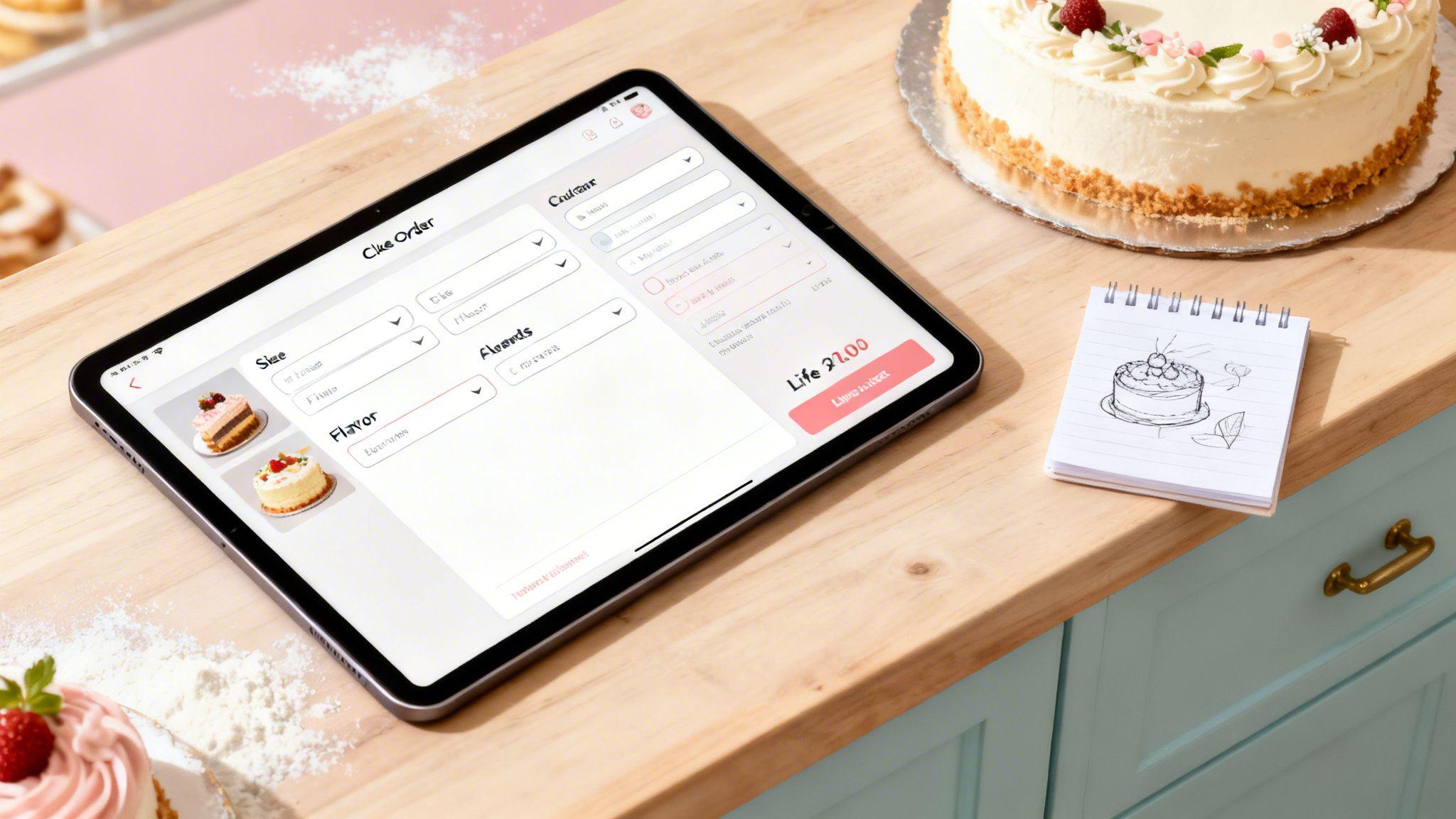
Tired of drowning in DMs, deciphering confusing email chains, and playing phone tag just to get a cake order right? A smart cake order form is more than just a place to collect information—it's a sales powerhouse that works for you 24/7, capturing customer details, preventing costly errors, and locking in sales.
It completely transforms the ordering process, freeing you up to do what you love: baking incredible cakes.
Why Your Cake Order Form Is Your Best Salesperson

Let's be real—the back-and-forth for custom cake orders is a huge time sink. A well-built order form doesn't just collect data; it actively walks your customers through the entire purchase, acting as your most efficient salesperson. It takes a messy, manual task and turns it into a simpler, professional experience for everyone.
Think about all the minutes you lose clarifying flavors, double-checking sizes, and confirming pickup times. Every moment spent on admin is a moment you're not in the kitchen. An automated system, built with a tool like Solo AI Website Creator, puts an end to that chaos for good.
Elevate the Customer Experience
A great form offers instant clarity. Customers see all their options, understand the pricing, and can confidently place their order without waiting for you to reply. This simple change makes a huge difference in how they perceive your brand, building trust from the very first click.
This online-first approach is crucial. The global cake market is enormous, and custom celebration cakes make up a massive 36.11% of it. By offering an easy-to-use online form, even the smallest bakeries can tap into this demand, especially now that artisanal and personalized cakes are what customers want most.
Actionable Tip: Anticipate your customer's questions and answer them right on the form. For example, add a small note next to your cake sizes that says "(Serves 8-10 people)". This proactive help builds trust and moves the sale forward.
To take it a step further, think about what happens after the order is placed. Integrating your form with a Customer Relationship Management (CRM) system can help you manage those relationships for repeat business and future sales.
Building Your Form With Essential Fields

The foundation of a great cake order form is all in the details you ask for. This isn't just about grabbing a name and email. Think of it as your blueprint for getting every critical piece of information right on the first try, so you can stop the endless back-and-forth emails.
Your goal here is to guide a customer from a vague idea to a complete, paid order without any friction. That means starting with the basics and then smoothly getting into the nitty-gritty cake details. If you forget a key field, you're setting yourself up for production mistakes and unhappy customers.
Mastering the Core Cake Details
First things first, let's nail down the non-negotiables. These are the absolute must-have specs you need before you can even think about firing up the oven. The trick is to make selecting these options feel totally intuitive.
Here are the fields you can't skip:
- Cake Size: Use a simple dropdown menu with clear, easy-to-understand options (e.g., "6-inch Round," "Quarter Sheet Cake").
- Actionable Tip: Add the serving count right next to the size, like this: "8-inch Round (Serves 15-20)." This one detail helps customers pick the right size for their party and instantly positions you as a helpful expert.
- Flavor Choices: For the cake sponge, keep it simple. A dropdown or a set of radio buttons with your standard flavors is perfect. It keeps the initial choice clean and avoids overwhelming them.
- Fillings and Frostings: Treat these just like the cake flavors. Grouping similar options together makes the form feel organized and much less intimidating for your customer.
Actionable Tip: Putting a serving size guide right on the order form isn't just helpful—it builds trust from the very first click and prevents customers from ordering a cake that's too big or too small.
Using Logic to Create an Intuitive Flow
Ready for the secret that makes your form feel smart and professional? It’s called conditional logic. This simply means your form shows or hides questions based on a customer's previous answers. It's like having a real conversation, where you only ask for details when they're relevant.
For example, think about what happens when a customer is ordering a tiered wedding cake.
Wedding Cake Scenario:
- Customer Selects: "Two-Tier Cake" from your size dropdown.
- Form Reveals: Two new dropdown menus instantly pop up, labeled "Top Tier Flavor" and "Bottom Tier Flavor."
- Customer Selects: "Lemon" for the top and "Chocolate Fudge" for the bottom.
This dynamic approach keeps your form from looking like a giant, cluttered mess. The customer never sees fields for a three-tier cake if they only want two. This intuitive flow is what separates a homemade form from a truly professional online ordering system, and it's a feature you can easily use with a tool like the Solo AI Website Creator.
These same principles apply to more than just cakes. You can see how this structured approach works in a different context with this client intake form template.
Adding Customizations That Increase Order Value
Once you've locked down the essential fields, we get to the fun part—the customizations. This is where a simple order transforms into a profitable, one-of-a-kind creation, and where you can seriously boost your revenue.
A well-designed cake order form does more than just take information; it actively upsells for you. The trick is to frame these add-ons as exciting creative choices, not just extra charges. When a customer can add a premium raspberry filling or a handwritten message with a single click, it feels like a natural step in designing their perfect cake.
Turning Options into Opportunities
For upselling to work, it has to be completely seamless. As someone selects an option like an edible photo print or intricate fondant work, the total price should update right then and there. This transparency builds trust and lets the customer feel in control of their budget.
Actionable Tip: Visuals are your best friend here. Don't just list "Fondant Topper" as text. Show a small, gorgeous photo of a fondant flower right next to the checkbox. When people can see what they’re getting, they are much more likely to add it to their order.
A few high-impact customizations that always work well include:
- Written Messages: Offer a simple text box for their message and price it as a small add-on.
- Edible Photo Prints: Include a file upload field and a clear price for this popular feature.
- Premium Fillings: List tempting upgrades like "Lemon Curd" or "Salted Caramel Mousse" as priced alternatives.
- Complex Decorations: Add choices for "Gold Leaf Accents" or "Hand-Piped Floral Designs," each with its own price tag.
Actionable Tip: The best upsells feel like an upgrade, not just another fee. Frame your customizations as enhancements that will make their celebration even more memorable.
Keep Your Form Clean and Organized
Nothing kills a sale faster than a cluttered, overwhelming form. If a customer is hit with a massive, disorganized list of 30 different options, their eyes will glaze over, and they'll probably just leave.
Actionable Tip: Group your customizations into logical, collapsible categories. Think about how a customer naturally builds a cake in their mind—size, then flavor, then decorations. Structure your form to match that flow. This keeps the interface clean and guides them through the choices one step at a time.
Essential vs. Upsell Form Fields
It's helpful to separate the "must-haves" from the "nice-to-haves." The essentials gather the core information, while the upsells are where you increase the value.
Here's a quick breakdown:
| Field Type | Example Field | Purpose |
|---|---|---|
| Essential | Cake Flavor (Vanilla, Chocolate) | Gathers the foundational choice for the order. |
| Upsell | Premium Filling (Raspberry Jam) | Offers an upgraded experience for an additional cost. |
| Essential | Size (6-inch, 8-inch) | Determines the base price and serving count. |
| Upsell | Edible Photo Print | Adds a highly personal (and profitable) customization. |
| Essential | Frosting (Buttercream) | Defines the basic exterior finish of the cake. |
| Upsell | Fondant Topper (Character) | Adds a decorative, high-value element. |
Structuring your form this way with the Solo AI Website Creator is straightforward. By presenting essentials first and then introducing appealing upsells, you create a smooth, intuitive path that encourages customers to add more to their cart without feeling pressured.
This organized approach prevents confusion and makes the whole process feel professional and effortless. It shows you've thought through every detail, which builds confidence in your bakery.
Integrating Payments and Managing Logistics Smoothly
An order isn't really an order until it's paid for and on the schedule. This is where your cake order form pulls its weight, turning from a creative menu into a secure business tool that handles the final, critical steps automatically.
Securing the Sale with Integrated Payments
Let’s be honest, chasing payments is the worst. Integrating a secure payment gateway directly into your form is non-negotiable for any modern bakery.
Using trusted options like Stripe or PayPal immediately builds confidence and makes it incredibly easy for customers to hit "confirm."
Actionable Tip: Always require a deposit—or even full payment upfront. It’s a game-changer for securing your booking calendar and pretty much eliminates the heartbreak of last-minute cancellations or no-shows.
This isn't just about avoiding flakes; it’s a smart cash flow strategy. You’ll have the funds you need for specialty ingredients before you even start preheating the oven. If you're new to this, we have a great guide on how to integrate a payment gateway on your site.
Nailing Down Pickup and Delivery Options
Once the payment is sorted, it's all about logistics. Your form needs to offer crystal-clear choices for how customers will get their cake. This simple step prevents a world of confusion and headaches.
If you’re offering delivery, your form needs these fields:
- Full Delivery Address: Use separate fields for street, city, and zip code to avoid typos.
- Delivery Date: A simple calendar picker is your best friend here.
- Preferred Time Window: Offer pre-set time slots like "10 AM - 12 PM." This makes scheduling your delivery route a thousand times easier.
For in-store pickups, make sure your address is displayed prominently. Then, just like with delivery, provide a time slot selector.
Actionable Tip: Use a date picker that automatically grays out days when you're fully booked or closed. It's a small feature that acts as your personal gatekeeper, preventing double bookings and keeping your production schedule sane.
This flowchart gives you a good visual of how a customer moves from a basic choice to a final, priced-out order.

See how each selection logically flows into the next? That’s the kind of smooth, intuitive process that guides a customer straight to purchase.
This experience is exactly what people expect now. Online retail is the fastest-growing channel for cakes. And while supermarkets still had a 42.76% market share in 2025, online ordering is catching up fast. This is where tools like the Solo AI Website Creator really shine, giving small bakeries the power to compete with integrated booking and form features right out of the box.
Quick thought on presentation: You’ve baked a masterpiece, so don't let it get ruined on the way to the party. To keep it safe, you might even suggest specialized glass cake dome rentals for extra-special occasions.
Automating Confirmations to Save You Time
Once a customer hits "Submit," your job isn't to start a new administrative task—it should be to start baking. This is where automation can be a total game-changer, turning your order form from a simple data collector into a powerful assistant that handles the tedious details for you. The goal is a hands-off system that buys you back time.
The first, and most important, step is to set up an automated confirmation email. This is more than just a quick "thanks." A well-crafted confirmation is a professional touchpoint that instantly reassures your customer their request landed safely. It builds immediate trust and cuts down on those "did my order go through?" emails.
What to Include in Your Confirmation Email
Your automated email should be crystal clear, concise, and have all the crucial info your customer needs. Think of it as a mini-receipt that gives them peace of mind.
Here’s a simple checklist to make sure they have everything at their fingertips:
- A Clear Subject Line: Something like "Your Cake Order Confirmation from " works perfectly.
- A Unique Order Number: This is invaluable for both you and the customer if any questions pop up.
- A Complete Order Summary: List out every single detail they chose—size, flavor, fillings, add-ons, and the final price.
- Pickup or Delivery Details: Clearly state the date, time window, and location they selected.
- Next Steps: A quick sentence on what happens next is always a good idea (e.g., "We're reviewing your details and will be in touch if we have any questions!").
Getting this sorted in a tool like Solo AI Website Creator is incredibly straightforward. The system can automatically pull the data from the form submission, pop it into an email template, and send it the very moment an order is placed.
Beyond Emails: Building Your Production Workflow
True automation doesn't stop with customer emails; it should also simplify your entire baking process. Manually copying order details from an email into a spreadsheet is just asking for a mistake to happen. Instead, you can build a workflow that organizes every new order for you.
Actionable Tip: Connect your form submissions directly to a Google Sheet. Every time a new order comes in, a new row is automatically created with all the customer's details perfectly organized. This gives you an instant, always-updated production list that you can pull up from anywhere.
An automated workflow turns that raw order data into an actual, actionable plan. You spend less time organizing and more time creating, confident that every last detail is captured accurately from the start.
Want to take it a step further? Integrate your form with a project management tool like Trello. Each new submission can instantly create a new card on a "Baking Queue" Trello board. From there, you can drag that card through different stages—"Design Pending," "Baking," "Ready for Pickup"—creating a visual and super-organized system.
Common Form Mistakes That Cost You Sales
Your online cake order form can either be your best salesperson or your biggest bottleneck. Get it right, and the orders roll in. Get it wrong, and you're just sending potential customers straight to your competition.
Let's walk through some of the most common—and costly—mistakes bakers make all the time.
The Pitfall of Confusing Language
One of the quickest ways to lose a customer is to use your internal bakery jargon. Terms that are second nature to you, like "ganache drip" or "fondant accents," can sound like a foreign language to a customer just trying to order a birthday cake.
This confusion creates hesitation, and a hesitant buyer is a lost buyer. They'll just close the tab rather than risk ordering the wrong thing.
Actionable Tip: Instead of assuming they know what you mean, add short descriptions or, even better, use photos to show exactly what each option looks like. This simple step turns confusion into confidence.
Think about the difference between these two approaches:
- Before: A single, vague text box labeled "Decorations." This puts all the work on the customer and leaves them guessing.
- After: A clean dropdown menu with clearly priced choices like "Fresh Flowers," "Chocolate Drip," or "Custom Fondant Figures." This gives them control and clarity, making the decision to buy easier.
Remember, ordering a custom cake should feel fun and exciting, not like a final exam. Every single field on your form should guide your customer, not stump them.
Another classic mistake? Asking for too much information at the start. If someone is just trying to see your flavor options and you hit them with a wall of 20 required fields, they're gone. Start with the fun stuff—flavor, size, design—and save the delivery details for the end.
Why Mobile-Friendliness Is Non-Negotiable
This last one isn't just a tip; it's a rule. If your form is a nightmare to use on a phone, you are actively throwing away money. With more than half of all website traffic now coming from mobile devices, a clunky mobile experience is a deal-breaker.
No one wants to pinch and zoom their way through an order form or try to tap a tiny button with their thumb. They'll just give up.
Actionable Tip: When you’re building your site with the Solo AI Website Creator, you absolutely have to test your form on your own phone. Tap every button. Fill out every field. Make sure the whole process is smooth and intuitive. A seamless mobile experience isn't a bonus feature anymore—it's the bare minimum for a successful online business.
A Few Common Questions About Cake Order Forms
When you're setting up your first online cake order form, a few questions always seem to pop up. Let's tackle some of the most common ones I hear from bakers.
What’s the Best Tool for Building My Cake Order Form?
For a seamless, all-in-one setup, a platform like the Solo AI Website Creator is tough to beat. It pulls your form builder, payment processor, and scheduling tools all under one roof, which simplifies everything.
If you’ve already got a website you love, you can always embed a form from a dedicated service like JotForm or Typeform. Just keep in mind that this route often means juggling a separate subscription and a bit more technical wrangling.
Should I Ask for Full Payment Upfront or Just a Deposit?
For any custom cake order, taking a 50% non-refundable deposit is the industry standard for a reason. It secures the booking, which means you can confidently buy ingredients and block out your calendar. It also protects you if a customer has to cancel last minute.
For smaller, ready-to-go items like a dozen cupcakes, asking for the full payment upfront is usually the way to go. It keeps the transaction clean and simple.
Your deposit policy is your safety net. It ensures everyone is committed to the order right from the start, protecting your valuable time and material costs.
How Should I Handle All the Custom Design Requests?
This is where your form can really do the heavy lifting for you. The best way to manage this is by adding a file upload field right on the form. This lets customers send you their inspiration photos directly.
Pair that with a text box for them to describe their vision in their own words. The key here is to also include a friendly disclaimer to manage expectations. Something simple like, "Images are for inspiration only; exact replicas aren't guaranteed," works wonders.
For really complex or unique designs, you should always plan to follow up with a personal conversation and a final quote.
Ready to create a cake order form that not only saves you time but also brings in more sales? The Solo AI Website Creator makes it incredibly simple to build a professional, mobile-friendly form packed with all the features you need. Start for free and get your online bakery business growing today at https://soloist.ai.
What fields should a cake order form always include?
A cake order form should always capture the customer’s basic contact details, cake size, flavor, fillings, frostings, and the requested pickup or delivery timing. Clear size options with serving counts help customers choose confidently and reduce follow-up questions.
How does conditional logic improve a bakery ordering system?
Conditional logic shows only the questions that match a customer’s previous selections, which keeps the form clean and easy to complete. If someone chooses a two-tier cake, for example, the form can reveal separate flavor fields for each tier without overwhelming customers ordering something simpler.
How can a cake order form increase average order value?
A cake order form can raise order value by presenting customizations as simple upgrades, such as premium fillings, written messages, edible photo prints, or decorative finishes. Real-time price updates and helpful visuals make these add-ons feel transparent and appealing instead of confusing or pushy.
Why should payment be built into an online order form?
Integrated payment turns a request into a committed order and reduces the time spent chasing invoices or deposits. Requiring a deposit or full payment upfront helps secure the booking calendar, improves cash flow for ingredients, and lowers the risk of cancellations or no-shows.
What logistics options should an online cake order form handle?
An online cake order form should clearly manage either pickup or delivery by collecting the right details for each option. Delivery orders need a full address, date, and time window, while pickup orders should show the bakery location and available collection slots to prevent scheduling confusion.
What should happen after a customer submits a cake order form?
An automated confirmation email should go out immediately after submission so the customer knows the order was received. That confirmation should clearly summarize the order details and next steps, which builds trust and cuts down on unnecessary follow-up messages.


