
Build a Smarter Client Intake Form Template
This article was assisted with AI. We may include links to partners.
A digital client intake form is an online form that helps you gather essential information from new clients. It's a simple replacement for back-and-forth emails, helping you make a professional and efficient first impression.
Move Beyond Manual Client Onboarding
Manual client intake creates a bottleneck. It's a frustrating process of chasing down missing details, deciphering messy handwriting, and piecing together information from multiple emails. This administrative headache doesn't just waste your time; it creates a clunky and disorganized experience for your new clients.
Switching to a digital template is a smart move. It immediately shows clients that your business is organized, professional, and respects their time. This is especially true in professional services. In the legal world, for example, digital intake platforms automate data collection and eliminate redundant work, freeing up staff to focus on billable hours instead of clerical tasks.
Why Automation Is a Game Changer
Automating this first step sets the tone for the entire client relationship. It standardizes the information you collect, so you never miss a critical detail again. Ditching manual processes starts with putting solid Client Onboarding Best Practices into place to make those first interactions as smooth as possible.
By using a tool like the Solo AI Website Creator, you can build a form that doesn’t just capture data—it kicks off your entire workflow.
Actionable Tip: The goal isn’t just to gather information. It’s to build a seamless, repeatable system that frees you up to deliver incredible work for your clients.
Here’s a quick look at how the Solo AI Website Creator can help you build your online presence, complete with integrated forms.

This platform gives you all the tools you need to add your custom client intake form directly into a professional website, creating one clean entry point for every new lead.
Map Out Your Ideal Intake Form
Before you open the Solo AI Website Creator, let's create a plan. Many people dive straight into building a form without a strategy, which often leads to poor results. Think of it like a road trip—you wouldn't start driving without a destination.
Your goal isn't to collect every single detail. It's to gather just enough information to qualify them and prepare for a productive first conversation.
Your intake form acts as your first filter. It needs to be detailed enough to weed out unqualified leads but simple enough that your ideal clients don't get frustrated and leave. With form abandonment rates as high as 81% for complicated forms, simplicity is crucial.

Group Your Questions Logically
To avoid overwhelming prospects, organize your questions into logical sections. This structure guides users smoothly through the process. For most service-based businesses, a few key sections are all you need.
Here’s a simple breakdown you can adapt for your own services:
- Client Basics: This is for the must-haves: name, company, email, and phone number.
- Project Scope: What are they looking for? A dropdown menu works perfectly here. For instance, a web designer could list options like "Website Redesign," "New Website Build," or "E-commerce Setup."
- Goals & Timelines: This is where you learn about their vision and urgency. Ask questions like, "What’s the main goal you hope to achieve with this project?" and "Do you have a specific launch date in mind?"
Actionable Tip: Only ask for information that you need for the first conversation or proposal. If it's not essential for that initial step, save it for the official onboarding process.
Write Questions That Get Real Answers
How you word your questions is critical. Avoid industry jargon. Instead of asking a potential client, "What are your KPIs?" (Key Performance Indicators), try something more direct, like, "What does success look like for this project?" You'll get a much better, more thoughtful response.
Use open-ended questions for important details, but for sensitive topics like budget, offer choices. Instead of a blank field for "What's your budget?", provide multiple-choice ranges. This makes people more comfortable sharing financial information and gives you an immediate sense of where they stand.
Build Your Form in Solo AI Website Creator
With a solid plan, it's time to build your client intake form. This process is straightforward, especially with the right tool. We'll use the Solo AI Website Creator because it’s very user-friendly, even if you have no technical experience.
First, add a form block to your page. Inside the Solo AI Website Creator, you can simply drag and drop it. Find the "Form" element and place it in the perfect spot—like your "Contact" page or a dedicated "Work With Me" page.
Choosing the Right Fields for the Job
Now that your form block is in place, let’s add the fields. Think back to the logical groups we mapped out earlier. This is where you turn those ideas into actual form components.
Here are a few common field types you'll use:
- Text Boxes: Perfect for short, simple answers like names, company names, and email addresses.
- Dropdown Menus: Use these when you want clients to choose from a specific list, such as your services or project budget ranges. This keeps your data clean and consistent.
- File Uploads: A must-have if you need clients to send documents like project briefs or brand guidelines.
For each field, you can easily mark it as 'required'. This is essential for critical info like an email address. A quick click of that checkbox ensures you'll never have to chase a client for basic contact details again. To learn more about getting started, check out our full guide to the Solo AI Website Creator.
Making Your Form Smarter with Simple Logic
Here’s where you can add a professional touch. Instead of showing every possible question to every user, you can use conditional logic. This simply means showing or hiding questions based on a user's previous answers.
For example, if a client selects "Website Design" from a dropdown menu, you can set the form to automatically show a follow-up question asking for their current website URL. If they choose a different service, that question remains hidden.
This small adjustment makes the experience feel more personal and less overwhelming. Clients only see relevant questions, which makes them more likely to complete the form. You're moving them away from clunky systems for good. In some industries, up to 39% of workers still manually input data—a massive time-waster that a smart digital form eliminates instantly.
Actionable Tip: A well-built form does more than collect data; it guides your potential client through an organized process that reflects the quality of your work. It's their first taste of what it's like to work with you.
Deciding Between Essential and Optional Form Fields
It's tempting to ask for everything upfront, but a long form can scare people away. Use this guide to decide what you absolutely need now versus what you can ask for later.
| Field Type | Example | Why It's Essential | When to Make It Optional |
|---|---|---|---|
| Contact Info | Name, Email, Phone | You can't follow up without it. This is the bare minimum for any lead. | Never. Always make these required. |
| Service Selection | "Which service are you interested in?" | Helps you immediately categorize the lead and prepare for the conversation. | If you only offer one core service and the context is already clear. |
| Budget Range | Dropdown with ranges (e.g., $1k-$5k) | Qualifies the lead and ensures you're not wasting time on a bad fit. | If you prefer to discuss budget on a call or your pricing is fixed. |
| Project Details | "Tell me about your project." | Gives you the core information needed to understand their goals. | A very brief summary can be required, but detailed questions can wait. |
| File Uploads | "Upload your project brief." | Crucial for getting detailed specs, but can feel like a big ask upfront. | Make this optional initially. You can request files after the first contact. |
| Deadlines | "Do you have a specific deadline?" | Helps you gauge urgency and manage your own pipeline. | If you have a standard turnaround time, this can be discussed later. |
The key is to find the right balance. Your goal is to gather enough information for a productive first conversation without making the client feel like they're filling out a tax return.
Automate Your Workflow After Submission
A great client intake form template is a fantastic start, but the real magic happens next. This is where you can turn a simple form submission into a smooth, automated workflow that impresses potential clients from the moment they hit "submit."
Inside the Solo AI Website Creator, you can set up powerful actions that run after a form is submitted. This ensures every lead gets an immediate, professional response. Imagine this: a new client fills out your form, and instantly, a personalized confirmation email lands in their inbox, thanking them and explaining what to expect next. That one small touch builds trust right away.
Create a Seamless Client Experience
At the same time, you can have the system send a notification directly to your own inbox. This means you know about a new lead the moment it comes in, without having to constantly check your website for new entries. This hands-off approach lets you respond quickly and professionally, moving people through your pipeline without extra work.
Actionable Tip: Your intake form shouldn't create more administrative work. It should kick off an automated system that qualifies leads, opens communication, and organizes client data for you.
This visual breaks down the first few steps of getting your form live, from adding the block to setting up the must-have fields.
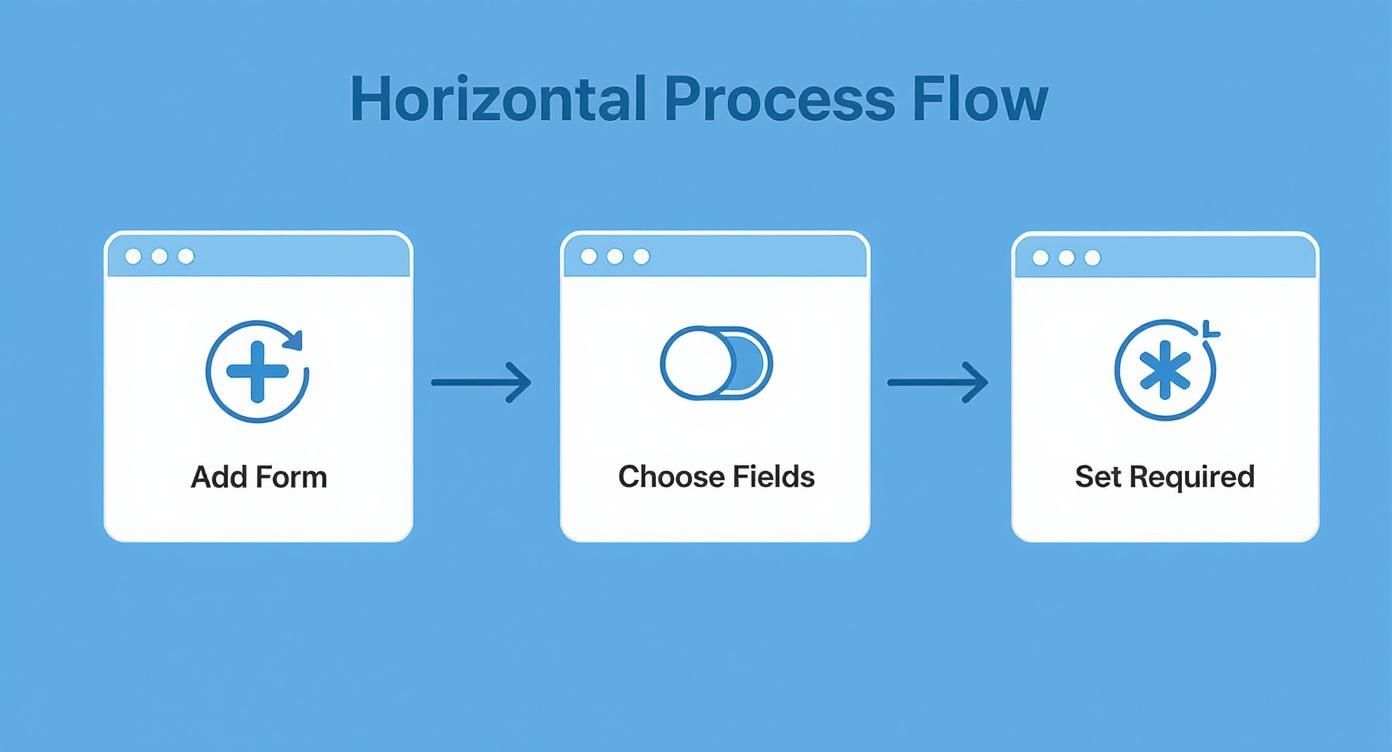
The beauty of this simple setup is that it frees you up to focus on what follows. For example, you can connect your form to tools you already use, like a project management board or a customer relationship management (CRM) tool, to automatically create a new client record or a task on your to-do list.
This kind of integration is the backbone of a modern, efficient workflow. Many service providers find that a smart booking system for small business can sync with their intake forms to automatically schedule discovery calls. This completely eliminates the painful back-and-forth of trying to find a meeting time.
By linking these systems, you're building a powerful, self-running client onboarding machine that works for you 24/7.
Share and Embed Your Intake Form
You've built and automated your client intake form. Now, you need to get it in front of your potential clients.
Making your form easy to find is key to a smooth intake process.
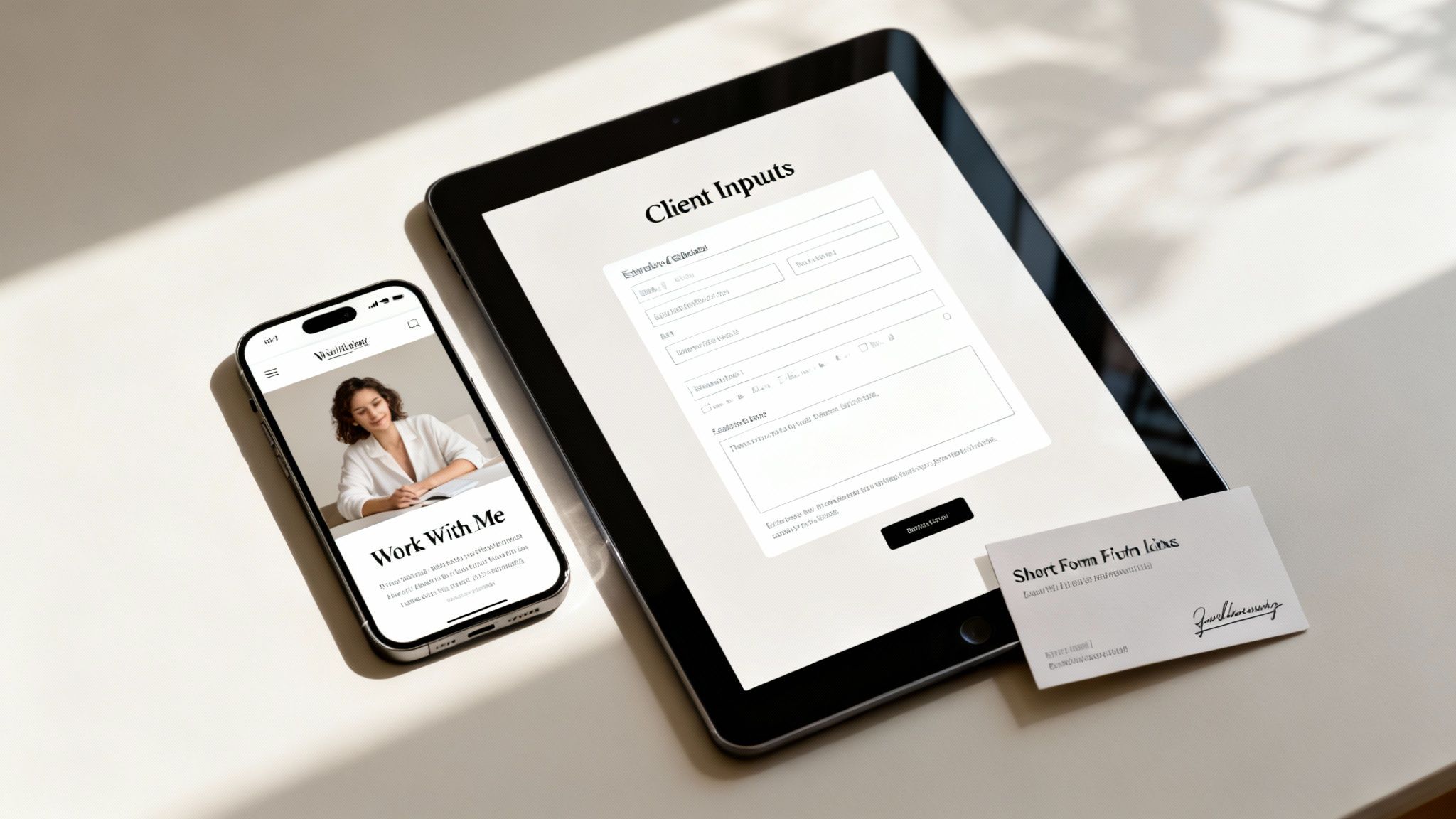
The best place for your form is right on your website. Using the Solo AI Website Creator, you can embed it directly onto your high-traffic pages. Think about where your ideal clients spend time on your site—your "Contact" or "Work With Me" pages are usually perfect spots.
When you embed the form directly, you capture leads when their interest is highest, without making them click away to another site.
Smart Ways to Share Your Form
Beyond your website, share your form link across all your client touchpoints. The goal is to make it incredibly simple for someone to start working with you, no matter how they found you.
Here are a few high-impact strategies:
- Email Signature: Add a direct link to your form in your email signature with a simple call to action like, "Ready to start a project? Fill out my intake form."
- Social Media Bio: The link in your Instagram, LinkedIn, or Twitter bio is valuable real estate. Use it to capture leads directly from your social channels.
- Discovery Call Follow-up: After a great initial chat with a prospect, send them the link to your form. It's the perfect, professional next step to gather all the project details you need.
Actionable Tip: The easier you make it for clients to give you their information, the more likely they are to follow through. Reduce friction at every opportunity.
The move toward smoother onboarding is happening everywhere. The global patient intake software market, for instance, is expected to hit USD 2.5 billion by 2025, driven by the need for more efficiency. You can see how digital intake is changing industries and check out more of these trends over on datainsightsmarket.com.
Still Have Questions About Your Intake Form?
Even with a solid plan, a few questions always come up when creating your first client intake form. That’s completely normal.
Let's walk through some of the most common questions service providers have, along with straightforward answers.
How Long Should My Intake Form Be?
Keep it short. The ideal length is a form someone can fill out in about 5 to 10 minutes. The biggest mistake is asking for too many details upfront.
Remember, this form is just the start of a conversation, not a deep dive into the project. A potential client who is just browsing might see a 30-question form and immediately leave. Stick to the absolute must-haves you need to give a quote or prepare for an initial chat. You can always gather more details later.
Can I Use One Template for All My Services?
Yes. In fact, starting with one master template is the most efficient approach. Inside the Solo AI Website Creator, you can build a comprehensive client intake form and then duplicate it with a single click.
From there, you can easily make small adjustments for each specific service you offer. For example:
- If you offer branding services, you could add a quick question about visual inspiration or brand values.
- For a copywriting project, you might ask a question about their target audience or desired brand voice.
This simple tweak makes your process feel personalized and professional without creating extra work for you.
How Do I Keep My Client's Data Secure?
This is non-negotiable. First, your website must use SSL encryption. That's the "https" in a URL, and it protects data as it's sent from a browser to your server. This is a standard, built-in feature in the Solo AI Website Creator, so you don't have to worry about the technical setup.
Actionable Tip: Handling client data responsibly is a cornerstone of building trust. A secure form and a clear privacy policy show clients that you take their information seriously.
It's also crucial to be aware of data privacy regulations like GDPR, especially if you have clients in Europe. The key is transparency. Be clear about how you collect, use, and store data. An easy-to-understand privacy policy is your best friend here. If you need help drafting one, we have a complete guide on how to create a privacy policy that will walk you through everything you need to know.
Ready to create a professional online presence with a seamless intake process? The Solo AI Website Creator gives you all the tools you need to build a stunning website and an effective client intake form in minutes. Get started for free today!