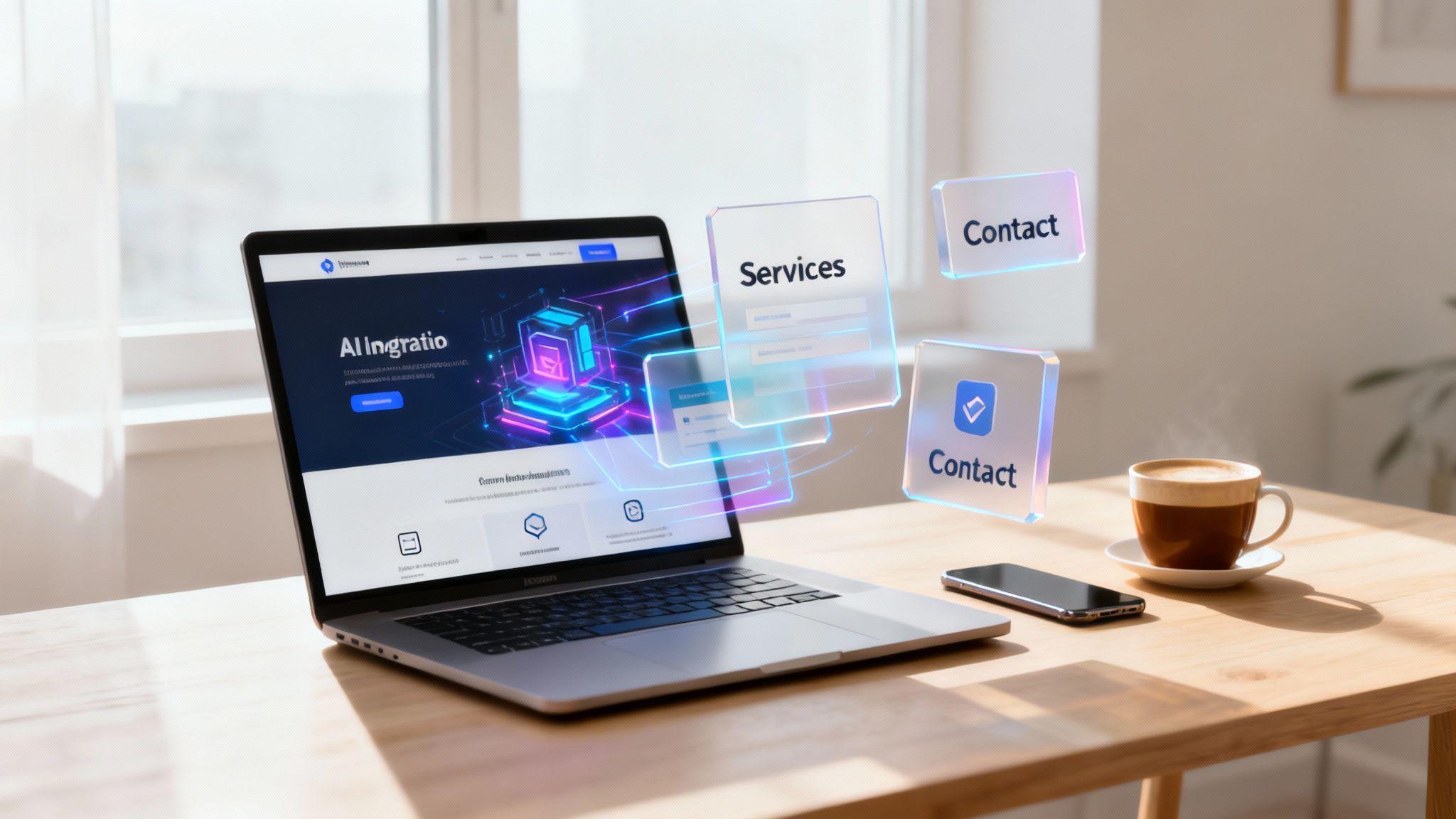
The easiest way to get online today is with an AI-powered platform that generates your entire site in minutes. Forget spending weeks wrestling with complicated drag-and-drop editors. Modern tools, like the Solo AI Website Creator, only need a few details about your business to build a professional, launch-ready website for you—instantly.
This is the fastest and most direct path from an idea to a real online presence, no technical skills required.
Your Professional Website Is Minutes Away With AI
Not long ago, launching a website was a huge project. You either had to pay a developer thousands of dollars or spend countless hours learning complex tools. The process was slow and filled with technical roadblocks, which kept many great small businesses and freelancers offline because it was too much of a hassle.
That entire model has changed. The new, easier way to create a website removes the complexity, making it possible for anyone to get a great-looking site up and running in a single afternoon.
The Old Way Versus The New Way
Traditionally, your choices were limited: hire a professional or do it yourself with a manual website builder. Hiring a pro gets the job done but it’s expensive and takes time. Using a builder gives you control, but it requires hours of your time learning the software, designing layouts, and writing every single word of copy from scratch.
It’s no surprise the global website builder market hit about $2.1 billion in 2024 and is expected to grow to $2.3 billion in 2025. People are searching for tools that don't require a computer science degree.
This is where tools like the Solo AI Website Creator completely change the game. It handles the difficult parts for you—the design, the copywriting, and even finding the right images.
Actionable Tip: To get the best result from the AI, describe what you do in plain English. For example: "I'm a freelance photographer in Austin specializing in family portraits." The AI uses that simple sentence to deliver a complete first draft in under a minute.
This method gives you both professional quality and incredible speed, which is a lifesaver for anyone who isn’t a tech expert. To get a better sense of the landscape, it's worth comparing popular website builders like Wix Studio, WordPress, and Shopify to see how different platforms stack up.
The differences become crystal clear when you compare the methods side-by-side.
Website Creation Methods At a Glance
This table breaks down the time, cost, and skill you'd typically need for each approach.
| Method | Average Time to Launch | Typical Cost | Technical Skill Needed |
|---|---|---|---|
| Custom Coding | 1-3 months | $5,000 - $25,000+ | Expert |
| Manual Website Builder | 1-4 weeks | $300 - $1,000/year | Moderate |
| AI Website Creator | Under 1 hour | $100 - $300/year | Beginner |
As you can see, the numbers speak for themselves. The AI-driven path dramatically cuts down the resources needed to launch.

The data just confirms what so many are discovering: AI has made getting a professional website live easier, cheaper, and faster than ever before.
How to Launch Your AI-Powered Website
Bringing your website to life with the Solo AI Website Creator feels more like a conversation than a technical task. The whole process starts with a simple prompt—which is just you telling the AI what your business is about. This is what makes it the easiest way to create a website: you don't need to know anything about design or code, you just need to know your business.
It’s as simple as typing a sentence or two into a chat box.
For example, a freelance photographer might type, "I’m a portrait photographer in Austin, Texas, specializing in natural light sessions for families and professionals." Or, a local bakery owner could say, "We're a sourdough bakery in Chicago that offers online ordering for pickup."
The AI takes these simple descriptions and immediately understands your industry, your target audience, and what you offer. From there, it instantly generates a complete website draft, including a suitable design, industry-specific text, and even relevant stock photos.
This is what that first, powerful step looks like in action.

Just like that, you've skipped the hours you’d normally spend choosing a template and building a structure from scratch.
Make the AI-Generated Site Your Own
Once the AI provides your draft website, it's time to add your unique brand personality. The generated site is a fantastic starting point, but personalization is what builds trust and connects with your customers. This is where you swap out the AI's content for your own.
Think of it like moving into a perfectly staged new house—now you get to hang your own pictures on the walls.
Actionable Tip: Start with these key customizations:
- Upload Your Own Photos: Replace the AI-selected stock images with high-quality photos of your products, your team, or your work. Real photos are always more powerful than generic ones.
- Refine the Copy: The AI-generated text is a solid draft, but you know your brand’s voice best. Tweak the headlines and descriptions to sound more like you. Our complete guide on how to build a website with AI has more in-depth tips on this.
- Add Essential Pages: Your initial draft might have a homepage and a contact page. Now is the time to add other crucial pages like an 'About' page, a 'Services' page with detailed descriptions and pricing, or a 'Gallery' to show off your work.
My best tip for your 'About' page? Write it like you’re talking to a friend. Ditch the corporate language and share your story. Why did you start this business? What gets you excited about your work? This approach builds an instant human connection.
Fine-Tuning Your Core Pages
Let's break down how to improve two of the most important pages on your new site. Getting these right can make a huge difference in how visitors see your business and whether they decide to contact you.
Your 'Services' Page
This page isn’t just a list; it’s a sales tool. For each service you offer, make sure you clearly explain:
- What It Is: Use a simple, benefit-focused name for the service.
- Who It's For: Be specific about your ideal client for that service.
- The Result: What problem does it solve, or what positive outcome will the client get?
A business consultant, for instance, shouldn’t just list "Strategic Planning." Instead, they could have a section titled, "Strategic Growth Plan for Startups," explaining that it’s for founders who need a clear roadmap to secure their first round of funding. Much more effective.
Your 'Contact' Page
Make it incredibly easy for people to get in touch. Don't just stop at a contact form. Actionable Tip: Add these elements to your contact page:
- Your business email address
- A business phone number (if you use one)
- Links to your professional social media profiles
- Your hours of operation
By personalizing these key areas, you transform the AI’s impressive draft into a genuine, trustworthy online presence for your business. This simple two-phase approach—generate, then refine—is truly the easiest way to create a website that works for you.
Adding Features That Drive Business Growth
A good-looking website is a great start, but it needs to do more than just sit there. An effective site works for you, actively helping to grow your business. This is where you go beyond design and add the functional tools that turn visitors into paying customers.
Thankfully, with the Solo AI Website Creator, integrating these powerful features is surprisingly simple. You don't need to touch a single line of code. These are straightforward tools designed to make it easy for people to do business with you.

This move toward easier website management is a massive industry shift. Back in 2013, 68.2% of websites were built without a recognizable content management system (CMS). Fast forward to today, and that number is projected to drop to just 28.5% by 2025.
This tells us one thing loud and clear: people are ditching the hard way and choosing tools that simplify website creation and management. It’s proof that accessible technology is the future. It's also why platforms like WordPress continue to be a powerhouse, running 43.2% of all websites.
Must-Have Features for Service Businesses
If you run a service-based business—like a consultant, a coach, or a stylist—your website's main job is to fill your calendar and bring in leads. The easiest way to create a website that actually does this is by making it ridiculously easy for a potential client to take the next step.
Actionable Tip: Integrate these essential features:
- Appointment Booking Calendar: Let clients see your availability and book a time directly on your site. For a business coach, this means a prospect can schedule a discovery call without any back-and-forth emails.
- Simple Contact Form: This is a must-have. A clean, simple form for inquiries makes it effortless for people to get in touch. A local bakery could use this for custom cake orders.
- Embedded Google Map: If you have a physical location, like a salon or a café, putting a map on your contact page helps customers find you without leaving your site.
A website should remove obstacles, not create them. Every feature you add should be a shortcut that brings a customer closer to a solution. The goal is to make their experience seamless.
How Features Translate to Growth
Adding these tools is a direct line to business growth. That clean contact form, for instance, is a key part of a sales process. If you want to dive deeper into that, our complete guide on how to create high-converting landing pages that boost sales is a great next step.
Beyond just adding features, you have to think about how people will use your site. Understanding the fundamental principles of User Experience (UX) design can completely transform how well your website performs.
When a tool is easy to find and even easier to use, visitors are much more likely to convert from browsers into customers. That simple logic is the foundation of a website that doesn't just exist—it actively contributes to your bottom line.
Making Your New Website Google-Friendly
You've launched your website—that's a huge step. But the job isn't quite done. Now, we need to make sure people can actually find you on Google.
This part might sound technical, but getting the basics right is surprisingly simple. It’s all about sending the right signals to search engines so they understand what your site is about and who it’s for. You don’t need to be an SEO (Search Engine Optimization) expert to make a real difference, especially with a tool like the Solo AI Website Creator that has these settings built-in.

We're going to focus on a few simple tasks that will help your brand-new site get noticed.
Craft Your Google Preview
Think about what you see when you search on Google: a blue, clickable title with a short paragraph of text underneath. This is your first—and maybe only—chance to convince someone to click on your site instead of a competitor's. Getting this right is one of the most important first steps you can take.
- Meta Title: This is the blue headline. It needs to be clear, concise, and tell people what you do and where you do it. Actionable Tip: A great formula is Primary Service | Business Name | City.
- Meta Description: This is the text below the title. It’s your quick sales pitch. Briefly explain what makes you the best choice and add a call to action, like "Book a free consultation" or "Shop our latest arrivals."
Let's say you're a pet groomer in Denver. A great setup would be:
- Title: Professional Dog Grooming | Pawsitively Clean | Denver
- Description: Gentle, stress-free grooming for all breeds. We treat your pet like family. Book your appointment online today and get 10% off your first visit!
Just like that, you've told both Google and potential customers exactly what you're all about.
Give Your Images a Voice
Search engines are smart, but they can't "see" images the way we do. They rely on alt text (alternative text) to understand what a picture is showing. Just think of it as a brief, descriptive caption written for search engines.
Actionable Tip: Writing good alt text is a double win. It helps Google understand your content, which can help your images appear in Google Image Search, and it makes your site more accessible for visitors who use screen readers.
Instead of a generic filename like "IMG_1234.jpg," your alt text should describe the photo.
- Bad Alt Text:
groomer - Good Alt Text:
Golden retriever getting a haircut at Pawsitively Clean grooming salon in Denver.
This small detail adds valuable context to your pages, reinforcing what your business does.
These foundational SEO tasks are simple to do but crucial for your long-term visibility. For a deeper dive, check out our guide on how to improve SEO and boost your website's Google ranking. Taking these few extra minutes is part of what makes this the easiest way to create a website that actually gets found.
Avoiding Common DIY Website Mistakes
Even with the easiest way to create a website at your fingertips, a few common slip-ups can undermine your hard work. Getting your site live is one thing; making sure it looks professional and works for you is what really counts.
The good news? These issues are easy to avoid once you know what to look for.
Let's walk through the most frequent problems and how you can avoid them, ensuring your new site makes a great first impression.
The Pitfall of Poor Visuals
Nothing makes a site look unprofessional faster than low-quality images. A blurry, poorly lit photo can make an otherwise beautiful website feel cheap and untrustworthy. Visitors make quick judgments, and pixelated images are a major red flag that signals a lack of professionalism.
Actionable Tip:
- Do This: Use high-resolution stock photos from free sites like Unsplash or Pexels if you don't have your own professional shots. A modern smartphone can also take fantastic pictures—just find good lighting and hold the phone steady.
- Not That: Never upload a dark, out-of-focus image or a picture that's been stretched or squashed. It instantly hurts your brand's credibility.
The Problem with Vague Copy
Another common mistake is writing generic text that doesn't say anything meaningful. Phrases like "We offer quality solutions" or "Customer satisfaction is our priority" are forgettable because they are vague. Your website's text is your 24/7 salesperson; it needs to be sharp and specific.
Actionable Tip: Your copy should quickly answer three questions for every visitor: What do you do? Who do you do it for? And why should they care? If a visitor can't figure that out in a few seconds, they'll leave.
Think about the competition. In 2024, an estimated 252,000 new websites were created every single day. With that much online noise, clear and direct messaging is the only way to stand out. You can discover more insights about these website statistics to get a sense of how fast the web is growing.
Forgetting the Call to Action
Finally, the most critical mistake is forgetting to tell visitors what to do next. You can have a stunning design and brilliant copy, but if there's no clear call to action (CTA), your visitors will just look around and leave. You have to guide them.
Actionable Tip:
- For a service provider: Don't just list your services. End the page with a button that says, "Book a Free Consultation."
- For a consultant: Your homepage should have a CTA front and center, like "Download My Free Guide."
Every single page on your site needs a purpose and a clear next step. By avoiding these common errors, you elevate your website from a simple online brochure to a powerful tool that actively generates business.
Got Questions About Building a Website With AI?
Even when a process is this simple, a few questions always come up. Let's walk through some of the most common things people ask when they're considering using an AI website creator for the first time.
So, What's This Going to Cost Me?
This is where the AI approach really shines. Hiring a web developer can cost thousands, but most AI website creators are very affordable. Many platforms, including the Solo AI Website Creator, combine everything you need—hosting, a domain name, and all the tools—into one simple monthly or annual fee.
They’re built to be a more affordable path than traditional methods. Actionable Tip: Look for a platform that offers a free trial. That way, you can see exactly what you’re getting and how it works before you commit financially.
Can I Use My Own Custom Domain Name?
Of course. This is a must-have feature. Any good AI website creator is designed to let you connect a custom domain you already own. And if you don't have one yet, you can usually buy one directly through their platform.
Connecting your own domain (like yourbusiness.com instead of a branded one) is a key step in making your business look professional and credible. The process is almost always straightforward, with simple instructions that will have you connected in minutes.
Are AI-Made Websites Any Good for SEO?
Yes, they're built for it. A modern AI website creator has search engine optimization (SEO) built-in. These platforms automatically write clean code, ensure your site looks great on mobile devices, and optimize for speed—all things Google loves to see.
The AI builds the entire technical SEO foundation for you, so you don't have to worry about the technical details. It’s like having a professional developer build the site correctly from the start, leaving you free to focus on your business.
On top of that, tools like the Solo AI Website Creator give you easy-to-use controls for your own SEO settings. You can edit your page titles and meta descriptions without needing to be an expert. This gives you direct control over how you show up in search results, helping you attract the right kind of customers.
Ready to see for yourself just how easy creating a website can be? With Solo AI Website Creator, you can get a professional, fully-functional site live in minutes. Get started for free today!
How does an AI website creator build a site so quickly?
You start by typing a plain-English description of your business, such as what you do, who you serve, and where you’re located. The AI uses that prompt to generate a complete first draft with layout, industry-specific copy, and relevant images, so you skip the usual template selection and page-by-page setup.
What should you customize after the AI generates your website?
Replace stock images with real photos of your products, team, or work, and revise the text so it matches your brand voice. It also helps to add essential pages like About, Services, and Gallery, because those details make the site feel more trustworthy and useful to customers.
What pages matter most on a small business website?
The Services page and Contact page deserve the most attention because they strongly influence whether visitors reach out. A strong Services page explains what each service is, who it’s for, and the result it delivers, while a strong Contact page includes a form, email, phone number, social links, and business hours.
Which website features help turn visitors into customers?
For service businesses, the most useful features are an appointment booking calendar, a simple contact form, and an embedded Google Map if you have a physical location. These tools remove friction, making it easier for people to schedule, ask questions, or find you without leaving the site.
How can you make a new website more Google-friendly?
Start with the basics: write a clear meta title, a persuasive meta description, and descriptive alt text for your images. A simple title format like Primary Service | Business Name | City helps search engines and potential customers quickly understand what you offer and where you operate.