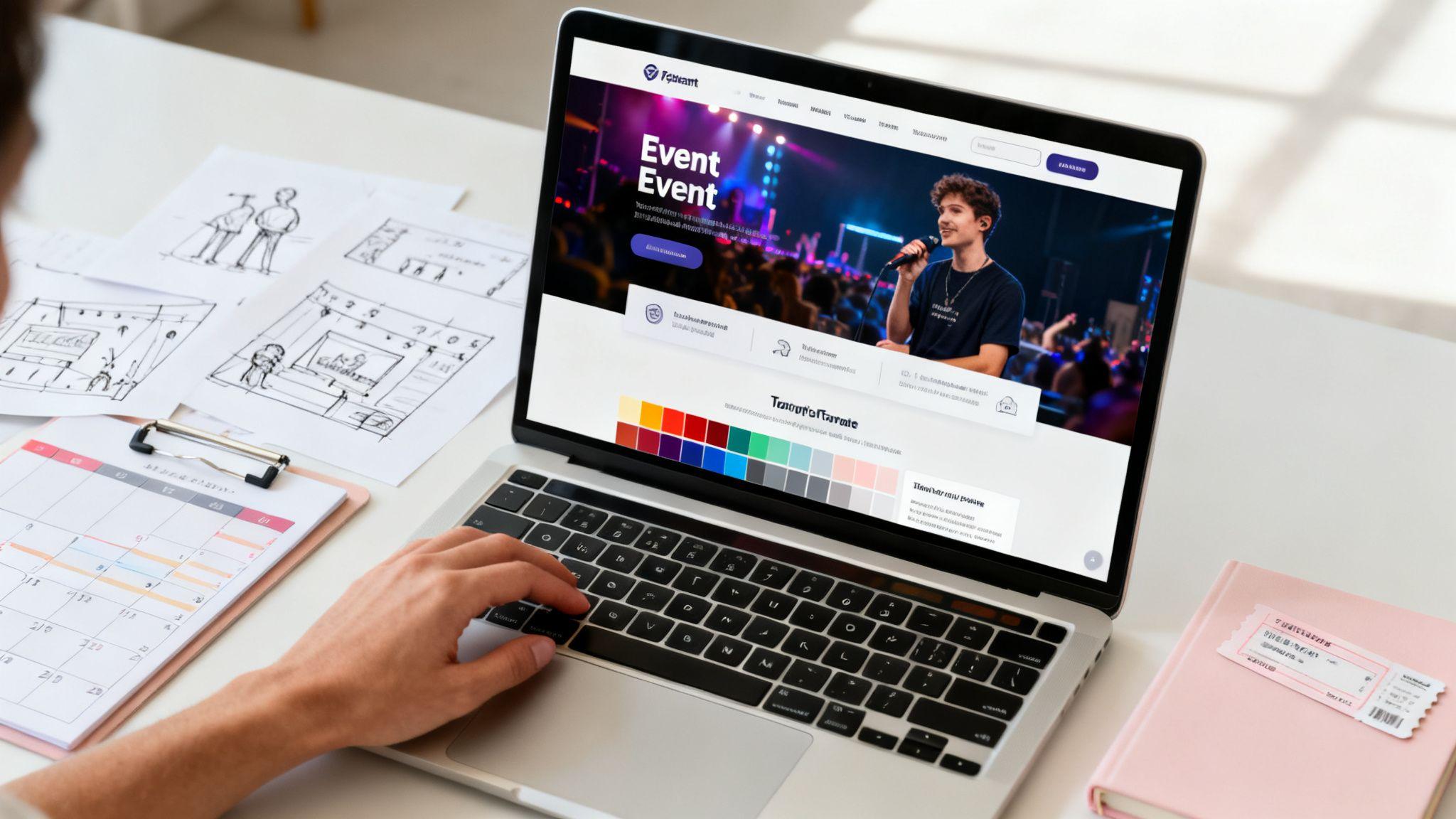
Event planning website templates are your secret weapon for getting a professional, full-featured site online in hours, not months. They provide a solid starting point with essentials—like registration forms and event schedules—already built in. This means you can launch your website quickly and focus on planning the event, not wrestling with code.
For freelancers and small event businesses, this is a game-changer. You get a polished, high-end look without the high cost of a custom-built website.
Why Templates Are an Event Planner's Best Friend
Let's be real: building a website from scratch is overwhelming, especially when you have an event deadline looming. The cost, time, and technical headaches are a lot to handle. That’s why many smart planners skip the lengthy development process and turn to pre-designed templates instead. This isn't about cutting corners; it’s about gaining a strategic advantage.

The benefits are just too good to ignore. You can slash your website budget and get crucial features right out of the box. Think of it like getting the blueprint for a house that already has the walls, windows, and doors installed. All you have to do is come in and decorate.
The Real Value of a Head Start
When you use a tool like the Solo AI Website Creator, you’re not just picking a pretty design. You’re grabbing a complete framework for marketing your event, managing sign-ups, and keeping your audience excited. It puts the power to build a professional site that looks like it cost a fortune right in your hands.
Here’s what that really means for you:
- Actionable Tip: To get online instantly, use a template-based system. You can go from no website to a live, functioning site in a single afternoon. When timelines are tight, that speed is priceless.
- Save Your Budget: Sidestep the hefty price of custom web development. That money is better spent on making your event unforgettable.
- Functionality is Built-In: Forget hunting for plugins or hiring a coder. Essential tools like contact forms, photo galleries, and booking systems are ready to go from the start.
A great template does more than just look good. It works behind the scenes as your silent partner, handling all the technical stuff so you can stay focused on creating an incredible experience for your guests.
This shift toward efficiency is huge. The event management software market is expected to balloon to USD 16.11 billion by 2026, largely because planners are demanding tools that simplify their lives. Templates are a massive part of that, with up to 84.1% of planners saying they work more efficiently by using preset formats.
More Than Just a Pretty Picture
A good template isn’t just about the visuals; it provides the backbone for your event’s entire online presence. From the moment someone lands on your page to the follow-up email after the event, the template guides the experience.
And it goes beyond just the website design itself. Just as you’d use event budget planning templates to simplify your finances, a website template streamlines your digital marketing and logistics. By starting with a solid foundation, you save time, cut down on stress, and set your event up for success right from day one.
What Really Matters in an Event Website Template?
Let's be honest, picking an event planning website template isn't just about finding a pretty design. It's about finding a functional tool that will support your entire event. Think of your template less as a digital brochure and more as a key operational tool—one that should simplify your work and, most importantly, drive registrations.

The needs of a sprawling, multi-day conference are worlds away from those of an intimate local workshop. One demands a template with complex ticketing and a detailed agenda, while the other might just need a straightforward RSVP form. Your event’s specific goals should be the filter through which you view every template feature.
This practical approach is becoming essential. The global events market is on track to hit $3.47 trillion by 2033, with 80% of B2B planners zeroing in on conferences. To handle this kind of scale, smart planners are ditching the patchwork of different tools. Instead, they're leaning on integrated platforms that bundle registration, analytics, and mobile apps into one experience. You can explore more event industry trends on ems-events.co.uk.
Before you commit to a template, you need to know what to look for. This table breaks down the non-negotiable features every event planner should have on their checklist.
Must-Have Features in an Event Planning Website Template
| Feature Category | Essential Component | Why It Matters for Your Event |
|---|---|---|
| User Engagement | Impactful Hero Section | This is your first impression. A strong visual, clear headline, and a prominent call-to-action grab attention and immediately communicate the event's value. |
| Information Delivery | Dynamic Event Schedule | Attendees need to know what's happening and when. A clean, easy-to-navigate agenda helps them plan their time and builds excitement for specific sessions. |
| Credibility Building | Dedicated Speaker Profiles | Showcasing your speakers with photos, bios, and social links builds trust and provides a major draw for potential attendees. |
| Conversion Focus | Strategic CTA Buttons | Well-placed "Register Now" or "Buy Tickets" buttons guide visitors through the registration journey, making the process intuitive and boosting conversions. |
| Logistical Support | Integrated Maps & Venue Info | For in-person events, making it easy for attendees to find you is critical. An embedded map and clear address prevent confusion and last-minute stress. |
Think of this as your starting point. A template that has these core elements built-in is already setting you up for a smoother, more successful launch.
The Non-Negotiable Core Features
Before you get swept away by a slick design, check what's under the hood. Any solid event website template needs to have a few fundamental building blocks ready for you to customize.
Here’s what to look for first:
- An Impactful Hero Section: This is the first thing people see. It needs space for a great photo or video, a headline that hooks them, and a call-to-action (CTA) that’s impossible to miss, like "Register Now."
- Dynamic Event Schedule: Your attendees’ primary question is "What's happening and when?" A good template gives you a clean, easy-to-read layout for your schedule, whether it’s a simple one-day affair or a complex multi-day conference.
- Dedicated Speaker Profiles: Highlighting your speakers is one of the best ways to build hype and credibility. The template should have a pre-built section where you can easily add speaker photos, bios, and links to their social media.
- Strategic Call-to-Action Buttons: Don't make visitors search for the registration button. A well-designed template will have CTAs placed thoughtfully throughout the page to nudge users toward the sign-up page.
The best template anticipates your needs. It provides a logical flow that guides a visitor from curiosity to conversion, making the registration process feel natural and effortless.
Features That Scale With Your Event
Once the basics are covered, think about what makes your event unique. The template that’s perfect for a wedding is not the right choice for a corporate summit. The ability to add or remove sections without breaking the design is a huge plus.
Actionable Tip: A corporate event planner should look for a template with a clean layout for sponsorship packages, including different tiers and partner logos. A festival organizer will need a great photo gallery from past years and maybe an interactive map of the venue.
When you're trying out a tool like the Solo AI Website Creator, test its flexibility. Can you add an FAQ section in just a few clicks? Is there a built-in blog to post event updates? A template that can adapt with you is a long-term asset, giving you a solid foundation you can use year after year.
Transforming a Template Into Your Unique Event Brand
Think of a website template as the foundation of a house. It gives you the structure—the walls, the roof, the basic layout—but it's up to you to turn it into a home. A template is your starting point, not the final product. Your goal is to inject your event's unique personality into that pre-built framework, transforming something generic into a site that feels completely yours.

You don't need to be a graphic designer to do this. With a tool like the Solo AI Website Creator, the process is very intuitive. You can upload your logo, select a color palette that reflects your event, and choose fonts that speak to your ideal attendee. It’s about making a few smart, strategic tweaks that add up to a big impact.
For example, a high-end corporate gala needs a totally different vibe than a casual community festival. The gala might call for a sleek, minimalist font and a sophisticated color scheme like navy and gold. The festival would benefit from a playful, rounded font and bright, energetic colors. These small choices completely change the feel of the website.
Making It Visually Yours
First, let's align the visuals with your event's identity. This creates a consistent look and feel that connects your website to your social media, emails, and even the decor on event day. Consistency builds brand recognition and, more importantly, trust.
Here are the visual elements to tackle right away:
- Upload Your Logo: This is essential. Your logo is your brand's signature, so it needs to be placed prominently—usually in the header so it’s visible on every page.
- Define Your Color Palette: Don't just pick random colors. Actionable Tip: Choose two or three primary colors that reflect the mood of your event. Use them consistently for buttons, headlines, and other key accents to create a cohesive look.
- Select Your Fonts: Typography has a personality. Pick one font for your headlines and another for your body text. The key is to ensure they're easy to read and match your brand's voice—whether that’s professional, fun, or elegant.
A strong brand is more than just a logo; it's the entire visual and emotional experience you create. Your website is often the first impression, so making it visually consistent is crucial for setting the right tone.
Crafting Copy That Connects
Once the visuals are set, it’s time to work on the words. Great copy doesn’t just inform; it tells a story and creates an emotional connection, turning passive visitors into excited attendees. Ditch the dry, robotic descriptions and use language that captures the feeling of your event. If you need help finding your voice, our guide on how to create a brand from scratch has practical advice.
Actionable Tip: Instead of a flat statement like, "The conference will be held from June 5-7," try something more compelling: "Join us for three unforgettable days of innovation and connection this June." One is a fact; the other sells an experience. This narrative-driven approach should be used on every key page, from your homepage to your speaker bios.
A simple "before and after" mindset works wonders. A generic template might have a headline that just says, "Event Details." You can easily elevate that to something like, "Your Ultimate Guide to the Experience." This tiny change immediately shifts the focus from basic information to attendee value, making your event more appealing.
Get More Signups by Integrating Forms and Bookings
Let's be honest: your event website really only has one job—to turn curious visitors into confirmed attendees. This is where your template’s design meets its real purpose: seamless booking and registration forms.
A gorgeous site that makes it difficult for people to sign up has already failed. The goal is to make the process so smooth that attendees click "register" and finish before they have a chance to get distracted.
This is where your event planning website templates truly shine. Instead of struggling with separate plugins or custom code, a platform like the Solo AI Website Creator builds these critical features right in. You can add a booking or contact form with just a few clicks, making the jump from "interested" to "registered" completely effortless.
Make Your Registration Simple and Smart
The biggest mistake event planners make is asking for too much information upfront. A long, complicated form is the quickest way to lose a potential registration. Every extra field you add is another chance for someone to get annoyed and close the tab.
Actionable Tip: Stick to the absolute essentials. What do you really need to get them on the list?
- For Free Events: Keep it simple! An RSVP form just needs a name and an email. That's it.
- For Paid Events: The form will be more involved, but you can still make it feel easy. Break it up into steps. Ask for attendee info first, then handle the payment on a second screen. It feels less intimidating that way.
- For Vendor Applications: Create a separate, dedicated form for vendors that asks for their business details and booth needs. Keep it away from your general attendee registration to avoid confusion.
The easier you make it for someone to say "yes," the more people will. Your registration form should feel like a welcoming handshake, not a full-blown interrogation.
How to Set Up Your Forms for Success
Inside the Solo AI Website Creator, adding a booking system is easy because it was designed for people who aren't technical experts. You can tweak your forms to get the right info without creating a frustrating experience for your future attendees.
Actionable Tip: Start with clear labels. Don't just say "Name"—use "Full Name." Instead of a vague "Email," try "Your Best Email Address." These tiny changes remove any guesswork.
Also, make sure your forms work flawlessly on a phone. A huge number of your audience will try to register from their mobile device. A form that’s hard to fill out on a small screen is a guaranteed way to lose signups. If you want to dive deeper on this, you can learn more about choosing a booking system for a small business.
Finally, if you're selling tickets, you must connect your forms to a secure payment gateway. This isn't optional—it's essential for building trust. When people see familiar, secure payment options, they feel much more comfortable providing their financial details. This blend of simple forms, secure payments, and good design is what turns a template into a registration-generating machine.
Getting Your Site Seen by Search Engines and Attendees
So, you’ve published your new event website. That’s a huge step, but now we need to make sure people can actually find it. This comes down to two things: getting noticed by search engines and then convincing those visitors to click that "Register" button.

Don't worry, you don't need to be a technical expert to do this. Most modern event planning website templates, especially those inside a tool like the Solo AI Website Creator, come with simple SEO settings built right in. Your main job is to think like your attendees and use the exact words they’d use to find an event like yours.
Making Your Website Discoverable
The foundation of getting found online is Search Engine Optimization, or SEO. Think of it as leaving a trail of breadcrumbs for Google to follow straight to your event page. For event planners, this usually means mastering a few key local signals.
Here are simple but powerful tasks you should tackle first:
- Nail Your Page Titles: This is the big blue headline in Google search results. Actionable Tip: It must include your event's name, the main city or location, and the year. For example: "Innovate & Connect Tech Summit 2024 | Austin, TX."
- Write Click-Worthy Meta Descriptions: This is the short description under your title in search results. You have about 160 characters to make your pitch. Mention what makes your event a can't-miss experience and add a call to action, like "Grab your early-bird tickets now!"
- Create Genuinely Useful Content: A simple blog on your site can be a game-changer. Think about the questions your attendees are asking. Posts like "Top 5 Hotels Near Our Venue" or "What to Expect at Your First " are helpful and signal to search engines that your site is a valuable resource.
SEO isn’t about tricking search engines. It’s about communicating clearly what your event is, where it is, and who it’s for. When you focus on helping your audience, search engines reward you.
Turning Visitors into Attendees
Once people get to your site, the next step is turning that interest into a registration. This is where conversion optimization comes in. It’s all about building trust and making the sign-up process incredibly easy. You want to remove every possible barrier standing between a visitor and that checkout page.
Your visuals and site speed are critical here. Nearly 40% of users will leave a website if the images don't load or the page is too slow. Your site has to be fast and look great, especially on a phone, where most people will likely first hear about your event. If you want to go deeper, check out our complete small business SEO guide.
Here are a few proven tactics to boost conversions:
- Showcase High-Quality Photos: Use professional shots from past events. Nothing sells an experience better than showing real people having a great time.
- Use Obvious Calls-to-Action (CTAs): Your "Register Now" buttons should be impossible to miss. Actionable Tip: Use a color that stands out from your background and place them in high-visibility spots, like in the header and right after your main event description.
- Obsess Over Mobile Speed: Seriously, pull out your phone and test your site. If it feels sluggish, you're losing ticket sales. A fast, mobile-friendly experience is non-negotiable.
By pairing smart SEO with a focus on the user experience, you build a powerful engine for ticket sales. You won't just attract the right crowd—you'll give them the confidence to click "buy."
Look, when you’re diving into the world of event website templates, a few questions always seem to pop up. It’s completely normal. Getting straight answers is the best way to feel confident you're making the right call for your event. Let's get into some of the most common things planners ask.
How Quickly Can I Really Get My Site Live?
This is probably the number one question, and the answer is one of the biggest perks of modern website creators. With an AI-powered tool like the Solo AI Website Creator, you’re not looking at weeks or months. You can genuinely go from a blank slate to a professional, live website in under an hour.
The AI does the heavy lifting, generating a complete site draft—text, images, and layout—based on a few simple prompts about your event. All that’s left for you is to pop in your logo, tweak the event details, connect your booking forms, and you’re ready to publish.
Can I Use My Own Domain Name?
Yes, and you absolutely should. Any serious platform, including the Solo AI Website Creator, is built to let you connect your own custom domain (think www.MyAwesomeConference.com instead of a generic URL).
This isn't just for looks; it's a critical piece of your event's identity. Here’s why:
- It looks professional. A custom domain shows you’re a legitimate, serious event.
- It builds trust. Attendees feel more secure knowing they're on the official site.
- It's memorable. A simple URL is easy for people to remember and share.
Actionable Tip: Using a custom domain is non-negotiable. It’s the digital address for your event and the foundation of all your marketing.
Do I Need to Be a Tech Guru for SEO?
Not anymore. The days of needing to be a coding expert to handle Search Engine Optimization are behind us. Modern website creators include user-friendly SEO tools right in the platform, so you can manage everything from a simple dashboard.
You can easily edit things like page titles and meta descriptions without ever seeing a line of code. Actionable Tip: The best strategy is to think like your attendees. What terms would they type into Google to find an event like yours? Make sure your event type, city, and date are clearly mentioned in your site's text and SEO settings. Good SEO really just boils down to creating clear, helpful information for your visitors.
What's the Single Most Important Feature to Look For?
While a gorgeous design makes a great first impression, the one feature that can make or break your event is a frictionless registration or ticketing process. It's that simple. If people get frustrated trying to sign up or pay, they will leave. You'll lose that registration forever.
Your website must feature a clear, simple form with a big, obvious call-to-action button. If you're selling tickets, integration with trusted payment gateways is essential. This isn't just a feature; it’s the entire point of your website—it’s what drives your attendance and revenue.
Ready to stop sweating the technical stuff and start building a home for your event online? The Solo AI Website Creator gives you everything you need to launch a beautiful, professional, and high-converting event website in minutes. Get started for free today on soloist.ai.
Why should an event planner use a website template instead of building from scratch?
A template cuts down the time, cost, and technical effort required to launch an event site. It gives you a polished starting point with essentials like registration forms, schedules, galleries, and booking tools already in place so you can focus on the event itself.
What features matter most in an event website template?
The strongest templates include an impactful hero section, a clear event schedule, speaker profiles, prominent call-to-action buttons, and venue information such as integrated maps. These elements help visitors understand the event quickly and move smoothly toward registration.
How do you choose the right template for a specific type of event?
Start with your event’s goals and format rather than the visual style alone. A corporate summit may need sections for sponsorship packages and partner logos, while a festival may benefit more from photo galleries and venue maps, and a smaller workshop may only need a simple RSVP flow.
How can you make an event website template feel unique to your brand?
Customize the template with your logo, a consistent two- or three-color palette, and readable fonts that match the tone of the event. Strong copy also matters, because language that captures the experience of attending creates a more memorable and persuasive site than generic descriptions.
How do templates help increase event signups?
Templates help by making registration and booking flows easier to add and easier for visitors to complete. Keeping forms short is especially important, because asking only for essential information reduces friction and lowers the chance that someone abandons the signup process.