Thinking about building a website for your business? The first question that probably pops into your head is, "How much is this going to cost me?"
It's a valid concern. But what if the answer could be... nothing?
Yes, you can absolutely get a high-quality, professional-looking website for your business without opening your wallet. Modern tools like a free website builder for business are made for entrepreneurs who need to get online fast, without the hefty price tag. Tools like the Solo AI Website Creator can literally generate a complete site in minutes. This proves one crucial point: free no longer means complicated or low-quality.
Launching Your Business Online Without Breaking the Bank

Getting your business online feels like a massive milestone, but it doesn't have to come with a massive bill. For a long time, building a website meant hiring expensive agencies and deciphering a lot of technical language. Thankfully, those days are over.
Here’s the reality: a solid online presence isn't just a nice-to-have; it's essential. It's your digital storefront, your 24/7 marketing engine, and for most people, the very first impression they'll have of your brand. The great news is that free, AI-powered tools have torn down the old barriers, making it possible for anyone to launch a professional site without a budget or needing to write a single line of code.
Why a Free Website Builder Is a Game-Changer
Cost is a huge factor for any entrepreneur, which is why a free website builder for business is such an attractive starting point. The data backs this up. About 74% of people with a website used a builder service instead of trying to code it themselves.
These tools handle all the technical heavy lifting, which is exactly what a busy business owner needs. You can dig into more of the trends behind this shift in this breakdown of web builder statistics on allaboutcookies.org.
This shift lets you pour your energy into what you do best—running your business—while the technology takes care of building your online home.
Actionable Tip: A free website builder for business isn't just about saving money. It's a strategic move that saves you precious time, eliminates technical headaches, and gets your credible online presence up and running almost instantly.
Moving Beyond the "Free Means Basic" Myth
Let's put the old myth to rest: "free" does not mean "bad." Far from it. Today's free platforms are packed with essential features that, just a few years ago, you'd have to pay a premium for.
A good free website builder for business should give you much more than just a pretty template. It needs to provide the core functions that actually help you find and serve customers. Before you commit to any platform, you need to make sure it can handle the fundamentals right out of the box.
I've put together a quick checklist of the absolute must-haves. If a free tool doesn't offer these, you should probably keep looking.
Essential Features for a Free Business Website
| Feature | Why It's Critical for Your Business | What to Look For |
|---|---|---|
| Professional Templates | First impressions matter. Your site needs to look like it was custom-built for your industry, not a generic design. | AI-driven design generation that tailors the look and feel to your business type. |
| Mobile Responsiveness | Most of your visitors will find you on their phones. If your site is broken or hard to use on mobile, you're losing customers. | Automatic adjustments that ensure your site looks and works perfectly on any screen size. |
| Built-in SEO Tools | A beautiful website is useless if no one can find it. Basic SEO features are essential for helping Google rank your site. | Editable page titles, meta descriptions, and alt text for images. |
| Client Management | Your website should capture leads and schedule clients, not just be a digital brochure. | Integrated contact forms and, ideally, a built-in booking or appointment system. |
This isn't an exhaustive list, but it covers the non-negotiables.
The good news is that powerful tools like the Solo AI Website Creator bundle all of these critical features into their free plan. This means you can build a genuinely high-performing website that grows your brand and brings in customers, all without spending a dime to get started.
Must-Have Features Your Free Website Builder Needs
Jumping into the world of free website builders can feel overwhelming. Many platforms shout about their amazing free offers, but not all of them have the tools you actually need to build a real business. A free website builder should be more than a digital brochure; it needs to be a hard-working engine for your growth.
To avoid getting stuck with a platform that holds you back, you have to know what to look for. This isn't about flashy widgets. It's about the core features that directly lead to more clients, less administrative headache, and a brand that people trust.
Beyond the Basics: Features Your Credibility Depends On
The very first thing that signals a professional business is its domain name (your website's address, like yourcompany.com). While starting out with a branded subdomain (like yourbakery.solosites.com) is perfectly fine on day one, your long-term goal should be to get a custom domain. This one small change makes a massive difference in how potential customers see you.
A custom domain builds instant trust and makes your brand far more memorable. A good free website creator will make it simple to connect a domain you already own or help you purchase a new one. Solo AI Website Creator, for instance, includes this in the setup, making sure your business looks credible from the moment someone lands on your site.
Next up is client management. Your website should be doing work for you by capturing leads and making it simple for people to get in touch. Look for tools that offer clean, integrated contact forms without making you mess with complicated plugins or code.
Automation That Works While You're Working
For any service business—from a freelance photographer to a local massage therapist—an integrated booking system is essential. Many business owners get bogged down in back-and-forth emails just to schedule one appointment. An automated system hands you back that time so you can focus on actually serving your clients.
Imagine someone finds your site at 10 PM. With a built-in booking tool, they can see your open slots and book an appointment right then and there. That convenience is often the deciding factor that wins you the business over a competitor.
Actionable Tip: A great free website builder for business will include a native booking system. This keeps you from having to stitch together third-party tools, which can get messy and expensive, and it ensures a smooth experience for you and your customers.
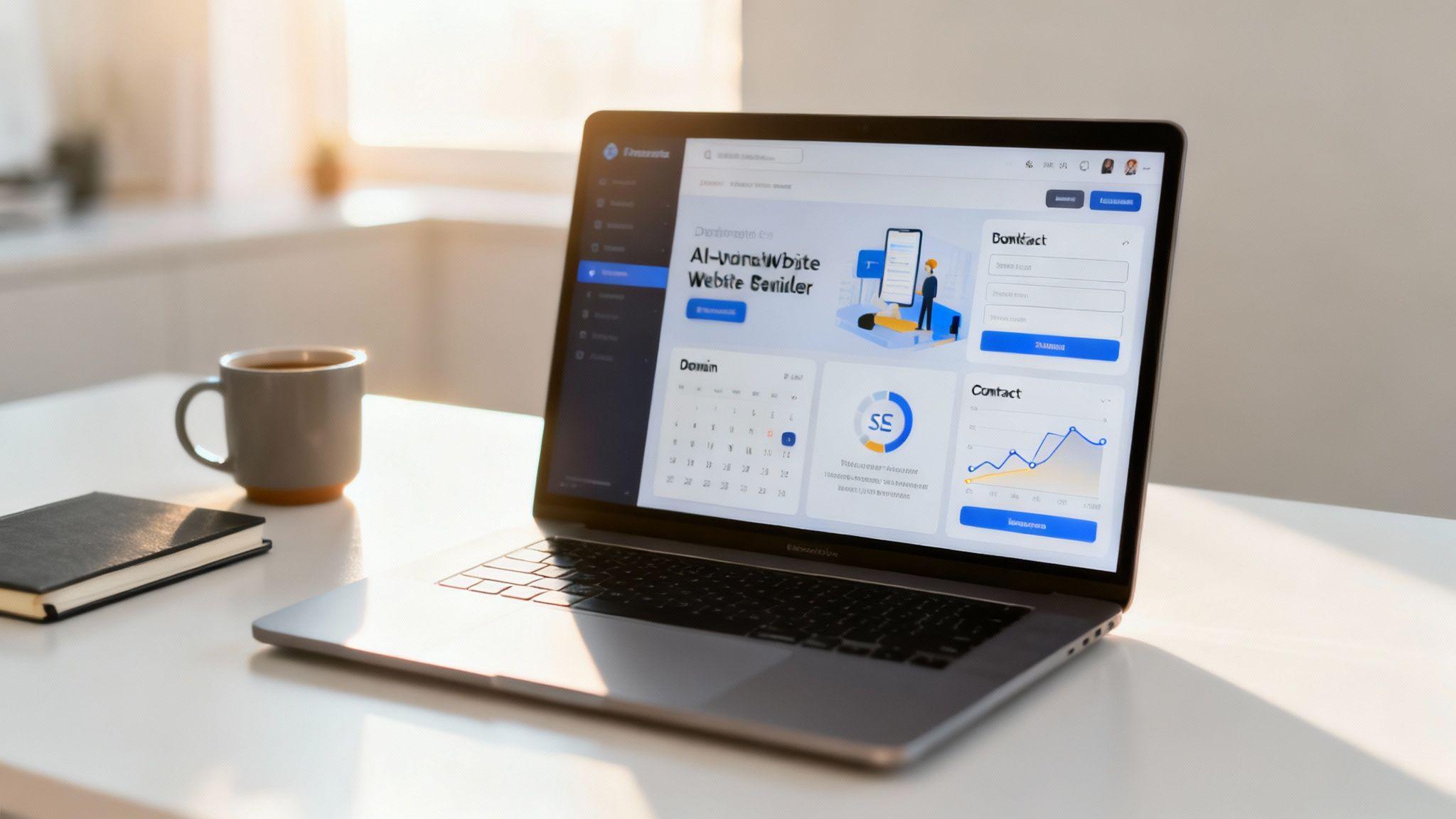
You can see here how the Solo AI Website Creator presents its core features, including scheduling, in a clean, no-nonsense way.
This simple layout makes it obvious that essential business tools are part of the main platform, not just tacked-on afterthoughts.
The market for these DIY tools is huge. Over 18 million websites run on platforms that often start with free plans, so people are very familiar with this model. This gives any platform offering advanced features like booking and analytics for free a serious edge. To make sure you're covered, it's always smart to review a list of essential website features before you commit.
Getting Found on Google Without the Guesswork
A beautiful website is totally useless if no one can find it. That’s where Search Engine Optimization (SEO) comes in. SEO is just the process of making your site easier for search engines like Google to understand and show to people searching for what you offer.
You don't need to become an SEO guru overnight, but your website creator absolutely must give you the basic tools to compete. This is where a lot of free platforms really drop the ball, giving you zero control over how your site shows up in search results.
Here are the non-negotiable SEO tools to look for:
- Editable Page Titles: The ability to customize the main headline for each page that people see in their browser tab and in Google search results.
- Custom Meta Descriptions: That little snippet of text under your page title on Google. This is your sales pitch to get someone to click.
- Image Alt Text: A simple text description of an image that helps search engines (and visually impaired users) understand what it is.
These foundational tools are critical for your online visibility. Platforms like the Solo AI Website Creator include these SEO settings right from the start, giving your business a fighting chance to rank without forcing you into a paid plan. You can explore more options by checking out our guide on other free website builder tools. Choosing a tool with these features is the first step toward a website that doesn't just look pretty, but actively goes out and finds new business for you.
Creating and Customizing Your Website in Minutes
Let's ditch the old horror stories of clunky editors that felt like you needed a computer science degree just to add a photo. Modern AI-powered tools have completely changed the game. With the right free website builder for business, you can go from a simple idea to a live, professional website in less time than it takes to finish your morning coffee.
The process isn't about building anymore; it's about describing. Instead of staring at a blank screen and dragging boxes around, you simply provide a few key details about what you do. For example, with the Solo AI Website Creator, the entire foundation of your site is generated from your answers to a few straightforward questions.
From a Simple Prompt to a Full Website
This initial creation step is where you'll see the magic of AI happen. Forget agonizing over layouts, color palettes, or the perfect font. The AI handles all that initial heavy lifting based on your industry and the services you offer.
Your main job is just to provide the raw materials:
- Your Business Name: This sets the brand identity for the entire site.
- A Description of Your Services: Be clear and concise. Instead of just "photography," try something like "wedding and family portrait photographer based in Austin, Texas." The more detail you feed the AI, the more relevant the generated content and design will be.
Once you hit 'go,' the AI builds out a multi-page website, writes starter text for each page, and even selects professional images that fit your business. This isn't just a template; it's a unique starting point built specifically for you.
This flow chart breaks down the core features that turn a basic site into a genuine business asset. The best part? They should all be easy to manage right from your new website's dashboard.

As you can see, a professional domain, automated booking, and solid SEO are the pillars of a business website that actually works for you.
Making It Your Own with Simple Clicks
After the AI has laid the groundwork, it's time to add your personal touch. This is where you transform a great starting point into something that is unmistakably yours. You don't need any technical skill to do it.
The goal here isn't a total redesign—the AI has already handled the professional design principles. Instead, you’re just focusing on populating the site with your unique brand assets and information.
Here’s what that looks like in practice:
- Upload Your Logo: A good platform will let you upload your logo and will automatically place it in the header and other key spots.
- Add Your Own Images: Swap out any stock photos with high-quality images of your work, your team, or your physical location. This instantly makes your site feel more authentic.
- Import Client Reviews: Social proof is incredibly powerful. The Solo AI Website Creator allows you to import Google reviews with a click, instantly building trust. A recent study found that 93% of consumers say online reviews influence their purchasing decisions.
Actionable Tip: Don't get bogged down in tiny design tweaks. Focus on the big three first: your logo, your own photos, and your client testimonials. These three elements will do more to make the site feel like yours than changing a font color ever will.
Fine-Tuning with Your Team
You don't have to build your website alone in a silo. Modern platforms get that business is often a collaborative effort. Before you launch, it’s always a great idea to get a second pair of eyes on everything.
With a tool like the Solo AI Website Creator, you can easily invite a collaborator—like a business partner or a trusted friend—to help review and edit the site. They can log in, make changes to the text, or upload images directly. It's a simple feature that helps you catch typos and get valuable feedback before going live.
This entire process, from answering the first questions to inviting a final review, is designed to be incredibly fast and efficient. You’re not just using a free website builder for business; you’re using an intelligent partner that gets your professional online presence up and running in minutes, not weeks.
Your Pre-Launch Checklist for a Successful Website

You’ve created your new site with a free website builder for business, and you're getting that excited, slightly nervous feeling. It's almost time to go live.
Before you hit that big "publish" button, pump the brakes for one final, absolutely critical step: a thorough pre-launch inspection. This isn’t about changing your design—it’s about quality control. A tiny typo or a broken link can make a great business look sloppy, and we want every visitor to have a flawless first impression.
Spending just 30 minutes on a final walkthrough can be the difference between a launch that brings in leads and one that creates headaches. Let's make sure all your hard work pays off.
Content and Functional Checks
First, let’s look at what your visitors will actually see and interact with. Here is a simple trick that works every time: read every single word on every page out loud. It sounds silly, but it forces your brain to slow down and catch awkward sentences or typos you'd otherwise miss.
Once you’ve proofread everything, it’s time to start clicking. Assume nothing works until you've tested it yourself.
- Test Your Forms: Fill out your own contact and booking forms. Did you get the email notification? Did the appointment show up in your calendar? These forms are your direct line to new business—they have to be bulletproof.
- Check All Links: Go through your site and click on every single link in your navigation menu, footer, and text. Make sure they go where they're supposed to. A 404 error (a "page not found" message) is a dead end for a potential customer.
Actionable Tip: Ask a friend or family member to spend 10 minutes clicking around your site before you launch. After you've spent hours working on it, you can become blind to your own mistakes. A fresh perspective will almost always catch something you missed.
For a deeper dive, our ultimate website launch checklist covers even more ground to guarantee you haven’t missed a thing.
Technical and Performance Review
Okay, the content is solid. Now it’s time to peek under the hood at the technical stuff. The biggest priority here? Mobile.
More than 50% of all web traffic comes from smartphones, so your site must look amazing and work perfectly on a small screen. Grab your phone and navigate your entire website. Can you read the text without pinching and zooming? Are the buttons big enough for your thumb to tap easily?
Most modern website creators, including the Solo AI Website Creator, are designed to be mobile-friendly out of the box, but you should always verify it yourself.
Another huge factor is page speed. Nothing sends visitors running for the "back" button faster than a slow-loading site. The most common cause is large image files. Make sure your images are compressed to a reasonable size without looking blurry. A fast site is a successful site.
Website Pre-Launch Quality Checklist
Before you officially launch, a quick quality check ensures you've covered all the essential bases. This table will guide you through the final review.
| Check Item | What to Do | Status (Done/Pending) |
|---|---|---|
| Proofreading | Read all text aloud on every page to catch typos and grammatical errors. | |
| Form Testing | Submit test entries on all contact, booking, and signup forms. Confirm you receive the submissions. | |
| Link Validation | Click every internal and external link to ensure they work and point to the correct destination. | |
| Mobile Responsiveness | Browse the entire site on a smartphone. Check for readability, navigation, and button functionality. | |
| Image Optimization | Confirm that all images load quickly and are not blurry. Check file sizes. | |
| Analytics Integration | Ensure Google Analytics or another tracking tool is properly connected and recording visits. | |
| Favicon Check | Verify that your small browser tab icon (favicon) is displaying correctly. |
Running through this checklist gives you the peace of mind that your site is truly ready for its public debut.
Final Setup for Tracking Success
This is the last piece of the puzzle. How will you know if your website is actually working for your business? By tracking your visitors.
You don’t need to be a data wizard to do this. A good free website builder for business makes it incredibly simple. For instance, the Solo AI Website Creator dashboard lets you plug in your Google Analytics account in just a couple of clicks.
Setting this up before you launch is non-negotiable. By integrating analytics from day one, you start gathering valuable data immediately. You’ll see how many people are visiting, how they found you, and which pages they care about most. This information is gold—it will help you make smarter decisions to grow your business down the road.
Once your analytics are connected, you're ready. Take a deep breath, and hit publish with confidence.
Growing Your Business with SEO and Analytics
Getting your website live is a huge milestone, but it’s just the starting line. The real work starts now: making sure people actually find it. This is where Search Engine Optimization (SEO) and website analytics come into play, and they're nowhere near as complicated as they sound.
Think of SEO as making your website easy for Google to understand and recommend. When someone searches for "best local pet groomer" or "freelance graphic designer near me," you want your site popping up. A solid free website builder for business will have the essential tools baked right in, so you can get started without touching a line of code.
Tapping Into Your On-Page SEO Tools
Modern creators, including the Solo AI Website Creator, give you direct control over how your pages show up in Google's search results. Your first mission is to fine-tune your page titles and descriptions.
Page Titles (aka "SEO Titles"): This is the main clickable headline in a Google search result. It needs to be crystal clear about what the page is for and should include your primary service (e.g., "Custom Cabinet Making in Denver | Smith's Woodcraft").
Meta Descriptions: This is the little blurb of text under the title. It's your mini-advertisement. Quickly explain the value you offer and give people a compelling reason to click.
Image Alt Text: Every time you upload a picture, you get a chance to add a short text description. This "alt text" not only helps visually impaired users but also tells Google what the image is about, giving you another spot to use relevant keywords.
Making these small tweaks across your site sends powerful signals to search engines about who you are and what you do, helping you connect with the right audience.
Using Analytics to See What’s Working
If SEO is all about getting people to your site, analytics tells you what they do once they get there. Are they filling out your contact form? Are they reading your services page? Without this data, you're just flying blind.
The first step is hooking your site up to Google Analytics. It’s the free, industry-standard tool for tracking website traffic. Most platforms, like the Solo AI Website Creator, make this a breeze—it's often just a matter of copying and pasting a tracking ID into a settings field.
Actionable Tip: Don't put this off. Connect Google Analytics before you launch your site. This ensures you're capturing data from day one and have a baseline to measure your growth against.
Once it's running, you don't have to drown in a sea of reports. Just start with a few key metrics to get a feel for your audience:
| Metric | What It Tells You | How to Use It |
|---|---|---|
| Users | The number of unique people visiting your site. | Is this number growing over time? If it's flat, it might be time to step up your promotional efforts. |
| Traffic Source | Where your visitors are coming from (e.g., Google, social media, direct links). | If all your traffic is from one place, you know it's time to explore other channels to diversify your audience. |
| Top Pages | The most-visited pages on your website. | This shows you what content your audience loves. Can you create more pages or posts like these? |
This data allows you to make smart, informed decisions instead of just guessing what works. Our guide on how to add your site on Google Analytics will walk you through this essential setup process.
It's no surprise that the website builder market is growing so quickly; small businesses need mobile-friendly, SEO-ready websites without the hassle of hiring a technical team. AI-powered creators that bundle in these critical tools are becoming the go-to solution for getting a business online fast. For those who want to dig even deeper, exploring advanced SEO tools for boosting your rank can give you a serious competitive edge, even with a free tool.
A Few Common Questions About Free Website Builders
When you're starting a business, "free" can sound both amazing and a little suspicious. It's smart to ask questions. The free tools available today are a world away from what they were even a few years ago, but you still need to know what you're getting into.
Let's tackle some of the most common questions that pop up when you're considering a free website builder for your business.
Can I Really Get a Professional Business Website for Free?
Yes, you absolutely can. Modern platforms like the Solo AI Website Creator are built to give small businesses the essentials without asking for a credit card.
This includes a professionally generated design, layouts that look great on a phone, contact forms, and even a built-in booking system. The business model is straightforward: they bet on your success. The core tools you need to get online and look credible are genuinely free. The key is finding a creator that is upfront about this and doesn't hide critical features behind an unexpected paywall.
Will My Free Website Look Generic or Unprofessional?
That's a fair question, and it comes from the early days of website builders that pumped out cookie-cutter sites. Thankfully, things have changed, especially with AI.
Instead of making you pick from a list of tired templates, a tool like the Solo AI Website Creator actually generates a unique design for you. It asks about your industry and services, then combines proven design principles with your specific details to create something that feels custom.
A lot of people think "free" means your site will be covered in someone else's ads. With the right platform, that's just not true. You can upload your own logo, add your own photos, and pull in your client testimonials to make the site a true reflection of your brand.
The point of these tools isn't to make you look like a clone; it's to give you a strong, professional starting point that you can quickly personalize.
How Do I Get My Own Domain Name with a Free Tool?
This is non-negotiable for looking like a real business. When you first create your site, most free platforms will give you a branded subdomain to start, something like yourbusiness.solosites.com. This is fantastic for getting up and running instantly without any cost.
But the real goal is a custom domain, like yourbusiness.com. Good platforms make this switch incredibly easy. The Solo AI Website Creator, for instance, lets you connect a domain you already own or gives you simple instructions for buying a new one. It’s usually just a few clicks in your dashboard to link them up—no complicated tech required.
What Happens When My Business Grows and I Need More Features?
It’s smart to be thinking ahead. A good free website builder for your business should feel like a launchpad, not a cage. As your business picks up steam, you'll inevitably need more, like a full-blown online store or advanced marketing tools.
The best platforms are designed for this. They have clear upgrade paths. You start with a powerful free foundation to build momentum without financial pressure. When the time comes, you can smoothly switch to a paid plan that unlocks those next-level features. It’s a "grow-with-you" model that ensures you only pay for what you need, when you need it—without ever having to start over.
Ready to build your professional online presence in minutes, for free? The Solo AI Website Creator gives you all the tools you need—from AI-powered design and booking systems to SEO features—to launch a site that attracts customers and grows your brand. Get started today at https://soloist.ai.
What should a free website builder for business include?
It should cover the basics that make a site useful for real business needs: professional templates, mobile responsiveness, built-in SEO tools, and lead capture through contact forms. For service businesses, a built-in booking or appointment system is also a major advantage because it helps turn visitors into clients.
Is a free business website good enough to look professional?
Yes, as long as the platform gives you the right fundamentals. A polished design, mobile-friendly pages, clear branding, and eventually a custom domain can make a free site look credible and trustworthy rather than basic or amateur.
Why does a custom domain matter for a small business website?
A custom domain makes the business look more credible and helps customers remember the brand more easily. Starting with a branded subdomain is fine at first, but moving to your own domain should be a long-term goal because it improves trust at a glance.
How does an AI website creator make a DIY website easier?
Instead of building from scratch, you describe your business and services, and the AI generates a multi-page website with starter text and relevant images. That removes much of the technical and design work, so you can focus on refining your content, branding, and customer information.
What SEO features are non-negotiable on a free website builder?
At minimum, you need editable page titles, custom meta descriptions, and image alt text. These basic settings help search engines understand your pages and improve the chances that people can find your business when they search online.
What should you customize before publishing your website?
Start with the biggest trust-building elements: upload your logo, replace stock images with real photos, and add client reviews or testimonials. Those updates make the site feel authentic and aligned with your business without getting lost in minor design changes.