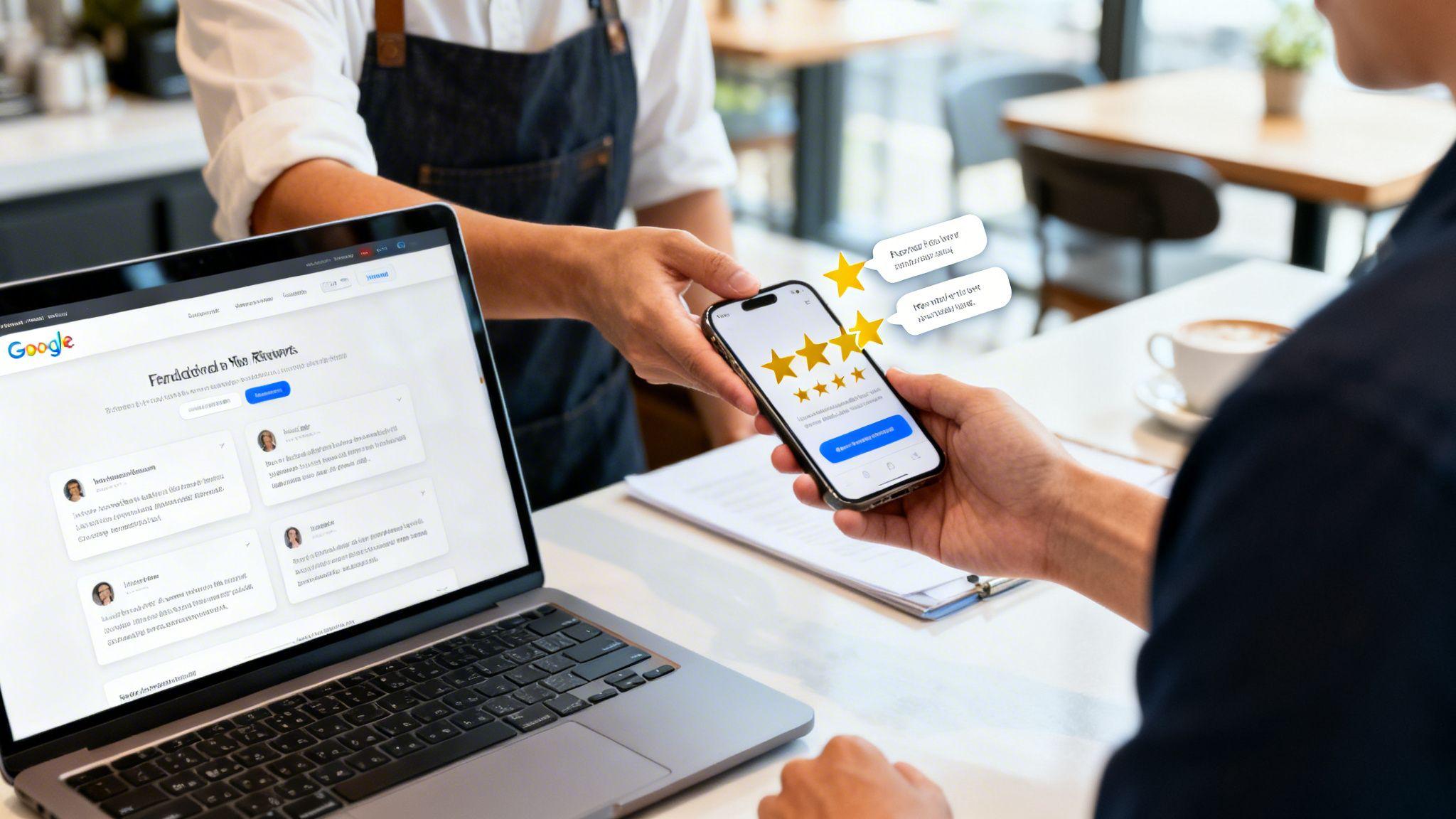
Mastering your Google Reviews is a straightforward process focused on three key actions: asking customers for feedback, responding to every review, and showcasing your best testimonials on your website. For any local business, a strong collection of reviews acts as a digital welcome mat, directly influencing whether a new customer chooses you. It builds immediate trust before they even make contact.
Why Google Reviews Are a Powerful Marketing Asset

Let's be clear: Google Reviews are a critical marketing asset, not just a nice-to-have. Think of a local cafe where a stream of positive reviews creates a digital line out the door. This is social proof in action, and it's incredibly powerful.
Today, customers trust online reviews from strangers as much as recommendations from friends. This makes your Google Business Profile the cornerstone of your online credibility. In many cases, it's the very first impression a potential customer has of your brand.
The Impact of Trust and Visibility
The data is clear: a massive 96% of consumers check online reviews before making a purchase, and 88% trust them as much as a personal recommendation. Since Google hosts 80.8% of all online reviews, your profile is prime digital real estate.
This reliance on reviews directly impacts your search ranking. Here’s why it's so important:
- Builds Instant Credibility: Positive reviews signal to new customers that you deliver on your promises.
- Improves Local SEO: Google’s algorithm sees a steady flow of good reviews as a sign of relevance and authority, helping you rank higher in local search results.
- Drives Sales: A strong review profile can be the final nudge that converts a browser into a customer, whether they find you on Google Maps or your website.
A strong review profile isn't just about collecting stars; it's about building a narrative of trust and reliability that works for you 24/7. This narrative is a key part of successful online reputation management for small business.
Connecting Reviews to Your Website
For anyone using a platform like the Solo AI Website Creator, a stellar review profile is the foundation for a high-converting online presence. It establishes your authority before a visitor even lands on your site. To fully capitalize on your Google Reviews, it's crucial to understand their impact on your local visibility. A great starting point is this guide to local SEO ranking factors.
When you connect a trusted, well-reviewed profile to a professional website, you create a seamless and persuasive journey that guides a potential customer from discovery to a final decision.
How to Get and Share Your Google Review Link

Here’s a simple truth: the main reason customers don't leave reviews is because it's inconvenient. If they have to search for your profile and click through multiple pages, they’ll give up.
Your job is to make it so easy that it takes them less than 30 seconds. The key is to get your direct review link and put it right in front of them. Thankfully, Google has made this incredibly simple.
Finding Your Direct Review Link
First, you need to access your Google Business Profile Manager. The easiest way is to search for "my business" on Google while logged into the account that manages your profile. This brings up your control panel directly in the search results.
From that dashboard, here are the steps:
- Find the "Get more reviews" card. It’s a prominent box with a blue button, usually near the top of your dashboard.
- Click the button. A pop-up window will appear containing your unique, shareable review link.
- Copy the link. This URL takes customers directly to the review form for your business, with your name and the 5-star rating selector ready to go.
This link removes all the work for your customers. One click, and they're exactly where they need to be. If you want to get more comfortable with your profile, we have more Google Business Profile tips to grow your business locally in our other guide.
Actionable Tip: Bookmark your Google Business Profile Manager page. This gives you one-click access to your review link, performance stats, and messages without having to search for it every time.
Make Your Link Short and Clean for Easy Sharing
The link Google provides is functional, but it's often long and messy. That's not ideal for business cards or sharing verbally.
The solution is to use a free link-shortening tool like Bitly or TinyURL. This turns a complex URL into something short and memorable. For instance, a clunky link like google.com/reviews/long-random-string can become bit.ly/YourBizReview.
A short link looks more professional and is easier to share. You can add it to your email signature, print it on receipts, or text it to a client. By removing every possible obstacle, you dramatically increase the chances of a happy customer leaving that 5-star review.
How To Ask For Reviews Without Sounding Pushy
Many business owners feel awkward asking for a review because it can feel pushy. The key is to reframe it as a natural final step in your customer service. When you ask for feedback, you show that you value their opinion and are committed to improving.
Success comes down to two simple things: timing and tone.
The Power of Perfect Timing
Ask for the review while the customer is still feeling positive about their experience. If you wait too long, that feeling fades, and your request becomes just another email to ignore.
- For service businesses (contractors, consultants): The best time is right after the project is complete and the client is happy. Send your request within 24 hours.
- For e-commerce or retail: Wait a few days after the product arrives to give the customer time to use it.
- For restaurants or cafes: Ask immediately. A QR code on the receipt or a small card with the check is highly effective.
Nailing the timing makes your request feel relevant, not like a random interruption.
Crafting a Simple, Sincere Request
Keep your request short, personal, and direct. Focus on their experience.
For a contractor, a quick text message is effective:
"Hey ! It was a pleasure working on your kitchen remodel. We’d be so grateful if you could share your experience on Google. Your feedback helps others find us! Here's the link: "
If you prefer email, you can add a bit more detail while keeping it brief:
Subject: How did we do?
Hi ,
Thanks again for choosing us for your project. We hope you're loving the results!
If you have a moment, we would really appreciate it if you could leave us a review on Google. It makes a huge difference for our small business.
You can leave your feedback here:
Thank you!
Both examples are polite, personal, and provide a direct link, making it easy for the customer. For a deeper dive, check out these 11 strategies to boost your Google reviews.
Effective Outreach Methods For Google Reviews
| Method | Pros | Cons | Best For |
|---|---|---|---|
| Email Request | - Can be automated - Allows for more detail - Easy to track opens/clicks |
- Can be ignored or sent to spam - Less personal feel |
E-commerce, B2B services, any business that collects customer emails. |
| Text Message (SMS) | - Extremely high open rates - Feels immediate and personal - Quick for customers to respond to |
- Can feel intrusive if not timed well - Must be very concise |
Service-based businesses (plumbers, landscapers), appointments (salons, clinics). |
| In-Person Ask | - Highly personal and effective - Hard for happy customers to say no |
- Not scalable - Can feel awkward if not handled smoothly |
Retail stores, restaurants, cafes, any business with face-to-face interaction. |
| QR Code | - Frictionless; just scan and go - Great for physical locations |
- Requires the customer to have their phone - Less personal |
Restaurants (on menus/receipts), physical products (on packaging), event booths. |
The best approach is often a mix of these. Test a few to see what works best for your customers.
The Golden Rule: What Not to Do
Google has strict rules to keep reviews authentic. Breaking them can lead to your reviews being removed or your profile being penalized.
The most important rule is: never incentivize reviews. This means you cannot offer gift cards, discounts, or any payment for feedback. This also includes "review gating"—the practice of pre-screening customers and only sending the happy ones a review link.
Your goal is to get an honest reflection of your business. Give every customer the same, easy opportunity to leave their thoughts. That’s how you build real, trustworthy social proof.
How To Respond To Every Type of Review
Getting the review is only the first step. Responding to feedback—both good and bad—is a powerful signal to customers and Google's algorithm. It shows you're engaged, you care about the customer experience, and you're accountable. It turns a static rating into a real conversation.
Don’t underestimate the impact of engagement. Businesses that consistently respond to reviews see 56% more attraction from customers. Additionally, getting over 20 reviews can build 59% more trust in your overall star rating. If you want to dive deeper, you can explore more of these review statistics.
Handling Glowing 5-Star Reviews
It’s tempting to just say "Thanks!" and move on, but that’s a missed opportunity. A great review is a chance to highlight your key strengths for everyone else to see.
A thoughtful response should always do three things:
- Thank the customer by name. Personalization makes a big difference.
- Mention a specific detail from their review. This proves you actually read what they wrote.
- Reinforce your value. If they praise your "quick and friendly service," your response should echo that. "We're so glad you enjoyed our quick and friendly service!"
Example Response: "Thank you so much, Jessica! We're thrilled to hear you loved the custom cabinetry. Our team takes great pride in the details, and it means the world to us that you're happy with the final result. We look forward to working with you again!"
This type of response confirms you delivered on your promises and subtly markets your best qualities.
A Framework for Negative Reviews
A negative review can be tough, but how you handle it can turn a bad situation into a win. A public, professional reply shows everyone that you take accountability seriously. Never ignore a bad review.
Follow this simple three-step process:
- Acknowledge and Apologize: Thank them for their feedback and offer a sincere apology that their experience fell short. For example, "We're sorry to hear your experience didn't meet your expectations."
- Show Empathy, Not Excuses: Avoid explaining what went wrong. The customer wants to feel heard and understood, not hear your side of the story.
- Take It Offline: Your goal is to resolve the problem privately. Provide a direct line of contact. Say, "We want to make this right. Please contact me directly at or so we can learn more."
This approach de-escalates tension and demonstrates a commitment to customer satisfaction, which can be more persuasive than a dozen 5-star reviews.
This decision tree gives you a simple visual for when to ask for a review versus when to focus on resolving an issue first.

As you can see, the process starts with ensuring the customer is happy before you ask.
Dealing With Fake or Inappropriate Reviews
Sometimes a review is fake, spam, or violates Google's content policies. While you can't delete a review yourself, you can flag it for Google's team to review.
A review should be flagged for removal if it includes:
- Hate speech, harassment, or personal attacks
- Spam or promotional content for another business
- Off-topic rants that have nothing to do with their experience
- A clear conflict of interest (like a review from a competitor)
To flag a review, find it on your profile, click the three-dot menu next to it, and select "Report review." Provide a brief, clear reason why it violates policy, and Google's team will review your request.
Displaying Google Reviews On Your Website

Don't just leave your hard-earned reviews on your Google profile. Showcase that social proof directly on your website, where potential customers make their final decisions.
Displaying real testimonials transforms your site from a simple brochure into a powerful conversion tool. When a visitor is on your services page, seeing authentic praise from past customers can be the final nudge they need. It eliminates doubt and builds instant confidence in your business.
Why Website Reviews Matter
Putting reviews on your site does more than just build trust. It also provides search engines like Google with fresh, keyword-rich content. This user-generated content signals that your site is active and valued by real people, which can boost your search visibility.
In sectors like retail (90.2%) and automotive (86.4%), customers rely heavily on reviews. Across the board, a solid review strategy is essential, as 93% of consumers say that reviews directly influence what they buy.
Actionable Tip: Place a dedicated review section on your homepage or key service pages. It's one of the quickest ways to boost credibility and answer the question, "Can I trust this business?" before visitors even have to ask.
Making It Easy to Add Reviews to Your Site
In the past, adding a live feed of Google Reviews to a website was technically challenging. It often required coding knowledge or expensive plugins, creating a roadblock for many small business owners.
Modern tools have solved this problem. Platforms like the Solo AI Website Creator have this functionality built-in. You can connect your Google Business Profile and import your reviews with just a few clicks—no coding needed. The integration automatically pulls in your latest testimonials, keeping your website’s social proof fresh without any manual work.
These tools often use "widgets" to display reviews in a clean, professional format. If you want to learn more, check out our guide on what website widgets are.
Best Practices for Displaying Reviews
How you display reviews is just as important as the reviews themselves.
- Choose a Prominent Location: Feature your best reviews on the homepage and consider adding a full feed of testimonials to your main service or product pages.
- Keep the Design Clean: Use a simple, readable layout that matches your website's branding. The focus should be on the customer's words.
- Include Names and Photos: Whenever possible, show the reviewer's name and profile picture. This adds a powerful layer of authenticity and helps visitors connect with the feedback.
Common Questions About Google Reviews
Navigating online reviews can be confusing. Let's tackle some of the most common questions business owners have about managing their Google presence. Getting this right is key to building a strong and authentic online reputation.
Can I Remove a Bad Google Review?
No, you cannot directly delete a review you don't like. Google prioritizes transparency, which means showing a full range of feedback.
However, you can flag reviews that violate Google's policies. If a review is spam, contains hate speech, is off-topic, or is from a competitor, report it. Find the review, click the three-dot menu, and select "Report review." Google will review it and remove it if it breaks their rules.
For all other legitimate negative reviews, your best tool is a professional and helpful public response. It shows potential customers that you take feedback seriously and are committed to making things right.
How Many Google Reviews Do I Need?
There's no magic number. Consistency is far more important than the total count. A business with 50 reviews collected steadily over the past year looks more credible than one with 50 reviews that all appeared last week.
A good initial goal is to aim for your first 10 positive reviews. From there, keep the momentum going. Research shows that businesses with more than 20 reviews build 59% more trust in their star rating.
The real secret is to create a simple, ongoing process for asking customers for feedback. A steady stream of new reviews tells both customers and Google that your business is active and relevant.
The goal isn't just a number; it's a narrative. A consistent flow of recent reviews tells the story of a healthy, trusted business that consistently delivers for its customers.
Is It Okay to Offer Discounts for Reviews?
This is a firm no. Offering incentives—discounts, gift cards, or freebies—in exchange for a review is a direct violation of Google's policies. This is sometimes called "review gating" and can lead to penalties, including the removal of all your reviews.
The request for feedback must always be neutral. Instead of saying, "Get 10% off for a 5-star review," simply say, "We'd love to get your feedback on Google." This keeps the process honest and ensures the trust you build is genuine.
How Do Reviews Impact My SEO and Local Search Ranking?
Reviews have a huge impact. They are one of the most significant factors in local SEO.
From Google’s perspective, a high number of recent, positive reviews signals that your business is trustworthy and a great local search result. Businesses with stronger review profiles are far more likely to appear in the "Local Pack"—the map section at the top of search results.
Furthermore, when you actively respond to reviews, you show Google that you are an engaged, customer-focused business. That's another signal that can give your local visibility a boost.
Ready to turn those glowing reviews into a powerful marketing tool on your website? The Solo AI Website Creator makes it effortless to import and display your Google Reviews with just a few clicks, building instant credibility with every visitor. Start building your free website today at soloist.ai.
How do I get a direct Google review link for my business?
Search for "my business" on Google while logged into the account that manages your Google Business Profile. In the dashboard, click the "Get more reviews" card, then copy the shareable link that sends customers straight to your review form.
When should I ask customers to leave a Google review?
Ask while the experience is still fresh and positive. For service businesses, send the request within 24 hours of completing the job; for retail or e-commerce, wait a few days after delivery; for restaurants or cafes, ask immediately with a receipt link or QR code.
What’s the best way to ask for reviews without sounding pushy?
Keep the request short, personal, and easy to act on by including the direct review link. Frame it as a genuine request for feedback, focus on their experience, and use channels that fit your business, such as email, text, in-person requests, or QR codes.
How should I respond to positive and negative Google reviews?
For positive reviews, thank the customer by name, mention something specific they said, and reinforce the strength they highlighted. For negative reviews, acknowledge the feedback, apologize sincerely, avoid excuses, and invite the customer to continue the conversation offline so you can resolve the issue.
What should I avoid when trying to get more Google reviews?
Never offer discounts, gift cards, or any other incentive in exchange for a review. Avoid review gating too, which means screening customers and only asking happy ones to post feedback; every customer should have the same opportunity to leave an honest review.
Can I remove fake or inappropriate Google reviews?
You can’t delete reviews yourself, but you can report ones that appear fake or violate Google’s content policies. Use the three-dot menu next to the review, choose "Report review," and give a clear reason, such as spam, harassment, off-topic content, or a conflict of interest.