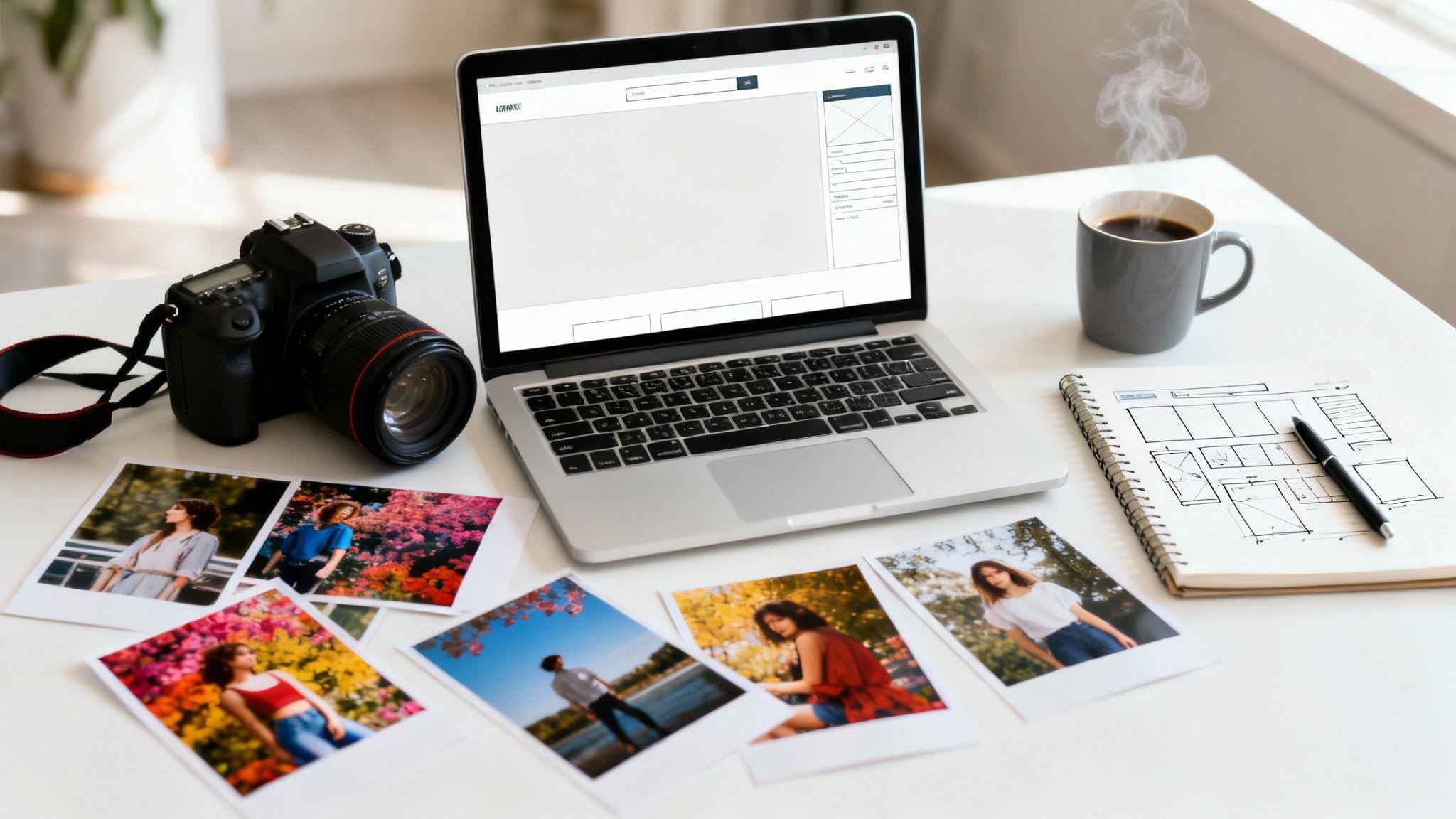
Before you even think about dragging and dropping photos into a template, let's talk about the real first step: building a blueprint. Planning your website's content and structure beforehand is the single most important thing you can do to ensure it doesn't just look pretty, but actually works as a client-attracting machine. A solid plan will guide every decision you make, turning your site into a smooth experience that guides visitors from "just browsing" to "I need to book this person." Think of it as laying the foundation for your digital studio.
And the timing couldn't be better. The demand for professional photography is booming, with the global market growing from $38.93 billion in 2021 and projected to soar past $52 billion by 2026. Your website is your ticket into this thriving marketplace where clients are actively looking for photographers just like you.
Who Are You, Really? (Define Your Niche)
First things first: what kind of photographer are you? Trying to be a jack-of-all-trades is a surefire way to get lost in the noise. When you clearly define your niche, your message becomes laser-focused, attracting your ideal clients because your portfolio speaks their language.
Are you all about capturing those raw, unscripted moments at weddings? Or is your happy place a studio, creating crisp, perfect product shots for e-commerce brands? Maybe you spend your weekends chasing golden hour for fine art landscape prints. Nailing this down sets the entire tone for your website.
- Actionable Tip: A wedding photographer’s site should use romantic language and showcase full wedding day galleries. A corporate headshot expert’s site needs a clean, professional design that communicates trust and high quality. A family portrait specialist should have a warm, inviting feel, highlighting joyful and authentic family bonds.
This focus is the core of your brand identity. As you're figuring this out, it helps to review some tips for a standout online presence to make sure you start off on the right foot.
Build Your Floor Plan (Map Your Essential Pages)
With your niche locked in, you can now sketch out the essential pages for your site. This is like drawing up the floor plan for your digital studio. Every single page needs a job to do, all working together to guide visitors toward one primary goal: getting in touch with you.
A great photography website isn't just a gallery; it's a guided journey. Each page should answer a visitor's question and lead them logically to the next, ending with a clear call to action to connect with you.
Let's break down the must-have pages. Think of these as the non-negotiable rooms in your online studio.
Essential Pages for Your Photography Website
The table below outlines the core pages every photographer needs. Each one serves a specific purpose in building trust and converting visitors into clients.
| Page | Primary Goal | Key Content Elements |
|---|---|---|
| Homepage | Grab attention and direct visitors instantly. | Stunning hero image, clear headline (e.g., "Chicago Wedding Photographer"), CTAs. |
| Portfolio/Galleries | Showcase the quality and style of your best work. | Curated galleries by category (e.g., Weddings, Engagements), high-res images. |
| About Me | Build a personal connection and establish trust. | Your photo, your story, your "why," what it's like to work with you. |
| Services/Pricing | Clearly explain your offerings and pre-qualify leads. | Detailed package descriptions, starting prices, what's included. |
| Contact | Make it incredibly easy for potential clients to reach out. | Simple contact form, email address, phone number, links to social media. |
Once you have this basic structure mapped out, you're not just building a website; you're creating a strategic sales tool. It's the perfect roadmap to bring to a tool like the Solo AI Website Creator, which can then help you bring your vision to life. For a deeper dive into this, check out our full guide on how to create a brand.
Building Your Site in Minutes with Solo AI
Okay, you’ve done the hard work of planning. Now for the fun part: bringing your vision to life without touching a single line of code. This is where we shift from blueprint to reality using the Solo AI Website Creator. Forget the old way of building sites that took weeks. We’re talking about getting you online in minutes.
The process kicks off with a simple conversation. You just tell the AI about your photography business—what you shoot, who your dream clients are, and the overall vibe you're going for. The AI takes that conversation and instantly generates a complete, professional website draft. This isn’t some empty template. It's a fully-formed starting point, complete with smart text and image placeholders that actually make sense for a photographer like you.
From AI Draft to Your Unique Brand
Think of the website draft as a custom-tailored suit. The fit is already perfect, but now you get to choose the details that show off your personality. This is where you inject your unique brand into the design.
The Solo AI Website Creator is built for easy customization. You can tweak the color palette to perfectly match your logo, pick out fonts that capture your style—be it classic elegance or modern minimalism—and drag-and-drop sections to put your most important work front and center.
For a photographer, your images are everything. We make it incredibly simple to build gorgeous galleries and ensure your best shots are the first thing any visitor sees. This flowchart breaks down the foundational thinking that happens before you even get to this stage.

It’s all about nailing down your niche, page structure, and overall strategy first. Once that’s solid, the actual build becomes a breeze.
Maintaining Brand Consistency
A truly professional website feels cohesive. Every little detail, from the logo placement to the color of a button, needs to feel like it belongs. Consistency builds trust and makes your brand instantly recognizable.
Here are some quick, actionable tips to lock in your brand identity:
- Upload Your Logo: Place your logo in the header so it's visible on every page.
- Use Consistent Fonts: Stick to two or three complementary fonts—one for headlines, one for body text. This keeps your site clean and easy to read.
- Apply Your Color Palette: Use your main brand colors for important elements like links and call-to-action buttons. Use secondary colors as accents to add interest without creating chaos.
Using an AI website creator isn’t about giving up creative control. It’s about gaining speed. You are still the creative director, but you get to skip the tedious setup that used to take days.
This approach means you can have a polished, high-end website ready for the world in a single afternoon. To see just how easy it is, check out our guide on how to get started with a free AI website creator. It’s the fastest way to get a professional online presence so you can get back to what you love—creating incredible images.
Crafting a Portfolio That Captivates and Converts

Let’s be honest: your portfolio isn't just another page on your website. It's the main event. This is the spot where a potential client stops browsing and starts believing in your talent. A well-crafted portfolio is your most powerful sales tool, turning casual lookers into paying customers by showing them you have the exact skills and style they need.
Actionable Tip: Resist the urge to upload every photo you've ever taken. A tightly curated gallery of your absolute best 20-30 images will always be more impactful than hundreds of "just okay" shots. Your real goal here is to project undeniable quality and a consistent, polished style.
Curate with a Purpose
Start thinking like a gallery curator, not just a photographer with a hard drive full of images. Every single photo you choose must earn its spot. The trick is to organize your work into logical collections that tell a compelling story, which helps clients quickly find what they’re looking for and see your expertise in a specific area.
Here are a few ways you could structure your galleries:
- By Niche: Create separate galleries for "Weddings," "Family Portraits," and "Corporate Headshots" to guide clients directly to what's relevant to them.
- By Project or Event: Tell a complete story from a single shoot, like "The Miller Wedding" or "Acme Corp Brand Photoshoot." This shows your ability to capture a full narrative from start to finish.
- By Style: You could also create galleries that highlight your artistic range, such as "Black and White," "Fine Art," or "Candid Moments."
No matter which method you choose, the key is consistency within each gallery. Each collection should feel like a cohesive body of work. Getting this right is a crucial step when you're figuring out how to make a photography website that actually books clients.
Optimize Every Image for Speed and Quality
Once you've cherry-picked your best work, the next step is absolutely critical: image optimization. This simply means making your photo files web-friendly. High-resolution images straight from your camera are massive files that will slow your website to a crawl.
A slow-loading site is a client repellent. Studies show that even a one-second delay can hurt your business. Optimization makes your site fast without sacrificing the beautiful quality of your images.
Here are two simple actions to take:
- Resizing: Your images don't need to be 6000 pixels wide for a website. Actionable Tip: Before uploading, resize them to a more sensible dimension, like 2500 pixels on the longest edge. This dramatically reduces the file size.
- Compressing: After resizing, use a compression tool to shrink the file size even more. This process strips out unnecessary data from the image file with little to no visible drop in quality.
Optimizing your images isn't just a good idea—it's non-negotiable. It directly impacts your visitor's experience and how your site ranks on Google. Clients expect a website that is both fast and beautiful.
If you're using the Solo AI Website Creator, the platform handles a lot of this heavy lifting for you with built-in optimizations. Still, preparing your files correctly beforehand is always a smart move. For a more detailed walkthrough, check out our guide on how to optimize your website images.
The digital photography market was valued at a staggering $109.83 billion in 2023, largely fueled by the visual-first culture of social media. This means your ideal clients already expect high-quality photos online, and they want that same seamless, professional experience on your website.
Integrating Essential Tools to Run Your Business
A stunning portfolio is just the beginning. A truly professional photography website should be your business command center. It’s time to move beyond a simple online brochure and build a client-management powerhouse that handles the busywork, so you can stay behind the lens.
The first step is a custom domain name. Something clean like YourNamePhotography.com is instantly more memorable and credible than a generic URL. It’s a clear signal to clients that you’re a serious professional.
Connecting a custom domain might sound technical, but it's just a few clicks. For example, the Solo AI Website Creator walks you through the entire process, making it simple to link your chosen domain directly to your new website.
Turn Inquiries into Bookings with a Seamless Contact Form
Think of your contact page as the digital handshake between you and a potential client. If it’s confusing, you’re losing business. The goal is a clean, simple form that gathers just the right information without being overwhelming.
A great form goes beyond a simple name and email. Think about what you need to know to have a productive first conversation.
- Actionable Tip: Your form should include fields for Name, Email, Phone Number, the potential Event Date, and the Type of Service they’re looking for (e.g., wedding, portrait). Also, add a message box with a friendly prompt like, "Tell me a little about your vision for the photoshoot!"
This approach helps you pre-qualify leads and walk into your first call already understanding what they need. The Solo AI Website Creator comes with a built-in contact form feature, so you can easily add these custom fields.
Your only job here is to make the inquiry process frictionless. A client who can easily send their details is one giant step closer to becoming a confirmed booking.
Automate Your Schedule with an Online Booking System
Imagine a potential client browsing your portfolio at 10 PM. They love your work and book their session right then and there—all without you lifting a finger. That’s the magic of an integrated online booking system. It eliminates the frustrating email back-and-forth of finding a time that works.
An online calendar shows your real-time availability, lets clients pick their own slot, and can even take a deposit to lock in their booking. This automation doesn't just save you hours; it creates a polished, modern client experience.
Actionable Tip: Make it impossible to miss. Add a bold "Book Now" button in your website's header and on your services page. Integrating a tool like Calendly or using the built-in booking features available with platforms like the Solo AI Website Creator effectively turns your website into a 24/7 personal assistant.
Simplify Your Workflow with Client-Proofing Galleries
The client experience doesn’t stop when the camera goes down. A smooth proofing and delivery process is just as critical. Forget about emailing massive zip files or sending clients to clunky, third-party sites. Integrating client-proofing galleries directly into your own website is the best approach.
This creates a private, password-protected space where your clients can:
- View every image from their session in a beautiful, branded gallery.
- "Favorite" photos for final edits or album selections.
- Leave comments directly on specific images.
- Easily download their final, high-resolution files.
This professional touch keeps your branding consistent and simplifies your entire post-production workflow. By integrating these essential business tools, you elevate your website from a simple portfolio into a complete platform that manages the entire client journey.
Getting Found on Google with Photography SEO

A gorgeous website is great, but it's only doing half the job if clients can't find it. If your stunning portfolio isn’t showing up on Google, it might as well be invisible. This is where Search Engine Optimization (SEO) comes in. In simple terms, SEO means using the right words on your website so that when someone searches for a photographer in your area, Google knows to show them your site.
Getting a handle on the basics is a must, and a complete guide to Search Engine Optimization is a great place to start. Nailing this is more important than ever. The commercial photography market alone is expected to hit $15.8 billion by 2025, and businesses are searching online for photographers.
Writing for Humans and Search Engines
Good SEO starts with content that speaks directly to your dream client. The first step is figuring out the exact phrases they’re typing into that search bar.
A family in Denver isn't searching for "ethereal portraiture." They're looking for "denver family photographer" or "newborn photographer near me." Those specific, location-based phrases are your keywords. Once you have a list of these, weave them naturally into your website's text where they genuinely make sense.
- Actionable Tip: Your homepage headline should immediately tell visitors what you do and where. "Candid and Emotional Wedding Photography for Chicago Couples" is perfectly clear and packed with the right keywords.
- Page Titles: This is the big headline that shows up in Google search results. Make it count. A great title could be "Wedding Photography Packages | San Diego, CA."
- Meta Descriptions: This is the short summary under your page title in search results. It's your 155-character pitch to get someone to click. A good one might say, "Capturing authentic wedding stories in San Diego. View my portfolio and see how I can tell your love story."
A Photographer’s Secret Weapon: Image SEO
For photographers, image SEO is a massive opportunity that most competitors ignore. Every photo you upload is a chance to get discovered through Google Image Search, which drives a huge amount of traffic. It all boils down to two simple but powerful things: file names and alt text.
Actionable Tip: Before you upload an image, change the generic file name from DSC_5821.jpg to something descriptive like chicago-grant-park-engagement-photo.jpg. This tells Google precisely what that image is about.
Alt text, or alternative text, is a short description of your image that you add during the upload process. It was originally made for screen readers to help the visually impaired, but search engines rely on it to understand what your photos depict.
Basically, you’re writing a caption for Google. Instead of leaving it blank, write something specific: "Smiling couple holding hands during a sunset engagement photoshoot at Chicago's Grant Park." This is your chance to use your keywords in a way that’s both relevant and helpful.
Tracking Your Success with Analytics
So, how do you know if any of this is actually working? You need data. Connecting your website to Google Analytics is a free way to see who is visiting your site and how they found you.
The Solo AI Website Creator makes this part a breeze. You just paste your unique Google Analytics tracking ID into your site settings, and you're good to go. You'll be able to see:
- How many people visit your site and which pages they spend the most time on.
- Where your visitors are coming from (Google, Instagram, etc.).
- Which search terms people are using to find you.
This information is invaluable. It shows you what’s working so you can do more of it, and what isn't so you can tweak your strategy. It’s the final piece of the puzzle for building a photography website that doesn’t just show off your work—it actively grows your business.
Common Questions About Building Your Photography Site
Getting ready to launch your site is exciting, but it's normal to have a few last-minute questions. Building your first real photography website is a huge step, and it's easy to get stuck on the details. Let’s clear up some of the most common things photographers ask so you can move forward.
How Many Photos Should I Put on My Website?
This is a classic "quality over quantity" debate. A massive, unfocused gallery will just overwhelm potential clients and dilute the power of your best shots. A much better approach is to be a ruthless curator. A tight, focused portfolio of your absolute best 20-30 images is infinitely more powerful than a sprawling gallery of "pretty good" ones.
Think of your website as a high-end art gallery, not a cloud storage folder. Every single image should earn its spot.
Actionable Tip: Break your portfolio into specific galleries for each of your specialties. This immediately shows clients you're an expert.
- Wedding Gallery: Pick 15-20 images that tell the complete story of a wedding day.
- Portrait Gallery: Showcase 10-15 of your most dynamic and emotionally resonant portraits.
- Commercial Gallery: Choose 10-15 shots that prove you understand how to create images for business clients.
This structure makes it incredibly easy for your ideal client to find exactly what they're looking for. The goal isn't to show them everything you've ever shot; it's to show them a consistent, high-quality style that leaves them wanting more.
Do I Need a Blog on My Photography Website?
A blog isn't mandatory, but it’s one of the most effective tools for attracting clients. Your portfolio shows what you can do, but a blog shows who you are. It turns your website from a static brochure into a living resource.
From a practical standpoint, a blog is an SEO powerhouse. It’s the perfect place to share the stories behind your favorite shoots, offer helpful tips, and rank for very specific search terms. A blog post titled "The 5 Best Outdoor Locations for Engagement Photos in Denver" is exactly what a newly engaged couple in Denver is typing into Google. A blog forges a personal connection that a portfolio just can't, building trust with potential clients before you've even exchanged an email.
How Can I Make My Website Load Faster?
Slow-loading websites are the silent killer of online businesses. Nothing makes a potential client click away faster. For photographers, this is a huge challenge since our work is built on beautiful, high-resolution images. Thankfully, you don't have to choose between a fast site and gorgeous photos. The secret is image optimization, which you should do before you upload a single photo.
Here's the simple two-step process:
- Resize Your Images: A photo straight out of your camera might be 6000+ pixels wide. That’s huge for the web. Actionable Tip: Resize your images to something much more reasonable, like 2500 pixels on the longest edge.
- Compress Your Files: After resizing, run your image through a free tool like TinyPNG. This strips out all the unnecessary data from the file, often cutting the file size by over 70% with zero visible loss in quality.
Using a modern platform like the Solo AI Website Creator also gives you a massive head start here. It has performance optimizations built right in, which makes a world of difference in your site's speed.
What Is the Most Important Page on My Website?
This is a tough one because a few key pages have to work together perfectly. But if I had to pick, it’s a dead heat between your homepage and your portfolio.
Your homepage is your digital handshake. It has about three seconds to tell visitors who you are, what you do, and who you do it for. A killer homepage needs a breathtaking hero image, a headline that leaves no room for confusion (e.g., "Austin, TX Family & Newborn Photographer"), and dead-simple navigation to your work.
Your portfolio is where you prove you can back up that promise. It's the evidence. This is the page where clients fall in love with your photos and start picturing themselves in them. These two pages are the essential one-two punch of a successful photography website.
Ready to stop thinking and start building? The Solo AI Website Creator removes the guesswork and helps you launch a professional, fast, and beautiful photography website in minutes. You can finally get your work online and start attracting the clients you've been dreaming of.
Create your free website today!
What pages should a photography website include?
A photography website needs a homepage, portfolio or galleries, about page, services or pricing page, and contact page. Each page should answer a visitor’s next question and guide them toward contacting you with a clear call to action.
How many photos should go in a photographer portfolio?
A strong portfolio is usually more effective with 20 to 30 of your best images than with hundreds of average ones. A tightly curated selection communicates quality, consistency, and a defined style much better than an oversized gallery.
How should photographers organize their website galleries?
Organize galleries in a way that helps clients quickly find relevant work, such as by niche, by project or event, or by style. Each gallery should feel cohesive so visitors can immediately understand your expertise and visual approach.
Why is image optimization important for a photography website?
Image optimization keeps your site fast while preserving visual quality, which improves the visitor experience and supports search visibility. Resize large files before uploading—around 2500 pixels on the longest edge—and compress them to reduce load times.
What should a photography contact form ask for?
A useful contact form should ask for a name, email, phone number, event date, and type of service, plus a message about the client’s vision. That gives you enough detail to pre-qualify leads and have a more productive first conversation.
How can a photography website help turn inquiries into bookings?
Make the path to booking as frictionless as possible with clear calls to action, an easy contact form, and an online booking system. A visible Book Now button and real-time scheduling reduce back-and-forth and let clients act when they are ready.