
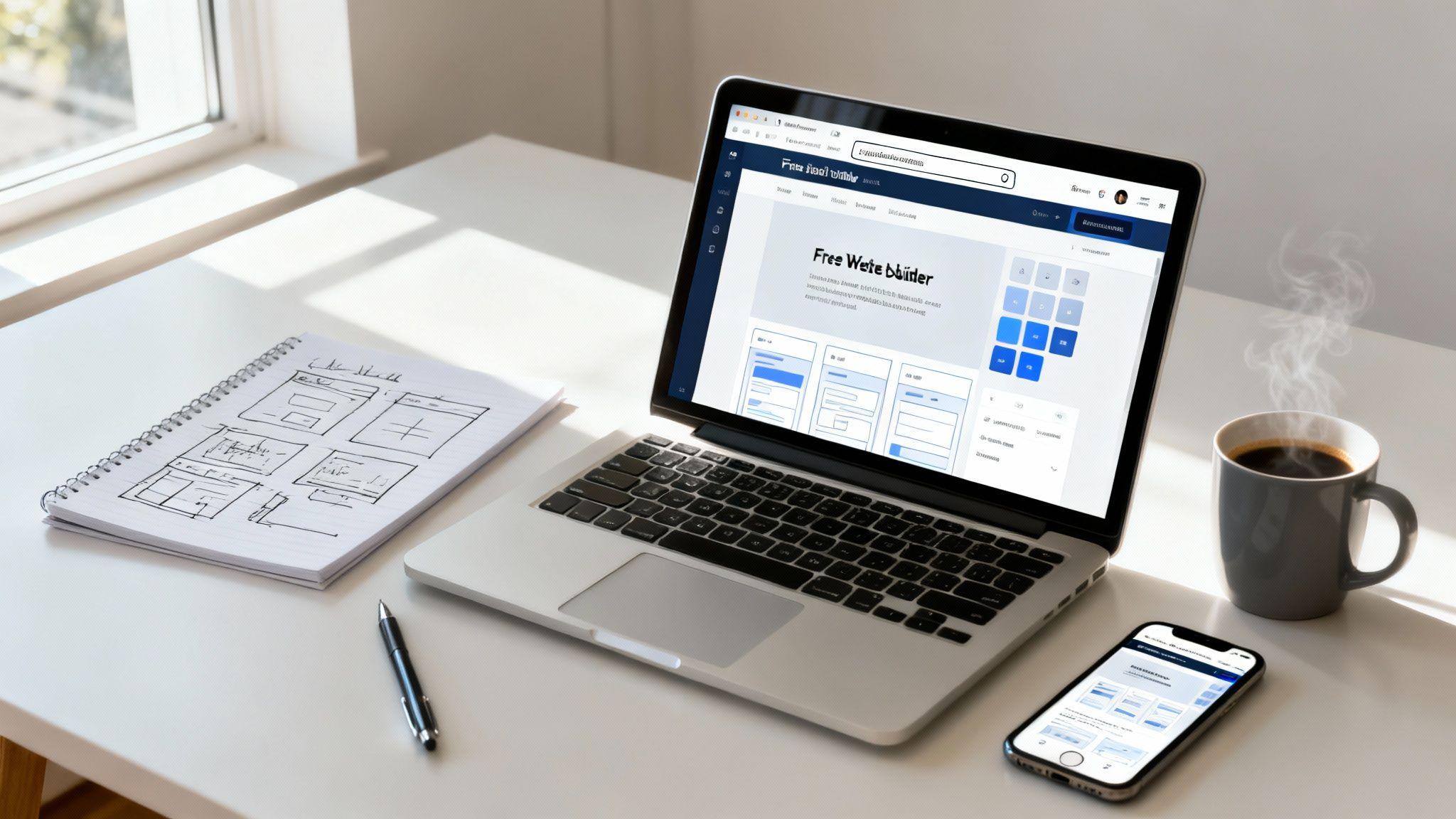
Getting a website online without spending a dime is more than possible—it's actually pretty straightforward these days. The simplest route by far is using an all-in-one platform like Solo AI Website Creator. It wraps up the design, hosting, and all the technical tasks into one neat package.
This approach gets you a professional-looking site with free hosting and a subdomain, letting you launch quickly and test out your idea with zero financial risk.
Understanding Your Free Website Options
Not too long ago, building a "free" website meant you were probably going to be wrestling with code or trying to install some clunky software. Today, things are totally different. We've got a new wave of tools designed for everyone, no matter your technical skill level. The trick is just knowing the different paths you can take so you can pick the one that actually fits what you're trying to do.
This boom in easy-to-use web creation tools is happening for a reason. The global web hosting market is currently valued at a massive $125.36 billion and is expected to hit $355.81 billion by 2029. A huge driver of that growth? Free and low-cost platforms that have torn down the barriers to getting online.
For example, a lot of the big-name website platforms now offer a completely free plan that gives you the essentials: intuitive drag-and-drop editors, around 500MB of storage, and even some basic SEO features to get you started.
Comparing Your Free Website Options
To make sense of it all, let's break down the three main ways you can get a website up and running for free. Each has its own set of trade-offs, so what's perfect for one person might be a headache for another.
| Method | What You Get | Best For | Key Limitation |
|---|---|---|---|
| All-in-One Creator | A free subdomain, hosting, and easy-to-use design tools in one platform. | Beginners, small projects, or anyone wanting to launch a site fast with no technical fuss. | Less control over advanced features; you're tied to the platform's ecosystem. |
| Freemium Platform | A free starter plan on a paid platform, often with ads and limited features. | Testing out a powerful platform before you commit to paying for it. | The platform's branding will be on your site, and key features are often behind a paywall. |
| Self-Hosted Open Source | Free software (like WordPress.org) that you install on a separate free hosting service. | Tech-savvy users who want total control and are willing to manage everything themselves. | A steep learning curve and you're responsible for all maintenance, security, and updates. |
For most people just starting out, the all-in-one approach is the clear winner. It removes the guesswork and lets you focus on what really matters: your content and your audience.
All-in-One Website Creators
For the vast majority of people, an all-in-one platform like Solo AI Website Creator is the most direct path. It’s the path of least resistance, bundling everything you need into a single service.
- Actionable Tip: You can generate a first draft of your site by answering a few simple questions. This means no coding is needed.
- Free Hosting: The platform handles all the server maintenance, security, and uptime, so your site just works.
- Free Subdomain: You'll get a web address like
yourname.solosites.com, which is perfect for launching your site without paying for a domain. - Built-in Features: Essentials like contact forms and social media integrations are usually ready to go right out of the box.
This method pretty much eliminates all the technical hurdles. Your main job is to think about your content—what you want to say and how you want to present it. It’s the fastest way to get from zero to a live website.
Key Takeaway: The biggest advantage of an all-in-one creator is simplicity. It lets you turn an idea into a live website in a single afternoon, without ever needing to know what a server is.
The Self-Hosted Approach
Another option is to use free, open-source software like WordPress.org and then hunt down a free hosting provider. This route gives you a lot more control, but it also comes with a much steeper learning curve.
You’re responsible for everything: installing the software, managing updates, and handling your own security. While it offers the ultimate flexibility, this is generally not recommended for beginners who just want a quick and simple solution to get online.
If you're keen to keep learning and get different perspectives on building and running a website, checking out dedicated blogs is a great move. You can find plenty of additional insights and articles on website building to really expand your knowledge base.
Choosing the Right Free Website Platform
Alright, your first big decision is picking the right tool for the job. When you're learning how to make a website for free, you really have two main paths you can go down. You can either use an all-in-one AI website creator that handles pretty much everything for you, or you can try to piece together a more technical, self-hosted solution.
For most people, especially if you're not a coder, the choice is clear.
An AI-powered tool like Solo AI Website Creator just takes all the complexity off your plate. You don't have to deal with the details of finding a web host, installing software, or worrying about security updates. It’s a single, clean solution designed to get you online, fast.
Freemium Models and Free Subdomains Explained
Many of the best tools for building a free site run on what's called a freemium model. The concept is simple: they offer a totally free plan with all the essentials you need to launch, plus paid plans that unlock more advanced features later on. Think of it as a "try before you buy" deal, but you can stick with the free version forever if it does everything you need.
A huge part of this free offer is the free subdomain. Instead of getting a custom URL like yourbusiness.com, you'll start with an address that includes the platform's name, something like yourname.solosites.com. This is a fantastic, zero-cost way to get your site live, test out your big idea, and start building an audience without spending a dime.
This flowchart lays out the two main routes you can take, depending on how comfortable you are with the technical side of things.
As you can see, for anyone who isn't a tech expert, the all-in-one solution is the straightest line to a finished website.
Why an AI Website Creator Is Ideal for Beginners
Going with an AI website creator just makes the whole process smoother. The benefits are significant, especially when you’re just starting and want to focus on your actual business or project, not on being a part-time IT manager.
Here’s what makes this approach so effective:
- No Technical Headaches: You don’t need to know anything about servers, software, or security. The platform handles all of that behind the scenes.
- Speed to Launch: You can go from an idea scribbled on a napkin to a live, professional-looking website in minutes or hours, not weeks.
- Integrated Tools: Features like contact forms, photo galleries, and basic SEO settings are usually built right in and ready to go from day one.
This all-in-one approach is wildly popular for a reason. In fact, 73% of U.S. small businesses now have a website, and a ton of them get their start on free platforms before even thinking about upgrading. These tools offer an easy on-ramp to the online world, which is why we’ve seen some providers grow at an incredible rate. You can actually check out a detailed comparison of the top 10 free website builders to see how the different options stack up.
Making an Informed Choice
The great part of a freemium platform is that you have a built-in growth path. You can start for free and only think about paying when your needs change.
So, what might make you decide to upgrade?
- You need a custom domain (
yourname.com) to look more professional and build your brand. - You want to remove the platform's branding (that little "Made with..." link in the footer).
- Your website traffic starts to take off, and you need more bandwidth.
- You're ready to add advanced features like an online store to sell products.
This model puts you in complete control. You start with a powerful free toolkit and can scale things up if and when it makes sense for your project. It's a path many small businesses take—they prove their concept on a free plan, then invest in premium features once they're generating revenue.
Ultimately, by choosing a platform like Solo AI Website Creator, you’re not just getting a free website. You’re getting a low-risk launchpad to bring your vision to life. You get to focus on creating great content and connecting with your audience, knowing the technical foundation is solid and ready to grow right along with you.
Creating Your Site with Solo AI Website Creator
This is where the process becomes simple. Forget wading through technical manuals or fighting with complicated settings. Using the Solo AI Website Creator is like having a conversation with a creative assistant. You start by answering a few simple questions about your business or project, and in moments, the AI generates a complete and well-designed website draft for you.

Think of this first draft as your starting point. Now, the real fun begins: making it completely yours. I'll walk you through how to take that AI-generated foundation and inject your unique personality and brand into every corner. Each step is designed to be intuitive, so you can build a polished, professional site without any prior experience.
Starting with Simple Prompts
Your journey starts with a few straightforward questions. The AI just needs to understand what you do and who you’re trying to reach.
Let's say you're a freelance photographer named Alex who specializes in weddings. Alex would kick things off by providing a few key details:
- Business Name: "Alex Chen Photography"
- What You Do: "I'm a professional wedding and event photographer based in Austin, Texas, capturing authentic moments."
- Key Services: Wedding Packages, Engagement Shoots, Family Portraits.
From just that little bit of information, the Solo AI Website Creator instantly gets to work. It might create a homepage with a call-to-action, a gallery to show off Alex's portfolio, an "About Me" page to build a personal connection, and a contact page to bring in new business. You can get a closer look at how it all works in our deep dive into the Solo AI Website Creator.
Customizing Your Design and Branding
Once the AI has laid down the framework, it’s time to dial in the look and feel. This is where you make sure the site truly reflects your brand's vibe. And no, you don't need a design degree—the tools are all visual and super simple to use.
You can easily adjust things like:
- Color Palette: Swap the default colors for your brand's specific shades. Alex might go for a sophisticated mix of charcoal, gold, and white to create a high-end feel.
- Fonts: Choose typography that matches your style. A photographer might pair an elegant serif font for headings with a clean sans-serif for body text for a classic, readable look.
This step is all about making sure everything aligns. A website for a kids' party planner should pop with bright, playful colors, while a financial consultant’s site would stick to a more muted, professional palette. The goal is to create visual consistency that instantly builds trust with your visitors.
Actionable Tip: Keep it simple. Stick to two or three main colors and no more than two fonts. Consistency is what makes a site look professional; overdoing it can make your page feel cluttered and confusing.
The ability for anyone to create a website without technical skills is reshaping the web. With over 1.5 billion websites online in 2025, platforms are lowering the barrier to entry with no-cost plans. This is happening within a massive $194 billion hosting market. Many of these platforms offer hundreds of mobile-friendly templates, which is critical since mobile devices now account for over 61% of all web traffic. The process is simple: register, pick a starting point, and let an AI assistant help you build—no code needed.
Populating Your Pages with Great Content
The AI will generate some starter text that’s surprisingly on-point, but it’s your own voice that will truly connect with your audience. This is your chance to replace the placeholder copy with compelling content that tells your story and sells your services.
Let’s jump back to our photographer, Alex.
For the "About Me" page:
Instead of a dry bio, Alex could write a personal story about discovering a passion for photography at a family wedding. That kind of narrative is way more engaging and helps potential clients feel a real connection.
For the "Services" page:
Rather than just listing "Wedding Packages," Alex can get creative with names like "The Heirloom Collection" or "The Intimate Elopement Package." Each description should focus on the emotional outcome for the couple, not just the number of photos they’ll get.
It’s also crucial to swap out any stock photos for your own high-quality images. For a photographer, this is a no-brainer, but it applies to every single business. If you’re a baker, show off your most delicious cakes. If you’re a consultant, use a professional headshot. Real, authentic images build credibility in a heartbeat.
Structuring Your Essential Website Pages
A great website is an intuitive one. The AI will likely create the essential pages for you, but it’s helpful to understand their purpose so you can organize your content effectively. Here’s a quick breakdown of the must-have pages, using our photographer as an example:
| Page Name | Purpose and Content | Example for Alex the Photographer |
|---|---|---|
| Home | Your virtual front door. It needs to grab attention and point visitors to the right places. | A stunning hero image from a wedding, a clear headline like "Capturing Your Forever Moments," and buttons linking to the portfolio and contact page. |
| About | The place to build a personal connection and establish trust. | Alex’s story, a professional headshot, and a few glowing client testimonials to build social proof. |
| Portfolio/Gallery | The visual proof of your talent. This is where your work gets to shine. | Curated galleries for different shoots (Weddings, Engagements, Portraits) to make it easy for clients to find what they're looking for. |
| Contact | The all-important call to action. Make it incredibly easy for people to reach out. | A simple contact form, an email address, a phone number, and links to social media profiles. |
By thinking through the job of each page, you can guide your visitors on a clear journey, from their first impression all the way to sending an inquiry. That logical structure is what separates a confusing site from a professional one that actually converts. The Solo AI Website Creator gives you the perfect head start, and with these simple tweaks, you can make it truly powerful.
Making Your Free Site Work for You
A website isn't just a pretty online brochure; it's a tool that should be actively working for your business. Once you've got the basic design and pages sorted, the next move is to add features that turn your site into an interactive hub. These are the elements that convert casual browsers into actual leads and customers.

Let's walk through how to add some of the most valuable features using a tool like Solo AI Website Creator. Each one has a specific job to do, making your site more useful for your audience and more effective for you.
Make It Ridiculously Easy for People to Reach You
This might sound obvious, but it's the most common mistake people make: hiding contact info. The single most important feature for any business site is a clear way for people to get in touch. A simple contact form is usually your best bet.
Why a form? It stops spam bots from scraping your email address and lets visitors send a message without having to open up their own email client. Most free platforms, including Solo AI Website Creator, have a pre-built contact form block you can just drop onto any page.
Actionable Tip: Your form could have fields for:
- Name: So you know who you're talking to.
- Email: So you can actually reply.
- Service of Interest: A dropdown menu (e.g., Logo Design, Branding Package).
- Project Details: A simple text box for a quick brief.
Just like that, you're not only getting leads but also pre-qualifying them before the first email is even exchanged.
Connect Your Physical and Digital Worlds
If you have a physical location—a coffee shop, a small boutique, a consultant's office—a map on your website is non-negotiable. It removes all friction for a customer trying to find you.
Embedding a Google Map is way easier than it sounds. You just find your address on Google Maps, grab the "embed" code, and paste it into an HTML block on your site. Now you have an interactive guide that people can use for directions right from their phone.
Key Takeaway: A map does more than just give directions. It builds trust. It’s a visual confirmation that your business is real and tangible, which can be the small detail that makes someone choose you over a faceless competitor.
Weave Your Social Community Together
Think of your website as the home base for your online presence, while your social media profiles are where the daily conversation happens. You absolutely have to link them together.
Actionable Tip: Don't just stick tiny little icons in the footer and call it a day. Put clear social media links right in your header or on your "About" page where they can't be missed. This encourages visitors to follow you, opening up another channel to stay connected long after they've left your site.
It's a simple relationship:
- Website: Your professional portfolio and central info hub.
- Social Media: Your ongoing conversation and community space.
They need to work in tandem to tell your full brand story.
Let Clients Book You on Their Own Time
For any service-based pro—a coach, tutor, therapist, you name it—the goal is getting appointments on the calendar. While a fully integrated booking system is often a paid feature, you can create a surprisingly slick process on a free plan.
Actionable Tip: Use a free third-party scheduling tool like Calendly or Acuity Scheduling. These platforms give you a personal booking link. From there, you just add a big, bold "Book a Consultation" button to your homepage and services page that sends visitors directly to your calendar.
This one simple integration empowers clients to book a time that works for them, right in the moment. It cuts out the endless back-and-forth emails and captures their interest when it's at its peak. It's a professional touch that shows you respect their time, turning your free website into a legitimate business-generating machine.
Launching Your Website with Basic SEO
Hitting "publish" on your new website is a fantastic moment, but it's really just the beginning. The next big job is making sure people can actually find you. This is where Search Engine Optimization (SEO) comes into play—it's all about making your site more appealing to search engines like Google so they show it to more people.

You don’t have to be a seasoned pro to get results. Let's walk through a few simple but powerful tasks you can tackle right inside your Solo AI Website Creator. These will give your site a fighting chance in search results without overwhelming you with technical jargon.
Fine-Tuning Your On-Page SEO
Think of on-page SEO as leaving clear signposts for Google, explaining what each of your pages is all about. The good news is that most free website creators give you easy access to these crucial elements.
Here’s where to focus your energy first:
- Page Titles: This is the headline that shows up in a browser tab and, more importantly, on Google's search results page. A vague title like "Services" won't cut it. Get specific: "Affordable Pet Grooming Services in Brooklyn" tells both Google and potential customers exactly what you offer.
- Meta Descriptions: This is the short summary that appears under your page title in search results. It’s your elevator pitch to convince someone to click. A photographer could write something like, "Capturing authentic, beautiful wedding photos in Austin, TX. View my portfolio and book a free consultation."
Getting these two things right is your first impression on Google. If you want to go a bit deeper, this complete SEO for beginners step-by-step guide is a great next step.
Making Your Images Work for You
Images make your site look great, but they can also give your SEO a nice boost. Search engines can’t "see" what's in a picture, so they rely on alt text (alternative text) to understand it.
Actionable Tip: When adding alt text, be descriptive. For a photo of a chocolate cake, don't just use "cake." Instead, write something like "chocolate lava cake with raspberries on a white plate." This helps Google understand your content better and can even get your images to show up in Google Image Search results.
The Pre-Launch Quality Check
Okay, before you hit that big "publish" button for the world to see, take a few minutes to run through a final quality check. I know it's tempting to skip this, but trust me, it can save you from some common and embarrassing mistakes.
Here's a quick checklist to run through:
- Proofread Everything: Seriously, read every single word on your site. Reading it out loud is a great trick for catching typos and clunky sentences your eyes might skim over.
- Test All Your Links: Click on every single button, navigation link, and social media icon. Make sure they all lead where they're supposed to. A broken link is a frustrating dead end for a visitor.
- Check the Mobile View: Use your website creator’s preview feature to see how your site looks on a smartphone and a tablet. Does everything look clean? Is the text easy to read without pinching and zooming?
- Confirm Your Contact Form Works: This one is critical. Fill out your own contact form and send a test message. Did you get the email? This is your direct line to new customers, so you can't afford for it to be broken.
As you start to grow, you'll want to keep an eye on how your site is performing. You can explore some of the best free SEO tools to track your progress without spending a dime. Following these simple steps will ensure your website launches looking polished, professional, and ready to make a great first impression.
When to Upgrade from a Free Website
Kicking things off with a free website is one of the smartest, most risk-free moves you can make. It’s the perfect way to test an idea, build a foundation, and get your name out there without spending a dime. But every free plan has its limits, and they're there for a reason.
Knowing the trade-offs from day one helps you set the right expectations. For instance, most free platforms, including the Solo AI Website Creator, will add their own branding to your site's footer. You'll also be working with a subdomain, something like yourname.solosites.com, not a custom URL. Think of it as a fair exchange for a completely free service.
Recognizing the Tipping Point
So, when have you outgrown the freebie plan? The signs are usually pretty clear. Once you hit certain milestones, it's time to seriously consider an upgrade to unlock your site's full potential and step up your professional game.
You should start thinking about upgrading when you notice:
- A big jump in traffic that starts to strain the limits of your free plan's bandwidth.
- You're ready to sell products or services directly from your site and need e-commerce features.
- You feel a growing need to build a more professional, memorable brand identity that stands on its own.
A custom domain name (
yourname.com) is so much more than a web address. It’s a powerful branding tool that screams professionalism, makes you easier to remember, and instantly boosts your credibility.
Limitations and Scaling Up
Free plans often come with caps on things like storage—usually around 500MB to 1GB—and the branded subdomains we talked about. While that’s plenty to get you started, these caps can feel restrictive once your project really takes off. For a deeper dive, you can find more web hosting capabilities and statistics to see how this fits into the bigger picture.
Ultimately, a free website is the perfect launchpad. It gives you the space to validate your concept, connect with an audience, and gain some traction with zero financial risk. Once you see those clear signs of growth, you can upgrade with confidence, knowing you've already built a solid foundation.
Still Have Questions? Let's Clear a Few Things Up
Getting started with a free website always brings up a few common questions. Let's tackle the big ones so you can move forward with total confidence.
Can I Really Make a Professional-Looking Website for Free?
Absolutely. The days of free websites looking cheap and clunky are long gone. Modern tools, especially something like the Solo AI Website Creator, hand you professionally designed templates and super intuitive controls. The end result? A genuinely polished website that costs you nothing.
Of course, there are trade-offs. You might have a small ad for the platform in the footer or a branded subdomain instead of your own .com. But you can still build a clean, mobile-friendly site that looks fantastic for a new business, a personal portfolio, or a blog.
Will My Free Website Even Show Up on Google?
Yep, it will. Free websites get indexed and ranked by search engines just like any other site. Most of the free platforms provide the basic SEO tools you need to add page titles, write meta descriptions, and include alt text for your images.
If you follow the simple SEO advice we covered earlier and consistently publish good, helpful content, you're giving your site a real shot at being found by the right people.
Actionable Tip: Getting on Google isn't about how much money you throw at your website. It's about the quality of your content and making sure you've checked the basic SEO boxes—both of which are totally doable on a free plan.
What's the Biggest Downside of a Free Website?
If I had to pick one thing, it's the branding. The biggest limitations are almost always the platform's own branding on your site (like a footer logo) and not having a custom domain name (e.g., yourbusiness.com). That's the main trade-off for getting your idea online with zero financial risk.
You'll also run into limits on things like storage space or more advanced features like a full-blown e-commerce store. These restrictions are what keep the service free, and honestly, for most people just starting out, it's a perfectly fair exchange for launching and testing an idea without spending a dime.
Ready to bring your idea to life without opening your wallet? You can get started with the Solo AI Website Creator today and have a professional-looking website up and running in just a few minutes. Head over to https://soloist.ai to get started.
What is the easiest way to build a website for free?
The easiest way is to use an all-in-one AI website creator that bundles design, hosting, and a free subdomain into one service. It removes technical setup, lets you answer a few prompts, and gets a professional-looking site online in minutes or hours.
What do you usually get with a free website plan?
A free website plan typically includes hosting, a subdomain, simple design tools, and built-in basics like contact forms, social media integrations, and basic SEO settings. Many free plans also offer around 500MB of storage, which is enough to get a small project started.
What are the limitations of making a website for free?
The biggest trade-offs are usually platform branding, a subdomain instead of your own custom domain, and limits on advanced features or bandwidth. You also get less control over deeper customization than you would with a self-hosted setup.
Should beginners use a self-hosted open-source website instead?
Beginners usually should not start with the self-hosted route unless they want to manage technical tasks themselves. That path gives more control, but you must install software, handle updates, manage security, and take responsibility for maintenance.
When does it make sense to upgrade from a free website?
Upgrading makes sense when you want a custom domain, need to remove platform branding, expect more traffic, or want advanced features such as an online store. Many people use the free version to test an idea first, then pay only when the site starts growing.