
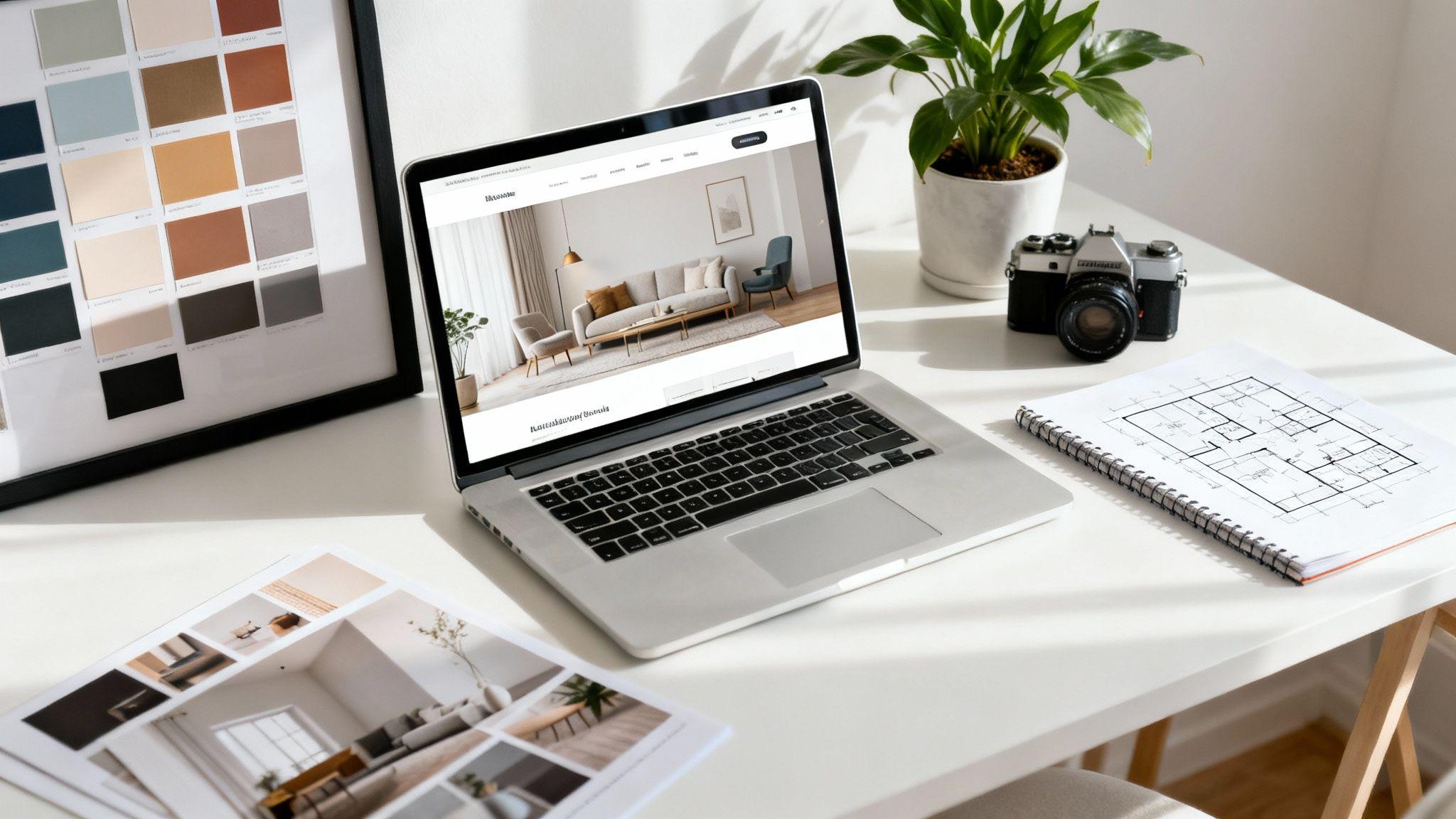
An interior design website template is the blueprint for your online showroom. It provides a pre-designed structure to showcase your portfolio, services, and brand story, so you don't have to build a website from the ground up. Think of it as the framework of a house—the layout is set, waiting for you to add your signature style.
Your Digital Showroom: Why a Great Template Matters

Your website is more than a digital business card; it's your main showroom, open 24/7 to potential clients. In a competitive market, a generic or poorly designed site is like an empty storefront—it gets ignored. A strong template, however, provides the plan for a stunning digital space that reflects your professionalism and unique style.
This guide will show you how to use a template to turn your site into a powerful tool for attracting new business. It’s about seeing your website through your clients' eyes. They need to understand how to choose an interior designer, and a well-structured site answers their questions before they even ask.
The Foundation for Growth
The interior design market is projected to grow from USD 145.96 billion in 2025 to USD 214.35 billion by 2034. This growth means a strong online presence is no longer optional—it’s essential for capturing new opportunities. The right template positions you to take advantage of this trend.
This guide provides actionable strategies without confusing technical jargon. Here’s what we'll cover:
- Essential Website Pages: The must-have sections to tell your story and guide visitors to your contact form.
- Visual Design Principles: Simple tips for photography, color, and layout to make your portfolio irresistible.
- SEO for Designers: How to get your website found by local clients searching for your services.
- Effortless Customization: How modern tools like the Solo AI Website Creator can simplify the entire process.
Actionable Tip: Think of a template not as a limitation, but as a strategic head start. It handles the technical setup, freeing you to focus on creating beautiful spaces.
Our goal is to show you the immediate value of choosing the right template so you can build a digital showroom that truly reflects your talent.
The Blueprint of a Client-Winning Website

An interior design website is a strategic tool designed to guide a visitor from a casual browser to a paying client. Each page has a specific job: building trust, showcasing your talent, and making it easy for leads to contact you.
Think of these core pages as the essential rooms in your digital showroom. Your template provides the floor plan, but the content you add makes the sale. This blueprint breaks down the four non-negotiable pages every interior designer needs and how to make each one effective.
The Portfolio: Your Visual Resume
Your portfolio is the most important part of your website. It's where you prove you can deliver the results a potential client is dreaming of. A common mistake is simply uploading photos to a gallery without context. Instead, tell a compelling story with each project.
Actionable Tip: Organize your projects logically, either by room type (kitchens, living rooms) or design style (modern, traditional). This helps visitors quickly find examples that match their needs.
To make each project stand out, include:
- A Project Title: Use a memorable name like "The Lakeside Modern Retreat" instead of "Smith Residence."
- A Brief Description: Write a short paragraph explaining the client's problem and how your design provided the solution.
- High-Quality Images: Include a mix of wide shots to show the overall space and detailed close-ups of unique features or materials.
- Client Testimonials: Add a short quote from the client about their experience. Nothing sells your work better than a happy customer.
The Services Page: Clarifying Your Offer
The services page turns a visitor's inspiration into a concrete plan. It's your chance to clearly define what you do and for whom, which pre-qualifies leads and saves you time answering repetitive questions. Avoid industry jargon and be direct.
Actionable Tip: List your service packages, such as "Full-Service Design," "E-Design," or a "Two-Hour Consultation." For each service, briefly explain what’s included, the process, and the ideal client. This transparency builds immediate trust.
Your services page should answer a potential client's main question: "Can you help me, and how does it work?" By being clear and upfront, you remove uncertainty and make it easier for them to envision working with you.
The About Page: Building a Human Connection
Clients hire a person they can trust with their personal spaces. Your "About" page is where you build that crucial human connection. Share your story, your design philosophy, and what makes you unique.
Actionable Tip: Don't just list your credentials. Talk about why you love interior design. What inspires you? What is your signature approach? Always include a professional, friendly headshot to make yourself more relatable.
The Contact Page: The Final Handshake
Your contact page should be the easiest page on your website to use. Its only job is to make it effortless for a potential client to take the next step. A clunky or broken form can lose you a lead at the final moment.
Actionable Tip: Keep it simple. Include a straightforward contact form asking for only essential information: name, email, and a brief project message. Also, provide other contact methods, like a direct email address and a business phone number, to give people options.
Crafting a Visually Stunning Digital Portfolio

Your portfolio is where you show, not just tell, your talent. The visuals on your website are your most powerful sales tool. They need to do more than look pretty—they must tell a story and create an emotional connection. A good website template gives you the canvas; your visual choices create the masterpiece.
This section provides simple, actionable advice on visual storytelling. Even with no graphic design experience, you can customize a template into a polished digital presence that captivates clients.
The Psychology of Your Color Palette
Color is the first thing a visitor notices and it instantly sets the mood. This isn't about picking your favorite colors; it's about choosing a palette that reflects your brand and design aesthetic.
What feeling do you want to create? If you're known for calm, minimalist spaces, a neutral palette of whites, beiges, and soft grays will work well. If your style is more luxurious and bold, consider deep jewel tones like emerald green or navy blue, accented with gold.
Actionable Tip: Stick to a simple rule: use 2-3 primary brand colors for consistency and one bold accent color to draw attention to important elements, like your "Book a Consultation" button. A cohesive palette makes your website feel as thoughtfully curated as the rooms you design.
Professional Photography Sells Your Vision
Your project photos are undeniable proof of your talent. Blurry or poorly lit images can make a stunning design look amateurish. You don't need to be a professional photographer, but a few basic principles can elevate your portfolio.
Good lighting is essential. Natural light is best, so schedule photoshoots on bright, overcast days to avoid harsh shadows. Turn off artificial lights in the room, as they can cast a yellow tint that distorts your design's true colors.
Focus on composition to create aspirational images:
- Rule of Thirds: Imagine a 3x3 grid over your screen. Place key focal points, like a statement chair or a piece of art, along these lines or at their intersections for a more dynamic photo.
- Leading Lines: Use elements like countertops, hallways, or the edge of a rug to draw the viewer's eye through the space.
- Vary Your Shots: Capture a mix of wide-angle shots to show the entire space, medium shots of specific areas, and detailed close-ups of textures and decor.
Optimizing your images for the web is also crucial for a fast-loading site. If this is new to you, our guide on how to optimize website images breaks it down simply.
Maintaining Consistent Branding
Consistency separates a professional website from an amateur one. It's the visual glue that holds your digital presence together. Your branding should feel seamless across every page, from your fonts and logo to the style of your images.
A good template provides a solid foundation, but you must maintain consistency as you add content.
Here’s a quick checklist to keep your brand consistent:
- Logo: Place your logo in the same spot on every page, typically the top-left corner of the header.
- Typography: Stick to two, or at most three, complementary fonts for your entire site—one for headings and another for body text.
- Image Style: Ensure all your project photos have a similar editing style and feel. This creates a cohesive, professional gallery.
To keep your portfolio fresh, you can add pages that showcase things like the latest kitchen design trends. This highlights your expertise and gives potential clients another reason to explore your consistently branded site.
Building an Intuitive User Experience

A beautiful website is only half the battle. If visitors feel lost or confused, they will leave, no matter how great your photos are. This is where user experience (UX) comes in. Simply put, UX is about making your website easy and enjoyable to use.
Think of your website like a home you've designed. Guests should instinctively know how to find the living room or kitchen. A great website works the same way; its layout is intuitive, helping visitors find what they need effortlessly. An interior design website template with good UX creates a seamless flow, turning a casual visit into an enjoyable journey.
A clunky, hard-to-navigate site is the digital equivalent of a confusing floor plan. Visitors get frustrated and leave. Getting the experience right is critical for keeping potential clients engaged.
Designing a Clear Navigation Path
Your website's main menu is like a home's central hallway—it connects every important room. If it's cluttered or poorly labeled, people will get lost. The key to good navigation is simplicity and clarity.
Actionable Tip: Stick to a clean menu with no more than five to seven essential items. Use straightforward labels that everyone understands, like "Portfolio," "Services," and "Blog," instead of vague terms like "Creations" or "Musings." This removes guesswork and helps visitors find what they're looking for quickly.
Your navigation menu is a map of your website. Its only job is to be clear and predictable. A user who can easily navigate your site is more likely to trust your design expertise.
Mobile Responsiveness Is Non-Negotiable
More people browse websites on their phones than on desktops. This means your website must look and function perfectly on a smaller screen. A mobile-responsive template automatically adjusts its layout to fit any device, from a large monitor to a smartphone.
This isn't just about convenience; it directly impacts your business. With the interior design market forecasted to hit USD 325.48 billion by 2032, a responsive site is crucial. As urbanization drives 46% of demand, decision-makers are vetting designers on their phones. (More on interior design market trends here).
A template that isn't mobile-friendly will look broken on phones, creating a terrible first impression. Actionable Tip: When evaluating templates, always test the demo on your phone to ensure it provides a smooth experience. If you're new to these concepts, you can learn more about user experience design in our article.
Making Your Call to Action Unmissable
Every page on your site should guide visitors toward taking a specific action. You do this with a prominent Call-to-Action (CTA) button. A CTA is a button with a direct, action-oriented label like "Book a Consultation," "View Our Portfolio," or "Get in Touch."
To make your CTAs effective:
- Use a contrasting color that grabs the eye.
- Place them strategically where a visitor is likely to want to take the next step, like at the end of a service description.
- Keep the text short and direct, clearly stating what happens when they click.
By combining clear navigation, mobile responsiveness, and strong CTAs, your template will create an intuitive experience that effortlessly converts visitors into clients.
A beautiful website is a great start, but it needs to do more than look good. An effective interior design website template should work like your best employee, turning visitors into paying clients 24/7. This section focuses on the strategic features that grow your business.
Getting Found on Google With SEO
Search Engine Optimization (SEO) may sound technical, but it's simple: it's about helping clients find you when they search for "interior designer in " on Google. A good template provides tools to manage basic SEO without needing to understand code.
Actionable Tip: Use descriptive keywords in your project galleries. Instead of a generic title like "Living Room Project," try "Modern Farmhouse Living Room Design in Austin." This tells Google what you do and where you do it, connecting you with local clients.
Think of SEO as digital signposts that direct high-quality traffic to your website. By using the right words in your project descriptions and on your services page, you’re telling search engines to send relevant clients your way.
Tools That Build Trust and Drive Action
Once someone is on your site, you need to quickly build their confidence and guide them to the next step. A well-designed template integrates these features naturally.
Here are a few essential features to look for:
- Integrated Contact Forms: A simple, clean contact form is a must. It should be easy to find and ask for only essential information—name, email, and a brief message.
- Client Testimonial Sections: Positive reviews are powerful. Your template should have dedicated, well-designed sections to showcase glowing feedback. Seeing that others have trusted you can be the final nudge a potential client needs.
- Consultation Booking Integrations: Make it easy for people to book a consultation. Many templates connect directly with scheduling tools, allowing visitors to see your availability and book a meeting without leaving your site.
Establishing Expertise With a Blog
A blog is an underused but powerful tool for both SEO and building authority. Every article you publish is another chance to appear in search results and showcase your expertise. You can discuss design trends, share project case studies, or offer styling tips.
This content proves to potential clients that you are a knowledgeable expert and signals to Google that your website is a valuable resource, which can boost your search rankings over time.
To evaluate if a template has what it takes to generate leads, use this checklist. It focuses on features that will grow your client list.
Conversion-Boosting Features Checklist
| Feature | What to Look For | Why It Matters |
|---|---|---|
| Effortless Contact Forms | Simple, easy-to-find forms with minimal fields (name, email, message). | Reduces friction and makes it incredibly easy for leads to take the first step. |
| Prominent Testimonials | Beautifully designed, dedicated sections for client quotes, photos, or even videos. | Builds immediate trust and provides social proof that you deliver amazing results. |
| Direct Call-to-Action (CTA) Buttons | Clear, action-oriented buttons like "Book a Consultation" or "Get In Touch" on every page. | Guides visitors naturally towards the next step, turning passive browsing into active engagement. |
| Easy SEO Customization | Simple fields to edit page titles, meta descriptions, and image alt-text without code. | Helps you get found on Google by clients searching for designers in your area and niche. |
| Integrated Booking/Scheduling | Seamless connection to tools like Calendly or Acuity to book meetings directly on your site. | Captures high-intent leads at their peak interest and streamlines your inquiry process. |
| Built-in Blog/Journal | A clean, easy-to-use blog section for sharing expertise, case studies, and tips. | Establishes you as an authority, improves SEO, and nurtures leads with valuable content. |
A template that checks these boxes is more than a portfolio; it’s a strategic business tool designed to bring you a steady stream of qualified clients.
Tying It All Together With Modern Tools
The demand for simple, powerful digital tools for designers is growing. The interior design software market is valued at USD 5,373.8 million in 2024 and is projected to nearly double by 2030. This shows that designers need intuitive platforms to run their businesses online. You can read the full research on the interior design software market for more details.
This is why platforms like the Solo AI Website Creator exist. They are built to meet this need, integrating these crucial conversion features directly into their templates. With a tool like this, you can easily add booking integrations, showcase client reviews, and optimize your site for Google without technical headaches, allowing you to focus on creating beautiful spaces.
Effortless Customization With an AI Website Creator
What if you could skip the technical challenges of building a website and have a professional, polished site live in minutes? Modern AI-powered tools make this possible. Instead of struggling with code or spending hours adjusting fonts and colors, you can use an AI tool to generate a stunning, personalized website almost instantly.
This approach changes the traditional website creation process. An AI website creator acts like a talented design assistant. You provide basic information—your business name, services, and design style—and it handles the heavy lifting, building a complete website based on a proven interior design website template.
The best part is that it's simple and requires no coding knowledge. The AI uses your input to assemble a site with a cohesive design, relevant text, and your images, giving you a fantastic starting point.
Making the AI Work for You
To get a great result from an AI tool, you need to provide clear instructions. The better your input, the more tailored your website will be. Before you start, gather your essential business information.
Actionable Tip: Have these key elements ready:
- Your Brand Voice: A few words to describe your style, like "minimalist and modern," "luxurious and classic," or "bohemian and eclectic."
- Service Offerings: A clear list of what you do, such as "Full-Service Residential Design" or "Virtual E-Design Consultations."
- High-Quality Photos: Your best portfolio images that showcase the quality and style of your work.
The real benefit of an AI creator is its speed and efficiency. It eliminates the steep learning curve of traditional website platforms, allowing you to get a high-performance, custom-looking site without getting bogged down in technical details. This frees you up to focus on designing incredible spaces for your clients.
From Generation to Perfection
Once the AI generates your initial website, you can make small tweaks to add your unique personality. Think of the AI-generated site as a 90% finished draft. Your job is to add the final 10% that makes it truly yours.
This could be as simple as swapping an image, refining the text on your "About" page, or changing a button color to match your brand palette. Because the foundation is solid, these adjustments are quick and easy. For a deeper look at how this works for designers, you might find our guide on the Solo AI Website Creator for interior designers helpful.
The final result is a polished, professional website that looks custom-built but was created in a fraction of the time.
A Few Common Questions About Website Templates
Entering the world of website creation can feel overwhelming with so many new terms and tools. This section provides clear, direct answers to common questions from interior designers when choosing or customizing a website template. The goal is to give you the confidence to build a digital showroom that is as thoughtfully designed as your physical spaces.
How Much Customization Is Too Much?
This is a common question. Think of a great interior design website template as a well-designed, move-in-ready home. It already has a smart layout and a cohesive style.
Your job is to furnish and decorate, not to knock down walls. Actionable Tip: Focus your energy on personalizing these key areas:
- Colors: Swap the template’s default palette for your brand colors.
- Fonts: Choose typography that reflects your brand’s personality.
- Images: Your high-quality project photos will make the site uniquely yours.
- Content: Rewrite the placeholder text to tell your story, describe your services, and detail your projects in your own voice.
A common mistake is over-customizing to the point that the template's design and user experience start to break. Trust the professional structure you chose and focus on infusing it with your brand identity through your words and images.
Can I Switch Templates Later?
Technically, yes, but it's rarely a simple one-click process. On most platforms, switching templates means you'll have to manually re-insert your content—text, images, and project details—into the new layout. It's like moving into a new house; you have to unpack and arrange everything from scratch.
Because of this, it's worth spending extra time upfront to choose a template you love and that fits your long-term vision. It will save you a major headache later.
However, some newer tools are changing this. With the Solo AI Website Creator, the process is much simpler. You can regenerate your site with a new style, and the AI will automatically repopulate your core information into the different design, making a rebrand or refresh much less of a chore.
Ready to build a website that reflects the quality of your designs without the technical hassle? The Solo AI Website Creator generates a professional, client-winning site in minutes. Get started for free and launch your stunning online portfolio today at https://soloist.ai.
What pages should an interior design website include?
Every effective interior design website needs four core pages: a portfolio, services page, about page, and contact page. Together, these pages showcase your work, clarify how you help clients, build trust through your story, and make it easy for leads to reach out.
How should an interior design portfolio website present projects?
A portfolio should do more than display photos in a gallery. Organize projects by room type or style, give each one a memorable title, add a short description of the client problem and design solution, include high-quality wide and detail shots, and feature client testimonials when possible.
What makes an interior design website template visually effective?
A visually effective template supports a cohesive brand rather than competing with it. Use two to three primary brand colors plus one accent color, limit typography to two or three complementary fonts, and keep image styling consistent across the site so the whole experience feels polished and intentional.
Why is mobile responsiveness important for an interior design website?
Mobile responsiveness is essential because many visitors will evaluate your work on their phones. A responsive template automatically adapts to smaller screens, prevents broken layouts, and creates a smooth browsing experience that keeps potential clients engaged instead of driving them away.
How can a website template help convert visitors into clients?
A strong template creates a clear path from browsing to inquiry. It uses simple navigation with five to seven essential menu items, straightforward labels, and prominent call-to-action buttons like "Book a Consultation" or "Get in Touch" to remove confusion and encourage the next step.