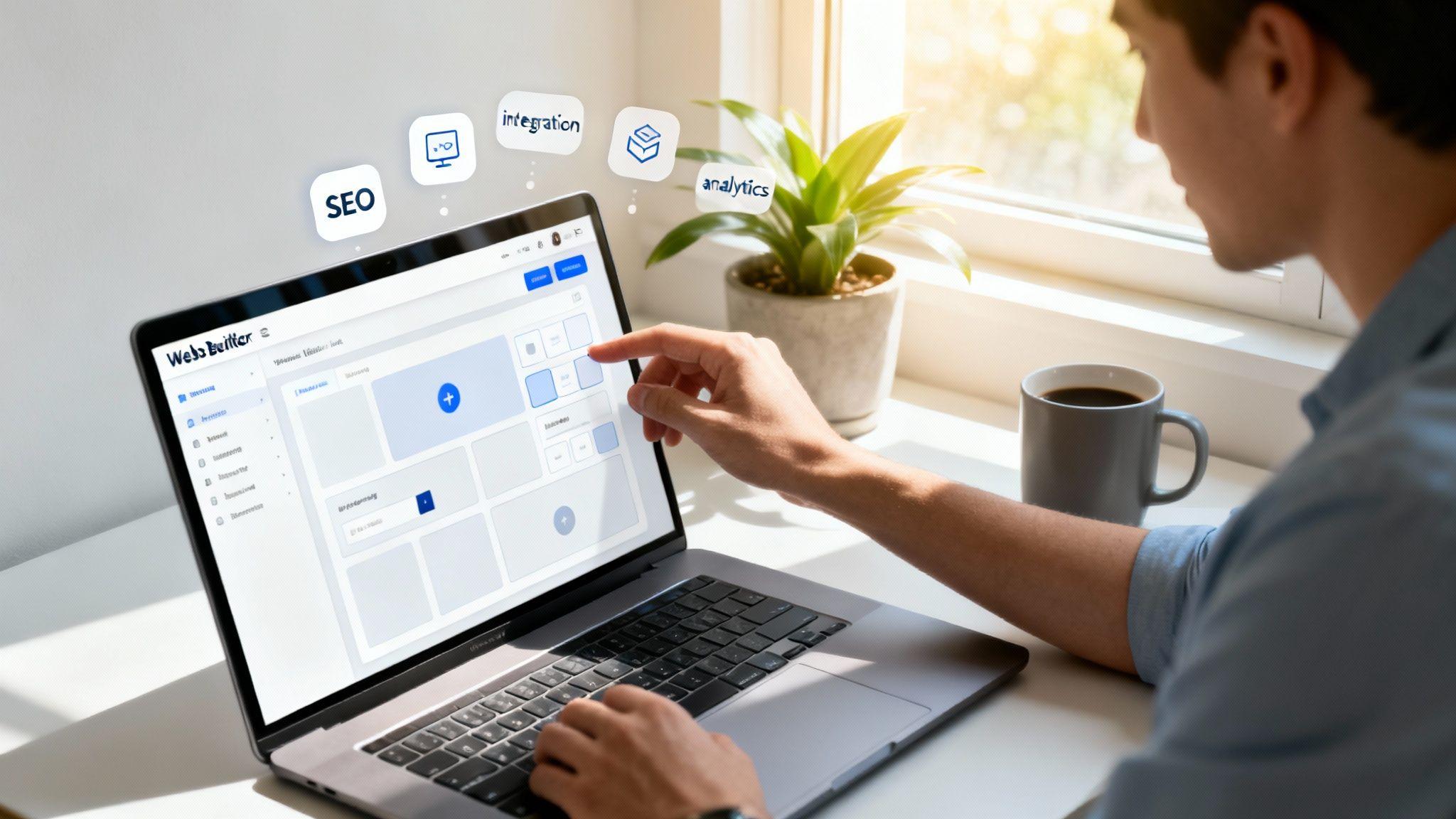
Getting your business online can feel like a mountain to climb, especially when you're working with a tight budget and don't have a tech team. That's where a modern website builder for small business comes in. It's your all-in-one toolkit for carving out a professional space online. The best part? Tools like the Solo AI Website Creator let you build a great-looking, functional site yourself in hours, not weeks.
Your Digital Storefront: Why a Website Builder Matters
a website isn't a nice-to-have; it's essential. Think of it as your digital storefront—it’s the first place potential customers go to check you out. A website builder hands you the keys to that storefront, no team of developers required.
These tools are built for business owners, not coders. It's like building with LEGOs; you get ready-to-use pieces that snap together to create something amazing. You don't need to know how websites work "under the hood" to build one. The power is in your hands.
Actionable Tip: Before you start, write down the single most important action you want a visitor to take on your website. Is it to call you? Fill out a form? Buy a product? This one decision will guide all your design choices.

The Shift to Owner-Driven Creation
The global market for small business website builders hit around $2.1 billion in 2024 and is expected to climb to $2.6 billion by 2026. What’s driving this? Small businesses realize they can't be invisible online.
This means you’re no longer stuck relying on pricey agencies. You are in the driver's seat. You control your brand's story and can make updates, post news, or add new products whenever you want, instantly.
A website builder is an empowerment tool. It levels the playing field, making it possible for any small business owner to build a polished, professional, and effective digital home and compete with bigger companies online.
Key Factors to Consider
As we go through this guide, we'll focus on what makes a website builder great for a non-technical user.
- Ease of Use: How quickly can you get your site live? The best builders are intuitive and don't require a manual.
- Essential Features: Does it have the tools you need? This includes contact forms, booking systems, or the ability to sell products.
- Fair Pricing: Is the cost straightforward? You need to know exactly what you’re paying for, without surprise fees.
Actionable Tip: Before you even choose a builder, make sure your business name is available online. You can perform a proper brand name check to secure your online identity right from the start.
This guide will break down each of these areas, giving you a clear roadmap for choosing the right website builder for small business needs. And with modern tools like the Solo AI Website Creator, getting started is easier than you think.
Must-Have Features for Your Small Business Website
Picking a website builder is about finding the right set of tools to grow your business. Think of it like setting up a workshop—you need specific tools for specific jobs. This section cuts through the jargon to show you what really matters.
Your website should be your hardest-working employee. It works 24/7, attracting customers and making sales while you sleep. To do its job right, it needs the right equipment. Let's break down the non-negotiable features that turn a simple online brochure into a business-building machine.
Essential Features Checklist for Your Website Builder
| Feature | Why It Matters for Your Business | What to Look For |
|---|---|---|
| Intuitive Editor | Saves you time and frustration. If it's hard to use, you won't update your site, and it will become stale. | A simple "what you see is what you get" editor. Avoid anything that requires looking at code. |
| Mobile-Responsive Templates | Over half your customers will visit on their phones. A bad mobile experience is like a closed door. | Templates that automatically look great on any screen. Always use the "mobile preview" feature. |
| Core SEO Tools | This is how you get found on Google. Without basic SEO, your site might as well be invisible. | Simple fields for page titles, descriptions, and image text. Clean, readable web addresses (URLs). |
| Key Integrations | Your website needs to "talk" to the other tools you use, like email, social media, and payment systems. | Easy connections to Google Analytics, Stripe, PayPal, Mailchimp, and social media channels. |
This checklist is your starting point. Now, let's explore why each of these features is a game-changer for your business.
Effortless Design and Editing
First, you need a builder you can actually use. An intuitive editor means you can click on an element—a block of text, an image, a button—and change it directly. It should be as simple as editing a Word document.
Actionable Tip: Before committing to a builder, try its free trial. Spend 15 minutes trying to change text, swap an image, and add a new page. If it feels confusing, move on.
Some tools, like the Solo AI Website Creator, take this even further. They use AI to generate a professional-looking site in minutes. From there, you just tweak the details. This approach removes the intimidation factor and saves you a ton of time.
Mobile-Responsive Templates
Here's a stat you can't ignore: more than half of all internet traffic comes from mobile devices. If your site is a pain to navigate on a phone, you're losing customers.
This is where mobile responsiveness comes in. In simple terms, it means your website automatically resizes and rearranges itself to look great on any screen, from a large desktop to a small smartphone.
Actionable Tip: When evaluating a builder, always use its "mobile preview" function. Click through every page of the demo site on your own phone to see how it feels.
Core SEO Tools
Search Engine Optimization (SEO) is a term for helping people find you on Google. You don't need to be an expert, but your website builder must give you the basic tools to compete.
SEO isn’t a one-time task. It’s an ongoing effort to make your site more attractive to search engines. A great builder makes this simple, so you can focus on your business.
Here are the non-negotiables your builder must offer:
- Customizable Page Titles and Meta Descriptions: These are the text snippets people see in Google search results. Being able to write your own is crucial for getting clicks.
- Image Alt Text: This is a short description of an image that helps search engines (and visually impaired users) understand what it is. It’s a small detail with a big impact.
- Clean URLs: Your builder should create logical, readable web addresses, like
yourbusiness.com/services, notyourbusiness.com/page-id-123.
Seamless Integrations
Your website can't be an island. It has to connect with other business tools. These connections, called integrations, automate tasks and help you grow.
Actionable Tip: Make a list of the tools you already use (like Mailchimp for emails or Square for payments). Check if the website builder you're considering can connect to them easily before you sign up.
For instance, you'll want to connect your website to:
- Social Media: Automatically show your latest Instagram feed or add social sharing buttons.
- Email Marketing: Hook up platforms like Mailchimp to collect email subscribers from your site.
- Payment Processors: If you’re selling anything, you need a secure way to take payments through trusted services like Stripe or PayPal.
- Analytics: A Google Analytics integration is essential for understanding who is visiting your site and what they're doing.
A platform like Wix powers nearly 8 million live websites. That tells you just how many businesses depend on a builder’s ecosystem to function. Choosing a platform that supports the integrations you need today—and the ones you might need tomorrow—is a smart move.
Understanding Pricing Plans and Hidden Costs
Let's talk about the trickiest part of picking a website builder: the price. It's easy to get drawn in by a low monthly fee, only to find your final bill is much higher. Understanding costs before you commit is key to choosing a platform that fits your budget.
Most builders use a tiered subscription model. A free plan might sound great, but think of it as a test drive. They almost always come with big limitations, like forcing the builder's ads on your site, locking key features, or preventing you from using your own domain name. This can make a small business look unprofessional.
Actionable Tip: Always opt for an annual plan over a monthly one if you can. It almost always saves you a significant amount of money over the year.
Spotting the Sneaky Extra Fees
The advertised price is often just the starting point. Here are the most common hidden costs to watch for:
- Domain Name Registration: Some builders offer a free domain for the first year, but renewal fees can be higher than dedicated registrars.
- Professional Email: An email like
contact@yourbakery.comlooks more credible. This service is almost always an extra monthly charge. - E-commerce Transaction Fees: If you sell online, many platforms take a small cut of every sale. This is on top of fees from payment processors like Stripe or PayPal.
- Premium Apps and Integrations: Need a specific booking system or marketing tool? Many essential functions are paid add-ons.
This decision tree helps visualize how your main business goal directly impacts the features you'll need, which in turn affects your total cost.

The bottom line is that specialized tools for e-commerce or client bookings usually mean a higher-tier plan or paid apps. Factor these potential costs into your budget from day one.
Asking the Right Questions Before You Commit
To protect your budget, you need clear answers to a few critical questions before choosing a website builder for small business.
Don't just look at the price tag. Look at the value. A slightly more expensive plan that includes everything you need is far better than a cheap plan that requires you to buy a dozen expensive add-ons.
Actionable Tip: Email the support team of any builder you're considering and ask these questions directly. Their response time and clarity will tell you a lot about their customer service.
- What are the renewal rates? Ask for the specific renewal cost for the subscription plan and the domain name.
- Are core features locked behind higher tiers? Make sure tools like SEO settings or contact forms are in the plan you’re considering.
- What are the exact e-commerce fees? Get a clear percentage for transaction fees the builder charges, separate from payment processor fees.
- Is customer support included? Confirm that you can get help via live chat or phone on your chosen plan.
This is exactly why platforms like the Solo AI Website Creator were built—to cut through the confusion with simple, straightforward pricing. The idea is to give you all the essential tools you need without nickel-and-diming you for upgrades, which makes budgeting more predictable.
How to Get Found on Google with SEO Basics
Search Engine Optimization (SEO) sounds technical, but the core idea is simple.
Imagine your website is a new coffee shop on a quiet side street. You could have the best espresso in town, but if no one knows you're there, you won't get any customers. SEO is like putting up big, clear signs on the main road that guide people right to your front door.
A good website builder for small business provides simple tools to help search engines like Google understand what your business is about. That way, when someone searches for a service you offer, your site shows up. The goal isn't to trick Google; it's to make your website clear and helpful for people.
Your SEO Starter Toolkit
Your website builder’s SEO features are a basic toolkit. You only need a few reliable tools to get the job done right. The best platforms make these easy to find and simple to use.
Here are the four core SEO elements you should focus on first:
- Page Titles (or Title Tags): The headline that shows up in Google search results. It must be clear and relevant.
- Meta Descriptions: The short paragraph under your page title in search results. It’s your chance to convince people to click your link.
- Image Alt Text: A simple, descriptive label for your images. It helps search engines "see" your pictures and makes your site accessible.
- Clean URLs: A web address that's easy for people and search engines to read. For example,
yourshop.com/seasonal-decoris much better thanyourshop.com/p?id=87234.
Modern tools like the Solo AI Website Creator are built to simplify these tasks. It automatically generates logical URLs and gives you simple fields to fill in your titles and descriptions, taking the guesswork out of the process.
An Actionable On-Page SEO Checklist
You don't need to hire an expert to start optimizing your website. By following these simple steps for each page, you can improve your chances of getting found online.
- Craft a Compelling Page Title: Your title should be descriptive and include your main service and location. Instead of a generic "Services," try "Handyman Services in Springfield."
- Write an Engaging Meta Description: This is your 160-character sales pitch. Tell searchers what the page is about and why they should visit. For example: "Reliable handyman services in Springfield for plumbing, electrical, and repairs. Get a free quote today!"
- Add Descriptive Alt Text to Images: Never leave an image with a default name like
image1.jpg. Describe what's in the picture. For an image of a repaired faucet, use alt text like "Professional plumber fixing a leaky kitchen faucet." - Check for Clean URLs: Most modern website builders handle this for you. Just give your page addresses a quick look to make sure they are short and descriptive.
Think of each page on your site as an employee with a specific job. Your page titles and meta descriptions are their name tags—they need to be clear and direct to make a good first impression.
These small adjustments can have a massive impact. For a deeper dive, check out our small business SEO guide. But honestly, just following these basic steps is the most important thing you can do to start driving traffic to your new digital storefront.
See How Real Businesses Use Website Builders
Theory is helpful, but seeing how a website builder for small business works in the real world makes it click. The right tool solves specific, everyday business problems. Let's look at three common scenarios.

The Medical Clinic Streamlining Appointments
Picture a small clinic, "Oakwood Wellness." Their front desk is swamped with calls to book appointments and answer basic questions. Their goal is to free up staff and simplify things for patients.
Here are their must-haves:
- A Secure Online Booking System: Patients need to see available slots and book their own appointments online, 24/7. This one feature slashes phone time.
- Clear Contact and Location Information: An embedded map alongside their address, phone number, and hours is essential for new patients.
- Simple Patient Forms: Putting new-patient forms on the site for people to download speeds up check-in.
- Service Pages: Dedicated pages explaining their services educate patients before they arrive.
For a clinic like this, a tool like the Solo AI Website Creator is a perfect fit. It lets them launch a professional site with an integrated booking calendar and easy-to-manage service pages, all without technical skill.
The Restaurant Attracting Diners and Orders
Next, let's visit "The Corner Bistro," a family-owned restaurant. Their online presence is weak. They want to get their menu online, take reservations, and tap into online ordering.
The bistro's website can't just be an online flyer; it needs to be a working part of the business.
For a restaurant, a website isn’t just a marketing tool—it's a direct line to revenue. Every feature, from the menu to the reservation button, should turn a visitor into a paying customer.
Key features for The Corner Bistro include:
- A Visually Appealing Online Menu: The menu must be easy to read on a phone and feature mouth-watering photos.
- An Integrated Reservation System: A simple tool that lets people book a table without calling is a must.
- Online Ordering Integration: Connecting with services like DoorDash or Uber Eats is a game-changer for revenue.
- Prominent Calls to Action: Big, obvious buttons like "Order Now" and "Reserve a Table" tell visitors exactly what to do.
With a website builder, the bistro can create a beautiful gallery of their food, add a simple reservation form, and connect to delivery partners, turning their website into a powerful sales channel.
The Real Estate Agent Capturing Leads
Finally, let's meet Sarah, a solo real estate agent. Her goal is to build a professional online hub that showcases her listings, establishes her as a local expert, and captures leads.
For an agent, a website is their digital business card, portfolio, and lead generator all in one.
Sarah's website absolutely needs these core pieces:
- High-Quality Property Galleries: An easy way to upload gorgeous photos and videos for every listing.
- A Simple Lead Capture Form: A "Contact Me for a Showing" or "Get a Free Home Valuation" form is the engine of her business.
- Detailed Listing Pages: Each property needs its own page with key details and a compelling description.
- Testimonials and Reviews: A section showing off reviews from happy clients builds credibility.
The Solo AI Website Creator gives Sarah everything she needs to generate a polished website. She can easily add new listings, embed photo galleries, and integrate a contact form that sends leads straight to her inbox. These examples show that the best website builder for small business is the one that gives you the right tools to solve your unique problems.
Your Quick-Start Checklist for Going Live

We’ve covered what to look for in a website builder for small business. Here’s a simple checklist that boils it all down into six actionable steps. This is your game plan for getting from idea to launch day.
Your Path to Launch
Follow these steps for a smooth, successful launch.
Define Your Primary Goal: Decide the one key thing you want visitors to do. Is it booking a consultation? Buying a product? Submitting a contact form? This single decision shapes every other choice.
List Your Must-Have Features: Based on your goal, what tools are non-negotiable? An online booking calendar, an e-commerce cart, or a portfolio gallery? Jot them down.
Set a Realistic Budget: Look beyond the monthly price. Factor in the subscription, domain renewal, and any extra apps you might need.
Choose Your Domain Name: This is your digital address. Aim for something memorable, professional, and easy for customers to type.
Gather Your Content: Get your text, images, and company logo ready. Having content organized beforehand makes the building process incredibly fast.
Select Your Builder: With your prep work done, you can now confidently pick the tool that fits your needs, budget, and feature list.
The most important step is simply getting started. Building a professional website is an achievable and vital move for your business growth.
For business owners who want to skip the complexity and get online quickly, the Solo AI Website Creator is a fantastic starting point. It's designed to handle the heavy lifting, giving you a professional-looking site without the technical frustrations.
Got Questions? We've Got Answers
Picking the right website builder for your business brings up a lot of questions. Let's walk through some of the most common ones.
Can I Move My Website to a Different Builder Later?
This is a huge one, and the answer is no—not easily. Most website builders are closed systems. Think of it like building with LEGOs; you can't snap those bricks onto a K'nex set. The pieces aren't compatible.
Actionable Tip: Since switching is difficult, choose a builder you can grow with. Look for plans that allow you to add features like e-commerce or blogs later, even if you don't need them today. This avoids a complete rebuild down the road.
Do I Need Coding Skills to Use a Website Builder?
Not at all. That's the whole point. Modern website builders are made for people who don't code. They use intuitive editors that show you exactly what your site will look like as you build it. If you can use a mouse and keyboard, you have all the technical skill you need.
You don't need to be a mechanic to drive a car. A website builder works the same way—it handles the complicated stuff so you can focus on creating a site that looks great.
How Long Does It Take to Build a Business Website?
With a traditional, manual builder, you could spend a full weekend picking a template and plugging in content.
But the game has changed with AI-powered tools. The Solo AI Website Creator, for instance, can get a professional, industry-specific website up and running in minutes. You provide basic info about your business, and the AI handles the initial design, layout, and even starter content.
Is My Website Secure on These Platforms?
Absolutely. Security is one of the biggest perks of using a well-known website builder. They handle all technical security, which is a huge relief. This includes:
- SSL Certificates: This gives you the padlock icon in the browser bar. It encrypts the connection between your site and your visitors, which is crucial for trust and Google ranking.
- Software Updates: The platform automatically handles all security patches and updates in the background.
- Hosting Security: They manage the servers where your site is stored, protecting them from cyber threats.
All this built-in protection means you can stop worrying about vulnerabilities and focus on running your business.
Ready to get your professional website online in minutes, without any technical headaches? Get started with Solo AI Website Creator today and see just how simple creating an online presence can be. https://soloist.ai
What features matter most in a website builder for small business?
The essentials are an intuitive editor, mobile-responsive templates, core SEO settings, and integrations with tools like analytics, email marketing, social media, and payment processors. These features help your site stay usable, visible in search, and connected to the rest of your business operations.
Why is mobile responsiveness so important for small business websites?
More than half of internet traffic comes from mobile devices, so a site that works poorly on phones can turn away potential customers. A mobile-responsive template automatically adjusts layout and content for different screen sizes, making the experience smoother on both desktop and mobile.
How can a small business avoid hidden website builder costs?
Look beyond the advertised monthly price and check domain renewal fees, professional email costs, e-commerce transaction fees, and charges for premium apps or integrations. It also helps to ask about renewal pricing, support access, and whether important tools are restricted to higher-tier plans before signing up.
What basic SEO tools should an easy website maker include?
A strong DIY website builder should let you customize page titles, meta descriptions, image alt text, and clean URLs. These basics help search engines understand your pages and improve the chances that people will find your business when searching for relevant services.
How does an AI website creator help non-technical business owners?
An AI website creator can generate a professional-looking site in minutes, giving you a starting point instead of a blank page. That reduces setup time, removes much of the intimidation for non-coders, and makes it easier to launch and then fine-tune the details yourself.