
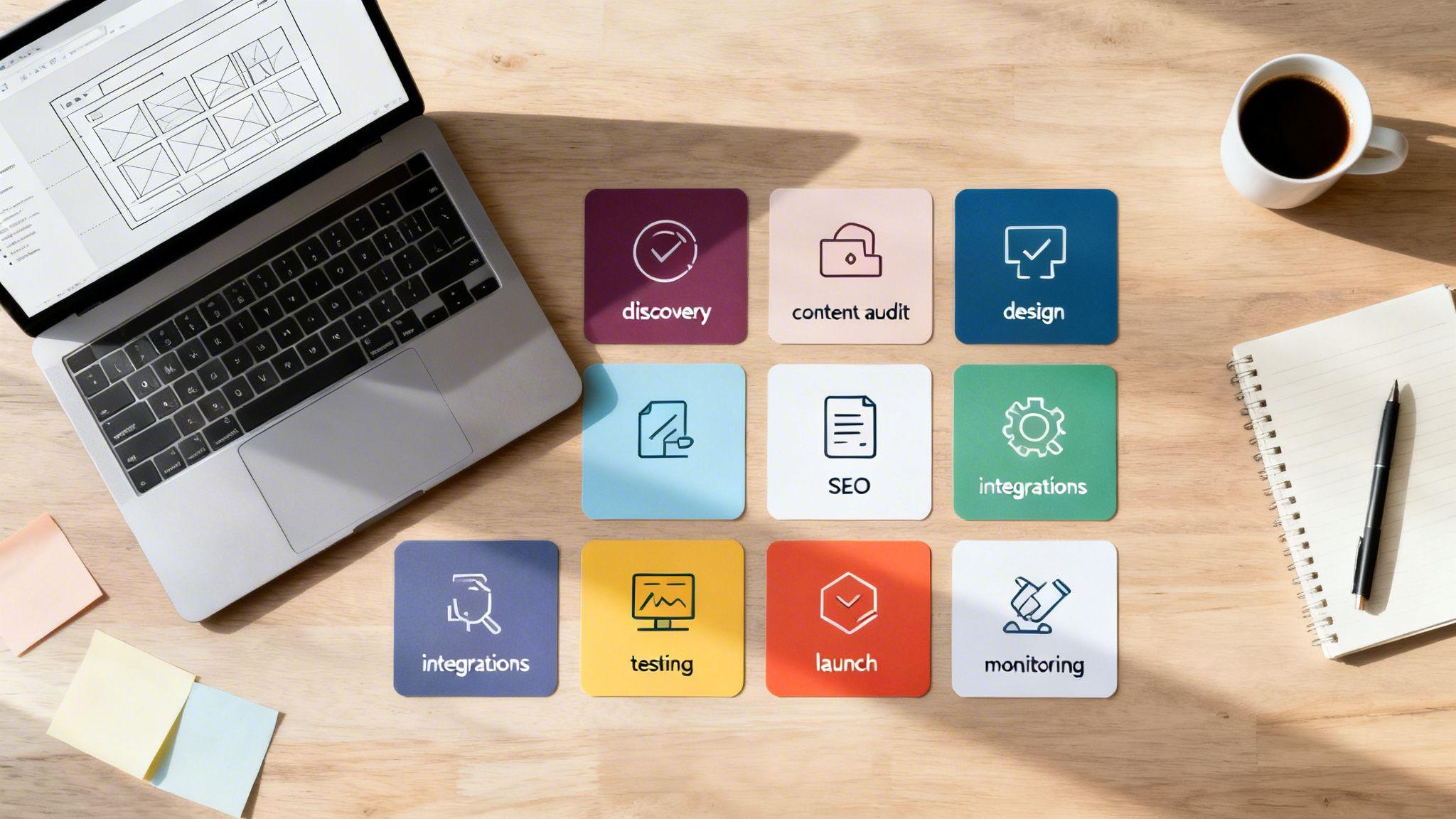
A website redesign is more than a fresh coat of paint; it’s a strategic overhaul to boost performance, improve user experience, and drive business growth. For solo entrepreneurs and small businesses, a clunky, outdated, or underperforming site often translates directly to lost customers and missed revenue opportunities. If your website isn't actively generating leads, converting visitors, or clearly communicating your value, it's not working hard enough for your business.
This complete website redesign checklist breaks down the entire process into 10 actionable, fluff-free steps. We will guide you through the critical elements that transform a simple online presence into a powerful business asset. The goal is to move beyond looks and focus on functional improvements that deliver measurable results. For a strategic redesign, particularly for service-oriented businesses, understanding the essential steps to mastering web design and SEO is crucial.
You will learn how to:
- Optimize technical performance for speed and search engine visibility.
- Enhance user navigation and create a seamless mobile experience.
- Strengthen trust with social proof and clear calls-to-action.
- Implement effective tracking to understand user behavior and make data-driven decisions.
Throughout this guide, we'll provide specific, practical tips you can implement immediately. We’ll also highlight how modern tools, such as the Solo AI Website Creator, can simplify technical tasks, putting professional-grade results within your reach without needing a team of developers. Let's dive into the essential checklist that will ensure your redesigned website is built for success.
1. Optimize Mobile Responsiveness and Touch Interactions
A significant portion of your audience, often over 60%, will visit your site on a smartphone. Optimizing for mobile responsiveness isn't just a "nice-to-have"; it's a fundamental requirement in any modern website redesign checklist. This means your website must automatically adjust its layout, images, and navigation to provide a experience on any screen size, from a large desktop monitor to a small phone.
This process, often called responsive design, directly impacts user experience and how well your site ranks on search engines. Google prioritizes mobile-friendly sites, meaning poor mobile performance can harm your rankings and make you invisible to potential customers.

Why It's a Top Priority
A non-responsive site forces mobile users to pinch, zoom, and struggle to navigate, leading to high bounce rates—meaning they leave your site quickly. By adopting a mobile-first approach, you design for the smallest screen first and then adapt the design for larger devices. This strategy ensures the most important functions are solid and efficient on mobile.
For example, restaurants using Solo AI Website Creator find their menus are perfectly readable and interactive on phones, preventing customer frustration. Similarly, Airbnb’s mobile site makes booking a property effortless with large, clear buttons and simplified forms.
Actionable Tips for Implementation
- Test on Real Devices: Browser tools are helpful, but nothing beats testing your redesigned site on actual iPhones and Android devices to catch real-world interaction issues.
- Enforce Minimum Touch Target Sizes: Ensure all buttons, links, and form fields are at least 48x48 pixels. This is about the size of a fingertip and prevents users from accidentally tapping the wrong element.
- Prioritize Legible Fonts: Use a minimum font size of 16px for body text to ensure readability without requiring users to zoom in.
- Optimize Images: Use tools to compress image file sizes without sacrificing quality. This is crucial for faster loading times on slower mobile networks.
2. Implement Clear Navigation and Information Architecture
Your website's navigation acts as a roadmap for your visitors. If that map is confusing, they will get lost and leave. Implementing clear navigation and a logical information architecture—the way your content is organized—is a critical step in any website redesign checklist. It guides users effortlessly to the information they need, whether it's booking an appointment or contacting your business.
This process involves organizing your content into a logical structure and labeling it in a way that is instantly understandable to your audience. A well-structured site not only improves user experience but also helps search engines find and understand your pages more effectively, which can positively impact your SEO rankings.
Why It's a Top Priority
Poor navigation is a primary source of user frustration and a major reason visitors leave your site. When visitors can't find what they are looking for quickly, they assume you don't offer it and move on to a competitor. A clear structure, on the other hand, builds confidence and directs users smoothly toward your business goals.
For example, a medical clinic built with Solo AI Website Creator can establish a simple "Services > Book Appointment > Contact" flow, ensuring potential patients can easily take action. Similarly, a restaurant website benefits from an obvious "Menu > Reservations > Location" hierarchy, answering the most common visitor questions upfront.
Actionable Tips for Implementation
- Limit Main Menu Items: Keep your primary navigation menu concise with 5-7 essential items. Overloading the menu creates "analysis paralysis," a state where too many choices prevent a decision.
- Use Descriptive Labels: Avoid vague labels. Use clear, action-oriented text like "Book a Consultation" instead of "Let's Talk," or "View Our Services" instead of "What We Do."
- Create a Logical Flow: Group related pages together under logical categories. A real estate site might organize listings under "For Sale" and "For Rent," then by property type.
- Test Your Navigation: Before launching, ask a few people who are unfamiliar with your site to find specific information. Watch where they struggle—it will reveal flaws in your structure.
- Ensure Mobile Consistency: Your navigation must be just as intuitive on mobile. Test the "hamburger" menu (the three-line icon) to ensure it’s easy to open, read, and use on a small screen.
3. Enhance Visual Hierarchy and Design Consistency
A visually chaotic website confuses visitors and undermines your credibility. Enhancing your visual hierarchy—the arrangement of elements to show importance—and design consistency is a critical step in any website redesign checklist. It guides your user's eye, clarifies your message, and builds trust. This involves strategically using size, color, and spacing to tell visitors what to look at first and what actions to take.
This principle ensures that your most important elements, like a "Book Now" button or a key service offering, stand out clearly. When every button, headline, and link looks and behaves predictably across all pages, users feel more comfortable navigating your site, leading to better engagement and higher conversion rates.

Why It's a Top Priority
Inconsistent design feels unprofessional and makes your website harder to use. A strong visual hierarchy creates a smooth, intuitive journey for the user by making the structure of your content immediately obvious. This is why a well-organized layout is a non-negotiable part of a successful redesign.
For instance, Apple’s product pages use generous whitespace and large headlines to focus attention directly on the product. Similarly, medical clinics often use calming, consistent color schemes to build patient trust. Solo AI Website Creator templates are designed with this in mind, providing consistent spacing and typography out-of-the-box.
Actionable Tips for Implementation
- Create a Visual Style Guide: Document your brand’s color palette, typography (fonts, sizes, weights), and button styles. This ensures everyone working on the site maintains consistency.
- Limit Your Typefaces: Stick to a maximum of two or three fonts. Use one for headlines and another for body text to create a clear, readable structure.
- Use Color with Purpose: Use your primary brand color for key calls-to-action (like "Sign Up" or "Buy Now") to make them stand out. Use neutral colors for background and text.
- Implement a Spacing System: Use a consistent grid, like an 8-pixel system, to define margins and spacing between elements. This creates a balanced, professional-looking layout.
4. Optimize Page Load Speed and Performance
In the digital world, every second counts. Slow-loading websites frustrate users and increase your bounce rate, which is why optimizing performance is a non-negotiable step in any website redesign checklist. This involves improving how quickly your site's content loads and becomes interactive for visitors.
A faster website leads to a better user experience, higher conversion rates, and improved search engine rankings. Google officially uses page speed as a ranking factor, penalizing slow sites. The goal is to have your pages load in under three seconds to keep visitors engaged.

Why It's a Top Priority
A delay of just one second in page load time can result in a significant drop in conversions. For example, studies by Amazon revealed that even a 100-millisecond delay could cost them 1% in sales. A fast website builds trust and credibility, showing visitors you value their time.
Platforms like Solo AI Website Creator address this by building on an infrastructure designed for speed. By using pre-optimized templates and built-in performance features, you start with a strong foundation, ensuring your redesigned site is fast from day one. This allows you to focus on content and business growth rather than complex technical optimizations.
Actionable Tips for Implementation
- Test Your Speed: Use free tools like Google PageSpeed Insights to analyze your site's performance. It provides a detailed report with specific recommendations for improvement.
- Compress Your Images: Large image files are a primary cause of slow load times. Use tools like TinyPNG or Squoosh to compress images before uploading them, aiming for file sizes under 100KB without losing visual quality.
- Use Caching: Caching stores parts of your site so it doesn't have to reload everything for repeat visitors. This means the browser can load the page much faster on a second visit. Many platforms, including Solo AI Website Creator, manage this automatically.
- Minimize Code: This process, called minification, removes unnecessary characters from your website's code (HTML, CSS, JavaScript) without affecting its functionality, making the files smaller and faster to load.
5. Strengthen Trust Signals and Social Proof Elements
In the digital world, trust is your most valuable currency. Strengthening trust signals and social proof elements is a critical step in any website redesign checklist because it reassures visitors of your credibility and quality. These elements act as endorsements, showing potential customers that real people have had positive experiences with your business.
This involves strategically placing customer testimonials, reviews, client logos, and security badges throughout your site. For service-based businesses like medical clinics or real estate agencies, these signals can be the deciding factor for a potential client. They effectively say, "We are legitimate, reliable, and valued by others."
Why It's a Top Priority
A website without social proof can feel empty and untrustworthy, leaving visitors to wonder if you have any satisfied customers. By showcasing genuine feedback, you build confidence and reduce hesitation in the customer's decision-making process. This directly impacts conversion rates, turning hesitant visitors into paying customers.
For example, a restaurant using Solo AI Website Creator can automatically import its stellar Google and Yelp reviews, instantly boosting its appeal to new diners. Likewise, a nonprofit can build donor confidence by featuring impactful testimonials from the communities they serve.
Actionable Tips for Implementation
- Automate Review Integration: Use tools that can smoothly pull in and display your latest Google and Facebook reviews. This keeps your social proof fresh and authentic with minimal effort.
- Enhance Authenticity: Whenever possible, include the reviewer’s full name, a photo, and the source of the review (e.g., "Verified Google Review"). This makes the testimonial more believable.
- Place Strategically: Position your strongest testimonials near key calls-to-action, such as a "Book Now" button or a contact form, to provide a final nudge of confidence.
- Showcase Client Logos: If you are a B2B service provider, create a "Trusted By" section on your homepage featuring the logos of well-known clients to use their brand authority.
6. Create Compelling Call-to-Action (CTA) Elements
A beautifully redesigned website is ineffective if visitors don't know what to do next. This is where compelling Call-to-Action (CTA) elements become crucial. CTAs are the buttons, links, and forms that guide your users toward a specific action, turning passive browsers into active customers. Including clear CTAs is a non-negotiable step in any website redesign checklist.
Effective CTAs are a blend of strategic design, persuasive language, and smart placement. They act as signposts on your website, telling users exactly how to book an appointment, purchase a product, or contact you. Without them, potential leads are likely to leave your site without taking action.
Why It's a Top Priority
Your website's primary goal is to generate business, and CTAs are the mechanism for achieving that. A well-placed "Schedule Your Appointment" button can be the difference between a booked client and a missed opportunity. They remove friction, making it effortless for users to take the next step.
For example, a medical clinic using Solo AI Website Creator can integrate a "Book Your Consultation Now" button directly into their services page, capturing patient interest at its peak. Similarly, a freelance consultant can place "Get Your Free Quote" CTAs after each service description, encouraging immediate engagement.
Actionable Tips for Implementation
- Use Action-Oriented, First-Person Language: Instead of a generic "Submit," try "Send My Message" or "Claim My Discount." This creates a stronger sense of personal ownership for the user.
- Create Visual Contrast: Your CTA buttons should stand out. Use a color that contrasts with the page's background but still fits your brand palette to draw the eye.
- Strategically Place Multiple CTAs: Don't limit yourself to one CTA at the bottom of the page. Place them in your hero section (the top part of your homepage), between content blocks, and in the footer to provide multiple conversion opportunities.
- Optimize for Mobile Tapping: Ensure your CTA buttons are large enough (at least 48x48 pixels) to be easily tapped on a smartphone without accidentally hitting something else.
- Add Supporting Microcopy: Reduce hesitation by adding small text near your CTA, such as "Takes 2 minutes" or "No credit card required." This simple text can significantly boost confidence and click-through rates.
7. Improve SEO Foundation and On-Page Optimization
A beautiful new website is ineffective if no one can find it. Integrating search engine optimization (SEO) into your website redesign checklist is crucial for ensuring your site appears in search results. This involves optimizing technical elements and on-page content so search engines like Google can understand and rank your pages effectively.
SEO is the practice of increasing traffic to your website through organic (non-paid) search engine results. It includes everything from the words on your page to the way other sites link to you. A strong SEO foundation built during a redesign can lead to sustained growth, reducing your reliance on paid advertising.
Why It's a Top Priority
Ignoring SEO during a redesign can erase any existing search rankings you have, making your business invisible online. By focusing on it from the start, you ensure a smooth transition and set your new site up for better visibility and more traffic. The goal is to make it easy for search engines to crawl, index, and understand your content.
For instance, a local dentist using Solo AI Website Creator can optimize their site to rank for "emergency dental services in ," appearing right when a potential patient is in urgent need. Similarly, a real estate agent's redesigned site can appear in local map listings for "homes for sale in ," directly connecting them with active buyers.
Actionable Tips for Implementation
- Research Target Keywords: Use free tools like Google Keyword Planner to find the terms your audience is searching for. Focus on keywords relevant to your services and location (e.g., "best personal trainer in Brooklyn").
- Optimize Page Titles and Meta Descriptions: Write a unique, compelling title and description for every page. The title is the clickable headline in search results, and the description is the short text below it. Include your primary keyword to attract clicks.
- Structure Content with Headers: Use one H1 tag (main headline) for the main topic of each page. Use H2-H6 tags (subheadings) to organize subtopics, making content easier for both users and search engines to read.
- Add Descriptive Alt Text to Images: Write clear, descriptive alt text (alternative text) for every image. This helps search engines understand the image content and makes your site accessible for visually impaired users who use screen readers.
- Use Built-in Tools: If you're using a platform like Solo AI Website Creator, take full advantage of its built-in SEO tools that guide you through optimizing pages without needing technical expertise.
8. Design Effective Contact Forms and Lead Capture Systems
Your contact forms are the digital handshake between you and a potential customer. A poorly designed form can create friction and frustration, causing valuable leads to abandon the process. An effective lead capture system is a crucial part of any website redesign checklist, as it directly converts visitor interest into business opportunities.
The goal is to gather essential information without overwhelming the user. Each field you add increases the effort required to complete the form, which can lower your conversion rate. A well-designed form balances your need for data with the user's desire for a quick and easy experience.
Why It's a Top Priority
A clunky, lengthy, or confusing form is a major roadblock. Optimizing your forms for simplicity and clarity can dramatically increase lead generation. By making the process as frictionless as possible, you show respect for your visitor's time and increase the likelihood they will get in touch.
For example, a freelance consultant using Solo AI Website Creator can easily integrate a contact form that asks for just a name, email, and a brief project description. This low-friction approach encourages more inquiries than a form demanding a phone number, budget, and extensive details upfront.
Actionable Tips for Implementation
- Ask Only What's Essential: Limit your form to the absolute minimum fields required for the initial contact. You can always gather more information later in the conversation.
- Use Smart Defaults and Clear Labels: Pre-fill information where possible (like the current date for an appointment) and ensure every field has a clear, concise label placed above it, not inside it.
- Implement Spam Protection: Use a modern, user-friendly CAPTCHA (like Google's reCAPTCHA v3 which is invisible) to prevent spam submissions without creating a frustrating experience for real users.
- Test Extensively on Mobile: Ensure your forms are easy to fill out on a small touchscreen. Check that tapping on a field brings up the correct keyboard (e.g., a number pad for a phone number field).
- Provide Reassuring Copy: Include a short message like "We respect your privacy" or "We'll get back to you within 24 hours" to build trust and manage expectations.
9. Establish Responsive Content Structure and Readability
Users on the internet rarely read every word on a page; instead, they scan for key information. Structuring your content for readability is a critical part of any website redesign checklist to capture and retain their attention. This involves organizing your text with clear headings, short paragraphs, and lists so users can quickly find answers.
A well-structured page is easier for search engines to crawl and understand, which can positively impact your SEO rankings. By making your content scannable, you make it more accessible and effective for both humans and search engine bots.
Why It's a Top Priority
Walls of dense text are intimidating and cause visitors to leave immediately. If a potential customer can't quickly understand what you offer, they will go to a competitor's site. A scannable layout respects your audience's time and guides them smoothly toward their goal.
For instance, a medical clinic can use bulleted lists to clearly outline the benefits and steps of a specific treatment, making complex information digestible. Similarly, a real estate agent’s listings become far more effective when property features are presented as a scannable list rather than a long paragraph.
Actionable Tips for Implementation
- Follow the Inverted Pyramid: Place the most critical information at the top of the page. Follow with supporting details and then general background information.
- One Idea Per Paragraph: Keep your paragraphs focused and short, ideally 2-3 sentences. This creates visual breaks and makes the content easier to process.
- Use Lists and Bold Text: Organize steps or features with numbered or bulleted lists. Use bold text to highlight important keywords and phrases that users might be scanning for.
- Break Up Text Visually: Incorporate relevant images, blockquotes, or videos to break up long sections of content and keep the reader engaged.
- Write Clear Subheadings: Use descriptive H2 and H3 subheadings to segment your content. This acts as a mini-table of contents, allowing users to jump to the section most relevant to them.
10. Implement Analytics Integration and User Behavior Tracking
A new website is only effective if you understand how visitors interact with it. Implementing analytics is a non-negotiable step in any modern website redesign checklist. This involves setting up tools like Google Analytics to collect data on who visits your site, how they find you, and what actions they take.
This data-driven approach transforms website management from a guessing game into a strategic operation. By tracking key metrics (data points like page views and time on page), you can identify what’s working, pinpoint user friction, and make informed decisions to improve performance. Without analytics, you're flying blind.
Why It's a Top Priority
Analytics allows you to measure the success of your redesign against concrete business objectives. Are more people booking appointments? Are visitors staying longer? Which pages cause them to leave? These are questions only data can answer. This insight is crucial for continuous improvement and maximizing your return on investment.
For instance, a real estate agent might discover through analytics that property listings with virtual tours get 50% more inquiries. A nonprofit could track their donation funnel and identify exactly where potential donors drop off. Solo AI Website Creator simplifies this process with its built-in Google Analytics integration, making it easy to connect your site and start tracking vital user behavior right away.
Actionable Tips for Implementation
- Establish a Baseline: If possible, set up Google Analytics on your old site for a few weeks before the redesign. This provides a valuable baseline to compare performance against.
- Define and Track Goals: Create custom goals for every key business action, such as contact form submissions or appointment bookings. This helps you measure your conversion rates accurately.
- Review Data Regularly: Schedule time at least once a month to review your analytics. Look for trends, identify your most popular content, and understand which traffic sources are most effective.
- Segment Your Audience: Don't just look at overall traffic. Segment your data by device type (mobile vs. desktop), user location, and traffic source (organic search, social media, etc.) to gain deeper insights.
- Use Heatmaps: Consider using a complementary tool like Hotjar or Crazy Egg to create heatmaps. These visual guides show exactly where users click, move their mouse, and scroll, revealing how they engage with your layout.
10-Point Website Redesign Comparison
| Item | Implementation complexity | Resource requirements | Expected outcomes | Ideal use cases | Key advantages |
|---|---|---|---|---|---|
| Optimize Mobile Responsiveness and Touch Interactions | Moderate–High: responsive CSS, touch handling, testing | Front-end dev time, device testing, image optimization tools | Improved mobile UX, higher mobile conversions, better SEO | Sites with majority mobile visitors, restaurants, local businesses, e‑commerce | Mobile-first indexing, touch-friendly interactions, accessibility |
| Implement Clear Navigation and Information Architecture | Moderate: planning, taxonomy and menu updates | UX/IA design, user testing, CMS restructuring | Reduced bounce, easier findability, higher conversions | Content-rich sites, service businesses, multi-location organizations | Intuitive paths, better crawlability, lower cognitive load |
| Enhance Visual Hierarchy and Design Consistency | Low–Moderate: establish styles and components | Designer time, style guide, component library | Stronger brand perception, improved readability and engagement | Brand sites, portfolios, professional services, clinics | Cohesive branding, clearer attention flow, trust building |
| Optimize Page Load Speed and Performance | High: technical optimizations and monitoring | Dev resources, CDN, performance tools, image compressors | Faster page loads, improved SEO, higher conversions, lower costs | High-traffic sites, e‑commerce, media-heavy pages, mobile users | Better UX, SEO gains, reduced bounce and server load |
| Strengthen Trust Signals and Social Proof Elements | Low–Moderate: collect and display reviews/certifications | Content curation, review management, integration tools | Increased credibility and conversions, reduced purchase anxiety | Service providers (medical, real estate), nonprofits, local businesses | Social proof, authenticity, higher trust and conversion |
| Create Compelling Call-to-Action (CTA) Elements | Low: design, copy, and placement with testing | Copywriter, designer, A/B testing and analytics | Clear user actions, increased conversion rates | Landing pages, booking flows, lead-generation pages | Direct conversion uplift, measurable behavior change |
| Improve SEO Foundation and On-Page Optimization | Moderate: technical and content work over time | SEO expertise, content writers, SEO tools (GSC) | Higher organic traffic and rankings (3–6+ months) | Businesses seeking long-term visibility, local services | Sustainable organic growth, improved CTRs, local search gains |
| Design Effective Contact Forms and Lead Capture Systems | Low–Moderate: form UX and backend integration | Dev for processing, CRM/email, validation and anti-spam | Higher form completions, better-qualified leads | Appointment-driven services, sales sites, freelancers | Increased lead capture, simpler follow-up, better data |
| Establish Responsive Content Structure and Readability | Low–Moderate: content revisions and template updates | Content strategists, writers, editors | Better comprehension, more time on page, SEO benefits | Service pages, educational content, menus, listings | Scannability, accessibility, improved retention |
| Implement Analytics Integration and User Behavior Tracking | Moderate: setup, tagging, and goal configuration | Analytics specialist, tracking tools, time to collect data | Actionable insights, bottleneck identification, ROI measurement | Redesigns, CRO projects, ongoing marketing efforts | Data-driven decisions, measurable performance, segmentation |
Launch Your New Website with Confidence
Navigating a website redesign can feel overwhelming, but breaking it down into a structured, actionable plan transforms the process. This complete website redesign checklist isn't just a list of tasks; it's a strategic roadmap designed to build a powerful digital asset for your business. By methodically addressing each point—from foundational SEO to mobile responsiveness and compelling calls-to-action—you are architecting a better user experience, a more efficient conversion engine, and a stronger online presence.
The true power of this checklist lies in its holistic approach. A visually stunning design is ineffective if the site loads slowly. A perfectly optimized SEO strategy will fall short if your contact forms are confusing. Each element, from clear navigation to prominent social proof, works in concert to build trust, guide visitors, and ultimately, drive the growth of your small business or solo venture.
From Checklist to Continuous Improvement
Remember, a website is a dynamic tool, not a static brochure. The launch isn't the finish line; it's the starting line for a new phase of optimization and growth. The integration of analytics is the beginning of an ongoing conversation with your audience. The data you collect will be your most valuable guide, revealing what's working, what isn't, and where the greatest opportunities for improvement lie.
By embracing this mindset of continuous iteration, you ensure your website remains relevant, effective, and aligned with your evolving business goals. This is where your hard work truly pays off, turning your initial investment into a sustainable, long-term advantage.
Key Takeaways for a Successful Redesign:
- Prioritize the User Experience: Every decision, from navigation to button placement, should be made with your target user in mind. A site that is easy to navigate, fast to load, and accessible on any device will always perform better.
- Build on a Solid Technical Foundation: Don't neglect the "under-the-hood" elements. Strong SEO, optimized performance, and clean code are the bedrock of a high-performing website that search engines and users will love.
- Trust is Your Most Valuable Currency: Use social proof, clear contact information, and professional design to build credibility. A visitor who trusts you is far more likely to become a customer.
- Guide Every Action: Never leave your visitors wondering what to do next. Implement clear, compelling calls-to-action throughout your site to guide them smoothly from discovery to conversion.
Executing a successful redesign project using this detailed website redesign checklist positions you to not only meet but exceed your digital marketing objectives. You are now equipped with the knowledge to create an online presence that works as hard as you do, attracting new clients and serving your existing ones with excellence. You've laid the groundwork for a website that is not just a digital placeholder but a core, revenue-generating component of your business strategy.
Ready to simplify the entire process? The Solo AI Website Creator is designed for entrepreneurs who need a professional, high-performing website without the technical complexity. It automates many of the critical items on this website redesign checklist, from SEO optimization to responsive design, so you can launch your new site in minutes, not months. Start building your dream website with Solo AI Website Creator today!
Why is mobile responsiveness one of the first items in a website redesign checklist?
Mobile responsiveness is essential because a large share of visitors arrives on smartphones, and a poor mobile experience quickly drives them away. A responsive site improves usability, reduces bounce rates, and supports search visibility because mobile-friendly performance affects rankings.
How should a business website organize navigation during a redesign?
Keep the main menu focused on 5 to 7 essential items, use clear labels, and group related pages in a logical structure. Navigation should help visitors quickly find actions such as booking, contacting the business, or viewing services without confusion on desktop or mobile.
What design changes help improve trust and conversions?
Consistent typography, spacing, and color use make a site feel more professional and easier to use. Trust also grows when testimonials, reviews, client logos, and other social proof appear near important actions like contact forms or booking buttons.
What page speed improvements matter most in a redesign?
Image compression, caching, and code minification have a major impact on load time and overall performance. The goal is to keep pages loading in under three seconds, because even small delays can increase abandonment and lower conversions.
What makes a call to action effective on a redesigned website?
An effective call to action is clear, visible, and tied to the next step a visitor should take, such as booking, contacting, or signing up. Strong CTAs combine purposeful placement with direct wording so visitors do not have to guess how to move forward.