
Build Your Website in Minutes, Not Months
You need a website, but you probably don't need a weekend of tutorials, a designer on retainer, and a dozen browser tabs open just to publish a home page. That's where ai website builder tools have changed the game. You describe your business, your service, or your project, and the software gives you a starting site with layout, copy, images, and basic setup already in place.
That matters because the market is moving fast. The global AI-powered website builder market was valued at USD 3.17 billion in 2023 and is projected to reach USD 31.5 billion by 2033, growing at a 25.8% CAGR, according to Market.us research on AI-powered website builders. In plain English, more people are using these tools because they lower the barrier to getting online.
Still, the hard part isn't finding a tool. It's choosing the right one for your situation. A freelancer who needs bookings has different needs from a restaurant owner, a nonprofit director, or a store owner with inventory.
This guide keeps the focus on that practical question. Who is each tool best for, what does it do well, and what should make you pause before you pay? If you want a simple decision-making framework instead of a feature dump, start here.
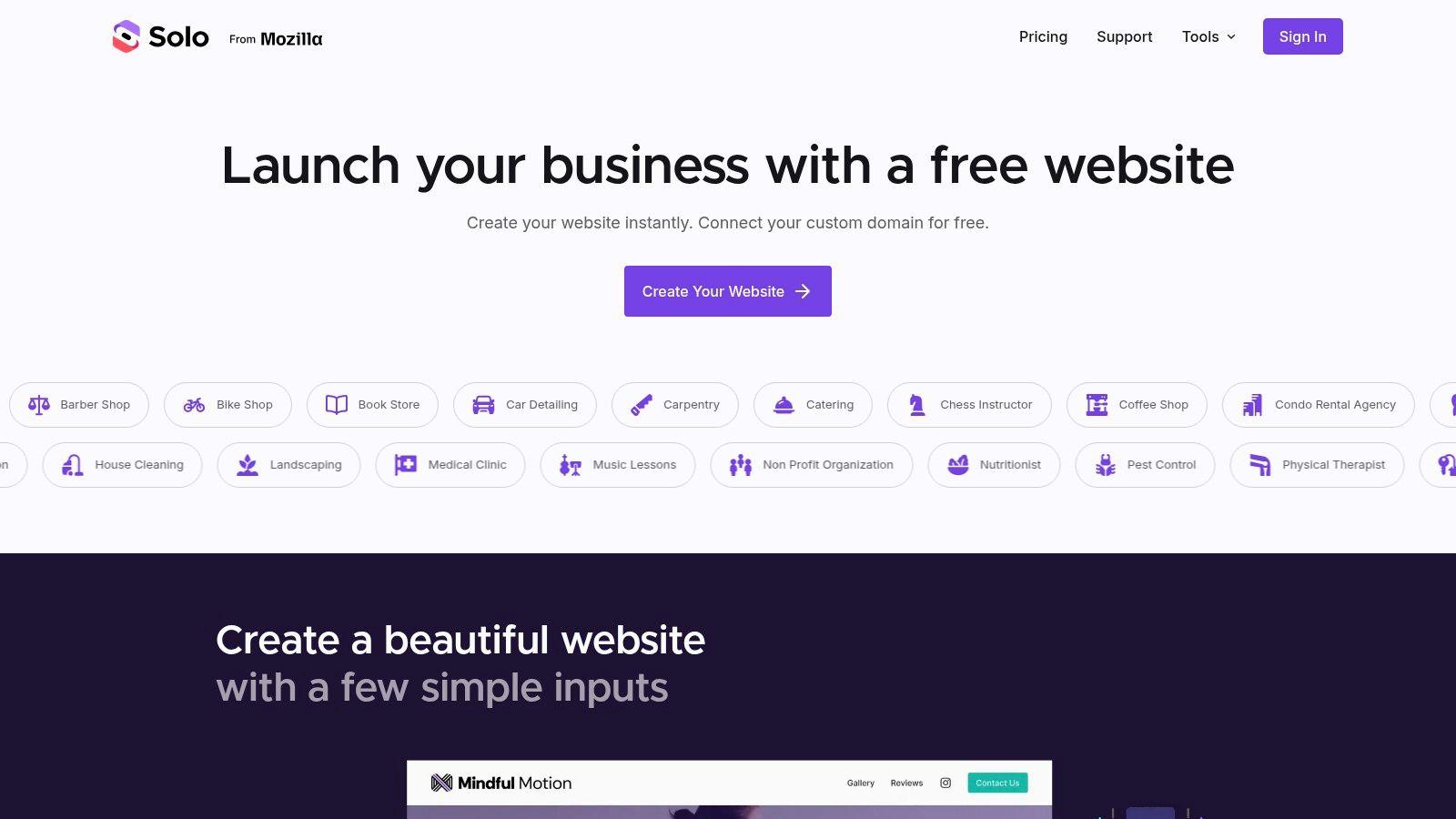
1. Solo AI Website Creator

Solo AI Website Creator is the one I'd point most non-technical people to first. If you're a freelancer, consultant, small business owner, nonprofit, or local service provider, it removes a lot of the usual friction. You answer a few simple prompts, and the platform scaffolds a site for you without asking you to think like a designer or developer.
That matters more than it sounds. Users frequently don't get stuck on publishing. They get stuck on deciding what pages to make, what headline to write, what image to choose, and where to put the contact form. Solo AI Website Creator handles those first decisions for you so you can focus on whether the site reflects your business.
If you want a practical look at the process, Solo's own guide on using AI to build a website shows how this kind of workflow reduces setup friction.
Best for local service businesses and solo operators
Solo AI Website Creator is especially strong if your website's job is simple and clear. You want people to find you, understand what you offer, trust you, and contact or book you.
That makes it a strong fit for:
- Freelancers: You can launch a portfolio or service site without writing every section from scratch.
- Local businesses: Booking links, contact forms, and review importing support the actions customers already expect.
- Nonprofits: A straightforward, mobile-ready site helps you explain your mission and make it easy for people to reach out.
- Small teams: Collaborator invites let more than one person update the site.
Practical rule: If your site needs to generate inquiries more than it needs to manage a complex catalog, Solo AI Website Creator is a smart starting point.
What makes it easy to use
Solo AI Website Creator includes the basics most small operators need: custom domain hosting, mobile-first layouts, contact forms, booking and calendar integrations, review imports, Google Analytics connectivity, and payment links through Stripe or PayPal. Those features solve common beginner problems without making you piece together several separate tools.
The free entry point also matters. If your main goal is to get online fast, you can test your idea before committing to a larger platform. That's one reason Solo feels less intimidating than systems that expect you to pick a plan, install apps, and configure add-ons before you even like your homepage.
There's also a trust angle here. For local businesses, your website isn't just a brochure. It's part of how customers decide whether to call you. That connects with broader advice around optimizing Google trust for local shops, where consistency, reviews, and clear business details influence whether people feel confident contacting you.
Where Solo can fall short
Solo AI Website Creator isn't trying to be a full enterprise CMS or a large online store platform. If you need deep ecommerce operations, product variants, shipping workflows, or highly customized databases, you'll outgrow it faster than you would on Shopify or WordPress-based tools.
It's also worth being realistic about SEO. One sharp critique of AI-generated sites is that AI can handle basics like meta titles and descriptions, but it can't fully replace a local search strategy, internal linking decisions, schema planning, or market-specific content strategy, as discussed in Private Node's analysis of what AI website builders can't do. So if your clinic, restaurant, or real estate business depends on competitive local search, use Solo to launch quickly, then refine your strategy with human judgment.
2. Wix AI Website Builder

You launch with a simple services page, then six months later you need appointment booking, email capture, a blog, and maybe a small store. That is the kind of growth path Wix is built for. Its AI can create the first draft quickly, but the bigger benefit is that you do not have to switch platforms the moment your business gets more complicated.
This makes Wix a strong fit for owners who already know their site will need to do more than sit online like a digital brochure. Salons, coaches, agencies, fitness studios, and local service brands often land here for that reason. They want a starting point that feels approachable now, with enough room to add features later.
Best for businesses that expect to expand
Wix is easiest to recommend to people who want a practical middle ground between simplicity and control. A very lightweight builder can help you get online fast, but it may start to feel cramped once you add new goals. A more advanced platform can give you more design freedom, but it can also ask for more time, more setup decisions, and more technical confidence than a small business owner wants to spend.
Wix sits between those two extremes.
Its AI setup helps you get a usable draft on the screen, then the wider platform lets you keep shaping it. You can add bookings, payments, blog content, SEO settings, forms, and marketing tools without rebuilding everything from scratch. If you are still learning how AI turns prompts into pages, this guide to text-to-website tools and how they work gives helpful context before you choose.
Wix works best when you want AI to handle the first draft, but you still want meaningful control over what comes next.
Why people choose it
Wix combines AI-generated starting points with a broad set of business features. This combination is the primary reason to choose Wix. You are choosing a platform that can support appointments, online selling, analytics, and SEO work in one place, which matters if you want your website to grow with your business instead of being replaced by it.
That matters more than a feature checklist might suggest. For a non-technical user, every added tool usually means one of two things. Either it saves time because it is already connected, or it creates more work because you have to patch systems together yourself. Wix often appeals to users who want more of the first outcome.
If you're comparing the bigger mainstream platforms, this breakdown of Wix vs Squarespace vs GoDaddy vs Solo AI Website Creator helps clarify where Wix sits.
However, this flexibility introduces complexity. The early setup feels guided, but detailed editing brings more choices about layout, apps, settings, and workflows. For a growing business, that extra control can be useful. For someone who wants the fewest possible decisions, a more constrained builder may feel easier.
3. Squarespace Blueprint AI Builder

You open a new website builder because you need a site that looks credible fast. You do not want to spend days adjusting fonts, spacing, and layouts just to make it feel professional. Squarespace Blueprint AI Builder is built for that kind of buyer.
Its ideal user is the person who cares as much about presentation as publishing. Photographers, consultants, interior designers, restaurants, and premium service brands often fall into this group. If your website needs to signal taste, trust, and consistency before a visitor reads much text, Squarespace deserves a close look.
Best for brand-conscious businesses
Squarespace works like a well-styled showroom with clear paths already laid out. Instead of giving you endless options, it narrows the choices so your pages stay visually consistent. For non-technical users, that usually means fewer design mistakes and a faster path to a site that feels finished.
That is the fundamental tradeoff to understand. You are choosing guidance over maximum freedom.
Pricing sits in the mainstream range for website builders, so the bigger decision is usually fit, not just monthly cost. If you are comparing tools, ask a simple question first. Do you want a builder that protects you from messy design choices, or one that gives you more room to experiment?
What to watch for
Squarespace is less suited to people who want lots of third-party app flexibility or highly custom workflows. The system is curated by design. That helps the site look polished quickly, but it can feel limiting if you like to tinker or need unusual functionality.
If you want a clearer sense of how these builders generate first drafts from prompts, this guide to text-to-website workflows helps explain what AI is doing behind the scenes.
Regarding design, AI can help with structure and copy but still struggles with distinctive visual identity. Hands-on testing summarized by Studio Salt's review of AI website builder design limits found that these tools often produce polished but familiar-looking results. If your brand requires a unique visual identity, customization will be necessary.
A good pre-purchase checklist for Squarespace is simple. Choose it if you want strong default design, a guided setup process, and a site that needs to look refined early. Skip it if your priority is advanced customization, unusual integrations, or a brand style that must feel completely original from day one.
4. GoDaddy Airo AI Builder

You register a domain for a new business, then realize you still need a website, basic marketing tools, and a place to manage it all. GoDaddy Airo is built for that moment. It appeals to people who want one account, one dashboard, and fewer setup decisions.
The ideal user is not someone chasing maximum design freedom. It is the person who wants to get a credible business site online without piecing together hosting, domain settings, templates, and separate marketing tools. If you are starting a side hustle, running a local service business, or opening a simple appointment-based operation, that convenience can matter more than advanced customization.
Best for first-time business owners who value convenience
GoDaddy works well for business owners who prioritize speed and simplicity over experimentation. Many first-time site owners would rather avoid juggling several platforms, especially when the website is only one part of launching the business.
Its entry pricing is generally positioned in the lower-to-middle range for AI website builders, which helps keep the first step approachable. The bigger selling point, though, is consolidation. Domain purchase, website setup, and basic promotion live in the same ecosystem, which reduces the number of choices you need to make early on.
That makes GoDaddy a bit like a starter toolkit. You may not get every specialized instrument, but you can begin working quickly.
The tradeoff is clarity versus flexibility
GoDaddy keeps the path short. That is useful if too many options tend to slow you down. You can spend less time comparing plugins or configuring technical details, and more time getting your business information, services, and contact options in front of customers.
However, that simplicity means you may outgrow the platform as your needs become more advanced. If your store expands, your content plan becomes a bigger source of leads, or you want a more distinctive brand experience, the limits will show up faster than they do on tools built for deeper customization.
A practical way to judge fit is to ask one question. Do you want a website builder, or do you want a website system? GoDaddy is usually stronger for the first job than the second.
- Good choice if: You want one provider for domain, website, and basic marketing, and you care more about speed than customization.
- Less ideal if: You expect advanced ecommerce needs, unique design requirements, or complex workflows.
- Smart move before buying: Check renewal pricing, plan limits, and which features are reserved for higher tiers so your low-friction start does not become a costly surprise later.
5. Hostinger AI Website Builder

You want a real website, not a weekend project that turns into five separate subscriptions. Hostinger fits that buyer well. It appeals to people who care about cost, but also want the practical basics already assembled in one place.
Beyond its low cost, Hostinger bundles hosting and site creation into a single setup. For a non-technical user, that matters because every extra tool adds another login, another bill, and another thing to configure incorrectly. Hostinger reduces that stack.
Best for small businesses testing demand on a budget
Hostinger makes the most sense for service businesses and first-time site owners who need to get online quickly without overspending. A cleaner, tutor, consultant, photographer, or local tradesperson usually does not need advanced design controls on day one. They need a site that explains what they do, builds trust, and gives people a way to contact or book them.
That is the key decision lens here.
If your main question is, "What is the least expensive way to launch something credible?" Hostinger deserves a close look. If your main question is, "How much creative control will I have over every layout detail?" other tools later in this list will likely fit better.
Why Hostinger often feels easier than its price suggests
Hostinger includes AI help for writing copy and generating visuals, along with templates, hosting, and core business features in one package. For beginners, that setup works like buying a starter kitchen with the appliances already installed. You can focus on the meal, not the wiring.
It also tends to feel fast to set up because the decisions are narrower. That can be a benefit, not a weakness, for someone who gets stuck comparing too many options. Fewer choices often means you publish sooner.
The primary compromise with Hostinger is its more limited design freedom. The builder is more guided and template-based than platforms aimed at designers or advanced marketers. That tradeoff is reasonable if your goal is a capable site that goes live quickly and stays affordable.
A smart way to judge fit before buying is to ask three simple questions: Do I want to experiment cheaply? Do I want hosting included? Do I care more about launching soon than customizing every visual detail?
- Good choice if: You want an affordable all-in-one builder for a small business, personal brand, or early-stage service site.
- Less ideal if: You expect heavy design customization, advanced content structures, or a highly distinctive brand experience.
- Smart move before buying: Check what happens after the intro price ends, and confirm whether the plan includes the ecommerce, email, or AI features you expect to use.
6. Framer

You write a prompt, get a decent first draft, and then realize the site still does not feel like your brand. The spacing is slightly off. The visual hierarchy is weak. The page works, but it does not persuade. Framer is built for that moment.
Framer fits people who see a website as a designed experience, not just an online placeholder. Its AI can help you generate a starting structure, but the primary value is the control you get after that first draft appears. You can refine layout, pacing, and motion with much more precision than you can in many beginner-first builders.
Best for designers, portfolios, and landing pages
Framer is a strong fit for creative professionals, startups, and agencies building portfolios, product launches, and brand-led landing pages. It works like a digital studio for marketing pages. The AI gives you a rough sketch. The editor lets you shape the final result with intention.
Therefore, Framer is not the ideal choice for complete beginners.
That is not a flaw. It is a buying clue. If you want the tool to make most of the design decisions for you, another builder on this list will feel easier. If you already care about typography, layout balance, and how a page guides attention from one section to the next, Framer will likely feel more rewarding.
Where Framer shines and where it doesn't
Framer shines when presentation affects trust and conversion. A startup homepage, a designer portfolio, or a campaign page often needs more than basic text blocks and a contact form. It needs clarity, personality, and polish.
Users should not expect Framer's AI to replace design judgment. AI can speed up the draft stage, but you still need to choose what deserves attention first, what should stay simple, and what matches your brand. That is why Framer tends to work best for users who want creative control, not just fast setup.
Before buying, ask a practical question: am I choosing a website builder, or am I choosing a design tool that also publishes websites? If your answer is the second one, Framer deserves a serious look.
7. Durable

A solo service business often needs more than a homepage. A client asks for a quote, another wants to book a time, and someone else needs an invoice. If those tasks live in separate tools, the website can feel disconnected from the rest of the business.
Durable is built for that situation. Its website builder sits inside a broader business toolkit, with features aimed at handling leads, bookings, and basic admin work in one place. This approach is useful for one-person businesses that want fewer moving parts, not more.
Best for freelancers and solo service providers
Durable makes the most sense for users who sell services rather than products. Photographers, consultants, cleaners, coaches, and local tradespeople often need a simple site that helps them get found, collect inquiries, and stay organized after the first contact.
That is the key buying lens here. You are not only choosing a design tool. You are choosing whether your website should also act like a lightweight front desk for the business.
Its entry pricing is generally positioned in the lower middle range of AI website builders, as noted earlier.
What kind of buyer should choose Durable
Durable fits buyers who value convenience over deep customization. The tradeoff is straightforward. A bundled setup can save time, but it may feel limiting if you already use separate tools for CRM, scheduling, or billing and prefer to keep them.
Use this quick checklist before you buy:
- Choose Durable if: You want one login for your site, lead capture, bookings, and invoicing.
- Skip it if: Your main goal is running a larger online store or building a highly customized website.
- Ask yourself: Will I use the built-in CRM, bookings, and invoicing, or am I paying for tools I already have elsewhere?
That question helps clarify whether Durable is a good fit. Bundled features create value only when they replace real work in your weekly routine.
8. 10Web
You choose a website builder, then realize six months later that you need more than a brochure site. You want better blogging tools, extra integrations, or a plugin for a specific workflow. That is the kind of buyer 10Web speaks to.
10Web is a better fit for people who want the flexibility of WordPress without taking on the full technical workload alone. This appeals to a narrower audience than a beginner-first builder such as Wix or Hostinger, but it can be a smart middle ground for the right user.
The reason is simple. WordPress is highly adaptable, but that flexibility often brings more decisions about hosting, plugins, updates, performance, and security. 10Web reduces that setup burden by combining AI site generation with managed WordPress hosting.
Best for users who expect their site to grow
10Web makes the most sense if you already suspect your site will become more complex over time. Agencies, content marketers, publishers, and businesses with plugin-specific needs often fall into this camp. They may need WordPress for its ecosystem, not just for its templates.
Its pricing generally sits in the middle of the market, as noted earlier.
Where 10Web fits in your decision process
A useful way to evaluate 10Web is to ask one question first. Do you want WordPress itself, or do you want an easy website?
If you want an easy website, a simpler all-in-one builder may get you online faster with fewer choices. If you want WordPress because you expect custom features, deeper content management, or long-term flexibility, 10Web starts to make more sense.
The primary tradeoff is that some WordPress familiarity is still beneficial. Managed hosting removes a lot of routine maintenance, but it does not remove choices. You may still need to decide which plugins to install, how pages should be structured, and how much customization you need.
That makes 10Web a strong fit for buyers planning ahead. It is less compelling for someone who only needs a basic five-page site, a contact form, and nothing more.
9. Webflow

Webflow sits closer to professional web design than beginner website creation. Its AI features can help with drafting content and speeding up repetitive work, but the platform itself is still geared toward people who want substantial control.
For some businesses, that's exactly the point. For others, it's unnecessary overhead.
Best for teams, agencies, and ambitious marketing sites
Webflow is a good fit when the website is a serious marketing asset, not just a basic online presence. Agencies, startups, SaaS companies, and in-house marketing teams often choose it because they need custom layouts, flexible CMS structure, and cleaner control over design systems.
You should not choose Webflow because "AI will make it easy." Compared with Solo AI Website Creator, GoDaddy, or Hostinger, it asks more from you.
Why advanced users like it
Webflow lets teams create sites that feel custom without traditional hand-coding every page. That's valuable when brand presentation, CMS flexibility, and editorial control matter. Its AI tools are accelerators, not replacements for web strategy.
A good rule for Webflow is simple. If you already know why you'd want Webflow, you're probably in its target audience.
If that sentence feels abstract, another tool on this list is probably better. Most local businesses don't need Webflow. Most agencies and design-forward teams can appreciate it.
10. Shopify
A common mistake is choosing Shopify as if it were just another AI website builder. It is better understood as a selling system that also includes website creation.
That difference affects the whole buying decision. A local consultant, coach, or freelancer usually needs pages, forms, and basic marketing tools first. A store owner needs product catalogs, shipping settings, inventory tracking, checkout, and sales channel connections. Shopify is built for the second group.
Best for ecommerce-first businesses
Shopify fits businesses that expect the website to function like a storefront, stock room, and checkout counter at the same time. If you sell physical products, manage multiple SKUs, or plan to sell on marketplaces and social platforms, Shopify gives you the operational tools that simpler AI builders often treat as add-ons.
Its AI features help with tasks like writing product copy, answering setup questions, and speeding up routine store work. The bigger reason to choose it is not the AI itself. It is the commerce foundation underneath.
Pricing starts higher than many general website builders, and that makes sense in context. You are paying for selling infrastructure, not only for page design.
What buyers often underestimate
New users often compare Shopify's base plan to cheaper site builders and stop there. A better comparison is total business fit. If your income depends on smooth checkout, organized product data, and reliable order handling, the platform can justify a higher monthly cost.
Extra apps and advanced workflows can raise the total price. While this can increase costs, the investment is often justified for businesses focused on selling.
A simple way to evaluate Shopify is to ask one question. Is your website mainly there to explain your business, or mainly there to process sales? If sales come first, Shopify belongs on your shortlist. If content, lead generation, or service bookings come first, another tool in this list will usually be a better fit.
Top 10 AI Website Builders, Feature Comparison
| Product | Core features | Best for | Key benefits | Limitations | Pricing |
|---|---|---|---|---|---|
| Solo AI Website Creator (Recommended) | AI-generated pages, SEO keywords, free custom domain hosting, bookings, contact forms, GA, Stripe/PayPal links, collaborator invites | Freelancers, small businesses, nonprofits, service providers | Extremely fast setup (minutes), mobile-first, no ads, easy SEO, generous free tier | Limited native e‑commerce, advanced customizations need Pro/custom code | Free core tier; optional Pro; nonprofit discount |
| Wix, AI Website Builder (Harmony / Aria) | Conversational AI flow, Harmony editor, Aria assistant, bookings, ecommerce, SEO | Small businesses wanting growth + customization | Fast first draft, broad app ecosystem, deep design controls | Steeper editor learning curve, add‑on/plan fees | Freemium + multiple paid tiers; add‑ons vary |
| Squarespace, Blueprint AI Builder | AI site drafts, Design Intelligence, templates, ecommerce, scheduling, hosting | Brand‑conscious small businesses, creatives | Consistently polished visuals, unified platform, 24/7 support | Less low‑level code control, smaller extension market | Paid subscription plans (no permanent free tier) |
| GoDaddy, Airo AI Builder | Conversational AI, managed hosting/security, Websites + Marketing, payments | Solopreneurs wanting single‑vendor setup | Domain→publish simplicity, integrated marketing & payments | Limited ecommerce depth, intro/renewal pricing varies | Introductory pricing; paid plans with renewals |
| Hostinger, AI Website Builder | Chat builder, 300+ templates, AI text/image/blog tools, AI SEO assistant, hosting | Budget‑conscious small businesses | Strong value, fast time‑to‑publish, all‑in‑one tools | Template‑centric design, promo rates may renew higher | Affordable promotional plans; paid tiers |
| Framer, AI‑assisted Site Builder for Designers | AI layouts, component‑driven editor, hosting, SEO, optional CMS/localization | Designers, agencies, portfolios, marketing sites | Designer‑first workflow, polished performance, clear upgrade paths | Extra cost for advanced features, not ideal for large stores | Paid plans geared to designers/agencies |
| Durable, AI Website + Business Toolkit | One‑click AI site, unlimited AI pages, CRM, invoicing, bookings, payments, AI image generator | Solo service providers, freelancers | Extremely fast launch, built‑in business utilities (CRM/invoices/bookings) | Limited ecommerce features, less developer control | Freemium / low‑cost subscription options |
| 10Web, AI Builder for WordPress | AI site generation, managed WordPress on Google Cloud, CDN, SSL, backups, ecommerce support | Users who want WordPress flexibility with managed hosting | Full WP CMS + managed performance/security, migration tools | More moving parts; WP knowledge helpful; possible overages | Managed WP subscription plans |
| Webflow, Webflow AI + Site Plans | AI site builder, in‑context AI copy, flexible CMS, component system, enterprise hosting | Teams, designers, complex marketing sites | Powerful dev/design workflow, enterprise hosting, staging/rollback | Steeper learning curve, split Site/Workspace pricing | Paid Site & Workspace plans (tiered) |
| Shopify, AI‑assisted Store + Website | Prompt‑based store setup, Shopify Magic/Sidekick, built‑in checkout, multichannel, POS | Ecommerce‑first merchants, scale‑oriented sellers | Deep commerce features, scalable checkout & channels, rich integrations | Monthly app fees, payment gateway fees on some plans | Commerce subscription + apps; developer/transaction fees possible |
Your Digital Presence Awaits It's Time to Build
The best AI website builder tools don't all solve the same problem. That's the key takeaway. Some tools help you publish a service website fast. Others give you room to design more extensively. Others are really commerce platforms with AI layered in. When you choose based on your actual use case, the decision gets much easier.
Start with a simple pre-purchase checklist:
- What is the site supposed to do? If the answer is "get inquiries and bookings," choose a tool built for lead generation. If the answer is "sell products," start with Shopify.
- How much control do you want after the AI draft? If you want guidance, choose Solo AI Website Creator, GoDaddy, or Hostinger. If you want more hands-on design control, look at Framer or Webflow.
- How much complexity can you tolerate? More flexibility usually means more decisions. That's not good or bad. It just needs to match your comfort level.
- Will brand differentiation matter immediately? If your market is crowded and visual identity is part of the sale, don't assume AI alone will solve that.
- Are you paying for features you'll use? Bookings, CRM, ecommerce, analytics, and team collaboration are only valuable if they match your real workflow.
This is also the right time to stay realistic about what AI can and can't do. AI builders are great at giving you a fast starting point. They help with structure, content drafts, and setup. They don't automatically produce a strong local SEO strategy, a distinctive brand system, or a long-term content plan. That's where your judgment still matters.
The upside is that you no longer need to do everything before you launch. You can start with a credible website, learn from real visitors, and improve from there. That's a much better path than waiting for the "perfect" site that never goes live.
If you're undecided, the safest move is usually to start with the tool that gets you online with the least friction. For many small businesses and solo operators, that's Solo AI Website Creator. It gives you the essentials without asking you to become a web expert first.
And once your site is live, you can shift your energy to what grows a business: clearer messaging, stronger offers, better reviews, and smarter follow-up. If ecommerce email is part of that bigger picture, Truelist.io's guide to ecommerce email platforms is a useful next step.
If you want the fastest path from idea to live website, try Solo AI Website Creator. It's a practical fit for freelancers, local businesses, nonprofits, and service providers who want a polished site, simple setup, and room to grow without getting buried in technical work.