
Your first online store usually starts with the same problem. You know what you want to sell, but you don't know whether you need a full retail platform, a simple service site with payment links, or something in between. Most small business owners don't need the most advanced tool. They need the right tool, one that matches how they sell.
That's where people get stuck. A candle shop, a local bakery, a consultant selling paid sessions, and a home repair company taking deposits all need ecommerce, but not the same kind. If you pick the wrong platform, you pay for features you won't use, or you spend your weekends wrestling with setup instead of serving customers.
This guide cuts through that. It compares the best small business ecommerce website builder options based on what matters in practice: setup speed, everyday usability, budget, and where each platform starts to feel limiting. If your products have lots of options, sizes, bundles, or custom fields, it's also worth understanding managing complex product variants and attributes before you choose your platform.
The shortlist includes fast-launch tools, store-first platforms, and flexible systems for businesses that expect to grow. Some are best for service businesses with light selling. Others are built for inventory, shipping, and multichannel sales. Let's get straight to the tools.
1. Solo AI Website Creator

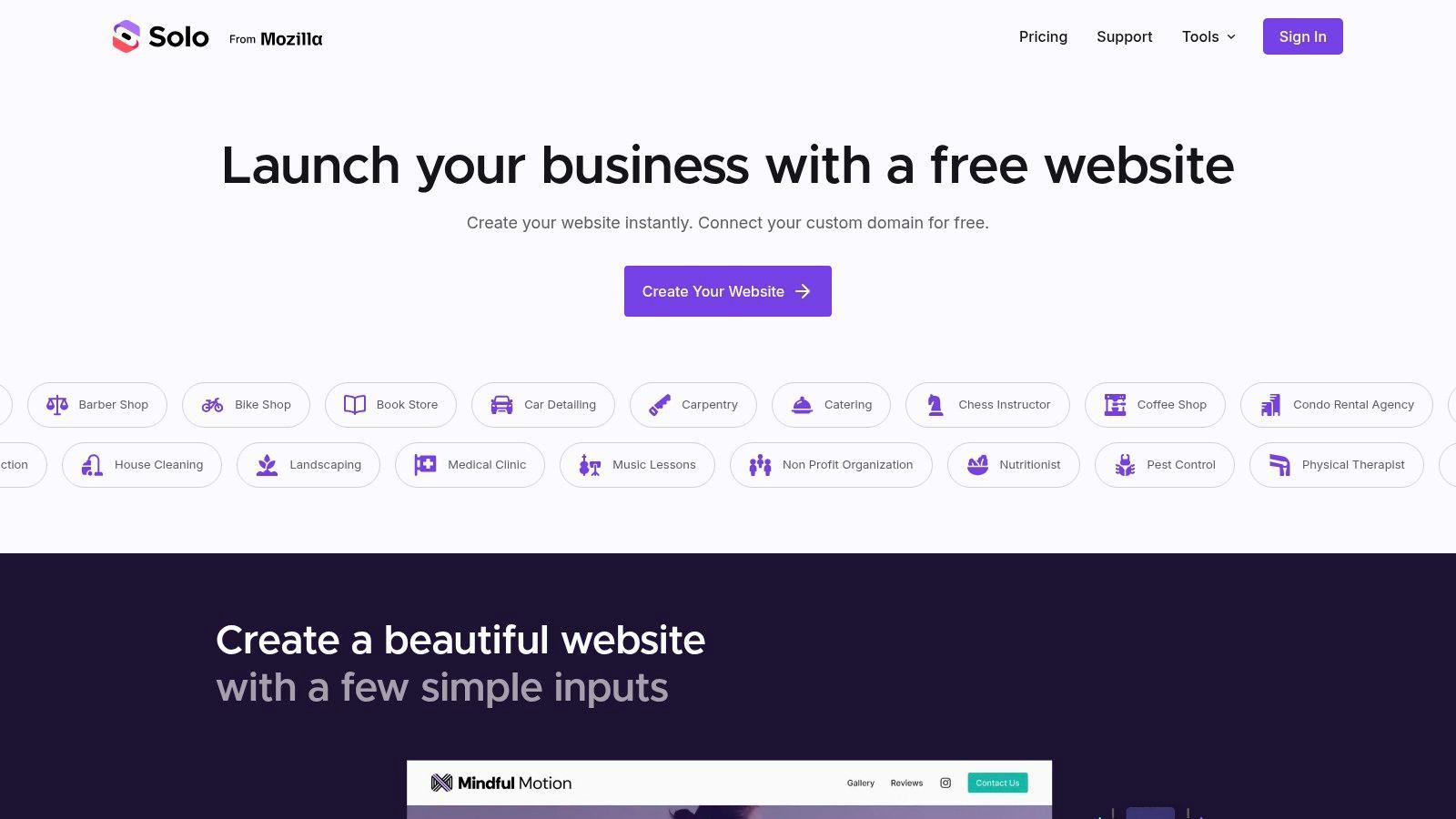
A common small-business scenario looks like this: a consultant wants to sell paid sessions, a cleaner wants to collect deposits, or a local nonprofit needs a simple page that can accept donations and inquiries this week, not next month. Solo AI Website Creator fits that kind of job well because it removes a lot of setup decisions that slow owners down early.
Setup time is usually minutes to a couple of hours for a basic live site. The primary variable is not the software. It is whether the business already has its service list, pricing, photos, hours, and call to action ready.
Why Solo works for service-first selling
Solo makes sense for businesses that sell appointments, estimates, consultations, deposits, or a limited number of products. It covers the practical basics first: booking links, contact forms, review imports, SEO settings, analytics connections, and payment links through Stripe or PayPal.
That matters because many small businesses do not need a full retail system on day one. They need a site that answers three questions fast: what do you offer, how do I contact you, and how do I pay you? Solo handles that path with less setup friction than a store-first platform.
I would put it in front of freelancers, trades, coaches, and other owner-operated businesses that win work through conversations first and transactions second. If most revenue starts with a quote request or a booking, a lighter ecommerce setup is often the better business decision.
Free hosting on a custom domain with no ads also saves time. Owners do not have to piece together hosting, templates, and plugins just to publish a credible site. That short setup window is the main reason Solo belongs near the top of this list for small service businesses.
Where Solo is limited
Solo starts to feel tight once selling gets more operational. Large catalogs, complex variants, shipping logic, inventory controls, and multi-channel sales need a platform built around product management.
That is the trade-off.
A bakery taking preorder payments or a designer selling a few packaged services can work comfortably here. A business with dozens of SKUs, layered shipping rules, and frequent order changes will outgrow it faster and should look ahead to platforms with stronger commerce back ends. If you already expect that jump, it helps to plan for admin tasks early, including basics like how to get Shopify invoices if you later move to a store-first platform.
Best for:
- Freelancers and consultants: Quick launch with contact, booking, and payment links.
- Local service businesses: Good fit for appointments, inquiries, and simple deposits.
- Nonprofits and side businesses: Low-maintenance way to get online without hiring help.
2. Shopify
A common small-business scenario looks like this. Orders are coming in from Instagram, a few from the website, and a few by phone. Inventory lives in a spreadsheet, shipping rules live in someone's head, and every busy week creates avoidable mistakes. Shopify is often the platform that cleans that up.
It is a store-first system. That matters because product catalogs, checkout, payments, taxes, shipping, and order management are built into the core setup instead of being added around a general website builder.
Setup time for a basic Shopify store is usually half a day to two days. The lower end is realistic if product photos, prices, SKU details, and shipping rules are already organized. The longer end is more common for owners who are still making decisions about variants, local delivery, tax settings, and fulfillment.
Why Shopify works for small businesses that actually sell
Shopify has a strong reputation for one practical reason. It reduces operational friction once selling becomes more than a side feature on the site.
A business with 20 products, multiple sizes, discount codes, cart recovery, and in-store pickup can usually get running faster on Shopify than on a platform that treats ecommerce as an add-on. The admin is clearer. The checkout is mature. The app ecosystem is large enough that most common needs are already covered, whether that means subscriptions, bundles, local delivery windows, or wholesale pricing.
That broader ecosystem is also why many software brands use Shopify as part of their growth stack and look for ways to grow your Shopify SaaS with affiliates.
Shopify is also a better fit when sales happen in more than one place. If you expect to sell through social channels, a physical counter, pop-up events, or marketplaces, Shopify handles that model better than simpler builders aimed mainly at brochure sites with a cart attached.
Trade-offs to watch
The biggest trade-off is cost control.
The monthly plan is only the starting point. Many small businesses add a paid theme, a few apps, and better reporting or marketing tools within the first few months. That can be the right decision if those tools save staff time or increase average order value. It becomes a poor decision when owners add apps to solve problems that should have been handled with cleaner setup choices from the start.
Shopify can also feel heavy for service-led businesses. If the actual sale starts with a consultation, booking request, or custom quote, you may end up paying for store features you will barely use. In those cases, a lighter platform can be easier to manage.
Before committing, check the back-office details too. Accounting and admin tasks matter once order volume picks up. If that workflow is part of your concern, this guide on how to get Shopify invoices is useful.
Shopify is the right pick when the website's main job is to sell products efficiently and keep operations organized as order volume grows.
Visit Shopify if you need a platform built for catalog management, checkout, and multi-channel selling from day one.
3. Wix
Wix is the platform I recommend when an owner says, "I want to launch quickly, I want it to look good, and I don't want to learn anything technical." It sits in the middle of the market in a very useful way. It's easier than more customizable systems, but broader than the simplest one-page tools.
Setup time is often a few hours for a clean first version. If you keep tweaking the design, it can stretch longer. That's the trade-off with flexible visual editing. It's easy to use, but easy to over-edit.
Why Wix is such a common choice
In TechRadar's 2026 testing, Wix is ranked the best overall small business website builder, with pricing starting at $17 per month in TechRadar's comparison. TechRadar specifically praises its AI tools, ease of use, and all-in-one setup.
Wix also accounted for nearly 45% of the overall website builder market in 2024, with around 8 million live sites worldwide, according to the same TechRadar-backed comparison summary already noted earlier. That scale matters. A big installed base usually means better template coverage, more tutorials, more integrations, and fewer dead ends for non-technical users.
For small business ecommerce, Wix is strongest when you want one platform for website pages, basic store features, SEO, forms, and marketing tools. It's not as commerce-specialized as Shopify, but that's often exactly why smaller businesses like it.
If you're in the Shopify ecosystem and thinking about customer acquisition, this resource on grow your Shopify SaaS with affiliates gives useful context on partner-led growth.
What to watch before choosing Wix
Wix is a great beginner platform, but exporting away from it later isn't simple. So choose it because you like operating inside it, not because you assume migration will be easy.
It's also better for standard small business catalogs than highly customized commerce operations. If your store logic gets unusual, you'll start feeling the boundaries.
Go to Wix if ease of use is your top priority.
4. Squarespace
A local bakery launching online orders, a photographer selling prints, and a studio taking class bookings often need the same thing first. They need a site that looks credible fast and does not turn into a design project that drags on for weeks. Squarespace is one of the better options for that kind of business.
Setup time is usually half a day to two days. The faster end is realistic if you already have your logo, product photos, service list, and copy ready. The slower end happens when the business owner is still deciding on pages, rewriting descriptions, or setting up scheduling, digital products, or shipping rules.
Where Squarespace shines
Squarespace works best for businesses where presentation affects conversion. I usually recommend it for boutiques, service brands, salons, photographers, interior designers, fitness studios, and creators selling a focused catalog. The templates are polished out of the box, which cuts down the time spent fixing layout issues and helps smaller brands look established sooner.
That matters in practice. A clean design builds trust quickly, especially for businesses selling higher-margin products or services where customers judge quality before they compare features.
Squarespace is also a good fit when the website needs to do more than sell products. Many small businesses need a brand site, service pages, galleries, blog content, email capture, and basic ecommerce in one place. Squarespace handles that mix well, and the store usually feels like part of the site instead of a separate add-on.
The trade-off
The limit shows up once operations get more demanding.
If your plan includes heavy automation, complex inventory workflows, a wide app stack, or unusual checkout requirements, Squarespace starts to feel narrow. Its extension ecosystem is smaller than Shopify's, and some commerce features are reserved for higher plans. That is manageable for a simple store. It becomes frustrating for a business that depends on specialized integrations, advanced fulfillment setups, or aggressive channel expansion.
Booking and service sales are another case where you need to check the details before committing. Squarespace can work well here, but only if the built-in tools or supported integrations match how you run appointments, classes, or local delivery.
A polished storefront can raise trust fast. It does not solve operational complexity once the business starts adding more systems and edge cases.
Choose Squarespace if design quality, brand consistency, and a relatively quick launch matter more than deep customization. Pass on it if your store will likely outgrow a simpler setup in the near term.
Visit Squarespace if that balance fits your business.
5. BigCommerce
BigCommerce is the platform I'd consider when a small business already knows it wants more than a starter store. It's not the easiest option for a first-time seller, but it can save a later rebuild if you expect catalog growth, multiple storefronts, or more demanding product structures.
Setup time is usually one to several days, depending on the catalog. The platform gives you more out of the box, which is good, but you still need to configure it properly to get the benefit.
When BigCommerce makes sense
BigCommerce is a better fit for businesses that see complexity coming. That could mean larger catalogs, more pricing rules, broader channel selling, or a B2B component. The main practical advantage is that many capabilities are built in rather than added through a stack of separate apps.
That can simplify operations over time. It can also reduce the "one more integration" problem that hits growing stores.
The real trade-off
This isn't usually the best first pick for a side hustle or a simple local business. The platform asks for more planning, and the higher starting cost can feel heavy if you aren't yet using the advanced features.
Choose BigCommerce if you're trying to avoid an early migration. Skip it if your store is still proving demand and simplicity matters more than scale planning.
You can explore it at BigCommerce.
6. Square Online
Square Online is one of the most practical choices for brick-and-mortar businesses moving online. If you already use Square for in-person payments, inventory, or point of sale, this is often the shortest path to accepting orders online without rebuilding your operations from scratch.
Setup time can be very fast. For an existing Square merchant, a basic online store can often come together in a single session because the catalog, payments, and reporting are already tied together.
Best fit for local selling
This platform makes the most sense for cafés, retailers, bakeries, salons with product add-ons, and local businesses offering pickup or delivery. The value isn't flashy design. It's operational convenience.
If your staff already knows Square, the learning curve stays low. Your online orders and in-person sales sit closer together, which reduces manual admin.
What not to expect
Square Online isn't the platform I'd choose for a brand-heavy ecommerce experience or a store that depends on deep customization. Its design flexibility is more limited than Shopify, Wix, or Webflow.
Still, if you care more about "Can my customers order today?" than "Can I control every layout detail?", Square Online is hard to beat.
Try it at Square Online.
7. Ecwid by Lightspeed
Ecwid is the tool I bring up when someone already has a website and doesn't want to rebuild it. That's its edge. Instead of replacing your current site, it adds selling capability to what you already own.
Setup time is often just a few hours if your existing site is ready. That makes Ecwid one of the fastest ways to test ecommerce without committing to a full platform migration.
Why Ecwid is useful
For small catalogs, seasonal offers, simple online ordering, or a service business adding merchandise, Ecwid is efficient. You can embed the store into an existing site and keep your current content, design, and domain setup mostly intact.
That's a practical advantage many owners overlook. Rebuilding a site isn't just design work. It's copy changes, SEO risk, broken links, and staff retraining.
Where Ecwid starts to feel thin
Ecwid is less compelling if you want a fully branded storefront experience or advanced native commerce workflows. It can sell well, but it doesn't give you the same design depth as a full website builder or the same store ecosystem as a store-first platform.
If your goal is "add ecommerce fast," Ecwid is strong. If your goal is "build my business around ecommerce," I'd usually look at Shopify first.
See Ecwid by Lightspeed for current options.
8. GoDaddy Websites + Marketing
GoDaddy Websites + Marketing fits the owner who needs a site up quickly because the business is already running. A local shop wants online ordering this week. A service business wants to sell gift cards, a few products, or packaged services without spending days choosing apps and themes. That is the use case.
Setup time is usually a few hours to one day for a basic store. If photos, pricing, and brand assets are ready, the launch is fast because GoDaddy keeps the decisions limited.
Best for fast setup and basic selling
GoDaddy works well when convenience matters more than customization. Domain, website, and store tools sit under one vendor, which reduces setup friction for owners who do not want to piece together a stack.
I usually recommend it for local businesses, side businesses, and simple catalogs. Restaurants, salons, home services, and small retailers often care more about getting online payments, contact forms, and basic product pages live than they do about advanced merchandising.
That simplicity is the benefit and the limit.
The practical trade-off
GoDaddy gives you less design control and fewer advanced commerce options than platforms built primarily for selling. If you expect complex shipping rules, deeper integrations, or a store that will expand into a major revenue channel, you may outgrow it sooner than you expect.
That does not make it a bad choice. It makes it a short-horizon choice for the right business.
For an owner who values speed, bundled tools, and low setup effort, GoDaddy is a reasonable option. For a business that expects ecommerce to become a core operation, I would usually choose a platform with more room to expand.
Visit GoDaddy Websites + Marketing if convenience matters more than advanced control.
9. WooCommerce
A typical WooCommerce project starts like this. The business already has a WordPress site, wants to add online sales, and assumes the store will be cheap because the core plugin is free. Then the hard work shows up. Hosting, theme setup, payment gateways, shipping rules, backups, security, and plugin conflicts all need attention.
WooCommerce is a strong fit for owners who want control and are prepared to manage it. I usually recommend it in three cases: the business already runs on WordPress, content and SEO are a major part of the sales strategy, or someone on the team can handle ongoing technical upkeep.
Setup time varies more here than with almost any other builder in this list. A basic store on an existing WordPress site can go live in 1 to 3 days. A custom setup with bookings, subscriptions, wholesale pricing, or local delivery rules can stretch into a week or more once testing starts.
Where WooCommerce earns its place
WooCommerce remains one of the most widely used ecommerce options, as noted earlier in the article. The reason is simple. It gives small businesses far more control over site structure, checkout behavior, and integrations than most all-in-one builders.
That flexibility matters for businesses with unusual requirements. A bakery that needs local pickup windows, a gym selling memberships and merch, or a service business mixing content, lead generation, and digital products can often shape WooCommerce around the business instead of reshaping the business around the platform.
WordPress is also a practical advantage when publishing drives sales. If articles, landing pages, location pages, or long-form SEO content bring in customers, keeping the website and store in one system can make day-to-day management easier.
The real trade-off is operating overhead
WooCommerce gives you freedom, but it also gives you a stack to maintain.
The plugin may be free, yet the working store usually is not. Paid extensions, better hosting, developer time, and routine maintenance add up fast. That cost can still be worth it if the business needs flexibility that Shopify, Wix, or Square Online cannot provide. If the goal is to start selling with the fewest decisions possible, WooCommerce often creates more work than a small owner needs.
I tell clients to choose WooCommerce only if they are saying yes to control on purpose. If they are choosing it just to save money up front, they often regret it later.
Explore WooCommerce if your business needs custom workflows more than simplicity.
10. Webflow Ecommerce
Webflow Ecommerce is for businesses that care intensely about design and are willing to trade some ease for that control. It sits closer to a visual development tool than a basic drag-and-drop builder.
Setup time is usually longer than with Wix or Squarespace. Expect at least a day for a polished basic setup, and more if you're building custom layouts or CMS-driven pages.
Where Webflow stands out
This is the platform for brands that want a website to feel distinct. Webflow gives you tighter control over layout, interactions, CMS structure, and visual presentation than most mainstream builders.
That matters for premium brands, studios, and presentation-heavy companies. If your website is part of the product experience, Webflow can create a stronger first impression than many template-led systems.
Where it struggles for small operators
Its ecommerce ecosystem isn't as mature as Shopify's or as broad as WooCommerce's. The learning curve is also real. Non-technical owners can learn it, but they should expect more setup friction.
Webflow is excellent for design-led businesses with modest store complexity. It isn't the first tool I'd hand to a busy local owner who needs to launch by Friday.
Visit Webflow Ecommerce if design control is your top priority.
Top 10 Small-Business Ecommerce Builders Comparison
| Product | Target audience | Core features | Ease of use | Value & pricing note |
|---|---|---|---|---|
| Solo AI Website Creator (Recommended) | Freelancers, local businesses, nonprofits | AI site generation, free custom‑domain hosting, booking, SEO, analytics, review import, payment links | Very easy, launch in minutes, no code | Strong free tier (no ads) + Pro for multi‑site/advanced features |
| Shopify | Merchants wanting scalable, store‑first solution | Inventory, payments, shipping, multichannel, large app marketplace | Moderate, feature‑rich admin | Scalable but monthly fees + app costs; transaction rules apply |
| Wix (Wix eCommerce) | Visual builders and small stores | Visual editor, AI site generator, multichannel selling, marketing tools | Very easy, drag‑and‑drop | Affordable entry; costs rise with premium apps/tiers |
| Squarespace (Commerce) | Brand‑focused boutiques, creators | Premium templates, integrated checkout, subscriptions, analytics | Easy, polished editor | All‑in‑one stack; fewer extensions, mid‑range pricing |
| BigCommerce | SMBs planning to scale / complex catalogs | Multi‑storefront, B2B tools, broad gateway support, headless APIs | Moderate, enterprise features | Feature‑rich out of the box; higher starting price, revenue thresholds |
| Square Online | Local retailers, cafes using Square POS | POS sync, pickup/delivery, unified reporting, Square payments | Very easy for Square users | Fast path to online ordering; flat‑rate processing, limited extensibility |
| Ecwid by Lightspeed | Sites that need an embeddable store | Embeddable cart, multichannel sync, PCI‑compliant checkout | Quick, add to existing site | Great for adding commerce quickly; fewer design options |
| GoDaddy Websites + Marketing | Beginners wanting bundled domain/email/marketing | Guided builder, email/SEO/social tools, simple store | Very easy, guided setup | Low‑cost entry and bundled services; limited advanced ecommerce |
| WooCommerce (on WordPress) | Owners wanting full control and extensibility | Open‑source plugin, thousands of plugins/themes, flexible gateways | Technical, requires hosting & maintenance | Potentially cost‑effective at scale but needs hosting and upkeep |
| Webflow Ecommerce | Design‑driven brands and agencies | Visual CMS, pixel‑level control, CMS + ecommerce | Steeper learning curve, designer‑oriented | High design precision; smaller ecommerce ecosystem, premium pricing |
How to Choose Your Perfect Ecommerce Builder
A bakery trying to turn on online ordering before the weekend has a very different problem from a consultant who needs bookings and deposits, or a boutique managing hundreds of SKUs. The wrong builder slows all three down in different ways.
The best choice is usually the one you can set up quickly, afford in year one, and still live with after the launch rush is over. That is why setup time matters as much as features. A platform with every advanced tool can still be the wrong fit if it takes too long to configure or needs ongoing technical work you will not keep up with.
Start with the sales model, not the brand name. Service businesses, solo operators, and nonprofits often need a site that can publish pages, collect leads, handle bookings, and accept simple payments without the overhead of a full retail stack. Solo AI Website Creator fits that use case. Product-based businesses need more operational depth, especially around checkout, shipping, tax, and inventory.
Then look at what happens after day one. Shopify is often the safer choice for businesses where ecommerce is the core operation and reliability matters more than design flexibility. Wix and Squarespace are a better fit when presentation matters, the catalog is still manageable, and the owner wants to make updates without much help. Square Online works well for local businesses already running on Square POS, especially when pickup and delivery are part of the business. WooCommerce gives you more control and often lower software costs over time, but that trade-off is real. You are also taking on hosting, plugin conflicts, updates, and maintenance.
Use three practical filters before you commit:
- What are you selling? Appointments, classes, and service packages need different tools than physical products with variants, shipping rules, and stock tracking.
- How fast do you need to launch? Some builders are realistic same-day projects. Others need several days, and custom setups can take weeks.
- What will year one cost? Include apps, templates, transaction fees, payment processing, email tools, developer support, and maintenance, not just the base plan.
Setup time is often the tie-breaker.
I have seen small businesses overbuy software, then lose weeks trying to configure features they never use. A simpler builder that goes live in one day and needs minimal upkeep usually produces better results than a more flexible system left half-finished for a month.
Choose the builder that matches your actual workload, not your future wishlist. If you need to get online fast, keep maintenance light, and avoid paying for retail features you do not need, start with Solo AI Website Creator.