
A customer finds your business on their phone, lands on your homepage, and decides within seconds whether to call, book, order, or leave. If the page feels dated, slow, or confusing, the sale often ends there.
Website design affects credibility and conversion, but small business owners also have to weigh cost, upkeep, and how much control they want over the build. Professional design can cost thousands upfront, plus ongoing maintenance, and buyers do judge businesses by how their sites look and work, especially before making a purchase, as noted in Wix's small business website statistics.
The better approach is to start with the design principles that fit your business model, then choose the tool that can execute them well. A medical practice needs trust signals, clear services, insurance or booking details, and contact information above the fold. A restaurant needs menu access, hours, location, and ordering or reservation paths without extra taps. A service business needs a clear offer, proof of results, service area coverage, and one obvious next step.
That is the angle of this guide. It starts with what high-converting design looks like in the industries that depend on it most, then matches those requirements to the builders that can produce them efficiently. If you are comparing options, this guide to the best website builder for small business will make more sense once those design rules are clear.
One more practical point. Good design does not stop at appearance. A site should also support lead capture, follow-up, and the handoff into sales or service workflows, especially for companies focused on streamlining pipeline for high-growth sales teams.
Start with three checks. Build for mobile first. Put the main action near the top of the page. Make sure a first-time visitor can understand what you do, who you help, and what to do next in a few seconds.
1. Solo AI Website Creator

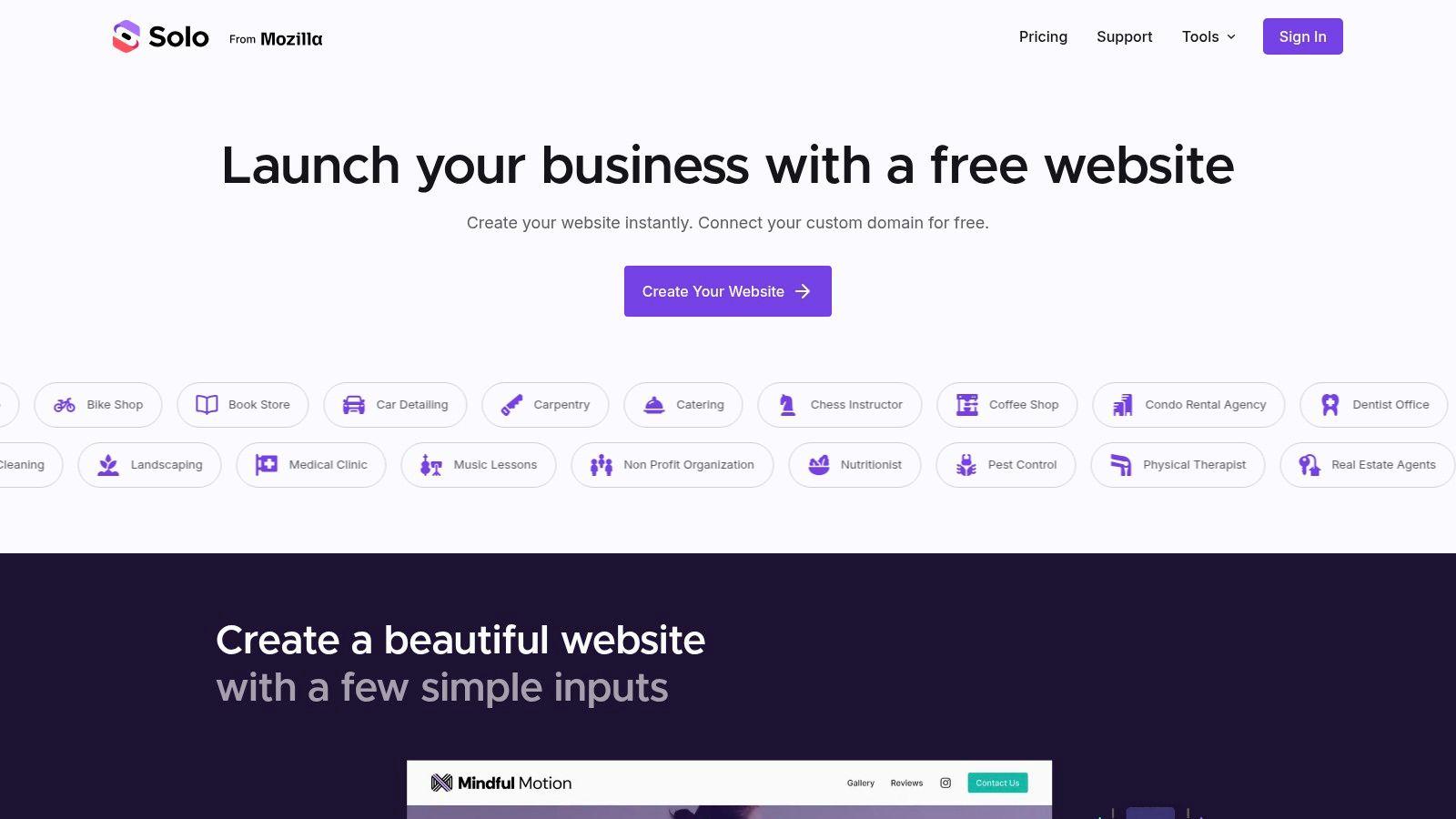
If you run a clinic, salon, home service, consultancy, nonprofit, or local business, Solo AI Website Creator is the fastest path I know to a site that looks professional without dragging you into design decisions you shouldn't have to make.
It starts from simple business inputs and generates the page structure, starter copy, images, and mobile-ready layout for you. That matters because many owners don't need a blank canvas. They need a site that already understands the bones of a high-converting homepage: headline, services, proof, contact path, and local relevance.
Where Solo works best
Solo AI Website Creator is strongest for service-led businesses that need trust and action more than visual experimentation.
For a medical or wellness business, the homepage should lead with what patients can book, where you're located, and how to contact you. For a restaurant, the homepage should surface menu access, hours, location, and reservation or ordering options. For a contractor or consultant, the homepage should answer three things quickly: what you do, who you help, and how to request a quote.
Practical rule: If your buyer mainly wants to call, book, message, or request an estimate, a simpler site with stronger page structure usually beats a custom site with more visual flair.
Solo supports that approach well. It includes contact forms, review imports, booking links, Google Analytics integration, and built-in SEO support. You can also connect a custom domain and host the site without ads, which removes one of the common frictions that make “free” tools look amateurish.
A useful comparison if you're still weighing options is this guide to the best website builder for small business.
Trade-offs you should know
Solo AI Website Creator isn't trying to be a deep ecommerce platform. If your main revenue comes from managing a large product catalog, advanced shipping logic, or store operations, you'll outgrow it and should look at Shopify instead.
But for service businesses, that limitation is usually a benefit. Fewer moving parts means faster launch, easier updates, and fewer ways to break your own site.
Here's where I'd pick Solo over a more customizable platform:
- You need speed: You want a polished site live quickly without learning a visual editor.
- You need business essentials: Reviews, lead capture, booking links, analytics, and SEO basics matter more than advanced design control.
- You need low friction: You don't want to manage hosting, plugins, or a stack of paid add-ons.
If your site's real job is streamlining pipeline for high-growth sales teams or helping a small team capture more qualified leads, Solo keeps the website focused on that job instead of turning it into a design project.
The best small business website design often comes from reducing choices. Solo does that well.
2. Wix

Wix is a good fit when you want more control than an AI-first tool gives you, but you still don't want to touch code. It's especially useful for owners who need bookings, events, memberships, or a broader set of built-in business features in one place.
The strength of Wix is flexibility. You can build a straightforward brochure site, then grow into something more involved without switching platforms. That's one reason platform-native setups have become more practical than heavy custom builds for many small businesses.
Why Wix fits design-heavy service brands
Some businesses need more layout freedom because visual presentation is part of the sale. Interior designers, photographers, boutique fitness brands, and personal brands often care about the arrangement of sections as much as the content itself.
Wix gives you room to shape that presentation. But that freedom has a downside. If you don't keep a tight structure, you can end up with a homepage that feels busy and inconsistent.
A flexible editor is helpful only if you also protect hierarchy. One headline, one primary CTA, one clear path forward.
There's also a broader market reason Wix stays relevant. A market forecast says the web design market is projected at USD 61.23 billion in 2025 and USD 92.06 billion by 2030, with 8.5% CAGR, and the same source notes major revenue concentration among mainstream platforms such as Shopify, Wix, and Squarespace. That lines up with what many small businesses are already doing. They're using mature platforms, then optimizing the built-in features instead of paying for custom infrastructure.
Where Wix can go wrong
Wix can tempt owners into overdesigning. More sections, more animations, more apps, more visual freedom. That doesn't automatically create better small business website design.
Use Wix well by keeping these boundaries:
- Limit homepage goals: Don't ask visitors to book, subscribe, browse six services, and read your brand story all at once.
- Use apps selectively: Every add-on should support revenue, operations, or lead capture.
- Check mobile manually: A desktop layout that looks polished can still feel cramped on phones.
If you want flexibility and business features without a plugin ecosystem to manage, Wix is a strong middle ground.
For adjacent creative workflow ideas, these top AI design tools are also worth exploring.
3. Squarespace

Squarespace is what I'd recommend when the site needs to look refined out of the box and the owner doesn't want to fight the editor. Consultants, studios, coaches, architects, and premium service brands tend to do well with it.
Its main advantage isn't raw flexibility. It's restraint. The templates are usually structured well enough that you have to work hard to make the site ugly.
Best use case for trust-led design
A lot of small business sites make the same mistake. They stay minimal, but they strip out the proof a buyer needs to feel safe contacting you.
That's where Squarespace helps, especially for consultants and service professionals. You can present a clean homepage while still including the essentials in the right order: promise, service summary, proof, and CTA.
The practical design question isn't “How minimal should the homepage be?” It's “What trust signals belong above and below the fold for this business type?” That tension is discussed well in these small business website design tips.
For businesses where presentation shapes perception, Squarespace is strong because it keeps spacing, typography, and layout coherence intact.
Where it's less ideal
Squarespace can feel restrictive if you want unusual layouts or highly specific functionality. That's usually fine for a restaurant with a focused menu, a consultant with clear offers, or a service brand with a portfolio. It's less fine if you want lots of custom workflow behavior.
Use Squarespace when these priorities sound right:
- Brand presentation matters: You want the site to feel polished without hiring a designer.
- You prefer fewer decisions: You'd rather work within a strong template than build every section from scratch.
- Your offer is simple: You sell services, content, appointments, or a curated set of products.
For clean presentation and low maintenance, Squarespace remains one of the safer choices.
4. Shopify

Shopify is the right answer when your website is primarily a store. Not a lead gen site with a shop page added later. A store.
That distinction matters because ecommerce design follows different rules. A service business homepage can win with clarity and trust. A product business also has to handle catalog structure, checkout flow, inventory, fulfillment, and payment reliability. Shopify is built around that reality.
Design priorities for product businesses
When owners ask about the best small business website design for ecommerce, I usually pull them away from aesthetics first. Product sites live or die on usability.
Your homepage needs to do only a few jobs well. Show what you sell, who it's for, how to shop, and why someone should trust the purchase. Then your collection pages, product pages, and checkout have to carry the load.
For ecommerce, conversion-focused design usually means fewer distractions, clearer product organization, and a checkout path with as little friction as possible.
Shopify is strong here because its design system is tied directly to commerce operations. You're not duct-taping a store onto a general website tool.
When Shopify is too much
If you're a local service business that occasionally sells gift cards, merch, or downloadable materials, Shopify may be more platform than you need. You'll get powerful store features, but you may spend time managing systems that aren't central to your business.
Choose Shopify when these are true:
- Products are your main revenue stream
- You sell across channels, including web, social, or in-person
- You need a platform that can scale with operations, not just design
If the business is product-first, Shopify earns its complexity. If not, keep it simpler.
5. WordPress.com

WordPress.com sits in an interesting middle ground. It gives you more flexibility than most all-in-one platforms, but it removes some of the mess that comes with self-hosted WordPress.
This is the option I'd look at if content is a serious part of your growth plan. Think firms publishing articles, niche educators, membership businesses, or service companies that want room to expand functionality over time.
Why content-driven businesses still like it
Some websites are mostly conversion pages. Others need a stronger content engine behind them. WordPress.com is good for the second group because publishing, categorization, blogging, and extensibility are core strengths.
That doesn't mean every small business should use it. More options also mean more decisions. And more decisions often mean slower execution.
A professional site also has a cost reality behind it. Many businesses invest significantly in design and ongoing upkeep, which is one reason platform choice matters early. If you choose a system that's too open for your skill level, maintenance can become the hidden tax.
What to watch before choosing it
WordPress.com works best when you know why you need the flexibility.
- Pick it for growth paths: You expect to add functionality, content sections, or custom workflows later.
- Skip it for simple launches: If you only need Home, About, Services, and Contact, this may be more system than you need.
- Protect simplicity: Don't install features just because the ecosystem allows it.
For owners who want room to grow without managing servers directly, WordPress.com is a practical compromise.
6. GoDaddy Websites + Marketing

A local service business needs a site live by Friday. The owner wants online visibility, a contact form, and basic marketing tools without piecing together five different products. GoDaddy Websites + Marketing fits that job well.
It is a speed-first platform for businesses that need a clean web presence more than a custom brand system. I recommend it for straightforward launches where the main goal is to get the fundamentals right fast.
That matters in industries where the design standard is clear. A plumber, accountant, mobile notary, or cleaning company usually does not need an inventive layout. They need a homepage that explains the service, proof that the business is legitimate, and a clear next step. If you are comparing fast-launch options, this guide to AI website builders for small businesses is useful context.
Best for simple sites that need marketing attached
GoDaddy makes the most sense when your business model is easy to explain and your website structure is unlikely to get complicated. A few pages, strong calls to action, contact details, and maybe booking or lead capture. That is its lane.
The bundled email and social features are part of the appeal. For an owner who does not want to set up separate tools on day one, that saves time and reduces setup mistakes.
Where it works, and where it starts to feel tight
For some industries, that simplicity is a benefit. A medical practice that needs stricter messaging control, a restaurant that depends on stronger visual presentation, or a premium home service brand that competes on trust and polish may outgrow it quickly. Those businesses usually benefit from stronger design control because the website does more than confirm they exist. It shapes perceived quality.
Use it if you want:
- A fast, guided launch: Good for getting a professional site online with limited effort.
- Basic marketing in one place: Email, social, and website tools under one account.
- Low design complexity: Best for businesses with standard pages and simple conversion paths.
Skip it if your site needs a more distinctive visual identity, more layout flexibility, or industry-specific conversion design. In those cases, the tool is less important than the principle. Start with the kind of site your industry needs, then choose the builder that can support it.
Visit GoDaddy Websites + Marketing
7. Durable

Durable is built for momentum. You give it a prompt, it gives you a site draft fast. For solo operators validating a new service, side business, or local offer, that speed can be more valuable than deep customization.
This makes Durable useful for getting out of idea mode. It's less useful when brand precision and nuanced layout decisions matter a lot.
Good for first launch, not always final version
If the business is new, Durable can get you online quickly with AI-generated copy, imagery, and a workable structure. That's enough for a first version if you're prepared to edit the content carefully.
That last part matters. AI-generated copy always needs human review. Service descriptions, trust language, location details, and compliance-sensitive claims should never be left untouched.
There's a practical mobile angle here too. A lot of small business content says “make it responsive,” but that advice often stops too early. The better question is what still converts well when page speed, image weight, and tap targets become bottlenecks on phones. That's why this overview of AI website builders is useful when you're comparing fast-launch tools.
Simpler pages often win on mobile because they remove hesitation. Clear headline, clear offer, clear CTA.
When to choose Durable
I'd consider Durable when these conditions apply:
- You need a first site fast: You want a draft now, not a design process.
- You run a solo or local service business: The site's job is to establish presence and capture leads.
- You're comfortable editing AI output: You'll review every section before publishing.
For validating an offer or launching quickly, Durable is practical. For a more branded, trust-heavy website, it may become a stepping stone rather than the final platform.
Top 7 Small Business Website Design Comparison
| Product | Implementation complexity | Resource requirements | Expected outcomes | Ideal use cases | Key advantages |
|---|---|---|---|---|---|
| Solo AI Website Creator | Very low, AI no-code setup in minutes | Minimal; free custom domain hosting, basic inputs | Search-ready, mobile-optimized site with lead capture | Freelancers, small businesses, nonprofits, service providers | Free domain hosting (no ads), built-in SEO, booking and analytics |
| Wix | Low–moderate, drag-and-drop with many options | Moderate; paid plans and apps may add cost | Flexible polished sites that can scale to complex needs | Businesses needing bookings, events or extensive extensions | Large template library, App Market, rich small-business features |
| Squarespace | Low, design-forward editor, less flexible than drag-and-drop | Moderate; paid plans (trial available) with managed hosting | High-quality, visually polished websites | Creatives, portfolios, consultants and premium brand sites | Consistently excellent templates and cohesive toolset |
| Shopify | Moderate, commerce-focused setup and configuration | Higher; subscription tiers, apps, theme costs and transaction fees | Robust ecommerce with reliable checkout and multichannel sales | Product-first businesses and retailers scaling online/offline | Industry-leading checkout, inventory & order management |
| WordPress.com | Moderate–high, managed hosting simplifies basics, customization adds complexity | Variable; core is managed but plugins/themes often require paid tiers | Highly flexible sites with strong content and blogging capabilities | Content-heavy sites, complex custom functionality, blogs | Vast plugin/theme ecosystem and deep customization potential |
| GoDaddy Websites + Marketing | Very low, guided setup for speed | Low; bundled hosting and basic marketing tools at entry pricing | Functional, marketing-ready site launched quickly | Time‑strapped owners needing a quick web presence and basic marketing | Fast setup, integrated email/social tools, competitive pricing |
| Durable | Extremely low, one-prompt AI site generation | Minimal; hosting, lightweight CRM and invoicing included | Instant professional site with basic business tools | Solo entrepreneurs, local service providers, idea validation | Fastest time-to-live; bundled CRM/invoicing and simple payments |
From Inspiration to Implementation
A small business owner usually notices the website problem at the same moment a customer does. A patient tries to book from a phone and gives up. A hungry customer cannot find the menu in ten seconds. A homeowner needs a quote, but the contact form is buried halfway down the page. The platform choice matters, but only after the site gets those basics right.
The strongest small business websites follow the buying habits of the industry they serve. Medical sites need calm, clear pages that reduce anxiety and make booking simple. Restaurant sites need fast access to hours, menu, directions, and ordering or reservation buttons. Service businesses need a clear service area, proof of trust, and a quote path that stands out on every page. Design works when it removes hesitation and makes the next action obvious.
Mobile performance is therefore critical. If the site feels clumsy on a phone, the design is incomplete, no matter how polished it looks on a desktop screen.
That is the practical lens for choosing a platform. Start with the type of experience your business needs to deliver, then pick the tool that helps you build it with the fewest compromises. Shopify fits product-led businesses that depend on catalog management and checkout. Squarespace fits brands where presentation carries real sales weight. WordPress.com fits businesses that expect heavier content needs or future customization. Wix gives broad flexibility. GoDaddy and Durable fit owners who need to get online quickly and can accept tighter design limits.
For many service businesses, simpler setups produce better results. A plumber, therapist, accountant, or cleaning company rarely needs an elaborate stack. They need clear page structure, strong calls to action, mobile-friendly layouts, reviews, contact options, and basic search visibility.
That is why Solo AI Website Creator is a practical option to consider. It is well suited to owners who want a professional service-business site without spending weeks learning a builder or hiring custom help. It covers the structural work that often slows launches down, including mobile layouts, SEO basics, lead capture, and booking connections.
If you're also thinking beyond design into infrastructure, it helps to discover scalable web hosting for businesses. For many owners, though, the smarter move is to launch a site that matches the way customers make purchases, then improve it over time from a solid starting point.
If you want the fastest route to a professional service-business site, try Solo AI Website Creator. It's a practical choice when you need mobile-ready design, built-in lead capture, booking links, reviews, and SEO support without dealing with code or a complicated setup.