
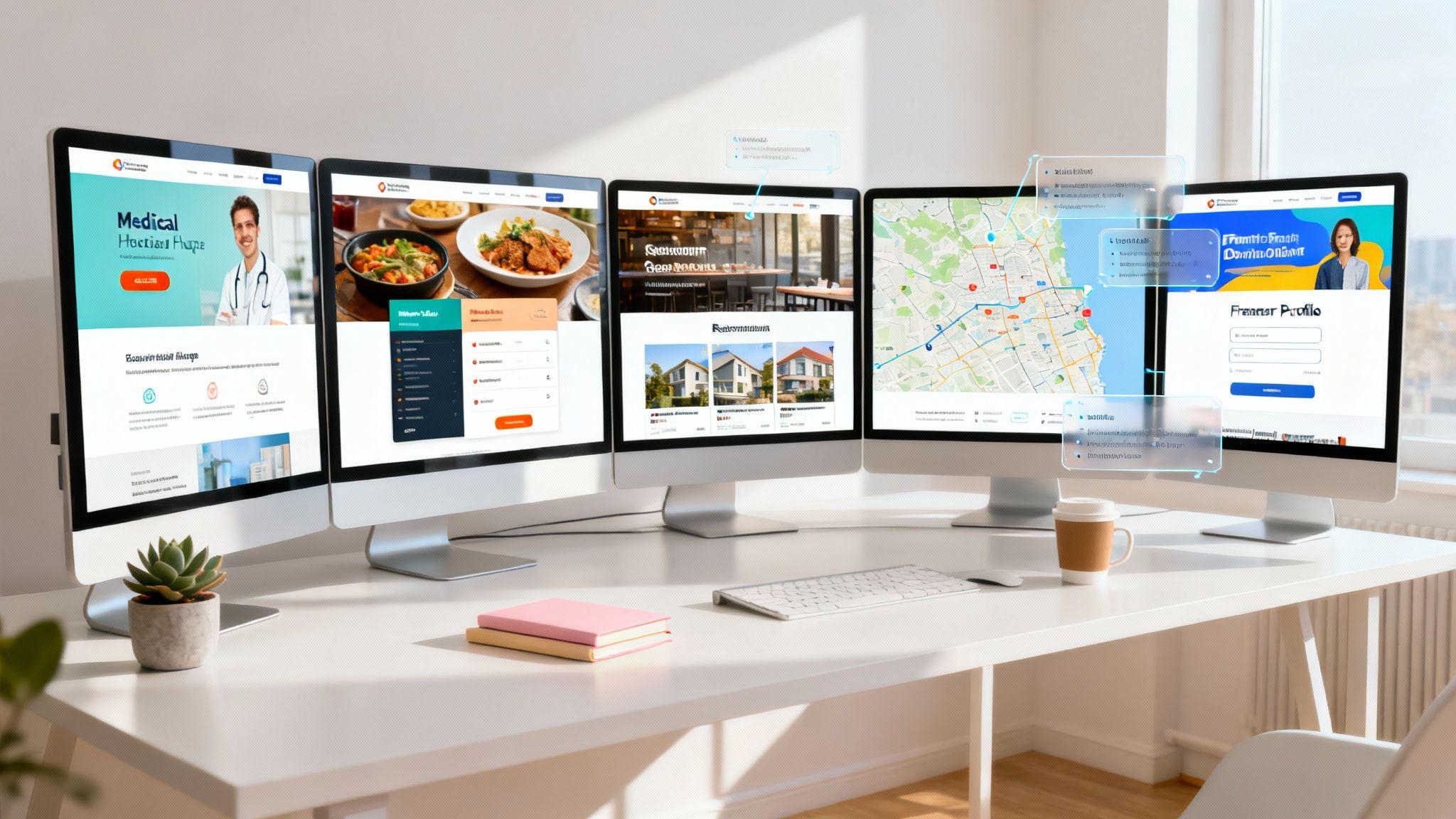
Building a website that attracts customers and drives growth feels like a huge task, especially if you're not a designer. Where do you even begin? The answer is simple: learn from the best. A great website isn't just about flashy graphics; it’s a strategic tool designed to turn visitors into clients. It's your digital storefront, lead generator, and brand ambassador, all rolled into one.
This guide moves beyond vague advice to provide a practical blueprint. We've gathered a collection of stunning example business websites across key industries, including medical practices, restaurants, real estate agencies, freelancers, and non-profits. For each one, we'll break down exactly what makes it effective, from its simple layout and clear calls-to-action (CTAs) to its smart booking features and contact forms.
More importantly, we'll provide actionable tips you can use immediately. You’ll see how to replicate the look, feel, and core functions of these top-tier designs for your own business, often in just minutes, using tools like the Solo AI Website Creator. When planning your business website, picking a reliable platform is key. For those considering WordPress, understanding the best options for managed WordPress hosting can make a huge difference in performance and security.
Forget the technical jargon. This listicle is your visual and strategic playbook for building a professional online presence that not only looks incredible but also delivers real results. Let's dive into the examples that will inspire your next great website.
1. Solo AI Website Creator
Solo AI Website Creator is our featured choice because it directly solves the biggest problems small businesses and freelancers face: lack of time, budget, and technical skills. Instead of just showing you examples to copy with complicated tools, this platform uses artificial intelligence to generate a complete, professional website for you in minutes. It stands out by combining fast AI creation with essential business features, making it a powerful, all-in-one solution for launching a credible online presence without any hassle.

The platform’s core strength is its simplicity. You just answer a few straightforward questions about your business, and the AI generates a multi-section, mobile-friendly website complete with professional text and relevant images. This approach turns website creation from a multi-day project into a task you can finish in under five minutes.
Key Strengths & Strategic Advantages
Solo AI Website Creator isn’t just about speed; it's about giving you a business-ready website from day one. Its features are strategically designed for service providers, consultants, local businesses, and non-profits.
Strategic Breakdown:
- Free Custom Domain Hosting: This is a huge benefit. Many "free" platforms put your site on their subdomain (like
yourbusiness.wixsite.com) or charge you to use your own domain. Solo lets you connect and host your own domain (yourbusiness.com) for free, without showing any ads. This instantly makes your brand look more credible and professional at no cost. - Built-in Business Tools: The platform includes critical business functions. You can embed calendars from Calendly or Tidycal for easy appointment booking, add contact forms to capture leads, and link to Stripe or PayPal for direct payments. It also lets you import Google Reviews, which automatically adds social proof and builds trust with visitors.
- Automated SEO Foundation: Solo AI automatically creates SEO-friendly titles and descriptions for search engines and uses relevant keywords based on your business description. It also includes Google Analytics integration right away, letting you track visitor traffic without needing any technical expertise.
Actionable Tip: Use Solo's AI prompts to generate your first draft. Then, immediately connect your custom domain and activate the Google Analytics integration. This simple two-step process gives you a professional, trackable website in minutes.
Replicating Success with Solo AI Website Creator
Creating your own website with Solo is a straightforward process designed for efficiency. The platform is built to remove guesswork and technical challenges.
- Start with Simple Prompts: Begin by describing your business in plain language. The AI uses this information to select a relevant layout, write all the text for your homepage and other sections, and find suitable stock images.
- Integrate Your Core Tools: Connect your booking calendar (like Calendly) and payment links (Stripe/PayPal). This turns your website from just an online brochure into an active business tool that can schedule appointments and accept payments.
- Refine and Collaborate: Once the initial site is generated, you can easily edit text, swap images, and adjust the layout. The collaborative editing feature lets team members or a contractor make updates, ensuring the site stays current without relying on a single person.
For those comparing different platforms, it's useful to see where Solo fits in. A detailed comparison can highlight its unique value, especially for users who prioritize speed and built-in business tools. To see how it stacks up, you can review this in-depth comparison guide of the best website builders for 2025.
Pricing and Access
Solo AI Website Creator operates on a very generous freemium model.
- Free Plan: Includes AI website generation, free custom domain hosting, no platform ads, SEO features, Google Analytics integration, and all core business tool integrations.
- Pro Plan: An optional paid plan is available for users needing advanced features or the ability to manage multiple websites.
This pricing structure makes it a risk-free choice for new businesses or organizations on a tight budget. Users consistently praise its easy-to-use interface and responsive customer support, making it an accessible and reliable tool.
Visit Solo AI Website Creator to generate your site.
2. ThemeForest (Envato Market)
ThemeForest, part of the Envato Market, isn't a single website but a massive marketplace where you can find thousands of example business websites in the form of pre-made templates and themes. It acts as a huge digital library for platforms like WordPress and Shopify, offering countless designs for nearly every industry imaginable, from corporate consulting to local services.

Unlike all-in-one website creators, ThemeForest provides the design foundation. You purchase a theme and then install it on your chosen platform (like WordPress), giving you a powerful starting point that you can customize. Its unique strength is its sheer volume and variety, plus transparent user feedback that helps you check for quality.
Strategic Analysis: Why It Works
ThemeForest succeeds by offering immense choice and using community feedback. Instead of one design style, it has thousands from different creators, which encourages innovation and provides users with highly specialized options.
- Social Proof as a Quality Check: Every theme displays its number of sales, user ratings, and public comments. This transparency lets you quickly judge a theme's popularity, reliability, and how responsive its creator is to questions.
- Live Demos for a Real Preview: You can interact with a fully functional live demo of almost every theme before buying. This "try before you buy" approach removes guesswork, letting you experience the layout, navigation, and feel of the site firsthand.
- Highly Specific Designs: Need a website for a construction company with a built-in project portfolio and a quote request form? There's a theme for that. This level of specialization means you can find a design that already includes the specific features your business needs, saving you development time.
How to Replicate This Strategy with Solo AI
While ThemeForest offers templates, you still have to manage hosting, installation, and customization yourself. Solo AI Website Creator streamlines this by letting you use design inspiration to guide its AI creation process.
Actionable Steps:
- Browse for Inspiration: Use ThemeForest's "Business" category as a visual research tool. Filter by your industry (e.g., "Corporate," "Creative," "Retail") to see popular layouts and features.
- Identify Key Features: In a theme's demo, note the elements you like. Is it the main section with a strong call-to-action? The pricing table layout? The "Meet the Team" page?
- Prompt Solo AI with Specifics: Use your research to guide the Solo AI Website Creator. Instead of a generic prompt, try something detailed like: "Create a website for a financial consulting firm with a dark blue and gold color scheme. Include a main section with a 'Schedule a Free Consultation' button, a three-column services section with icons, a client testimonial slider, and a simple contact form."
- Refine and Customize: Once Solo AI generates the initial site, use the no-code editor to fine-tune the elements, matching the layout and style you admired on ThemeForest. You can easily adjust sections, change colors, and upload your own content without needing to touch any code.
3. Webflow Templates
Webflow's official marketplace is a curated collection of example business websites presented as premium and free templates. Aimed at designers and businesses wanting a high-end, custom look without writing code, it offers a more polished alternative to huge marketplaces. Every template is built to work with Webflow's powerful visual editor, including its advanced animation and interaction tools.

Unlike platforms focused on basic themes, Webflow templates are complete starting points for dynamic, interactive websites. You select a template, customize it within the Webflow editor, and can connect it to a content management system (CMS) for blogs or portfolios. The main limitation is that these templates only work within the Webflow system, which requires a Webflow plan to publish on a custom domain.
Strategic Analysis: Why It Works
Webflow's success comes from bridging the gap between simple templates and fully custom-coded websites. It allows users to create sites that look and feel unique, with fluid animations and interactions that were once only possible for developers.
- Quality Over Quantity: The marketplace feels more like a design gallery than a warehouse. This focus ensures a higher standard of quality, modern looks, and designs that work well on all devices.
- Built-in Interactivity: Templates come pre-configured with sophisticated animations, like elements that appear as you scroll, and other small interactive details. This allows businesses to add a layer of professional polish without needing to hire a developer.
- Integration with a Powerful Editor: Each template is a starting point for the Webflow editor. This means you aren't just changing colors and text; you have precise control over every element's spacing, position, and behavior, all within a visual interface.
How to Replicate This Strategy with Solo AI
Webflow offers incredible design flexibility but can be complex for non-designers. The Solo AI Website Creator provides a similar high-end look while automating the entire design and setup process, letting you achieve a polished website through simple instructions.
Actionable Steps:
- Study Modern Layouts: Browse the Webflow Templates marketplace, especially in categories like "Startup," "Portfolio," and "Business." Pay attention to the use of empty space (white space), fonts, and subtle animations.
- Identify Dynamic Elements: Note the interactive features you find appealing. Is it a menu that appears as you scroll down the page? Or images that smoothly fade into view?
- Prompt Solo AI with Design-Specific Instructions: Use what you've learned to create a more sophisticated prompt. For example: "Create a website for a tech startup with a clean, minimalist design. Use lots of white space. The main section should have a subtle text fade-in animation."
- Use the Editor for Fine-Tuning: After the Solo AI Website Creator generates the site, use the no-code editor to adjust spacing, font sizes, and color palettes to perfectly match the modern, clean look you were inspired by. This gives you detailed control without the complexity of a tool like Webflow's editor.
4. Wix
Wix is a major player in the all-in-one website creator space, offering a gallery of over 2,000 professionally designed example business websites. These templates are organized by industry, such as consulting, real estate, and finance, allowing users to find a relevant starting point quickly. Its main appeal is speed and simplicity, bundling design, hosting, and business tools into a single, user-friendly platform.
!(https of all-in-one functionality with pre-built designs. While it provides a user-friendly editor, the platform's templates can feel restrictive, and migrating away from Wix is notoriously difficult. Solo AI Website Creator offers a more flexible, AI-powered alternative that generates a unique website based on your specific business needs, rather than starting from a fixed template.
Actionable Steps:
- Use Wix for Initial Ideas: Browse the Wix template gallery for your specific industry. Pay close attention to the page structures and built-in features they recommend, like booking forms for service businesses or portfolios for creative professionals.
- Define Your Essential Tools: Note the integrated apps Wix suggests for your business type (e.g., Wix Bookings, Wix Forms). This helps you create a list of must-have functions for your own website.
- Give Solo AI a Detailed Prompt: Combine your visual and functional research into a clear command for the Solo AI Website Creator. For example: "Generate a website for a local yoga studio. The design should be calming with a green and white color palette. It needs a class schedule section, a page to introduce the instructors, and a prominent 'Book a Class' button."
- Integrate and Customize with AI: After the Solo AI Website Creator creates the initial site, use the editor to refine the layout and add your content. Solo can then help you integrate necessary tools, like an external booking calendar or a custom contact form, without locking you into a single platform's apps.
5. Squarespace
Squarespace is an all-in-one website platform known for its polished, design-focused templates that provide excellent example business websites right away. Unlike marketplaces, Squarespace offers a hand-picked collection of high-quality templates along with a full suite of tools including hosting, domains, and analytics. Its public showcase lets users filter by industry, like "Local Business," to see live examples built on the platform.

The platform is built for businesses and creatives who prioritize visual quality and brand consistency without wanting to manage the technical side of things. Squarespace excels at providing a unified, easy-to-maintain system where design, e-commerce, and marketing tools work together smoothly, making it ideal for service providers, local businesses, and online stores.
Strategic Analysis: Why It Works
Squarespace’s strength is its "design-first" approach. It removes the guesswork from creating a professional-looking site by offering templates where fonts, spacing, and color palettes are already harmonized by professional designers. This ensures a high-quality starting point that users can then customize.
- Curated Design Consistency: Every template is built to be visually stunning and mobile-friendly from the start. This focus on quality over quantity means you can't really "break" the design, ensuring a professional result even for beginners.
- All-in-One for Simplicity: By bundling hosting, domains, analytics, and even email marketing, Squarespace simplifies the entire website management process. This approach is perfect for small business owners who need to focus on their operations, not on technical maintenance.
- Live Showcase as Proof and Inspiration: The Squarespace Showcase is a powerful tool. It not only provides inspiration but also serves as social proof, showing that real, successful businesses use the platform. You can see how others in your industry have adapted templates for their specific needs.
How to Replicate This Strategy with Solo AI
Squarespace provides polished templates, but the Solo AI Website Creator gives you the power to generate a similarly high-quality, custom design based on your specific instructions, so you don't have to fit your content into a pre-made box.
Actionable Steps:
- Use the Showcase for Research: Visit the Squarespace Showcase and filter by your business type (e.g., "Restaurants," "Professional Services"). Analyze the layouts, the types of images used, and the calls-to-action.
- Break Down the Design Elements: Take note of what makes a site effective. Is it the full-screen background image on the homepage? The grid-based portfolio? The clean, minimalist navigation bar?
- Prompt Solo AI with Design-Centric Language: Translate your observations into a detailed prompt. For example: "Create a website for a modern architecture firm. Use a minimalist design with a black-and-white color scheme, lots of white space, and a grid-based portfolio gallery on the homepage. The navigation menu should be simple and at the top."
- Use Integrated Tools: After the Solo AI Website Creator generates the design, use its built-in features to add functions you saw on Squarespace examples, like an appointment scheduling block or a contact form, without needing to install external plugins. This mirrors the all-in-one convenience in a more flexible environment.
6. Shopify Theme Store
The Shopify Theme Store is the official marketplace for example business websites made specifically for e-commerce. It provides hundreds of professionally designed themes that work perfectly with the Shopify platform, offering a powerful foundation for online retailers, from small artisan shops to large brands. Every theme is checked by Shopify for quality, speed, and mobile-friendliness.
Unlike general-purpose marketplaces, every theme here is built with one goal: to turn visitors into customers. This focus means they come with features essential for online sales, such as product galleries, trust badges, and easy checkout processes. While you need a Shopify plan to use them, the quality control and deep integration make it a top-tier resource for serious e-commerce businesses.
Strategic Analysis: Why It Works
The Shopify Theme Store's success comes from its curated, sales-focused system. By controlling the quality and functionality of its themes, Shopify ensures a reliable and high-performing experience for sellers, which in turn builds trust with customers.
- Designed to Convert: Themes are created with e-commerce best practices in mind. Elements like prominent product images, clear "Add to Cart" buttons, and features for upselling are built into the designs, helping sellers maximize sales from day one.
- Guaranteed Platform Compatibility: Because the themes are built specifically for Shopify, you never have to worry about compatibility issues. They work flawlessly with Shopify's checkout, inventory management, and apps, creating a stable and secure shopping experience.
- Industry-Specific Demos: The store lets you filter themes by industry (e.g., "Fashion," "Electronics") and see live demos with relevant content. This helps you visualize exactly how your store could look and function before you commit.
How to Replicate This Strategy with Solo AI
While the Shopify Theme Store is excellent for product-based businesses, the Solo AI Website Creator allows you to build a powerful online presence for any type of business, including services, portfolios, and lead generation. You can take inspiration from Shopify's effective layouts to create a high-converting site. To learn more about other platforms, explore these Shopify alternatives.
Actionable Steps:
- Study E-commerce Layouts: Visit the Shopify Theme Store and browse themes in an industry related to yours. Pay close attention to how they present products or services on their homepage and dedicated pages.
- Identify Key Conversion Elements: Note the use of high-quality imagery, concise product descriptions, customer reviews, and clear trust signals (like secure payment icons).
- Prompt Solo AI with E-commerce Principles: Use your observations to create a detailed prompt. For example: "Create a website for a handmade candle business. The homepage needs a large hero image, a 'Best Sellers' section with three product columns, a customer testimonial slider, and an 'Our Story' section with a picture."
- Build Trust and Guide Users: After the Solo AI Website Creator generates the site, use the editor to add trust-building elements. Add a section for FAQs, create a clear contact page, and ensure your call-to-action buttons are prominent and use action-oriented text like "Book Now" or "Get a Quote."
7. Awwwards
Awwwards is a professional web design and development competition that recognizes and promotes the best in innovative web design. While not a source for templates, it's an unmatched gallery of award-winning example business websites, making it an essential resource for high-end inspiration. You can browse thousands of top-tier sites, filtering by categories like "Business & Corporate" to see what cutting-edge design and user experience look like.

Unlike marketplaces, Awwwards is purely for inspiration. It's where you go to study the structure, content, and visual approaches used by the world's best agencies and designers before you start building. Access to the showcase is free.
Strategic Analysis: Why It Works
Awwwards thrives on quality. By showcasing only the best, it sets a high standard and allows you to absorb visual trends and innovative features that are shaping the future of the web. It moves you beyond generic layouts to see how creative storytelling and interaction can elevate a business's online presence.
- Benchmark Against the Best: The platform provides a benchmark for excellence. You can see how leading brands use animation, unique interactions, and typography to create memorable user experiences, giving you a clear goal for quality.
- Deconstruct Winning Formulas: You can visit each awarded site directly. This allows you to analyze its user flow, from the homepage to the contact form. You can study how they structure information, guide visitors, and encourage them to take action.
- Inspiration for Unique Features: Browsing Awwwards can spark ideas for unique features you might not have considered, such as an interactive timeline for an "About Us" page or a dynamic portfolio that filters by project type.
How to Replicate This Strategy with Solo AI
The goal isn't to exactly copy these complex, award-winning sites, but to take their most effective ideas and apply them in a simpler way using the Solo AI Website Creator. Awwwards provides the "what," and Solo AI provides the "how."
Actionable Steps:
- Gather High-Level Inspiration: Visit Awwwards and filter for your industry. Don't get bogged down in technical details; instead, focus on the overall feel. Note the color palettes, font pairings, and the style of photography that appeal to you.
- Identify a Core Concept: Find a site and identify its main idea. Is it a minimalist layout with a single, clear call-to-action? A bold, image-driven design? A narrative-focused site that tells a story as you scroll?
- Translate Concepts into a Prompt: Use this core concept to inform your instructions for the Solo AI Website Creator. For example: "Create a website for a sustainable architecture firm. Use an earth-toned color palette with lots of white space. The design should be minimalist and modern, with a focus on high-quality project images."
- Recreate Key Sections: Once Solo AI generates the base site, use the no-code editor to build out specific sections inspired by your research. If you liked a unique "Our Process" section with icons and short descriptions, you can easily add a similar block and customize it with your own content, capturing the essence of the high-end design without the complex code.
Top 7 Business Website Comparison
| Solution | Implementation complexity | Resource requirements | Expected outcomes | Ideal use cases | Key advantages |
|---|---|---|---|---|---|
| Solo AI Website Creator | Very low — AI-driven, no-code setup in minutes | Minimal — free hosting & domain; optional Pro for advanced features | Mobile-ready business site with SEO basics, booking links, and analytics | Small businesses, freelancers, nonprofits needing a fast launch | Free custom domain hosting (no ads), AI speed, built-in business integrations |
| ThemeForest (Envato Market) | Medium — requires installing and configuring themes per platform | Moderate — purchase template, hosting/CMS, possible developer time | Ready-made theme files that require setup and customization | Agencies, developers or users needing platform-specific templates to own | Massive selection across platforms, clear reviews and demos |
| Webflow Templates | Low–Medium — visual no-code Designer but requires Webflow familiarity | Moderate — Webflow account and hosting plan to publish custom domain | Designer-friendly, responsive sites with interactions and CMS support | Designers and teams wanting visual control without code | Clean modern designs, CMS/ecommerce compatibility and visual interactions |
| Wix | Very low — drag-and-drop editing, template-based | Minimal — free tier available; paid plans for custom domain/features | Fast-launch editable sites with built-in apps (Bookings, Forms, Blog) | Small businesses seeking very quick, low-effort site launches | Intuitive editor, large template gallery, many built-in business tools |
| Squarespace | Low — hosted templates with simple customization | Low — subscription includes hosting, domains, analytics | Polished, cohesive sites with integrated maintenance tools | Service and local businesses prioritizing visual quality and ease | High-quality design out of the box; all‑in‑one platform (hosting, email, analytics) |
| Shopify Theme Store | Medium — theme install plus ecommerce configuration | Moderate–High — Shopify plan, store setup, payment processing | Conversion-focused, store-ready storefronts integrated with checkout/POS | Retail merchants and SMBs building full ecommerce stores | Vetted ecommerce themes, deep Shopify feature and checkout integration |
| Awwwards | Low to browse, High to implement — showcase only (no templates) | Variable — time and design/dev resources to recreate selected designs | High-end design and UX inspiration; benchmarks and live examples | Designers and product teams researching trends and UX patterns | Curated award-winning examples, excellent for benchmarking and inspiration |
Your Turn: Create a Website That Gets Results
We've explored a diverse collection of example business websites, from sleek freelance portfolios to busy e-commerce stores. Across every industry, a clear pattern emerges: the most successful websites are not just digital brochures; they are strategic tools designed with a specific purpose and a clear understanding of their audience.
The key takeaway isn't about copying a design pixel for pixel. It's about understanding the strategy behind it. It’s about seeing how a real estate site uses high-quality photos to sell a lifestyle, not just a property, or how a medical practice uses an integrated booking system to make it easier for patients to get care. These sites win because they prioritize user experience, build immediate trust, and give visitors a clear, easy path to take action.
Key Principles for Your Own Website
Looking at the lessons from the examples, three core principles are non-negotiable for a high-performing website:
- Clarity Over Clutter: Every effective site we reviewed had a clear message visible right at the top. Visitors should understand who you are, what you do, and why it matters to them within seconds of landing on your page. Avoid jargon and focus on headlines that highlight benefits.
- Trust as a Cornerstone: Testimonials, case studies, client logos, and professional photos are not just decorations. They are essential trust signals that answer a visitor's main unspoken question: "Can I trust this business?" A simple, authentic customer quote can be more powerful than paragraphs of marketing copy.
- Action-Oriented Design: The ultimate goal of your website is to prompt an action. Whether it's "Book a Consultation," "Shop Now," or "Donate Today," your calls-to-action (CTAs) must be visible, compelling, and strategically placed. Every page should guide the user toward a specific next step.
Choosing the Right Tool for the Job
The tools we've explored, from the AI-powered Solo AI Website Creator to template marketplaces like ThemeForest and complete platforms like Shopify, each offer a unique path to a professional online presence. Your choice depends on your specific needs:
- For Speed and Simplicity: If you need a professional, industry-specific site online today without a steep learning curve, an AI-driven tool like the Solo AI Website Creator is your best bet. It automates the design and structuring process, letting you focus entirely on your content.
- For Ultimate Customization: If you have a clear design vision and want precise control over every element, platforms like Webflow offer unmatched design freedom, though they require a greater time investment to master.
- For E-commerce Focus: If your primary goal is selling products online, a dedicated e-commerce platform like Shopify is purpose-built with all the tools you need, from inventory management to secure payment processing.
Regardless of the platform you choose, the content you fill it with will determine its success. The most beautiful design will fail if the messaging doesn't connect with your audience. Beyond choosing the right platform, you'll need to know how to write compelling website copy that converts and resonates with your ideal customer. Your words are what will ultimately persuade visitors to take that crucial next step.
The fantastic example business websites we’ve looked at should serve as inspiration, not intimidation. The technology available today has leveled the playing field, making it possible for any entrepreneur, freelancer, or organization to build a website that not only looks professional but also functions as a powerful engine for growth.
Ready to stop dreaming and start building? The Solo AI Website Creator uses the same strategic principles found in top-tier websites to generate a unique, professional site for your business in minutes. Let our AI handle the design and code so you can focus on what you do best. Get started with Solo AI Website Creator today!
What makes a business website effective instead of just visually impressive?
An effective business website acts as a digital storefront, lead generator, and brand ambassador at the same time. The best designs pair a simple layout with clear calls to action, practical tools like booking features or contact forms, and content that guides visitors toward becoming clients.
How should someone use example business websites for inspiration?
Start by studying websites in your industry and identifying the sections and features that consistently appear, such as service summaries, testimonials, pricing tables, booking buttons, or team pages. Then adapt those ideas to your own brand instead of copying the design outright.
Why are industry-specific website examples useful?
Different industries need different website functions, so relevant examples reveal what visitors already expect. A medical practice, restaurant, real estate agency, freelancer, and non-profit each benefit from different page structures, trust signals, and conversion tools.
What website elements are most important for small business websites?
Small business websites benefit most from a clean homepage, clear service descriptions, strong calls to action, contact forms, and any tools that help customers take the next step quickly. Mobile-friendly design and a professional presentation also matter because they reinforce credibility from the first visit.
How can templates or marketplaces help with business website design?
Template galleries and marketplaces are useful research tools because they show proven layouts, feature sets, and design patterns across many industries. Live demos, reviews, and specialized designs make it easier to spot what works before choosing the structure and functions you want to replicate.