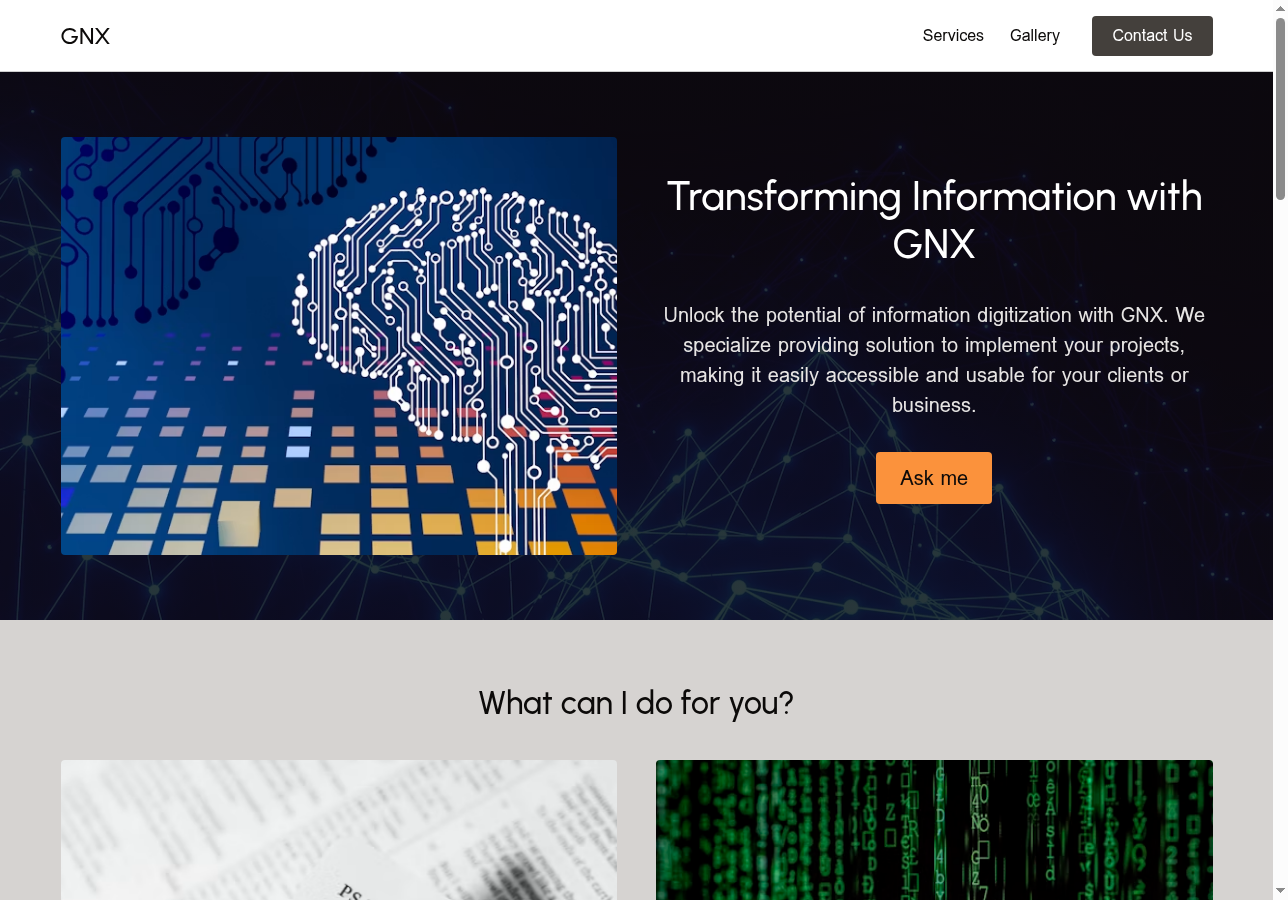
Ganesh runs GNX — a digital library and archiving project — and he had the expertise long before he had a website. When he signed up for Solo, that changed fast: he had a working site live "within minutes." His verdict on the experience: "Solo is so easy!"
Meet Ganesh and GNX
Ganesh is a technologist who has spent years working with libraries, archives, and institutions involved in digitization. Through GNX, he focuses on the creation and development of digital libraries using open-source tools built for libraries and archives, covering everything from digitization activities to hands-on workshops on practical library skills.
He's also a long-standing member of the Mozilla community. In his words: "I am a Mozillian since a long time and I have and still being involved with Mozilla products."
But he didn't have a website to show for it.
The Challenge: Deep Expertise, No Web Presence
Ganesh had spent years building genuine expertise in digital libraries and archiving. He had real knowledge and no way for anyone outside his network to find it.
He put his goal plainly: "To be more visible and to share my skills and knowledge." He hadn't found the right tool to do it — until Solo.
How Ganesh Built GNX with Solo
Getting GNX off the ground didn't take weeks of setup or a developer on call.
Step 1 — Sign Up and Get Started
Ganesh has been watching Solo since its earliest days — all the way back to 2023. As he puts it: "I am proud to be one among the first users to implement Solo." From sign-up to a working site, the whole process took "within minutes" — his words, not ours.
Step 2 — Build Out the Site
Ganesh structured GNX around the services his project actually offers — digitization resources, library workshops, and practical skills for information professionals. No custom domain was needed; the site runs cleanly on his soloist.ai/gnx subdomain.

Step 3 — Go Live
The experience left a clear impression. Ganesh's verdict: "Solo is so easy!"
The Results: A Reliable Home for GNX
Ganesh's first word on what Solo has delivered: reliability. "First of all, I have a website which is reliable." For someone publishing a digital library on his own, that foundation matters.
On broader business outcomes, Ganesh is candid: "As outcome not really but most probably in the near future."
Alongside the site, Ganesh has been in direct contact with the Solo team — submitting feedback and proposals, hearing back consistently. He's also watching the platform grow: "I am also excited with the dynamic and fast growing of Solo with new features."
"Solo has provided me with space and features which suite [sic] my purpose and I have sent feedback and proposal to Mr Raj and Solo Team who have always been in touch with me."
— Ganesh, GNX
"I am also spreading Solo among friends and others."
Ready to Share Your Expertise with the World?
Ganesh had the expertise. Solo gave him the website. If you're in the same position — the work exists but no one can find it — Solo AI Website Creator is where to start. You can get a live site up for free, just like Ganesh did with GNX.
Frequently Asked Questions
Can I build a website for a digital library or archive project with Solo?
Yes — Ganesh did exactly that. His GNX site covers digital archiving services, workshops, and resources for information professionals. Solo gives you the structure to present specialist knowledge clearly and professionally — Ganesh described the setup as "within minutes."
How long does it take to set up a Solo website?
Ganesh described getting his site up "within minutes." Solo's AI-powered onboarding does the heavy work — generating your pages and layout based on what you tell it about your project — so you spend your time on your content.
Is Solo free?
Yes, Solo has a free plan. Ganesh built and runs GNX without any upfront cost, which means you can get a real, functioning website online and start reaching the people your work is for.