
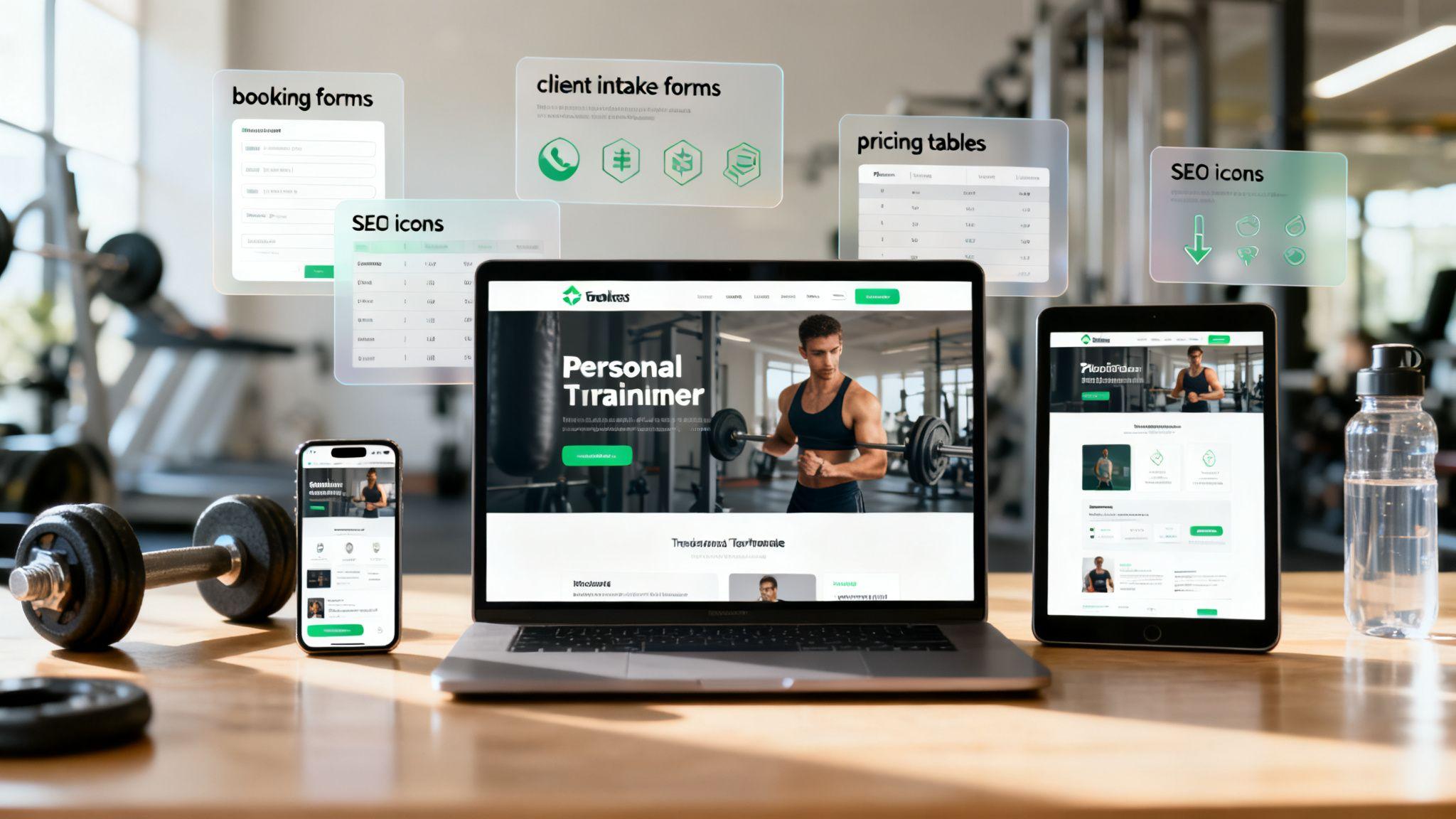
A powerful online presence is no longer optional for personal trainers; it's essential for attracting clients, managing bookings, and building a professional brand. The right website template can save you hundreds of hours and thousands of dollars. It provides the structure, design, and essential features you need, so you can focus on training, not learning to code.
This guide breaks down the 12 best personal trainer website templates and platforms available today. We'll skip the marketing fluff and give you actionable tips, explain technical terms in simple language, and help you find the perfect fit for your business. Think of a template as the foundation of your digital gym; a solid one makes your business run smoothly, while a poor one creates constant headaches.
We've done the heavy lifting for you, analyzing each option based on critical factors like:
- Ease of Use: How quickly can someone with no tech skills get a site online?
- Key Features: Does it include must-haves like booking systems, client forms, and pricing tables?
- Customization: How much control do you have over the look and feel?
- Cost: What's the real price, including both free and paid options?
Each entry includes screenshots, direct links, and a clear breakdown of pros and cons to simplify your decision. Choosing the right template is a core part of your online strategy, but it's just one piece of the puzzle. To truly build your digital gym, effective marketing is key. Learn more about powerful strategies for fitness trainer marketing to attract and retain clients. Let's dive in and find the template that will help your fitness business thrive.
1. Solo AI Website Creator
Solo AI Website Creator stands out as our featured choice because it's fast, simple, and creates professional results. It uses artificial intelligence to build your entire website for you, making it an excellent option for trainers who need a great-looking site without the technical hassle. You just provide a few details about your business, and the AI generates a complete website with text, images, and a structure designed for fitness professionals, all in a few minutes.

This isn't just a collection of templates; it’s a complete business tool designed for service professionals. Instead of making you pick from a list, the Solo AI Website Creator builds a custom foundation that you can then easily edit. This removes the guesswork and technical stress, letting you focus on your clients.
Actionable Tips for Trainers
Solo AI Website Creator is ideal for a wide range of fitness professionals because it includes essential business tools without needing any code:
- Solo Personal Trainers: Get a professional site up fast. Connect your Calendly or TidyCal for bookings, add a client intake form, and link your Stripe or PayPal to get paid directly.
- Online Coaches: Create a central hub for your services. You can easily import your existing Google reviews to build trust and connect Google Analytics to see which pages visitors are looking at most.
- Small Studios or Gyms: Invite other team members to help manage the site. If you need special features, you can add custom code to embed things like advanced booking systems or live chat widgets.
What Makes It Our Top Pick
The biggest advantage is the value. Solo AI Website Creator offers free custom domain hosting without ads on its basic plan, which is rare and immediately makes your brand look more professional. The AI setup is genuinely fast—most users get their site live in under 20 minutes. Its simple interface removes the technical barriers common with other website tools, a huge plus for busy trainers.
You can explore a detailed walkthrough of how the platform serves fitness professionals by reading their guide on the Solo AI Website Creator for personal trainers.
| Feature Breakdown | Practical Benefit for Trainers |
|---|---|
| AI-Generated Site | Get a professional, fully-structured website live in minutes, not weeks. |
| Free Custom Domain Hosting | Build brand credibility with a yourname.com address at no extra cost. |
| Booking & Payment Links | Simplify client onboarding and get paid for your services without complex plugins. |
| Automatic SEO Keywords | Improve your chances of being found on Google from day one with AI-suggested terms. |
Pros:
- Extremely fast setup with AI-powered content and design.
- Free custom domain hosting with no ads is a major cost-saver.
- Essential business tools (booking, payments, forms) are built-in.
- Highly intuitive and requires no technical or design experience.
Cons:
- Lacks a native, full-scale e-commerce storefront for selling merchandise.
- Advanced customization and managing multiple sites require a Pro plan.
Website: https://soloist.ai
2. ThemeForest (Envato Market)
ThemeForest isn't a single tool but a massive online marketplace with thousands of personal trainer website templates from different designers. It's the best place to look if you want the widest possible selection for platforms like WordPress or Elementor. The main benefit here is choice; you can use filters to sort templates by price, rating, and features to find exactly what you need.

Unlike website creators, with ThemeForest, you need to have your own website hosting and domain name first. You buy a template for a one-time fee, usually between $29 and $79, which gets you the design files and about six months of support from the creator. It's a cost-effective option if you don't mind handling the technical setup yourself.
Actionable Tips for Trainers
The best part about ThemeForest is that you can see how popular and well-regarded a template is before you buy it. Each one shows sales numbers, user ratings, and comments. Be sure to check the "Live Demo" to click through the template and see how it looks and feels on both desktop and mobile. This is a great way to test if the layout for class schedules and trainer profiles works for you. For more general design inspiration, exploring a broader range of small business website template options can also provide valuable insights.
Pros and Cons
- Pro: Incredible variety and competitive one-time pricing.
- Pro: Transparent ratings and sales data help you pick a quality, popular design.
- Con: Quality and support can vary because they depend on the individual designer.
- Con: Requires more technical skill to install and set up than an all-in-one platform.
Website: https://themeforest.net/search/personal%20trainer
3. TemplateMonster
TemplateMonster is another large marketplace like ThemeForest, offering a huge selection of personal trainer website templates for WordPress, Shopify, and other platforms. What makes it different is that it offers add-on services. For an extra fee, you can pay them to install the template, optimize your site's speed, or even build the entire website for you. This makes it a great choice for trainers who want lots of options but don't want to handle the technical setup.
You can buy templates one by one, or you can subscribe to MonsterONE. This subscription gives you unlimited access to thousands of templates, plugins, and graphics, which is a great deal if you think you might want to try a few different designs. Many of their fitness templates come with built-in features like class schedules and BMI calculators.
Actionable Tips for Trainers
TemplateMonster's main advantage is its optional services. When you're looking at a template, you can easily add "template installation" to your cart. This is a simple way to get your site online without any technical stress. The platform also has clear licensing rules, so you know exactly what you're allowed to do with the design. Always use the live demo to test the template's features before you buy.
Pros and Cons
- Pro: Optional paid services for installation and customization make it great for non-technical users.
- Pro: The MonsterONE subscription offers great value if you need more than one template.
- Con: User reviews on support quality can be mixed, so check recent comments.
- Con: The total cost can add up quickly if you purchase multiple add-on services.
Website: https://www.templatemonster.com/
4. Wix
Wix is a very popular all-in-one website creator that handles everything for you—hosting, design, and business tools. It's a perfect choice for trainers who want to get a site up and running quickly and easily. Wix has many personal trainer website templates that are already designed for the fitness industry. Its biggest selling point is that essential tools, like Wix Bookings for scheduling appointments and taking payments, are built right in.
Wix is a subscription service. Your monthly or yearly fee covers everything, including your domain name (on premium plans). This simplifies things because you don't have to manage a separate web hosting account. To get features like online booking and payments, you'll need one of their business plans, which makes it a complete solution for your training business.
Actionable Tips for Trainers
Wix's main strength is its easy-to-use drag-and-drop editor. You can click on any element on the page and move it wherever you want, giving you full visual control without any code. The templates already include sections for your services, client testimonials, and contact information. If you need more features, the Wix App Market lets you add things like membership plans or online programs with just a few clicks.
Pros and Cons
- Pro: The fastest way to get a fully functional trainer website with scheduling and payments.
- Pro: Very easy-to-use drag-and-drop editor and a large library of templates.
- Con: Once your site is built on Wix, it's very difficult to move it to another platform.
- Con: Key features like online payments and booking require a more expensive paid plan.
Website: https://www.wix.com/website/templates/html/fitness-and-wellness
5. Squarespace
Squarespace is a premium, all-in-one website platform known for its beautiful, professional-looking templates. It's an ideal choice for trainers who want a polished website and a single system to manage their site, scheduling, and clients. Squarespace offers a selection of personal trainer website templates under its "Sports & Fitness" category, but its flexible editor allows you to adapt any template to fit your fitness brand.

Like Wix, Squarespace is a subscription service that bundles hosting, security, and customer support into one fee. This simplifies the technical side of things, as you don't have to worry about security plugins or template updates. The platform’s built-in tools like Squarespace Scheduling and Member Areas work smoothly together, providing a smooth experience for you and your clients.
Actionable Tips for Trainers
Squarespace's main advantage is its combination of great design and powerful built-in features. The drag-and-drop editor is clean and easy for non-technical users to learn. You can add appointment booking blocks directly to your services page, create private content for paying members, and use built-in email marketing to connect with your clients. This all-in-one approach is a key part of its appeal, and using these tools is one of several effective personal trainer business marketing tips to grow your client base.
Pros and Cons
- Pro: Consistently high-quality designs and integration of business tools.
- Pro: All-in-one pricing simplifies costs and means you don't have to manage plugins.
- Con: Fewer templates to choose from compared to big marketplaces like ThemeForest.
- Con: Making changes beyond what the editor allows might require custom code (CSS/JS).
Website: https://www.squarespace.com/templates
6. Webflow Templates
Webflow is a powerful visual web design tool, and its template marketplace is for tech-savvy trainers or designers who want complete control over their website's look and feel without writing code from scratch. The personal trainer website templates on Webflow are built for high performance and often include advanced features like a Content Management System (CMS) for blogs or class schedules.

Webflow separates the template from the hosting. You buy a template for a one-time fee (usually $49 to $129), and then you need a Webflow hosting plan to put the site on your own domain. This approach is best for users who care about advanced customization and site speed more than the simplicity of an all-in-one system.
Actionable Tips for Trainers
Webflow's biggest advantage is its visual designer, which gives you precise control over every element on the page, similar to a program like Photoshop. The platform uses something called "CMS Collections," which is perfect for managing things like class schedules or trainer profiles. This means you can add a new class in one place, and it will automatically show up correctly across your entire website.
Pros and Cons
- Pro: Precise design control and a powerful CMS for managing content like classes or blog posts.
- Pro: High-performance hosting and clean code that you can export if needed.
- Con: Has a steeper learning curve than platforms like Wix or Squarespace.
- Con: Requires a Webflow hosting plan to use a custom domain, which is a separate recurring cost.
Website: https://webflow.com/templates
7. GoDaddy Websites + Marketing
GoDaddy is well-known for domain names, but its Websites + Marketing platform offers a simple, all-in-one solution for trainers who want to get online quickly. It has a specific category of health and fitness templates that come pre-filled with sections for services, appointment booking, and client testimonials. This makes it a great choice for users who want everything in one place.

The platform has a free plan, so you can build and publish your site with GoDaddy branding. Paid plans let you use a custom domain and unlock more marketing tools. This is ideal for trainers who want to start small and upgrade their site as their business grows, without having to switch platforms.
Actionable Tips for Trainers
GoDaddy's main benefit is its integrated system. You can manage your domain, professional email, website, and marketing all from one dashboard. The editor is very straightforward and uses AI to help you write initial content. This lowers the technical barrier, letting you focus on your services instead of complicated design settings. The templates are clean, mobile-friendly, and designed to get you clients with clear "Book Now" buttons.
Pros and Cons
- Pro: Extremely quick setup with integrated GoDaddy services (domain, email, hosting).
- Pro: You can start for free and easily upgrade to a paid plan later.
- Con: Less design flexibility compared to other website creators or marketplaces.
- Con: Advanced e-commerce and customization options are limited.
Website: https://www.godaddy.com/website-templates/sports
8. Duda
Duda is a professional-grade website creator that's especially good for web designers or agencies building sites for multiple personal trainers. While a solo trainer can use it, its best features are designed for efficiency, such as client collaboration tools and multi-site management. This makes it a top choice for freelancers who manage websites for several fitness clients.

Duda is a subscription service and doesn't have a permanent free plan, so it's more expensive than some other DIY platforms. However, its templates are known for being fast, well-coded, and looking great on mobile devices. The platform's focus on SEO gives trainers a solid foundation for being found on Google.
Actionable Tips for Trainers
Duda's key advantage is its agency-focused features. You can build custom personal trainer website templates or sections and reuse them on different client sites, which saves a lot of time. It also has a dynamic content system that lets you manage information like class schedules in one place and have it update everywhere automatically. For trainers who work with clients who speak different languages, its built-in multilingual support is a great feature.
Pros and Cons
- Pro: Excellent for agencies or freelancers managing multiple fitness client websites.
- Pro: Strong performance, SEO foundation, and mobile responsiveness are built-in.
- Con: More expensive than most DIY creators and doesn't have a permanent free plan.
- Con: Might be overly complicated for a single trainer building their own site.
Website: https://www.duda.co/website-builder/templates
9. Elementor Template Kits Library
If you use WordPress and the Elementor page builder, the official Elementor Template Kits Library is a fantastic way to build a professional fitness website quickly. These aren't just single-page templates; they are complete, multi-page website kits with a consistent design. Kits like the "Gym Website Kit" include everything you need: pre-built pages for trainers and classes, pricing tables, and even pop-ups. You can import the entire kit with one click to get your site structure in place instantly.

This approach is perfect for trainers who want a consistent design without starting from scratch. While the kits are free, you'll need an Elementor Pro subscription to use all their features. You are also responsible for your own WordPress hosting and domain name. This gives you full control over your website within the WordPress system.
Actionable Tips for Trainers
The main benefit here is speed and design consistency. When you import a kit, it automatically sets up your pages, fonts, and colors, which saves hours of manual work. If you already know how to use Elementor, you'll find it easy to customize every part of the template. For those looking to maximize the creator's capabilities, exploring additional Elementor resources can provide more advanced design ideas and tutorials.
Pros and Cons
- Pro: Very fast WordPress setup with a consistent, professional design.
- Pro: Part of a huge ecosystem with lots of tutorials and support available.
- Con: Requires an Elementor Pro subscription to unlock the best features and templates.
- Con: Your website's speed will depend on your hosting and the other plugins you install.
Website: https://elementor.com/library/template-kit/gym-website-kit/
10. WordPress.org Themes Directory
For trainers on a tight budget who are comfortable with a more hands-on approach, the official WordPress.org Themes Directory is a great place to start. It's a collection of thousands of free themes, including several that are perfect for personal trainers, such as "Online Personal Trainer." Every theme is checked by the WordPress community to make sure it meets basic quality and security standards.

To use these themes, you'll need to buy your own domain name and web hosting. The themes themselves are completely free, but you'll likely need to install separate plugins to add important features like a client booking system or contact forms. This approach gives you complete control and keeps costs low, but you're responsible for all the setup, security, and maintenance.
Actionable Tips for Trainers
The biggest benefit of the WordPress.org directory is that it's free and integrated with the massive WordPress ecosystem. You can find a theme, install it with one click from your WordPress dashboard, and customize it. Each theme's page shows you important information like how many people are using it, its user rating, and when it was last updated. This helps you choose a well-maintained and popular theme, which is safer for your business.
Pros and Cons
- Pro: Completely free to download and use, making it ideal for those on a tight budget.
- Pro: Themes are checked for security and quality by the official WordPress review team.
- Con: You are responsible for your own hosting, security, and finding plugins for key features like booking.
- Con: The quality and design of free themes can vary greatly.
Website: https://wordpress.org/themes/
11. Creative Market
Creative Market is another online marketplace, but it has a stronger focus on unique designs and complete brand packages. It’s a great place to find personal trainer website templates for platforms like Squarespace and Wix. Many of the templates here come bundled with matching social media graphics, client intake forms, and logos, giving you a consistent brand identity right away.

Templates are sold by independent designers for a one-time fee. This gives you access to unique, modern designs that often feel more custom than the standard templates offered by website creators. After you buy, you get instructions on how to install the template on your chosen platform, like Wix or Squarespace.
Actionable Tips for Trainers
The key benefit here is the focus on branding. Instead of just a website, you can get an entire visual identity. This is perfect for the trainer who wants a polished, professional look everywhere without hiring a designer. The site is easy to use, and you can message sellers directly if you have questions before you buy. Many templates are designed to be used on user-friendly platforms, making them great for beginners.
Pros and Cons
- Pro: High-quality, modern designs often bundled with matching brand assets.
- Pro: Great selection of templates for non-WordPress platforms like Squarespace and Wix.
- Con: Quality and support depend entirely on the individual designer.
- Con: Some templates are only for single landing pages, not full multi-page websites, so read the descriptions carefully.
Website: https://creativemarket.com/search?query=personal%20trainer%20website%20template
12. MotoCMS
MotoCMS offers a collection of personal trainer website templates that work with its own drag-and-drop editor. This platform is great for trainers who want a simple, no-code experience similar to Wix but want to start with a specific, pre-designed fitness template. It bridges the gap between buying a theme and using an all-in-one creator.
You buy the templates for a one-time fee, and you can try out any design with its editor for free before you purchase. MotoCMS also offers optional add-on services like template installation and SEO optimization, which is a huge help for busy trainers who want to outsource the technical work. This makes it a strong option for those who want to launch a site quickly without a steep learning curve.
Actionable Tips for Trainers
The best feature is the free trial, which lets you test the editor with the exact template you're considering. This gives you a real feel for how you’ll manage your content and customize the layout. The editor is easy to use, with pre-built blocks that let you quickly build pages. The built-in SEO tools are also simple, allowing you to manage page titles and descriptions without needing extra plugins.
Pros and Cons
- Pro: Pre-built trainer templates allow for a very fast website launch.
- Pro: The no-code visual editor and optional support services are great for beginners.
- Con: Because it's a proprietary system, moving your website to another platform like WordPress later can be difficult.
- Con: Some templates may be older; always check the "last updated" date before buying.
Website: https://www.motocms.com/website-templates/tag/fitness/
Top 12 Personal Trainer Website Templates Comparison
| Product | Core features | UX / Quality | Value proposition | Target audience | Unique selling point |
|---|---|---|---|---|---|
| Solo AI Website Creator | AI-curated templates, free custom-domain hosting, booking links, contact forms, SEO keywords, Google Analytics | Very easy, fast setup (minutes), mobile-optimized, collaborative editors | Free tier (custom domain + hosting), Pro for multi-site/features — high value for cost | Solo entrepreneurs, small businesses, service providers (trainers, clinics, restaurants) | AI-driven, no-code launch in minutes with free custom-domain hosting |
| ThemeForest (Envato Market) | Large theme library, live demos, demo importers, filtering | Varies by author; ratings & reviews help assess quality | One-time purchases, license terms clear — cost depends on item | Designers, developers, buyers wanting wide choice | Huge selection and granular filters to compare many designs |
| TemplateMonster | WP/HTML/CMS templates, multiple licenses, optional setup services, MonsterONE subscription | Many demos; mixed vendor support | Item pricing or MonsterONE subscription for unlimited downloads | Buyers needing ready demos plus optional paid services | Clear licensing and optional paid installation/speed services |
| Wix | Drag-and-drop editor, Wix Bookings, app market, built-in hosting | Very user-friendly, strong onboarding, mobile-responsive | Subscription tiers (free limited, paid for custom domain/features) | Non-technical users wanting integrated booking & payments | All-in-one creator with native bookings and easy drag-and-drop |
| Squarespace | Designer templates, Squarespace Scheduling, built-in marketing & analytics | High design quality, consistent maintenance | Subscription pricing (all-in-one) — fewer plugins to manage | Creatives and professionals wanting polished sites | Designer-grade templates with native scheduling and marketing tools |
| Webflow Templates | Visual designer, CMS collections, ecommerce-ready templates, clean code export | High performance, professional design, steeper learning curve | Template purchase + Webflow hosting plans to publish | Designers and developers needing granular control & CMS | Granular visual control and clean exportable code |
| GoDaddy Websites + Marketing | Fitness templates, integrated domain/hosting/marketing, AI content | Fast setup, simple UX, limited variety | Start free, upgrade via subscription for advanced features | Users in GoDaddy ecosystem wanting quick launch | Quick all-in-one setup tied to domain/email/marketing services |
| Duda | Responsive templates, white-labeling, client collaboration, multilingual | Agency-grade UX, strong multi-site tools | Paid plans (no permanent free), higher price for agency features | Agencies, freelancers building multiple client sites | White-label + multi-site management for agencies |
| Elementor Template Kits Library | 1-click kit import, global styles, trainer pages, WooCommerce compatible | Rapid setup for Elementor users; depends on host/plugins | Kits often one-time; requires WordPress + Elementor Pro for full features | WordPress users familiar with Elementor | Consistent design systems for fast WP builds |
| WordPress.org Themes Directory | Free vetted themes, builder compatibility, update info | Community-supported, variable depth and features | Free themes; hosting and paid plugins required | Budget-conscious users comfortable managing hosting | Free vetted themes with large community support |
| Creative Market | Designer templates, brand assets, instant downloads | Modern aesthetics, quality varies by seller | One-time purchases; asset-driven value | Buyers wanting designer-made templates and brand kits | Designer-made assets and brand kits for non-WordPress platforms |
| MotoCMS | Visual editor, trainer demos, SEO settings, optional setup support | Non-coder friendly editor; some templates older | Paid templates + optional support services | Users wanting visual creator without coding | Ready-made trainer demos with visual editing and support services |
Your Next Move: How to Choose the Right Template for Your Business
We've explored a wide range of personal trainer website templates, from the AI-driven speed of Solo AI Website Creator to the vast marketplaces of ThemeForest. The number of options can feel overwhelming, but the perfect starting point for your fitness business is on this list. The key is to shift your focus from "which template is the best?" to "which template is the best for me?"
Your website is your virtual storefront, your lead generation engine, and your brand's home base. The right template gives you a powerful foundation to attract clients and simplify your business without needing a web development degree. The wrong choice can lead to technical frustration, hidden costs, and a site that doesn't turn visitors into clients.
A Practical Framework for Your Final Decision
To make a confident choice, walk through this simple, four-step framework. This is about finding the most effective tool for your business goals right now.
1. Define Your Main Goal
What is the single most important action you want visitors to take? Be specific. This will tell you which features are non-negotiable.
- To Book 1-on-1 Sessions: You need a seamless booking system (like one that works with Calendly or Acuity Scheduling) and clear "Book Now" buttons. Look at options like Wix or Squarespace, which have strong built-in scheduling tools.
- To Sell Online Courses or Programs: You need e-commerce features, the ability to host videos, and possibly a members-only area. A flexible WordPress template paired with Elementor and a membership plugin could be a great choice.
- To Build a Strong Personal Brand and Get Leads: Your focus should be on a blog, an email sign-up form, and great-looking photo galleries or video testimonials. A visually-focused template from Webflow or Squarespace would be perfect.
2. Honestly Assess Your Technical Skill (and Patience)
Your time is best spent training clients, not fixing a broken website. Be realistic about how much time you're willing to spend on the technical side.
- "I want it done for me": If you want a professional site online in minutes with zero technical stress, an AI-powered solution like Solo AI Website Creator is designed for you.
- "I like to drag and drop": All-in-one platforms like Wix, Squarespace, and GoDaddy offer simple, visual editors that are perfect for beginners who want some creative control.
- "I'm comfortable with some customization": WordPress.org combined with an Elementor template kit gives you the most flexibility but requires you to manage hosting and security yourself. This path has the steepest learning curve but the most potential.
3. Map Out Your Total Budget
Look beyond the template's initial price. Consider the total cost over a year to avoid surprises.
- Template Cost: This can be free (WordPress.org), a one-time fee ($50-$100 on ThemeForest), or included in a monthly subscription.
- Platform Subscription: All-in-one creators like Wix and Squarespace run on monthly or annual subscriptions.
- Hosting and Domain: If you choose WordPress, you'll need to buy web hosting and a domain name separately.
- Plugin/App Fees: Sometimes essential features like advanced booking systems or e-commerce plugins have their own subscription costs.
By focusing on your main goal, technical comfort level, and realistic budget, you can confidently pick the right personal trainer website template. Remember, the goal is to get your business online and working for you, so you can focus on what you do best: transforming lives through fitness.
Ready to skip the templates and get a custom-designed website in minutes? The Solo AI Website Creator uses artificial intelligence to build a complete, professional website tailored to your personal training business, complete with client-focused content and booking features. Get your business online today by visiting Solo AI Website Creator and see what AI can build for you.
What should personal trainers look for in a website template?
Focus on ease of use, essential business features, customization, and real cost. A strong template should help you handle bookings, client forms, pricing, and branding without forcing you to spend weeks learning technical setup.
Are all-in-one website builders better than template marketplaces for trainers?
All-in-one builders are usually better if speed and simplicity matter most, because hosting, design, and business tools are handled in one place. Template marketplaces offer far more variety and often lower one-time template costs, but they usually require separate hosting and more technical work.
Why do booking and payment features matter on a personal trainer website?
Built-in booking and payment tools reduce friction for new clients and simplify onboarding. Instead of sending people back and forth through messages, the site can help visitors schedule sessions, fill out forms, and pay directly from one place.
When does it make sense to use a marketplace template instead of a website builder?
A marketplace template makes sense when you want the widest selection, prefer a one-time template purchase, or need a design for platforms like WordPress or Elementor. It works best if you are comfortable handling setup yourself or plan to pay for installation and customization services.
Which option is best for non-technical personal trainers?
An all-in-one platform or AI-based builder is the easiest path for non-technical trainers because it removes most of the setup complexity. These options typically include hosting, editable layouts, and key business tools so you can launch faster and spend more time serving clients.


