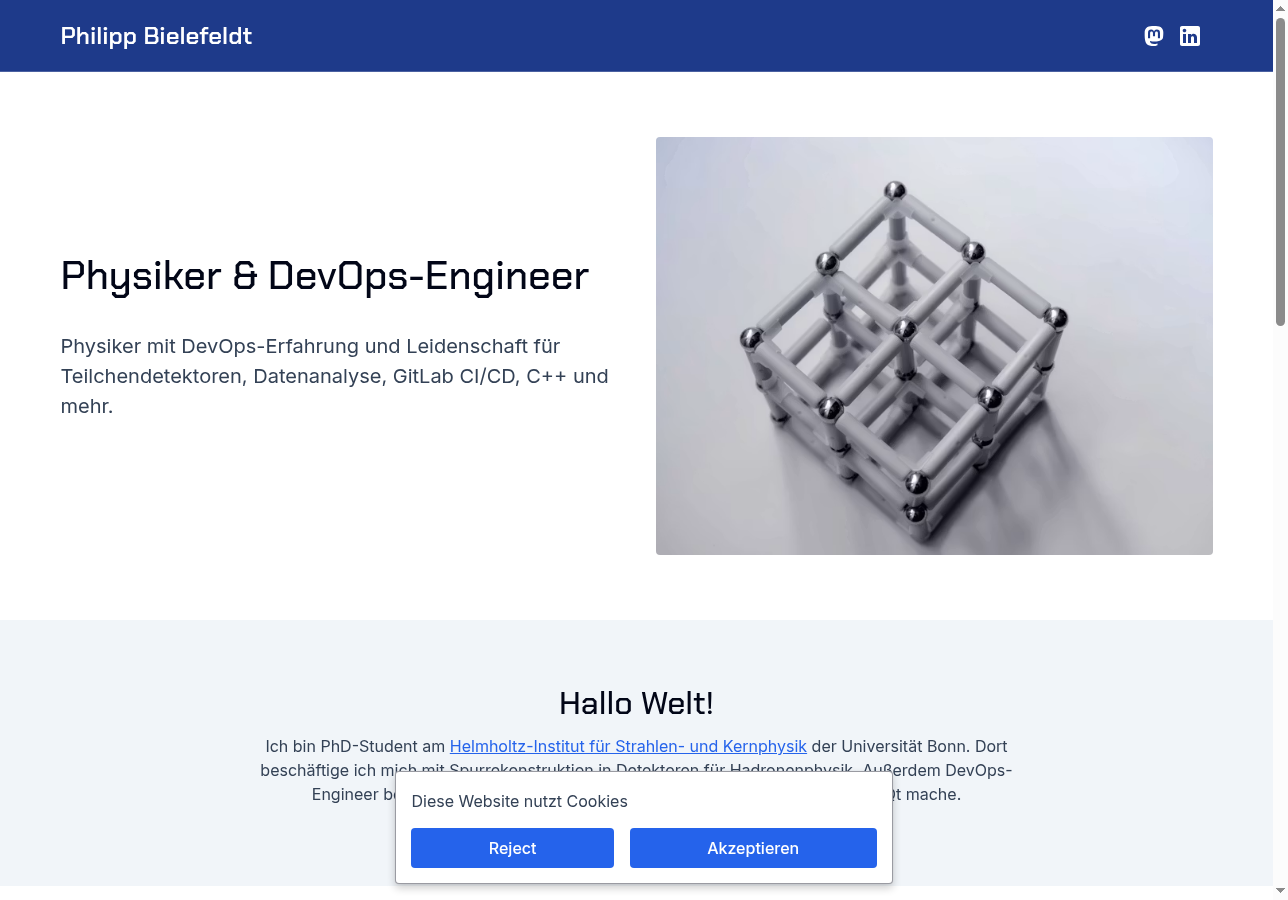
You meet someone at a conference. You exchange numbers. A week later you try to remember who they were — and all you have is a name and an email address. Philipp Bielefeldt has been on the other side of that problem for years. As a physicist who also does DevOps engineering work, he moves between academic conferences, tech meetups, and freelance client conversations. He wanted anyone who received his contact details to be able to look him up and immediately understand who he was. That's the gap his Solo site was built to close.
Who Is Philipp Bielefeldt?
Philipp describes himself in three words: physicist, programmer, sailor. Professionally, he works across physics, software engineering, and DevOps. He volunteers with the Federal Agency for Technical Relief in Germany and sails in his spare time.
On paper, that's a lot to convey to a recruiter who's had exactly thirty seconds with his résumé. He wanted one URL that told the whole story.
His site, soloist.ai/pbielefeldt, has been live since May 2024. It functions as a professional CV and contact hub, linking out to his Fediverse and LinkedIn profiles so new connections have a complete picture.
Why He Chose Solo Over His Jekyll Setup
Before Solo, Philipp ran a Jekyll site — and he ran it well for years. Jekyll is a static-site generator aimed at developers, and as a DevOps engineer he had no trouble keeping it going. Occasionally a dependency or Ruby version update needs a little attention, but serious issues were very rare — and he'd still happily recommend Jekyll, and tools like it, to plenty of people.
What drew him to Solo: convenience
The appeal wasn't a broken workflow to escape — it was speed and convenience. On Solo, CSS, layout, images, and text all play well together, and Philipp can change any aspect of the page with a single chat to an LLM and let it figure out the rest. It is a convenient one-stop solution: everything in one place, edited conversationally, without stitching tools together.
The problem with just handing over a phone number
The second reason was simpler but just as real. When Philipp met someone and exchanged contact details, that person walked away with a phone number or an email address and "no concrete idea" who he was. A particle-physics researcher who also works as a DevOps engineer and software architect is a combination worth explaining — not something that fits a single-line job title. He needed somewhere to point people — a context hub that existed outside any platform's algorithm.
How He Moved to Solo

- Moved off Jekyll entirely. Philipp rebuilt on Solo from scratch — no local build environment, no dependency management, no terminal — in under an hour. His verdict: "Pretty easy and fast."
- Hosting is included. One thing Philipp specifically called out was how easy Solo makes it to build "a nice website, including hosting." With Solo, hosting is part of the deal.
- Built a central contact hub. The site gives anyone who receives Philipp's email address a place to learn more — his professional background, his interests, and links to his Fediverse and LinkedIn profiles. One URL, full context.
- Made it a place he actually wants to update. Philipp says he likes to "tinker on the page occasionally, but only when I want to." That's a meaningful shift from the Jekyll era, where tinkering was something he was forced to do just to keep the thing alive. Now it's optional, not obligatory.
Results: A Professional Presence That Stays Current Without Forcing It
Since switching to Solo, Philipp has had exactly zero situations where he was "forced to do anything" for his site. The Jekyll-era pattern — something breaks, you fix it whether you want to or not — is gone. The site launched in under an hour and has been live and reliable for over a year.
There are no dramatic traffic numbers to report here. Philipp doesn't need his site to go viral. He needs it to be credible, findable, and accurate — a professional contact point that works every time a recruiter or colleague looks up his domain. It does exactly that.
"Everyone should have at least one space in the digital world they really control. With Solo, there's no excuse to not have one."
— Philipp Bielefeldt, physicist, software engineer, and Solo user
When asked whether he even needed a personal website, Philipp's answer was honest: "Actually not, but I like it anyway."
Ready to Build Your Own?
If you're a professional with a story that doesn't fit neatly into a LinkedIn summary, Solo gives you a clean way to tell it. No dev environment, no hosting bill, no fighting a static-site generator every time you want to update your bio. Under an hour to live. Create Your Website.
Frequently Asked Questions
Do I need technical skills to build a personal website with Solo?
No. Philipp is a software engineer with years of Jekyll experience, and the thing he valued most about Solo was that it removed the technical overhead entirely. If someone who builds cloud infrastructure for a living chose Solo because it was simpler, you don't need a CS degree to get started.
Do I actually need a personal website?
Philipp's honest answer: "Actually not, but I like it anyway." You probably don't need one in the same way you don't strictly need a business card. But having a stable, professional URL you can hand to anyone — one that says exactly what you want it to say — is useful in a way that's hard to replicate with a LinkedIn profile you don't fully control.
What if I don't want to maintain it?
That's the core of Philipp's story. Since switching to Solo, he's updated his site when he felt like it — never because something broke. If you want to tinker, you can. If you want to leave it alone for six months, it'll still be there, still live, still accurate.
Does Solo include hosting?
Yes. One of the specific things Philipp highlighted was how easy Solo makes it to build a site "including hosting." You don't configure a server, buy a hosting plan, or manage deployments. It's all included.