
A hungry customer finds your restaurant at 6:40 p.m., taps through from Google on a phone, and wants three things fast: the menu, the hours, and a clear path to book or order. If any of those are hard to find, they leave and pick the place down the street.
That is the primary job of a restaurant website template. It shapes how quickly customers reach online ordering, how well your pages show up in local search, and whether someone on your team can update holiday hours or a sold-out special without filing a support ticket. According to restaurant website design guidance from Chowly, strong restaurant sites prioritize fast mobile load times, visible ordering access on every page, indexable HTML menus, persistent contact details, and fewer steps from menu to checkout.
The trade-off is straightforward. Traditional templates give you more room to control layout and branding, but they often come with setup work, plugin decisions, and more maintenance. AI-driven builders such as Solo compress that process, which matters if the owner, GM, or marketing lead needs to keep the site current without technical help.
Restaurant owners do have options. The category is well represented across major website builders and theme marketplaces, and that makes the decision less about finding a template at all and more about choosing the one that supports your operating model. If you run a high-volume takeout business, ordering flow matters most. If you depend on neighborhood discovery, local SEO and location pages matter more. If updates usually happen from the host stand between shifts, ease of editing should carry more weight than design flexibility. If you're still comparing platforms, this breakdown of Wix vs Squarespace vs WordPress for SMBs is a useful companion.
1. Solo AI Website Creator

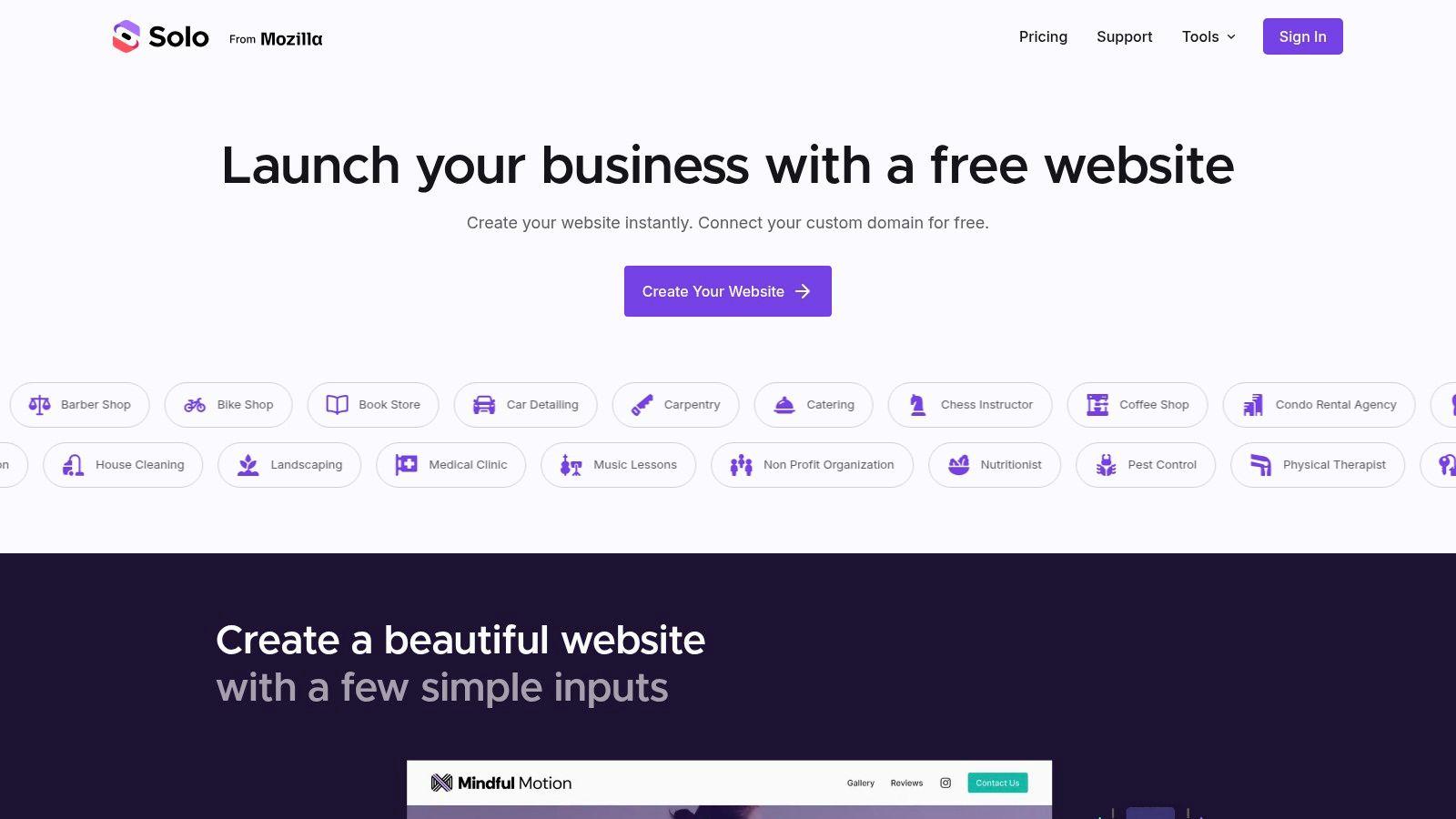
Solo AI Website Creator is the fastest option here for owners who need a credible site live without spending days comparing themes, plugins, and page builders. You give it basic business inputs, and it generates a complete, mobile-optimized website that already feels structured like a real operating website instead of a blank canvas.
That matters more than most owners realize. A lot of restaurant websites fail because nobody wants to maintain them. Hours go stale. Seasonal menu items stay up too long. Reservation links break. Solo's strength is that it removes most of that setup friction at the start, then keeps editing simple enough that updates are realistic for a non-technical owner or manager.
Where Solo helps a restaurant most
Solo is best when your website's main jobs are clear: get found locally, show the menu, collect inquiries, drive bookings, and send people to order. It includes practical business tools instead of asking you to piece them together yourself. You can connect booking tools, add contact forms, import reviews, use payment links, and track traffic through Google Analytics.
For a restaurant owner, that changes the website from a design project into an operating asset.
- Best for fast launches: If your current site is outdated, missing, or held hostage by a freelancer you can't reach, Solo gets you back online quickly.
- Best for small teams: You can invite collaborators, which helps when a manager, marketer, or co-owner needs editing access.
- Best for simple commerce paths: If you mainly need reservations, inquiries, and links to order or pay, Solo covers that well.
Practical rule: If your team won't log into WordPress every week, don't choose a setup that depends on weekly WordPress care.
The real trade-off
Solo AI Website Creator isn't built to replace a full restaurant e-commerce stack with complex kitchen workflows inside the platform itself. If you need a deep native ordering system with lots of fulfillment logic, you'll still want a dedicated ordering platform in the mix. Solo handles payments through Stripe or PayPal links, but fulfillment happens outside the platform.
That's not a flaw for every restaurant. For many independents, it's cleaner. You keep the website simple, fast, and easy to edit, then connect the tools you already use.
What works well is using Solo as the front-end experience customers see first. Put your story, menu highlights, location, hours, reviews, and booking path on the site. Then use embeds or links where more specialized ordering tools are needed. That approach keeps the top of the funnel clean.
One of the most expensive mistakes I see is choosing a website setup that looks powerful in a demo but is too annoying to update during a busy week.
Use Solo AI Website Creator if speed and maintainability matter more than tinkering with every pixel.
2. Squarespace Restaurant Templates

Squarespace is the option I recommend when visual polish is part of the brand. If you run a chef-driven concept, a stylish cafe, a bakery, or a restaurant where atmosphere sells the experience, Squarespace templates usually look finished faster than WordPress themes do.
Its restaurant templates come with the sections most owners need already in mind: menus, story blocks, location details, galleries, calls to action, and integrations for reservations or ordering. That helps a lot if you want an attractive site without designing layout logic from scratch.
Where it delivers business value
Squarespace tends to work best for restaurants that win on brand presentation. Strong photography, a clear menu structure, and an elegant booking path can all live comfortably in its system. It's hosted, so you don't deal with separate hosting, security tools, and plugin maintenance.
That simplicity is a business advantage. The fewer moving parts you own, the fewer things break before a busy weekend.
For owners comparing all-in-one options, this guide to the best website builders for restaurants helps frame where hosted platforms fit.
- Good fit for brand-first restaurants: Fine dining, wine bars, modern cafes, and event-friendly venues tend to present well on Squarespace.
- Good fit for lean operations: One subscription covers the website foundation without a patchwork of vendors.
- Less ideal for deep customization: If you want unusual workflows, custom menu logic, or highly customized local landing pages, you'll hit limits faster.
What to watch before you commit
Squarespace can frustrate owners who change direction mid-build. Template switching often means rebuilding pages instead of swapping skins cleanly. That's manageable early on, but expensive in time if you've already built a lot of content.
Its editing model is also friendlier for content changes than structural customization. In plain English, changing text, photos, and sections is easy. Changing how the whole site behaves can get technical.
If your restaurant updates seasonally, keep your structure tight. Build a homepage with fixed content zones for current promotion, menu access, reservations, and location details. Don't overdesign the homepage. Restaurants rarely need a clever homepage. They need a homepage that gets people to act.
Visit Squarespace restaurant templates if you want polished design with fewer technical decisions.
3. Wix

Wix is one of the most practical choices for restaurant website templates if you want broad template variety and built-in restaurant tools under one roof. It gives DIY owners a lot to work with quickly, especially if you need menus, orders, and reservations in the same ecosystem.
Guest behavior supports that direction. One industry-facing summary reports that 91% of guests check a restaurant's website before ordering, 75% want to see a menu and order online, 64% want online ordering, and 61% see menu-item photos as one of the most important features, according to restaurant website behavior data from Owner.com. That lines up closely with what Wix tries to package out of the box.
Why Wix works for hands-on owners
Wix Restaurants is useful when the owner wants control and doesn't mind managing the site personally. You can choose a template by restaurant type, then add restaurant-specific apps for menus, online orders, and reservations. Staff access and mobile management also make it easier to keep things current.
That flexibility is the selling point. You can start simple, then add more pieces as the business needs them.
If you're deciding between mainstream builders, this comparison of Squarespace vs Wix vs Weebly vs Solo AI Website Creator is worth reading.
Wix is strong when you want one vendor to handle most of the moving parts, but you still want more choice than a tightly curated platform gives you.
Where owners get tripped up
Wix can become cluttered if you add too many apps too early. A common mistake is treating the app marketplace like a feature checklist. More tools don't automatically mean a better restaurant site. They often mean a slower, harder-to-manage one.
Use Wix well by being ruthless about the customer path. Put menu, order, reserve, call, hours, and map access in obvious places. Avoid decorative sections that push operational info below the fold on mobile. If a diner has to hunt for your menu or hours, the design has failed.
Wix is a solid middle ground. It's more flexible than a tightly controlled builder, less technical than WordPress, and usually faster to launch than a custom Webflow build.
Explore Wix restaurant templates if you want range, restaurant-specific features, and DIY control.
4. Webflow Restaurant Templates

Webflow is for restaurants that prioritize brand presentation and have someone on hand who can use a more advanced design tool. It's a good fit for a hospitality group, a design-led flagship concept, or a restaurant that wants a site to feel custom without commissioning a fully custom coded build.
Many Webflow templates include CMS structures for menus, locations, blog posts, and event content. That can be powerful when you have multiple pages to manage and you want cleaner control than most drag-and-drop builders offer.
When Webflow is the right kind of overkill
For a single-location independent restaurant with basic needs, Webflow can be more tool than necessary. But for multi-location brands or concepts where storytelling and visual identity are part of the sale, it can be worth it.
Its real advantage is control. You can shape layouts, interactions, and content systems with far more precision than in simpler builders. That helps if you need location pages, press coverage, seasonal landing pages, or a more editorial feel.
- Strong for local SEO structure: Separate pages for locations, events, and neighborhood-specific content are easier to plan cleanly.
- Strong for brand consistency: Design systems and CMS collections help larger teams keep the site organized.
- Weak for built-in restaurant operations: Reservations and ordering usually depend on third-party tools.
The catch nobody should ignore
Webflow asks for competence. Not necessarily coding, but definitely more web fluency than the average restaurant owner wants to develop. If nobody on your team understands collections, classes, responsive breakpoints, and publishing workflow, the site can become hard to maintain after launch.
That's the practical split. Webflow is excellent for a restaurant with marketing support. It's not the best choice for an owner who just wants to change brunch hours and upload a new prix fixe menu without thinking about page structure.
Use Webflow restaurant templates when design flexibility and content structure matter enough to justify the extra learning curve.
5. ThemeForest (Envato), Restaurant WordPress Themes

A common scenario goes like this. A restaurant owner wants more control than Wix or Squarespace offers, likes the idea of owning the site on WordPress, and starts browsing ThemeForest because the demos look polished and affordable. That can work well. It can also lead to a slow site, messy plugin stack, and a website nobody on staff wants to update.
ThemeForest gives you range. You can find themes for fine dining, neighborhood cafes, pizza delivery, bars, food trucks, and multi-location groups. For a restaurant with clear branding needs and someone who can manage WordPress responsibly, that variety is useful.
The business question is simpler than the design question. Will this theme help you get more orders, show up in local search, and let your team update the site without calling a developer?
Where ThemeForest can pay off
A strong restaurant WordPress theme can give you a fast head start on pages that matter. Menu, reservations, private dining, events, locations, and online ordering links often come prebuilt or close to it. That saves launch time if the theme is clean.
It also suits operators who want more ownership over SEO structure. WordPress makes it easier to build separate pages for each location, neighborhood, catering service, or event type. That matters if local SEO is part of your customer acquisition plan.
For the right buyer, the upside is real:
- Better content control: You can create dedicated pages for menu categories, catering, events, and each location.
- More flexibility for ordering and bookings: Themes often support reservation tools, WooCommerce, or third-party ordering embeds.
- Stronger long-term SEO potential: WordPress gives you more control over page structure, metadata, and local landing pages.
Where owners get burned
Theme quality varies a lot, and restaurant owners usually feel the damage after launch, not during the demo.
The biggest risk is update friction. Some themes look great in the preview but make basic edits painful. If changing seasonal dishes means opening a page builder, editing text in multiple places, fixing mobile spacing, and hoping nothing breaks, the theme is costing you time every week. That hurts restaurants more than it hurts many businesses because menus, hours, events, and promos change often.
Speed is the other issue. Many ThemeForest themes ship with sliders, animations, bundled plugins, and visual effects that add weight without helping conversions. A slower site can reduce online orders, increase drop-off on mobile, and weaken local SEO performance.
I usually advise owners to test one task before buying. Update the menu. If that workflow looks clumsy in the demo or documentation, move on.
How to choose a restaurant theme with fewer regrets
Check the last update date, support history, mobile menu, and how the theme handles menu content. Look for demos that prioritize the basics: hours, location, reservations, ordering, and contact information near the top of the page.
Pay attention to how online ordering is handled. Some themes present it well but rely on awkward button placements or weak mobile layouts. Your ordering CTA should stay obvious on phones, not get buried under hero images and effects.
For local SEO, choose a theme that makes it easy to create clean location pages and edit title tags, meta descriptions, schema support, and internal links through standard WordPress tools. Avoid designs that lock too much content inside builder widgets with poor semantic structure.
For non-technical teams, simpler wins. A plainer theme with clean templates usually performs better over time than a flashy one stuffed with features nobody uses. If your manager or hostess will be updating hours and menu items, usability matters more than visual novelty.
ThemeForest is a practical option for owners who want WordPress on purpose and are ready to vet themes carefully. If your priority is getting online faster with less maintenance, this guide to creating a restaurant website will help you compare that path with simpler tools. And if you want to skip theme vetting, plugin decisions, and most of the setup work, Solo AI Website Creator is much faster to launch and easier to keep current than the average WordPress theme from a marketplace.
Browse ThemeForest restaurant WordPress themes if you want WordPress flexibility and are willing to trade some simplicity for it.
6. TemplateMonster, Food & Restaurant Templates
A restaurant owner often lands on TemplateMonster after getting frustrated with all-in-one builders and wanting more choice. That extra choice can help, but it also shifts more decision-making onto you. You are not just picking a design. You are picking how the site will handle updates, ordering links, page speed, and future changes.
TemplateMonster stands out because it offers restaurant templates across several systems, including WordPress and plain HTML. That makes it useful for operators with a clear technical plan. It is less forgiving for owners who need a site they can update quickly between lunch and dinner service.
The business question is simple. Will this template make it easier or harder to keep your menu, hours, specials, and ordering links current?
Choosing the format before the design
TemplateMonster works best when you decide on the format first.
HTML templates can load quickly and look clean, but they are usually a poor fit for restaurants that change menus, post events, adjust seasonal hours, or need staff to make edits without a developer. A static HTML site can also make local SEO work slower because adding location pages, updating metadata, and expanding content usually takes more manual effort.
WordPress templates are more practical if the site needs to grow. You can add location pages, publish updates, connect ordering tools, and manage basic SEO settings without touching code every time. The trade-off is maintenance. Someone still has to handle plugins, theme updates, and occasional compatibility problems.
That is where many template buyers misjudge the workload. They shop by homepage style, then find out the day-to-day editing process is clumsy.
- Pick HTML templates if: your site will stay small, your content will barely change, and you have technical help available.
- Pick WordPress templates if: you need regular menu edits, local landing pages, blog content, or easier integration with reservation and ordering plugins.
- Skip the marketplace route if: your main goal is speed, low maintenance, and simple editing for non-technical staff.
Business impact: ordering, SEO, and owner usability
For online ordering, inspect the template's mobile layout before anything else. Some demos make the food photography look great but bury the order button below sliders, banners, or stacked sections. That costs orders. The order link or CTA should stay visible early on mobile screens, and it should be easy to swap in your preferred platform.
For local SEO, check whether the template supports clean page structures instead of stuffing everything into visual widgets. Restaurants often need dedicated pages for neighborhoods, catering, private dining, or multiple locations. A template that makes those pages hard to build will slow down your search visibility over time.
For owner usability, look past the demo. Ask how a manager would update holiday hours, replace a PDF menu, or add a seasonal promotion. If those basic jobs require page-builder detective work, the template is already working against the business. If you are still comparing marketplace templates with faster launch options, this guide to creating a restaurant website helps clarify the trade-offs.
TemplateMonster fits buyers who know what they want and are willing to vet quality carefully. If you want a broader range of styles than closed website builders offer, it can be a useful source. If you want to get online quickly, keep updates simple, and avoid technical cleanup later, Solo AI Website Creator is the faster path.
Browse TemplateMonster food and restaurant templates if you want marketplace range and don't mind vetting quality yourself.
7. Astra Starter Templates, Restaurant Collection (wpastra)

Astra sits in a useful middle position inside the WordPress world. It gives you a lightweight base theme plus starter templates that import a complete site structure in one click. For restaurants, that's often a smarter route than buying a bloated all-in-one theme from a marketplace.
Its appeal is less about flashy demos and more about operational sanity. If you want WordPress, but you also care about speed, cleanliness, and easier future edits, Astra is one of the safer starting points.
Why Astra often ages better than heavier themes
Many restaurants outgrow their first website because it was built around a rigid demo instead of a manageable system. Astra tends to avoid some of that trap. You can pair it with Elementor or Gutenberg and keep the architecture relatively clean.
That makes a difference when the site needs to evolve. You might start with a single-location homepage, then later add private dining, catering, neighborhood landing pages, or multiple locations. Astra handles that transition more gracefully than many niche themes.
A separate industry analysis also highlights a blind spot in template roundups. Most coverage stays focused on visuals and feature lists, while offering little help on whether a template improves bookings, direct orders, or inquiries, according to SiteBuilderReport's look at restaurant website template gaps. Astra works well partly because it gives you a lean base to optimize around those outcomes, rather than locking you into a decorative demo.
What to expect operationally
Astra is still WordPress. You need hosting. You need plugin discipline. You need someone responsible for updates. It isn't an all-in-one hosted product.
But if your restaurant wants a flexible website that can grow without feeling trapped by a proprietary builder, Astra is a strong option. Keep the plugin count low, build menus in a format that's easy to edit, and make sure key local SEO pages are simple to maintain.
Look at Astra restaurant starter templates if you want a cleaner WordPress foundation with room to expand.
Top 7 Restaurant Website Templates Comparison
| Item | Implementation complexity | Resource requirements | Expected outcomes | Ideal use cases | Key advantages |
|---|---|---|---|---|---|
| Solo AI Website Creator | Very low, no‑code, minutes to launch | Minimal inputs, optional Pro plan, connect domain | Complete mobile‑optimized business site with built‑in features | Small businesses, freelancers, nonprofits, service providers | Fast setup, free custom‑domain hosting, business integrations |
| Squarespace Restaurant Templates | Low, drag‑and‑drop, occasional rebuilds when switching templates | Paid subscription, content and reservation/ordering partner setup | Polished, design‑forward restaurant pages with integrated tools | Restaurants wanting attractive hosted all‑in‑one solution | Curated templates, reliable hosting and integrated commerce partners |
| Wix (Restaurants) | Low, template + apps, easy DIY setup | Subscription, optional app/add‑on costs, mobile management | Launchable site with menus, orders and reservations | DIY owners needing built‑in ordering and staff tools | Large template library, built‑in restaurant commerce features |
| Webflow Restaurant Templates | Medium–high, visual designer, steeper learning curve | Designer skills or agency, paid hosting for CDN | Highly custom, animation‑ready branded sites, clean code export | Design‑forward brands and agencies seeking control | High design fidelity, CMS structures and exportable code |
| ThemeForest, Restaurant WordPress Themes | Medium, theme install + plugin configuration | WordPress hosting, plugins (WooCommerce), vet theme quality | Flexible WordPress site tailored by chosen theme and plugins | WordPress users wanting prebuilt themes and demos | Huge variety, demo importers, budget range options |
| TemplateMonster, Food & Restaurant | Medium, varies (HTML needs manual setup) | Hosting, manual setup for HTML or WP, check support | Wide platform choices from lightweight HTML to WP themes | Owners who want file ownership or niche templates | Broad catalog, niche templates, multi‑platform options |
| Astra Starter Templates, Restaurant | Medium, one‑click import but requires WP setup | WordPress hosting, Astra theme, page builder plugins | Fast, performance‑focused WordPress site kits | WordPress sites needing lightweight, editable starters | One‑click imports, optimized for speed and builders |
Choosing Your Template and Launching Your Site
The right restaurant website template depends less on trend and more on operating reality. If your team needs to update hours, swap seasonal dishes, publish event pages, and keep the menu accurate without technical help, ease of editing matters as much as design. A beautiful site that nobody updates turns into a liability fast.
That's why I'd sort the options into three groups. Solo AI Website Creator, Squarespace, and Wix are the practical picks for owners who want to move quickly and avoid technical maintenance. Webflow is the higher-control option for brands with design support. ThemeForest, TemplateMonster, and Astra make sense if you already know you want WordPress or self-hosted flexibility and you're prepared to manage it.
One more filter matters: what action do you need the website to drive? If direct orders and reservations are central, prioritize templates that make those paths obvious on mobile. If local discovery matters most, focus on clear location pages, indexable menu content, and easy updates to hours and contact details. If your business changes often, choose the platform your team will consistently log into.
Another overlooked issue is operational realism. Template content often praises mobile optimization and customization, but does a weaker job addressing menu changes, allergens, hours updates, multilingual needs, accessibility, pickup and delivery workflows, and the fact that restaurant websites are living operational tools, as discussed in Esplanda's analysis of gaps in restaurant template coverage. That's why the best choice often isn't the most visually impressive one. It's the one your staff can maintain without friction.
For most owners who need a professional, functional site online today, Solo AI Website Creator is the fastest path. It generates a complete mobile-friendly website from a few inputs, includes business-ready tools like booking integration and SEO support, and avoids the usual drag of comparing themes, plugins, and hosting plans. You can launch quickly, make edits without technical overhead, and get back to running the restaurant instead of managing a website project.
If you want to launch faster and skip the usual template maze, try Solo AI Website Creator. It's a practical fit for restaurant owners who need a mobile-ready site, simple updates, booking integrations, and a professional online presence without hiring a developer.