
You're good at the work. Clients like your service. Referrals happen. But there's a gap between being good at what you do and being easy to find, trust, and contact online.
That gap is where many small service businesses stall.
A consultant ends up answering the same questions by email every week. A contractor gets calls from people outside the service area. A clinic has a website, but it doesn't help patients book. A freelancer sends people to an Instagram profile and hopes they take the next step. Most of the time, the problem isn't effort. It's that the website acts like a flyer instead of a working part of the business.
Why Your Service Business Needs More Than a Digital Brochure
A basic website used to be enough. Put up your phone number, list your services, add a headshot, and call it done. That standard doesn't hold anymore.
In 2023, 73% of U.S. small businesses already had a website, and another 23.5% planned to build one, according to Wix's small business website statistics roundup. That means a website is no longer a nice extra. It's baseline business infrastructure.
If you're still relying on referrals alone, you're competing against businesses that are easier to verify, easier to compare, and easier to contact.
What a brochure site gets wrong
A brochure site usually does three things badly.
- It makes visitors work too hard: People have to hunt for what you do, where you work, and how to contact you.
- It doesn't qualify leads: Anyone can submit an inquiry, even if they're outside your scope, budget, or location.
- It stops at information: It tells people about the business, but it doesn't help them take action.
That's why many service business owners feel disappointed after launch. The site exists, but it doesn't reduce admin work or create steady inquiries.
Practical rule: Your service business website should answer three questions fast. What do you do, who is it for, and what should the visitor do next?
A stronger website works like a front desk, intake form, sales assistant, and trust screen all at once. It helps the right people move forward and filters out the wrong ones before they take up your time.
Think operationally, not cosmetically
The better question isn't “Do I need a website?” It's “What job should my website handle every day?”
For most service businesses, that job includes:
- Building confidence: Show proof, clarify your offer, and remove uncertainty.
- Capturing inquiries: Turn visits into calls, form submissions, or bookings.
- Reducing friction: Let people take the next step without emailing back and forth.
- Supporting visibility: Give search engines and local prospects something useful to find.
If your current online presence is scattered across social profiles, directory listings, and old pages, start by tightening the foundation. This practical guide to building your online presence is a useful first step before you worry about design details.
A service business website should earn its keep. It should bring in leads, save time, and make buying easier. If it doesn't do those things, it's decoration.
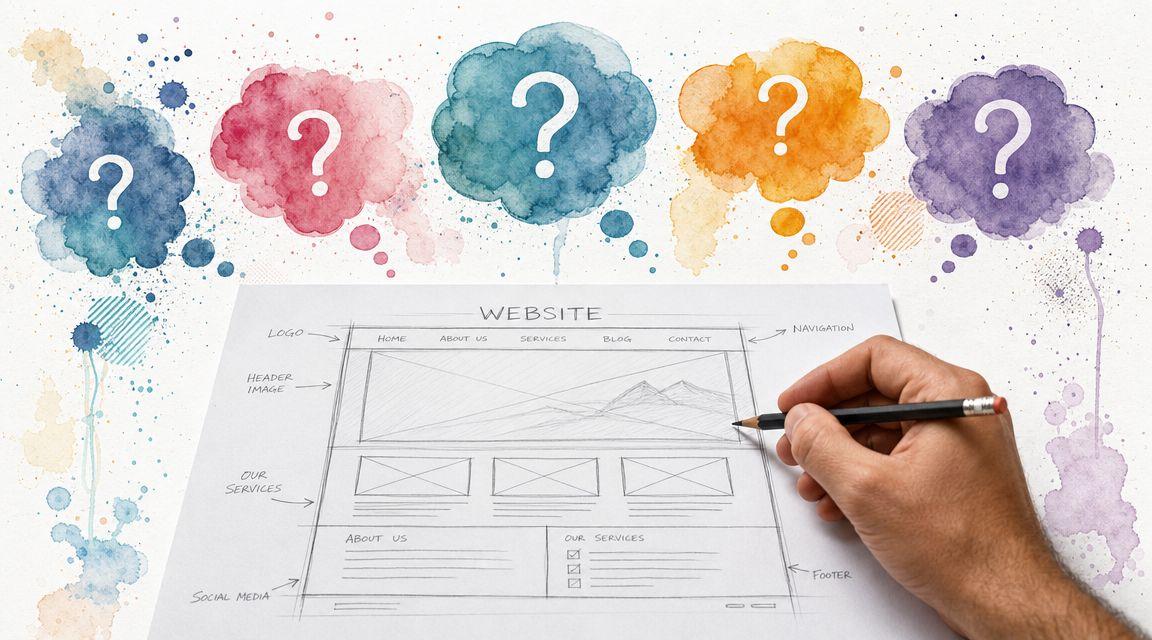
Blueprint Your Website Before You Build
Most website problems start before the design starts. The owner picks a template too soon, writes copy too late, and ends up with pages that look acceptable but don't match how the business sells.
The fix is simple. Plan the site on one page before you build anything.

Start with the site's primary job
Service businesses usually need one of two website models.
The first is lead generation. This fits businesses where the buyer wants help quickly. Think many local services, urgent appointments, or straightforward offers. These sites need obvious calls to action, fast contact options, and minimal friction.
The second is trust-building. This fits higher-ticket or more personal services, where buyers need more reassurance before they reach out. Think consulting, coaching, legal services, design services, or medical decisions. These sites need deeper explanation, stronger proof, and a more thoughtful About page.
That distinction matters because, as noted in this review of website builders for service businesses, service businesses often need different website models depending on whether the site is built for immediate appointments or high-trust sales. The same source also argues that a platform with integrated CRM, booking, and review features is more useful operationally than a simple brochure site.
Five pages that do the heavy lifting
Most small service businesses don't need a huge site. They need a tight structure.
| Page | What it must do |
|---|---|
| Home | Explain the offer quickly and direct visitors to the next step |
| Services | Break down what you do, for whom, and what results or outcomes people can expect |
| About | Build trust with your background, approach, values, and real context |
| Proof | Show testimonials, portfolio samples, certifications, or examples of work |
| Contact | Make it easy to inquire, book, call, or confirm service area details |
That's enough for many freelancers and local businesses to launch well.
Don't add pages just to look established. Add pages when they help a customer decide, trust, or contact you.
The planning questions worth answering first
Write short answers to these before you choose colors or layouts:
- Who is the ideal client? Be specific. “Small business owners” is broad. “Local restaurant owners who need bookkeeping help” is usable.
- What action matters most? A booked consultation, estimate request, intake form, or direct call.
- What objections come up first? Price uncertainty, timeline, qualifications, location, availability.
- What proof do you already have? Reviews, before-and-after work, certifications, years of practice, sample outcomes.
- What should you not attract? Out-of-area leads, low-budget requests, unrelated service inquiries.
If you want inspiration for how to shape the words on those pages, these web design content tips are useful because they focus on clarity, structure, and content decisions rather than just visual style.
A simple planning worksheet is often enough to avoid expensive rework later. If you're using an AI-assisted platform, this is also the stage where tools can help generate a base structure from your business type, summary, and service focus. If you want to understand that handoff between planning and production, this overview of the web development stage is worth reading.
Assembling Your Core Pages and Essential Features
Once the structure is clear, the next job is building pages that help people act. At this point, many sites drift into vague copy, stock photos, and generic claims. A visitor lands, skims, and leaves without learning enough to trust you.
That's expensive, because the gap between average and strong performance is large. According to Cube Creative's service business conversion summary, the average service business website converts at 2% to 5%, while top-performing sites in categories like plumbing and HVAC can exceed 15%. The same source highlights how much conversion-focused design changes lead generation from the same traffic.

What each core page should include
The homepage should make the first decision easy. Don't open with a slogan only you understand. Lead with what you do, who you help, and the next step.
A solid homepage usually includes:
- A clear headline: Say the service plainly.
- A short supporting line: Add location, audience, or problem solved.
- A visible action: Book, request a quote, schedule a call, or contact.
- Trust signals near the top: Reviews, credentials, industries served, or proof of experience.
The services page needs more than a list. Each service should explain what it is, who it's for, and what happens next. If you offer several services, separate them clearly so the reader can self-select.
The About page should answer the quiet question every buyer has. Why should I trust you? Use real photos, not staged office imagery if you can avoid it. Buyers of services want evidence there's a real person or real team behind the offer.
Features that improve response, not just appearance
A strong service business website usually includes a small set of practical features:
- Contact forms that ask the right questions: Ask enough to qualify the inquiry without making the form feel like homework.
- Reviews placed near action points: A testimonial beside a form or booking button can reduce hesitation.
- Simple navigation: If visitors can't find pricing approach, service area, or contact details, they leave.
- Mobile-friendly layout: Most small business owners already know this matters. The useful test is whether a customer can act easily from a phone.
A testimonial buried on its own page helps less than a testimonial placed beside the exact moment a visitor is deciding whether to contact you.
Write like a person clients would hire
Service copy works best when it sounds direct and grounded. Replace vague claims like “high-quality solutions” with specifics your buyer understands.
Try this approach:
| Weak copy | Better copy |
|---|---|
| “We provide customized solutions” | “We help first-time homebuyers compare mortgage options and prepare application documents” |
| “We care about customer satisfaction” | “You'll get a response within business hours and a clear next step after your inquiry” |
| “Professional services for all needs” | “We handle move-out cleaning for apartments, condos, and small offices” |
For page structure and messaging ideas, this guide on strategic content for web design is useful because it focuses on how content supports action, not just branding.
If you're unsure whether your pages feel complete, review the visual and trust elements together. This breakdown of design elements for a website can help you spot missing pieces without overcomplicating the build.
Weaving in SEO to Attract Local Clients
SEO sounds technical, but the basics are practical. You're matching your pages to the words people already use when they need your service.
For a local service business, that usually starts with service names, problem-based phrases, and place names.

Three SEO actions that matter first
If your website is new or underperforming, focus on these before anything advanced.
Use the words your clients use
Don't optimize for internal jargon. Use the phrases people type when they need help. If clients ask for “roof repair” more than “roof system restoration,” use the simpler term.Put those terms in the right places
Your page title, main heading, service descriptions, image alt text, and contact page should all reinforce what the page is about. Keep the wording natural. Forced keyword stuffing makes pages worse for both readers and search engines.Strengthen your local signals
Make sure your business name, phone, service area, and contact details are consistent. Connect the site to your Google Business Profile and make location details obvious on the website itself.
Service area pages without thin content
Many service businesses serve multiple towns. That creates a common SEO trap. Owners make a separate page for every town and change only the place name. The result is repetitive, weak content that doesn't help users much.
A better approach comes from this guidance on underserved markets and territory mapping. The core idea is to prioritize service area pages based on measurable demand and lower competitive saturation, then make those pages useful.
That means each area page should include details such as:
- What you do in that area: Not just a city name pasted into a template
- Local context: Neighborhoods served, common job types, scheduling realities, or client needs in that area
- Relevant proof: Photos, examples, or testimonials tied to that service region if available
- Clear next step: Request a quote, book, or call with that area in mind
Fewer useful area pages beat dozens of copy-paste pages every time.
If you only have time to build a few, start with the towns or ZIP codes that already bring inquiries, fit your ideal customer, or have room to grow.
Keep SEO connected to real business questions
SEO isn't only about ranking. It should help you attract the right inquiries.
Ask practical questions when reviewing pages:
- Are we attracting people in our actual service area?
- Does this page answer the questions buyers ask before contacting us?
- Is the next step obvious for someone ready to hire?
A quick walkthrough can help make these ideas concrete:
A service business website should make local relevance obvious. When your pages mirror what people search for and where you work, SEO becomes much less mysterious.
Integrating Tools to Run Your Business Smarter
Once the website is live, the next jump in value comes from integration. This is the point where the site stops being a place people read and starts becoming a place where work gets organized.
That usually means connecting the website to the systems that handle inquiries, scheduling, and follow-up.

The core tool stack most service businesses need
For a small service operation, three tools matter first.
| Tool | Why it matters |
|---|---|
| Booking system | Lets clients choose a time without email back-and-forth |
| Contact form tied to one inbox or CRM | Captures lead details in a usable format |
| Review collection and display | Builds trust while reducing manual copy-paste work |
The point isn't to add software for the sake of it. It's to reduce admin friction.
If someone books through your site and that appointment lands in your calendar, you save time. If inquiries arrive with the right fields filled out, you qualify leads faster. If reviews appear on the site without constant manual updates, the site stays current with less effort.
Keep your data clean from the start
Integration only helps if the information is consistent.
According to Dataversity's discussion of common data strategy pitfalls, high-quality B2B contact data is commonly defined as 97%+ accurate, while average provider data may be far less reliable. The practical lesson for a small service business is simple. Standardize your form fields, remove duplicates, and keep one source of truth for lead records.
If one person enters “Call me,” another fills only an email, and a third gets logged twice in two different tools, your reporting gets messy fast.
Choose convenience over complexity
A lot of owners overbuild too early. They add separate tools for forms, scheduling, analytics, chat, reviews, and automation before they've proven the basics.
Start smaller:
- One booking path: Don't make visitors choose between too many calendars or appointment types.
- One lead capture workflow: Route all website inquiries to the same place first.
- One review process: Decide how you'll ask for reviews and where they'll appear.
For businesses that want fewer moving parts, some website platforms bundle these functions. Solo AI Website Creator is one option that includes website generation from simple inputs, booking integration, contact forms, review sections, and Google Analytics connection, which can be useful for owners who don't want to stitch multiple tools together manually.
If inquiries are growing and you need help handling follow-up, operations matter as much as marketing. This guide to strategic VA hiring for business growth is useful when you're ready to assign inbox management, lead response, or scheduling support.
Your Launch Checklist and Growth Plan
A website launch shouldn't feel dramatic. It should feel controlled.
Before you publish, check the basics carefully. Most early website problems aren't advanced. They're missed links, broken forms, unclear buttons, and mobile layouts that looked fine on desktop.
Launch checklist that catches common issues
Run through this list before anyone sees the site:
- Test every form: Submit each one yourself and confirm the message reaches the right inbox.
- Click every button and menu item: Broken navigation kills trust fast.
- Review mobile screens: Check homepage, services, proof, and contact pages on your phone.
- Proofread the action points: Buttons, headings, service names, and contact details matter more than tiny body text typos.
- Confirm business basics: Phone number, email, hours, service area, and booking settings should all be current.
Launch a website that works cleanly. You can improve it later. Fixing confusion after launch is harder than preventing it now.
Measure the website like a business tool
Many owners open analytics and look at visits first. That's understandable, but it doesn't tell you whether the site is doing its job.
The more useful framework comes from BYU Marriott's guidance on data-driven decision pitfalls. The advice is to define a single primary conversion goal and track supporting behaviors around it. For a service business website, that often means one main goal such as form submissions or booked appointments, then supporting metrics like form-start rate, form-complete rate, booking-click rate, and downstream revenue.
That changes the questions you ask.
Instead of asking, “Did traffic go up?” ask:
- Did more visitors start the form?
- Where did people drop off?
- Which page led to the most qualified inquiries?
- Did bookings increase after we changed the page layout or copy?
Keep maintenance light and regular
A small business owner doesn't need a huge maintenance routine. A simple rhythm works.
Every quarter, review:
- Services and pricing language: Make sure offers still match how you sell.
- Proof and reviews: Add fresh examples and remove outdated ones.
- Contact flows: Check forms, booking links, and email routing.
- Top pages: Look for pages with traffic but weak inquiry performance.
- Old content: Rewrite anything vague, repetitive, or no longer accurate.
The goal isn't perfection. It's usefulness. A service business website should keep getting clearer, easier, and more aligned with how you run the business.
If you want a faster way to launch a working site, Solo AI Website Creator can help you generate a service business website from a few business details, then add booking, contact forms, reviews, and analytics without a complex setup.