
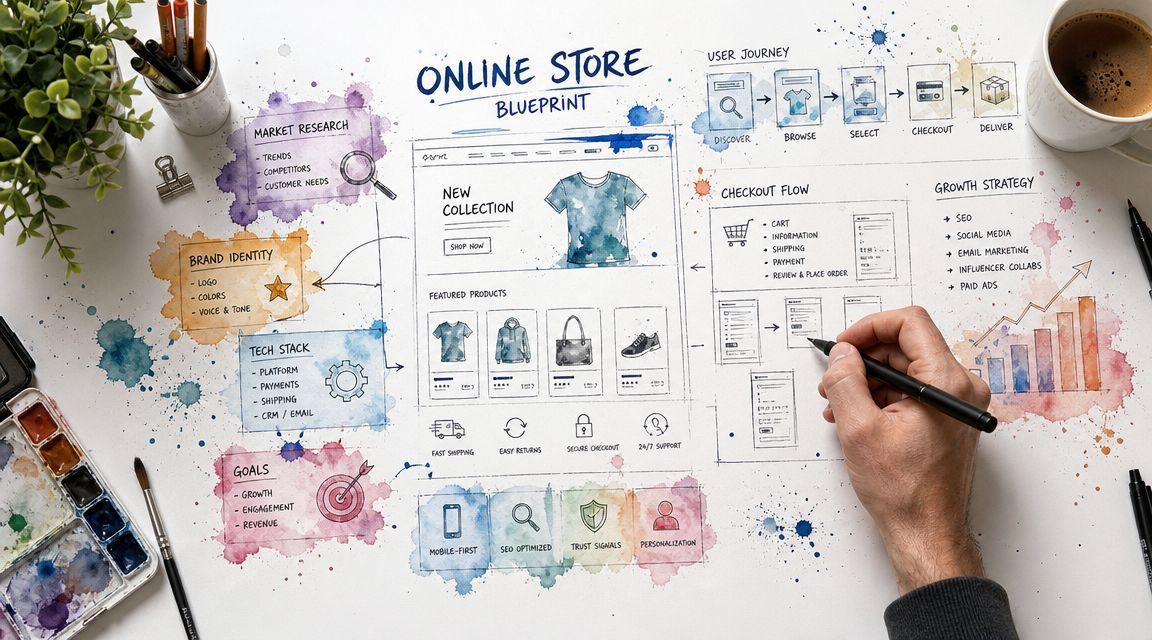
You're probably in one of two places right now. Either you have a business and no real website yet, or you have a website that looks fine but doesn't consistently bring in orders, inquiries, or bookings.
That gap matters more than it used to. The U.S. Census Bureau reported that 2025 e-commerce sales totaled $1,233.7 billion, up 5.4% from 2024, and represented 16.4% of total retail sales for the year, while a broader industry analysis found ecommerce made up 23.1% of total sales in 2025 and reached 25% in Q4 2025 depending on methodology, which shows online selling is now a core part of commerce rather than a side channel (U.S. Census Bureau ecommerce data).
For a small business, that doesn't just mean “open an online store.” It means building a small business ecommerce website that matches how you sell. For some owners, that's a product catalog with checkout. For others, it's appointments, quote requests, deposits, consultation forms, or local pickup. The businesses that get traction usually choose the simpler model that fits their revenue, then execute it cleanly.
Laying the Foundation for Your Online Store
A lot of small business owners start with the wrong question. They ask which theme to pick, which app to install, or what homepage layout looks modern.
The better question is this. What action should your customer take when they land on your site?
That answer changes everything. If you sell candles, maybe it's “add to cart.” If you run a clinic, it's probably “book appointment.” If you're a contractor, it may be “request estimate.” A common mistake is assuming ecommerce only means physical products. Many small businesses are service-led and need tools like bookings and forms, and Bain's analysis argues that serving small businesses well requires customized offers for different subsegments rather than a one-size-fits-all approach (Bain on serving diverse small businesses).

Pick the business model before the website layout
Most failed website projects aren't design failures. They're strategy failures.
Start by choosing one primary model:
- Direct product sales: Best for physical items, digital goods, or limited product lines people can buy without talking to you.
- Lead capture: Best for higher-ticket services where customers need a quote, consultation, or custom scope.
- Appointment booking: Best for salons, clinics, coaches, photographers, and local services with a fixed calendar.
- Hybrid model: Often the right answer for small businesses that sell some products but make more money from services.
If you try to force all four into one homepage, the site gets muddy fast. Visitors don't know what to click. Owners end up with a bloated menu and weak calls to action.
Practical rule: Your homepage should push one primary action and support one secondary action. Not six.
Define the customer journey in plain English
You don't need a complicated funnel map. You need to know three things:
- Why someone is searching
- What they need to trust you
- What should happen next
A customer looking for “same-day flower delivery” needs product selection, pricing, delivery clarity, and checkout. A customer searching for “family lawyer near me” needs credibility, practice area clarity, contact details, and a low-friction consultation request.
That difference is why so many generic ecommerce guides miss the mark for service businesses.
Use this simple worksheet before building anything:
- Customer intent: What problem are they trying to solve today?
- Trust signals: Reviews, credentials, photos, policies, location, or availability.
- Decision blocker: Price confusion, unclear process, shipping concern, lack of contact options.
- Next step: Buy now, book now, call now, request quote, or send message.
Set a goal your website can actually support
A small business ecommerce website should have a measurable job. Pick one primary goal for the first version.
Here are good examples:
- Sell a focused group of products online
- Capture qualified inquiries
- Fill appointment slots
- Take deposits before service
- Support local pickup or custom ordering
If you're still formalizing the business itself, handle that before launch. Your entity type affects taxes, liability, banking, and contracts. If you're based in Connecticut, this guide to business legal structures in CT is a useful overview for choosing the right setup before you connect payments and start taking customer money.
A strong plan at this stage is simple. It tells you who the site is for, what it needs to do, and what to leave out.
Choosing Your Ecommerce Platform and Tools
Platform decisions get overcomplicated. Most owners don't need the “most powerful” option. They need the one they'll actually maintain.
The easiest way to choose is to think about platforms like business space. Some are fully furnished. Some are empty shells you can customize forever. Some are closer to guided setup.
Three practical platform paths
| Platform type | Best fit | Trade-off |
|---|---|---|
| All-in-one platforms | Product sellers who want built-in checkout, templates, and less setup hassle | Less control than fully self-hosted systems |
| Self-hosted platforms | Owners who want deep customization and can manage more moving parts | More responsibility for updates, security, and maintenance |
| AI website creators | Owners who want to get online quickly with less technical work | Usually better for straightforward businesses than highly custom builds |
An all-in-one option like Shopify works well when the website's main job is product sales. It handles a lot of the operational basics in one place, which is why many retail businesses start there.
A self-hosted route like WooCommerce on WordPress makes sense when content, customization, and flexibility matter more than convenience. It can do a lot, but it also gives you more to manage. That's fine if you have support or you're comfortable owning the details.
For owners who want a faster setup with less friction, Solo AI Website Creator is another option. It can generate a website from basic business inputs and supports practical features such as custom domain hosting, booking integration, contact forms, and Google Analytics integration.
Choose based on how you work, not just on features
Most small businesses should compare tools on four criteria:
- Ease of use: Can you edit text, update pricing, and change images yourself?
- Time commitment: Will this platform save time or create a second job?
- Business fit: Does it support products, bookings, inquiries, or both?
- Scalability: Can it grow with you without forcing a total rebuild too soon?
Here's the blunt version. If you hate tech, don't choose the platform with the highest ceiling if you'll never use that power. If your business depends on custom workflows, don't choose the simplest tool if it boxes you in.
The right platform is the one that lets you publish, get paid, and make changes without dread.
Domain, hosting, and the essentials people skip
Your domain is your business address online. Keep it short, readable, and close to your real brand name. Avoid clever spellings that force customers to guess.
If you use an all-in-one platform or AI website creator, hosting is usually handled for you. If you go self-hosted, you're responsible for more pieces behind the scenes. Non-technical owners often underestimate that ongoing work.
Before committing, check these basics:
- Custom domain support: Your site should use your business name, not a random subdomain.
- Mobile editing or preview: You need to see how the site behaves on phones.
- Forms or booking support: Critical for service-based businesses.
- Product management: Essential if you sell inventory.
- Analytics connection: You want performance data from day one.
- SEO controls: At minimum, editable page titles, descriptions, headings, and image alt text.
A good platform decision feels slightly boring. That's usually a good sign. It means you chose based on fit, not hype.
Designing and Building Your Storefront
Your storefront has one job. It needs to make the next step obvious.
That sounds simple, but many small business websites bury the action under too much text, too many menu items, or design choices that look polished on desktop and fall apart on a phone. In 2025, smartphones generated 78% of ecommerce traffic and 68% of retail website orders worldwide, and a 1-second delay in mobile load time can reduce conversions by up to 20% according to Elementor's ecommerce statistics roundup. That's why mobile-first design isn't a style preference. It's an operating requirement.

Build the pages your customer actually needs
Most small businesses need fewer pages than they think.
For a product-based business, the core structure is usually:
- Homepage
- Shop or category page
- Product pages
- About page
- Contact page
- Policy pages
For a service-based business, the higher-converting structure is often:
- Homepage
- Services page
- Individual service detail pages
- Booking or inquiry page
- About or credentials page
- Contact and location page
That's the foundation. Add pages only when they reduce friction or answer a real question.
If you want inspiration from layouts that keep the path to action clear, review these ecommerce website examples.
Make the first screen do real work
When someone lands on your site, the top section should answer:
- What do you sell or offer?
- Who is it for?
- What should they do next?
Bad homepage copy says, “Welcome to our website.” Good homepage copy says, “Custom cakes for weddings and events. Order online or request a quote.”
For service businesses, don't hide the booking or contact action in the menu. Put it high on the page. For product businesses, don't make people hunt for your categories.
A useful homepage formula is:
- Clear headline
- Short supporting sentence
- One primary button
- One proof element such as reviews, credentials, or featured products
- A clean path into products or services
If a stranger can't tell what you do in a few seconds, the design isn't the problem. The messaging is.
Write descriptions that reduce hesitation
Product descriptions should answer practical buying questions. Size, material, use case, shipping expectations, returns, and what makes the item worth buying from you.
Service descriptions should answer a different set of questions. What's included, who it's for, how the process works, how long it takes, and what happens after the customer submits a form or books.
Avoid fluffy wording like “premium solutions” or “customized excellence.” Customers don't buy adjectives. They buy clarity.
Try this checklist:
- Lead with the outcome: What does the buyer get?
- Add specifics: What's included, how it works, what to expect.
- Handle concerns: Timing, revisions, availability, shipping, or qualifications.
- End with an action: Buy, book, request quote, schedule, or contact.
This walkthrough is useful if you want a visual example of structuring pages around action rather than decoration.
Clean navigation beats clever design
Owners often over-design menus. They add too many dropdowns, duplicate pages, or vague labels like “Solutions” and “Experience.”
Use plain labels instead:
- Shop
- Services
- Pricing
- Book
- About
- Contact
Keep the main navigation short. Put the customer's next step in the top right if your template allows it. On mobile, make sure the menu is easy to tap and the buttons are large enough to use without zooming.
For images, use real photos when possible. Product businesses need clean product images. Service businesses need photos that make the business feel local, credible, and human. A clinic should show the space and staff. A contractor should show finished work. A consultant should show the person clients will talk to.
Setting Up Payments Shipping and Legal Essentials
A website isn't operational until money can move, fulfillment is clear, and your policies match how you do business.
Many launches get rushed at this point. Owners spend weeks on design, then treat payments, shipping, and legal pages like admin tasks. They're not admin tasks. They're part of trust.
Payments need to be easy and boring
For online payments, boring is good. Customers should recognize the checkout flow and feel confident entering their card.
Most small businesses start with familiar processors such as Stripe or PayPal because they integrate widely and are simple for customers to understand. If you're setting this up for the first time, this guide on how to set up online payments walks through the basics in plain language.
Use this payment setup checklist:
- Match your business name: The name customers see on statements should be recognizable.
- Test the full payment flow: Run a real test before launch.
- Confirm confirmation emails: Customers should know the order or request went through.
- Keep the checkout short: Ask only for information you need.
- Offer at least one mainstream payment option: Don't force customers into unfamiliar methods.
Shipping for products and scheduling for services
If you sell physical goods, shipping policy clarity matters as much as product quality. Customers want to know when the order ships, what delivery options exist, whether local pickup is available, and what happens if there's a problem.
A practical shipping setup includes:
- Where you ship
- How long processing takes
- Delivery methods
- Local pickup rules if offered
- How returns or damaged shipments are handled
If you run a service business, replace shipping logic with booking logic. Your website should answer whether people can book instantly, request a consultation, pay a deposit, or submit details first.
A strong service setup usually includes:
- Booking calendar or request form
- Confirmation message
- What happens next
- Cancellation or rescheduling policy
- Any documents or prep instructions
Customers don't mind rules. They mind surprises.
Legal pages that small businesses actually need
You don't need legal jargon everywhere, but you do need the basics written clearly and placed where people can find them.
At minimum, most small business ecommerce websites should have these pages:
| Page | What it should cover |
|---|---|
| Privacy Policy | What customer data you collect, how you use it, and how people can contact you about it |
| Terms of Service | The rules for using your site, ordering, booking, or interacting with your business |
| Refund or Return Policy | What qualifies for refunds, exchanges, cancellations, credits, or no-refund situations |
| Shipping Policy | Delivery expectations, processing, locations served, and issues with lost or damaged items |
| Contact Information | A real way to reach your business |
Keep the policies aligned with reality. Don't paste a generic refund policy that promises something you won't honor. Don't offer bookings without a cancellation rule. Don't collect form submissions without explaining how you handle that data.
If you're unsure, get a lawyer or qualified advisor to review the language before launch.
The Pre-Launch Checklist and Going Live
Launch anxiety usually comes from uncertainty, not from the publish button itself.
The fix is a checklist. Not a vague reminder list, but an actual pass through the site as if you were a customer who has never seen it before.
The final website review
Run through your site on a phone, a laptop, and at least one browser you don't normally use.
Check these items:
- Every button works: No dead links, hidden pages, or broken menu items.
- Forms submit correctly: Contact forms, booking requests, and email signups should all send and confirm.
- Checkout works: Product businesses should test a full order flow from cart to confirmation.
- Policies are visible: Footer links should open the correct pages.
- Contact info is correct: Email, phone, address, hours, and maps if relevant.
- Images load properly: No stretched, blurry, or missing images.
- Copy is clean: Fix typos, awkward phrasing, and outdated placeholder text.
If you want a full launch walkthrough, keep this website launch checklist open while you review the final build.
Basic SEO before the site goes live
You don't need a complicated SEO campaign on day one. You do need the basics done right.
Focus on these first:
- Page titles: Each page should describe what it is and who it serves.
- Meta descriptions: Short summaries that encourage clicks from search results.
- Headings: One clear main heading per page.
- Readable URLs: Clean page names instead of random strings.
- Image alt text: Describe the image in practical terms.
- Local signals: Include city, service area, or region where relevant.
For local and service businesses, the fastest SEO wins often come from clarity, not tricks. A page called “Emergency Plumbing in Hartford” is more helpful than a page called “Our Solutions.”
A simple launch timeline
A timeline keeps the project from dragging.
| Week | Key Tasks | Outcome |
|---|---|---|
| Week 1 | Define offer, audience, website goal, pages needed, brand basics | Clear scope and site structure |
| Week 2 | Choose platform, secure domain, draft copy, gather images, set up core pages | Functional draft of the website |
| Week 3 | Add products or service details, connect forms or booking, create policies, configure payments | Operational site ready for testing |
| Week 4 | Test on devices, fix errors, set up analytics, finalize SEO basics, publish | Live website with tracking in place |
Launch when the site is clear and functional. Don't delay for cosmetic perfection.
After launch, watch customer behavior. You'll learn more from the first real visitors than from another week of tinkering.
Post-Launch Growth and Optimization
Once the site is live, stop asking whether it's “done.” Start asking what it's doing.
Most growth comes from a short loop. Bring in traffic, watch what people do, remove friction, repeat. That's true for both stores and service businesses.

Start with the numbers that matter
The first thing to track is your conversion rate. The practical formula is orders divided by total sessions, multiplied by 100, and the global average ecommerce conversion rate is around 2%, while Shopify stores often range from 2.5% to 3.0%, and Triple Whale reported a 2025 median of 2.01% for paid ads in its benchmark data (Triple Whale ecommerce benchmarks).
That benchmark helps you stay realistic. If you're below it, don't panic. It usually means you need to inspect traffic quality, page clarity, or checkout friction before spending more on marketing.
Look at these first:
- Traffic source: Are visitors coming from search, social, email, ads, or direct visits?
- Top landing pages: Which pages get first-touch traffic?
- Conversion by source: Some traffic will naturally convert better than others.
- High-exit pages: Where are people dropping off?
- Top actions: Purchases, booking submissions, quote requests, or contact form completions.
Improve one variable at a time
Small business owners often change too much at once. New photos, new copy, new button color, new pricing, new form. Then they can't tell what helped.
A better process is to test one meaningful change at a time:
- Rewrite the headline on a top page
- Simplify the primary button text
- Reduce form fields
- Tighten product or service descriptions
- Clarify shipping, scheduling, or return terms
For low-traffic sites, patience matters. Small sample sizes can make random fluctuations look like trends.
What usually works: clearer offers, fewer clicks, stronger trust signals, and less confusion at the moment of action.
Grow traffic without making marketing a full-time job
You don't need to be everywhere. You need a repeatable channel mix.
A practical starting stack looks like this:
- Search visibility: Build pages around the services or products people search for.
- Email: Follow up with past customers, inquiries, and subscribers.
- Social content: Drive people back to specific pages, not just to your profile.
- Reviews: Add them to key pages where they reduce hesitation.
- Local content: For local businesses, create pages and posts tied to real service areas.
If you want help choosing software for search tracking, audits, and keyword research, this roundup of Keyword Kick's list of best SEO tools is a practical place to compare options without getting buried in enterprise features.
The biggest mistake after launch is assuming traffic solves everything. It doesn't. If the page is confusing, more visitors just means more people leaving.
Frequently Asked Questions
Should I build my own website or sell on a marketplace
Treat this as a channel strategy decision, not a technical one.
A standalone website gives you control over branding, customer experience, messaging, and how you capture inquiries or repeat business. A marketplace gives you built-in demand, but you usually give up control, customer relationship depth, and flexibility.
For many small businesses, the answer is both. Digital Transactions notes that 33 million U.S. small businesses remain underserved in B2B ecommerce and that there's no single dominant route, which is why a mixed channel strategy often makes more sense than betting everything on one platform (Digital Transactions on small business ecommerce gaps).
If you sell commodity products, a marketplace may help you get early traction. If you sell services, custom work, or anything trust-heavy, your own site usually matters more because you need space to explain, qualify, and convert.
What does a small business ecommerce website really need
Less than most agencies tell you.
For product businesses, the essentials are a clean shop structure, strong product pages, visible policies, simple checkout, and clear post-purchase communication.
For service businesses, the essentials are service pages, trust signals, booking or inquiry flow, pricing guidance where possible, and a clear explanation of what happens after contact.
If the first version of your site can do those basics well, it's enough to launch. Owners lose time when they build for imaginary future complexity instead of current revenue.
How much should I be involved if I use an easy platform
A lot more than you think. The platform can speed up setup, but it can't know your customers the way you do.
You still need to provide the raw material:
- what you sell
- who it's for
- the questions customers ask most
- your policies
- your photos
- your voice
- what makes people choose you
The best sites feel simple because the business owner made clear decisions. They didn't hand the whole thing off and hope the software guessed correctly.
Should my site focus on checkout or lead capture
Follow your sales process.
If people can buy confidently without talking to you, lean toward checkout. If the sale depends on scope, fit, timeline, insurance, consultation, or custom pricing, lead capture is usually the better primary action.
Many small businesses need a hybrid. A clinic might offer booking for one service and inquiry forms for another. A contractor might sell fixed-fee consultations online but handle large projects through estimates. A florist might offer checkout for standard arrangements and custom forms for weddings.
That's why the best small business ecommerce website often looks less like a giant online store and more like a focused sales system suited to how the business operates.
What should I fix first if my site isn't converting
Start with friction, not with traffic.
Review:
- Is the offer clear?
- Is the next step obvious?
- Does the page answer common objections?
- Is mobile use smooth?
- Are trust signals visible?
- Is the form or checkout asking for too much?
Most conversion problems come from confusion. Customers don't know what you offer, whether they trust you, or what happens next. Fix that before chasing more clicks.
If you want a fast way to turn your business details into a live site with options for bookings, contact forms, custom domain hosting, and basic optimization, Solo AI Website Creator is worth considering. It's especially practical for owners who want to launch a small business ecommerce website without getting pulled into a long technical setup.