
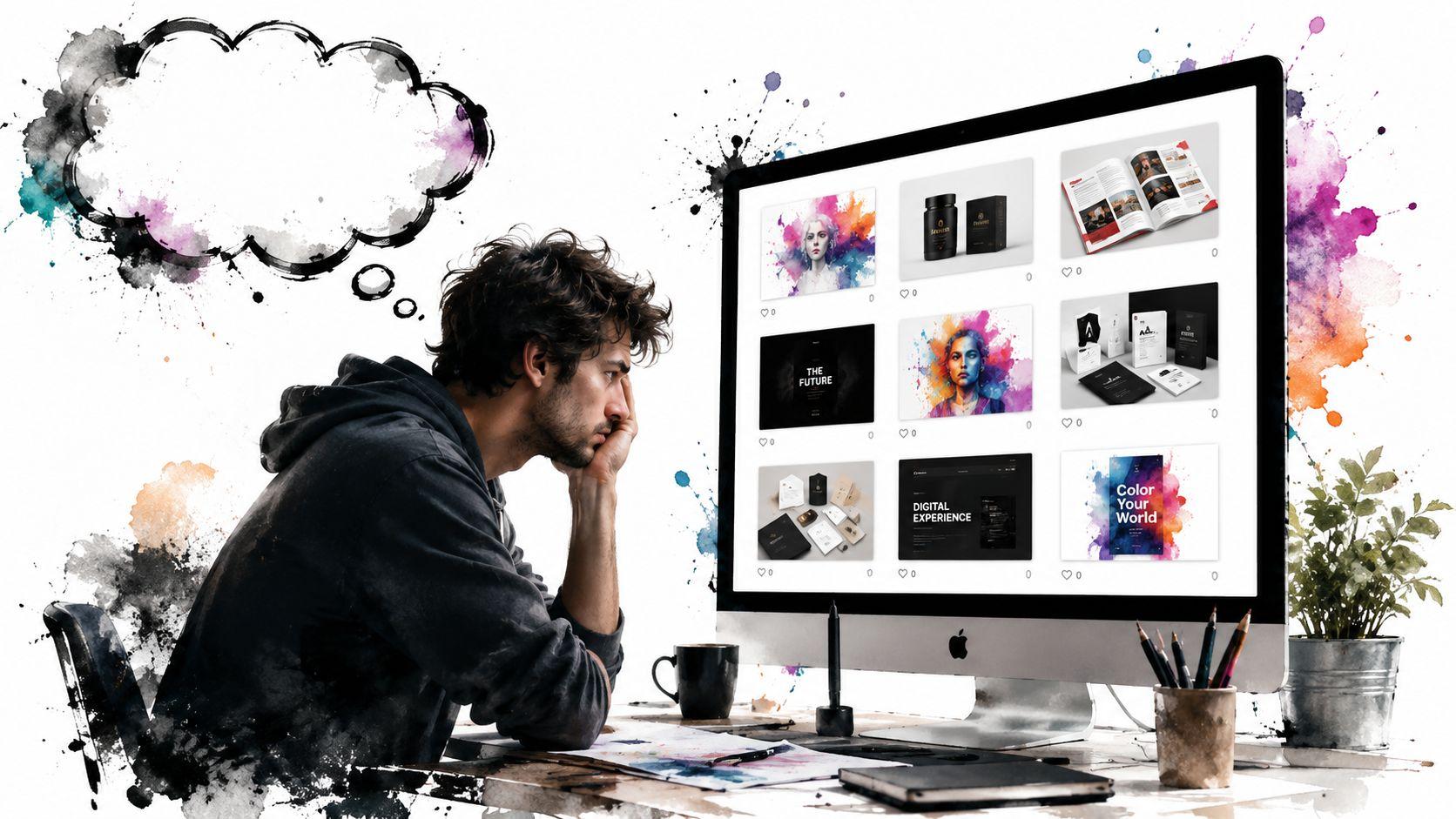
You've probably had this experience already. You post strong work on Behance or Dribbble, maybe even build a simple site, and the inquiries still feel random. One week it's a logo request with no budget. The next it's silence.
That usually isn't a design problem. It's a positioning problem.
A website for freelance graphic designers shouldn't act like a digital wall of thumbnails. It should qualify leads, build trust fast, and make the right client think, “This designer understands my business, and I want to talk.” That shift matters if you want better-fit projects, smoother sales calls, and fees that don't get negotiated down before the work even starts.
Why Your Portfolio Website Isn't Winning Clients
A lot of freelance designers treat their site like an archive. They upload polished visuals, add an about page, and wait. That approach looks professional on the surface, but it often fails where it counts. It doesn't answer the client's first question, which is never “Can this person make something attractive?” It's “Can this person solve my problem without making my life harder?”

That's why a passive gallery underperforms. It shows output, but not judgment. It shows taste, but not process. And most of all, it doesn't guide a prospect toward action.
According to Artaux's freelance graphic design market summary, 90% of graphic designers work as freelancers or in small studios, and 50% identify finding clients as their biggest hurdle. The same source notes that corporate branding and marketing account for 40% of the graphic design market. That's the real context behind your site. You're not making an online scrapbook. You're building a client acquisition tool inside a crowded freelance market.
A gallery shows taste. A website should show fit.
Clients buying higher-value design work rarely choose on aesthetics alone. They look for signs that you understand scope, communication, deadlines, and business context. If your homepage opens with “Welcome to my portfolio,” you've already made the site about you.
A stronger opening does three things fast:
- Names the client type you work with
- States the service clearly such as brand identity, packaging, or conversion-focused web visuals
- Signals the outcome they care about, like sharper positioning, stronger consistency, or launch-ready assets
If you're unsure how to sharpen that message, it helps to study the basics of website copywriting for service businesses. Good copy gives your visuals a job to do.
Practical rule: If a stranger lands on your homepage and can't tell who you help within a few seconds, the site is underperforming.
Why “showing your work” isn't enough
Designers often assume more images equals more credibility. Usually the opposite happens. A broad, uncurated collection can make you look available for anything, which often attracts low-clarity projects and weak briefs.
Here's what typically hurts conversions:
| What hurts | Why it loses clients |
|---|---|
| Large image grids with no context | Clients can't tell what problem you solved |
| Mixed project types with no niche | You look unfocused |
| Hidden contact info | Interested prospects delay reaching out |
| Generic headlines | The site sounds like every other portfolio |
| No service page | Buyers can't understand what to hire you for |
The better mindset is simple. Your website isn't there to impress other designers. It's there to reduce hesitation for clients.
What a business asset looks like
A client-winning site acts more like a guided conversation than a gallery. It says: here's who I help, here's the kind of work I do, here's how I think, here's proof I can handle it, and here's the next step.
That's a very different job.
Once you treat your website for freelance graphic designers as part portfolio, part sales tool, the decisions get easier. You stop asking, “What should I upload?” and start asking, “What would make the right client feel confident enough to inquire?”
Structure Your Portfolio for High-Ticket Projects
The fastest way to look more expensive is to stop presenting work like a mood board. Higher-value clients don't just want to see finished pieces. They want to understand the decision-making behind them.

A free-form gallery asks the visitor to do too much interpretation. They have to guess the brief, the constraints, and whether your style can translate to their business. That friction kills momentum. As Paige Brunton's survey analysis notes, websites that feature niche-specific case studies and explain the design process, results, and scope outperform free-form galleries. The same source adds that many freelancers attribute client acquisition to word-of-mouth and consistent content marketing, which makes detailed case studies useful beyond the site itself.
Build fewer projects, but build them deeper
A strong portfolio usually needs 3 to 6 case studies, not dozens of disconnected samples. That range is part of practical guidance for freelance designer websites and gives you enough room to show range without looking scattered.
Each case study should answer five questions:
- Who was the client or project for
- What problem needed solving
- What constraints shaped the work
- How you approached the solution
- What the final system or deliverables included
If a project was self-initiated, say so. Then frame it with a realistic brief. That's still more useful than posting polished screens with no explanation.
A case study structure that actually converts
Use this order on each project page:
Start with the business context
“A skincare startup needed packaging and launch graphics that felt premium without looking clinical.”Show the challenge before the solution
This creates tension and demonstrates strategic thinking.Walk through selective process work
Not every sketch. Not every revision. Just enough to prove your choices were intentional.Present the final system, not one hero mockup
Show how the identity works across touchpoints.Close with scope and your role
Be clear about what you handled and what collaborators handled.
Clients hire designers to reduce uncertainty. A case study does that better than a gallery ever will.
What to include and what to cut
Here's a cleaner way to judge portfolio content:
| Keep | Cut |
|---|---|
| Projects in the niche you want more of | Old student work that doesn't match your direction |
| Work that shows systems, not just aesthetics | Isolated logo marks with no application |
| Explanations of process and scope | Long autobiographies inside project pages |
| Clear deliverables and role definitions | Visual clutter and decorative filler text |
One more insider tip. Don't lead with the project you're proudest of as a designer. Lead with the project that best matches the kind of inquiry you want next.
Turn projects into sales assets
A good case study keeps working after launch. You can send it after discovery calls, link to it from social posts, or use it in proposal follow-ups. That makes your portfolio useful in the actual sales process, not just at the awareness stage.
If your current site only displays finished visuals, the fix isn't to add more work. It's to add more meaning.
Design a User Experience That Builds Instant Trust
People decide quickly whether your site feels credible. Not because they've studied every page, but because small signals stack up fast. Confusing navigation, inconsistent typography, vague buttons, and cluttered layouts suggest the project experience might be just as messy.
That's the core job of user experience on a freelance site. It's not about fancy interactions. It's about making the client feel safe moving forward.
Build a simple path through the site
A freelance designer website works best as a conversion funnel. Practical guidance from Wix on becoming a freelance graphic designer recommends a structure with a clear niche statement, 3 to 6 case studies, a credibility section, and prominent calls to action. The same source notes that this kind of high-trust layout can affect lead quality and support premium pricing, with experienced designers often reaching the $5,000+ per project range.
That tells you something important. Trust isn't a branding extra. It's part of pricing power.
A clean navigation usually needs only these pages:
- Home for positioning and direction
- Services for what you offer
- Portfolio for proof
- About for credibility and approach
- Contact for action
Anything beyond that should earn its place.
Trust is built in small details
If you want your site to feel premium, tighten these basics:
- Keep button language direct such as “Book a discovery call” or “Start a project”
- Use one visual system across headings, colors, spacing, and image treatment
- Surface proof early with testimonials, client logos, or notable project categories
- Repeat the call to action so visitors don't have to hunt for the next step
You don't need complicated UX patterns. You need consistency.
For a useful reference on the fundamentals, review these core elements of web design. The principles matter more than flashy styling.
A polished website tells clients you're organized before you ever speak to them.
What premium clients notice
They notice whether your site feels edited. They notice whether your service names are clear. They notice whether your contact page asks sensible questions or forces them through a vague form.
Here's the trade-off most junior freelancers miss. If your site tries to look overly clever, it often becomes harder to use. If it becomes harder to use, prospects leave with unanswered questions. And unanswered questions lower trust.
The best-looking website for freelance graphic designers is often the one that feels easiest to understand.
Write Website Copy That Sells Your Services
Designers often leave the words until the end. That's backwards. The copy shapes how people interpret the work.
If your visuals are strong but the messaging is weak, prospects fill the gaps with their own assumptions. Usually those assumptions are wrong. They may think you only do logos, only work with small budgets, or only care about aesthetics. Clear writing prevents that.
Start with the homepage headline
Your homepage headline should answer three questions in one glance:
- Who do you help
- What do you do
- Why does it matter
A weak headline says, “Freelance graphic designer creating thoughtful visuals.” That sounds pleasant, but it doesn't create a buying reason.
A stronger version sounds more like this:
Brand identity and launch design for wellness and lifestyle brands that need a polished, consistent visual system.
That kind of line does real work. It filters out poor-fit leads and pulls the right ones closer.
The bigger point comes from Twine's guide to freelance graphic design platforms. The useful question isn't whether you should have a website. It's what pages and messaging make a freelance designer website convert higher-budget, repeat clients in a crowded market. Most generic advice never gets specific enough on that.
Fix your About page
Your About page isn't a memoir. Clients don't need your full creative origin story before they know whether you can help.
Use the page to answer practical concerns:
- What kind of work do you specialize in
- How do you approach collaboration
- What does your background help you understand well
- What kind of clients tend to get the most from working with you
Add personality, but keep it relevant. A short note on how you work, how you communicate, or what you care about in client relationships goes further than a long personal history.
Make your Services page easy to buy from
This page should reduce friction. Spell out what's included, how the process works, and what kinds of outcomes the client can expect. You don't need to publish every pricing detail if that doesn't fit your model, but you do need to make the offer legible.
A practical layout looks like this:
| Page element | What it should do |
|---|---|
| Service title | Name the offer in client language |
| Short description | Explain who it's for and when it helps |
| Deliverables | Clarify what's included |
| Process summary | Show how the engagement moves |
| Call to action | Prompt the next step |
If your tone feels generic, study brands that sound distinct without sounding theatrical. This roundup on how to model brand voice for X is a useful way to calibrate tone before you rewrite your pages.
Write like a professional partner, not like an artist statement.
Build and Launch Your Website in a Weekend
Most designers delay launch because they imagine the technical side will sprawl. It doesn't have to. If your positioning, portfolio, and copy are already outlined, the build itself is mostly assembly and editing.

A practical weekend build looks less like “designing a whole site from scratch” and more like making a sequence of smart decisions. Day one is structure. Day two is polish and launch.
Day one gets the bones in place
Start with the basics:
Buy the domain you want to use
Keep it close to your name or studio name. Easy to spell beats clever.Choose a platform that won't slow you down
If you don't want to wrestle with templates or code, use a tool that can generate a site from business inputs and then let you customize sections, images, forms, and branding. Solo AI Website Creator fits that workflow and includes essentials like custom domain support, contact forms, booking integration, SEO settings, and analytics integration.Create the core pages first
Home, Services, Portfolio, About, Contact. Don't add a blog, shop, or extra landing pages on day one unless they solve an immediate need.Drop in your copy before styling everything
Designers often do the reverse. Then they realize the layout can't support the message.
Day two is for trust and usability
Now tighten the details that clients notice.
Match the site to your brand system
Use your own type choices, color logic, and image treatment.Upload case studies, not loose images
Make sure each project page has a clear story.Add a contact form that asks useful questions
Project type, timeline, and a short description are usually enough.Test the mobile version manually
Don't assume it's fine because the platform says it's responsive.
This walkthrough is worth watching before you publish:
Publish before it feels perfect
The main risk isn't that your first version will be imperfect. It's that you'll keep adjusting visuals and never give the site a chance to start working.
Use a final review pass before launch. Check your links, image cropping, page titles, form behavior, and mobile spacing. A simple website launch checklist helps catch the obvious misses.
Launch the clean version. Improve it with real visitor behavior, not with endless guessing.
A good first site is live, clear, and easy to contact. That beats a half-finished masterpiece sitting in drafts.
Attract Dream Clients with Basic SEO and Analytics
Once the site is live, the job changes. Now you're trying to make it easier for the right people to find you and easier for yourself to learn what's working.

You don't need advanced SEO. You need disciplined basics.
Do the simple on-page work properly
Start with your project and service pages:
Name pages clearly
“Packaging Design for a Coffee Brand” is stronger than “Project 04.”Write alt text for important images
Describe what's shown in plain language.Use search-friendly page titles and metadata
Focus on service, niche, and project type.Keep your contact path visible
Search traffic only matters if visitors can convert without friction.
These details help search engines understand the page, but they also help human visitors scan it faster.
Use analytics to spot buying intent
Connect analytics and watch behavior patterns over time. You're looking for signals like which service pages get attention, which case studies hold interest, and where prospects drop off.
That data tells you what to improve:
| If you notice this | Adjust this |
|---|---|
| Portfolio pages get views but no inquiries | Strengthen calls to action |
| One niche page attracts attention | Expand that offer and add proof |
| Visitors leave the contact page | Simplify the form |
| A case study gets shared often | Create more work positioned like it |
This is also where off-site visibility matters. If you want more practical ideas on outreach and prospecting, this guide on finding graphic design clients is a useful companion to the website work.
Show that you understand modern workflows
Clients increasingly want designers who are comfortable with current tools and production realities. According to Colorlib's graphic design statistics roundup, 75% of designers now use AI tools, 32% of design job listings mention AI skills, and the global graphic design industry is valued at $45.8 billion. For a freelance designer, your website is the cleanest place to signal that fluency.
You don't need to stuff “AI” into every paragraph. Just mention it where it's relevant. If AI helps you speed up concept exploration, organize visual references, or support production workflows, say that plainly. The message clients should get is simple. You use current tools responsibly, and you still bring judgment.
A site that combines clear positioning, solid SEO basics, and useful analytics stops being a brochure. It becomes part of your lead generation system.
If you're ready to stop relying on scattered portfolio links and want a professional site you can publish, Solo AI Website Creator gives you a fast way to generate the core pages, customize your branding, add contact or booking features, and launch without getting buried in technical setup.