
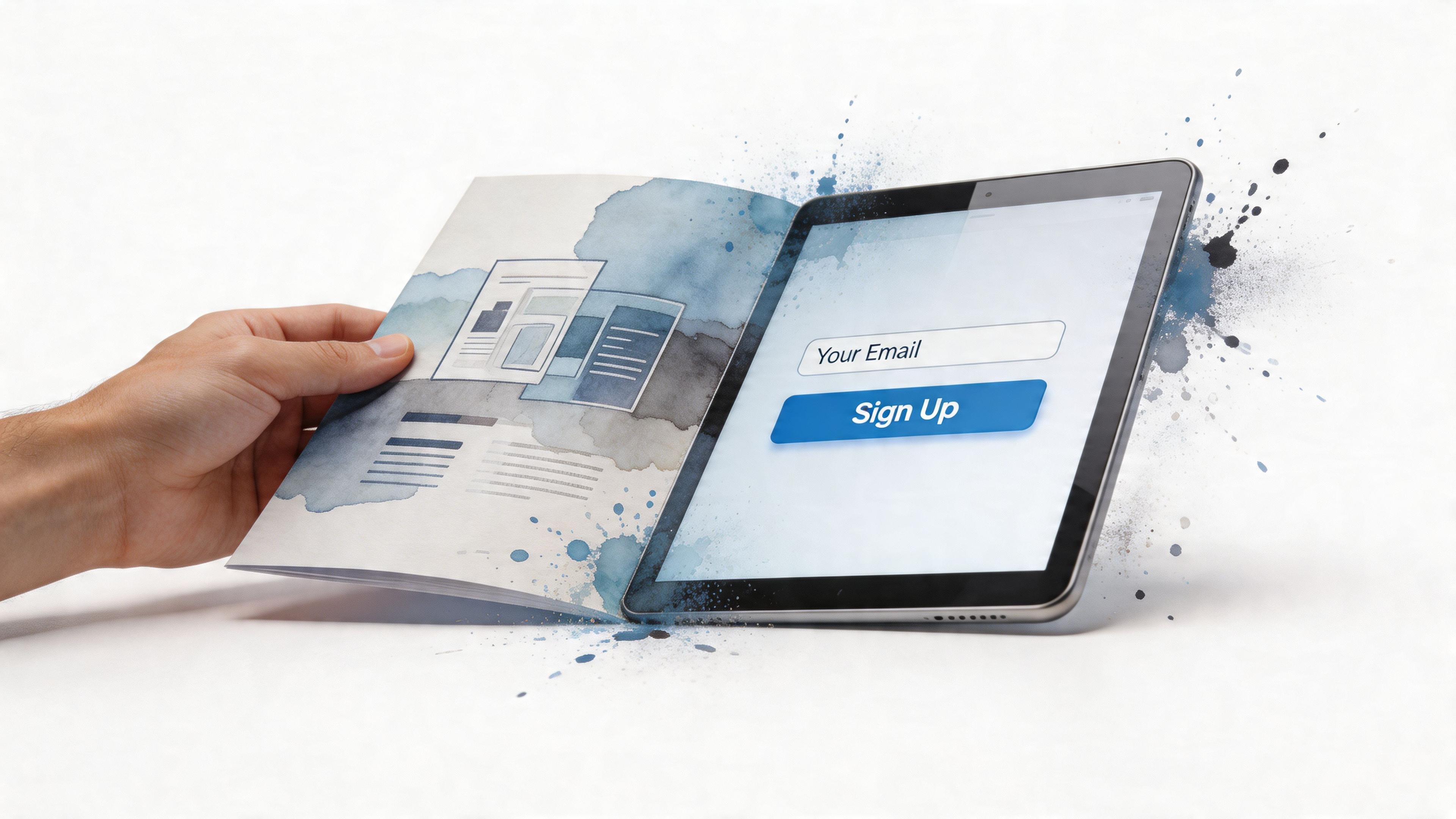
TL;DR: A lead generation website is a website built to capture visitor information, like an email address or phone number, so anonymous traffic can become potential customers. 90.7% of marketers use websites as their primary tool for lead generation and sales, which is why this kind of site matters so much for business growth in this lead generation statistics roundup.
You might be in a familiar spot right now. Your website looks decent. It explains what you do. It has your logo, your services, maybe even a nice photo of your team or your workspace.
But it isn't bringing in many inquiries.
That gap confuses a lot of first-time business owners. They assume that once a site is live, customers will naturally start reaching out. In reality, many websites act like silent brochures. They sit online, wait politely, and hope someone decides to make contact.
A lead generation website is different. It has a clear job. It helps strangers become real prospects by guiding them toward a next step, such as requesting a quote, booking a call, asking a question, or joining your email list.
Why Your Website Isn't Bringing You Customers
Maria runs a small bookkeeping business. Her site looks polished. It explains her services, shares her background, and includes contact details. Still, week after week, almost no one reaches out.
That situation is common for solopreneurs and small business owners.
A website can look professional and still fail at its main job. It attracts a visitor, answers a few basic questions, and then leaves that person standing there with no clear next step. The visitor scrolls, nods, and leaves. No quote request. No call booking. No email signup.
The issue usually is not design alone. The issue is direction.
Many first-time business owners build a site like an online brochure. It says, “Here’s who I am and what I do.” A lead-focused site works more like a digital storefront with a helpful clerk. It welcomes the visitor, understands what they need, and points them toward one simple action.
A website needs a specific job
Small business websites get better results when they are built to guide action, not just display information.
That action might be:
- Requesting a quote: The visitor can explain their need in a simple form.
- Booking a call or appointment: Interest turns into a scheduled conversation.
- Asking for a callback: A busy prospect can raise a hand without calling on the spot.
- Joining your email list: Someone who is not ready today can stay connected.
Understanding what is lead generation helps you see the gap. Lead generation means turning interest into contact. Once that idea clicks, your website starts to look less like a poster on the wall and more like a working part of your sales process.
Practical rule: If a visitor cannot tell what to do next within a few seconds, your website is probably losing leads.
Why small businesses get stuck here
A larger company may have a sales team, ad budget, and complex funnel. A solo business owner usually has something much simpler. One website. Limited time. A need for inquiries now, not six months from now.
That is why this problem shows up so often.
Many small business sites ask too much from the visitor. “Read everything. Figure out which service fits. Decide whether to email or call. Write your own message from scratch.” That is a lot of work for someone who just landed on your homepage.
People rarely take extra steps unless the path feels easy.
For a small business owner, your website should work like a staff member who never clocks out. It should greet visitors, answer the first question, and offer a clear next move. If you use a no-code tool such as Solo AI Website Creator, that process can be much faster to set up than many owners expect.
If your site gets visits but not inquiries, do not assume you need more traffic first. Start with a simpler question.
What job is your website doing right now?
If the honest answer is “sharing information,” you may not have a traffic problem yet. You likely have a conversion problem.
From Digital Brochure to Active Sales Tool
A standard website is like a printed brochure sitting on a reception desk. It has information, but it doesn't do much else. A lead generation website is more like a digital storefront with a helpful clerk who says, “What are you looking for?” and then points you in the right direction.
That difference changes everything.

What a brochure website does
A brochure-style site usually includes the basics:
- Home page: A short overview of the business
- About page: Background and credibility
- Services page: A list of offerings
- Contact page: An email address or phone number
There's nothing wrong with those pages. The issue is that they often leave all the work to the visitor. The site says, “Here's some information. Reach out if you want.”
Many people won't.
They may be interested, but they might still have questions. They may not be ready to call. They may want a quick estimate, a sample, a menu, a timeline, or a clear next step that feels easy and low-pressure.
What a lead generation website does instead
A lead generation website is built around conversion. That word sounds technical, but it means turning a visitor into a lead.
Instead of waiting, the site guides.
It might ask:
- Need pricing? Request a quote.
- Want to talk first? Book a consultation.
- Not ready yet? Join the newsletter.
- Need details? Download a checklist or view a service guide.
Each page has a purpose. Each button has a reason. Each form exists to make the next step easier.
A lead generation website doesn't just say, “This is what we do.” It says, “Here's the easiest way to start.”
The mindset shift that matters
Small business owners often think their website's job is to explain everything. That's only half the job.
The other half is helping the visitor act.
A restaurant site might want reservations and catering inquiries. A consultant might want discovery calls. A local cleaning company might want quote requests. Different businesses want different actions, but the principle stays the same.
Ask yourself these questions:
- Who is visiting my site?
- What do they likely want first?
- What is the easiest next step I can offer them?
When you answer those clearly, your site stops being passive.
It starts working like a tool.
A lead generation website isn't necessarily bigger, flashier, or more complicated than a normal website. In many cases, it's simpler. It removes distractions, highlights one next action at a time, and makes it easy for someone to raise their hand.
That's the core answer to what is a lead generation website. It's not just a website with a contact page. It's a website designed to start conversations with the right people.
The Anatomy of a High-Converting Website
A lead generation website works best when its parts work together. Picture a small shop. The sign outside brings people in. The layout helps them find what they need. The staff member answers questions. The checkout counter makes the final step easy.
Your website needs that same kind of structure.

Calls to action that tell people what to do
A call to action, or CTA, is the prompt that asks a visitor to do something.
Bad CTAs are vague. Buttons like “Submit” or “Learn More” often don't give enough context. Better CTAs make the next step clear and specific.
Examples:
- Get a Free Quote
- Book a Consultation
- Check Availability
- Ask About Catering
- Request Property Details
Clear wording matters because people feel safer when they know what happens next.
Quick test: Read your main button out loud. If it sounds generic, rewrite it as the exact action you want the visitor to take.
Forms that feel easy, not annoying
A lead capture form is where the visitor shares contact details. This is the moment many websites get wrong.
Business owners often ask for too much too soon. Full name, company, budget, address, timeline, phone number, referral source, detailed project description. That can feel like paperwork before trust exists.
Start simple. Ask only for what you need to begin the conversation.
A practical form for many service businesses includes:
- Name
- Email or phone
- What they need
- Preferred next step
If you need more details, you can ask later.
Landing pages built for one goal
A landing page is a focused page built around one action. Unlike a general homepage, it doesn't try to do everything.
For example:
- A photographer might have one page for wedding inquiries.
- A clinic might have one page for appointment requests.
- A real estate agent might have one page for home valuation requests.
Focused pages succeed by matching what the visitor is already thinking about. Companies maintaining 30+ targeted landing pages generate 7x more leads than those with only 5, according to Vernacular Agency's write-up on lead generation landing pages.
For a small business, that doesn't mean you need dozens of pages overnight. It means you should avoid sending every visitor to one generic contact page when they have very different needs.
Trust signals that reduce hesitation
Visitors don't become leads because you want them to. They become leads when they feel comfortable enough to act.
Trust signals help with that. Useful ones include:
- Testimonials: Brief comments from real clients
- Reviews: Especially if they mention outcomes or service quality
- Photos: Real team, location, or work samples
- Clear service details: So people know what you do and who it's for
- Straightforward contact options: So the business feels reachable
A page that asks for contact information without building trust first can feel suspicious.
SEO that brings in the right people
Search engine optimization, or SEO, helps the right visitors find your site when they search online.
For a beginner, don't overcomplicate this. Start with pages that match what customers are looking for. If you're a dog groomer, create a page about dog grooming services in your area. If you're a wedding planner, create a page around wedding planning services and related questions your clients ask.
The goal isn't “more traffic” in a vague sense. The goal is more of the right traffic.
If you want practical ways to improve page performance after people arrive, this guide on how to improve website conversion rates is a useful next read.
A short walkthrough can help you picture how these elements work together:
A simple checklist to use today
Before you redesign anything, check whether your website has these basics:
- One main action per key page: Don't make people choose between too many options.
- A visible CTA above the fold: Put the next step where visitors can see it quickly.
- A short, easy form: Remove fields that aren't necessary.
- At least one focused landing page per service or offer: Match pages to real customer intent.
- Proof that you're legitimate: Reviews, testimonials, photos, or examples of work.
If your website covers these pieces, you already have the foundation of a lead generation system.
From Anonymous Visitor to Qualified Lead
A visitor doesn't arrive on your site thinking, “I would love to enter a sales funnel today.” They arrive with a question, a problem, or a small bit of curiosity.
Your job is to make the next step feel natural.
Let's say Daniel needs help with payroll for his growing small business. He searches online, finds an article on your site about common payroll mistakes, and starts reading. At that point, he isn't ready for a long sales call. He wants reassurance that you understand the problem.
The path should feel like a conversation
After reading the article, Daniel sees a simple prompt: “Need help with payroll setup? Ask a quick question.” That feels easier than “Contact us for full-service payroll consulting.”
He clicks.
Now he lands on a page focused on payroll help. The page explains who the service is for, what kind of businesses you help, and what happens after someone reaches out. The form asks only for a few basics.
That sequence matters. It feels like a conversation, not a demand.
Why structured funnels work better
This is the idea behind a structured conversion funnel. That phrase sounds more technical than it is. It means you guide people step by step instead of asking for everything at once.
According to Emergent's guide to building a lead generation website, a lead generation website uses structured conversion funnels for predictable lead capture, and these can increase submission rates by 20% to 50% compared with a single, long form.
For a first-time entrepreneur, the practical lesson is simple. Don't force every visitor through one big generic form.
Use smaller, easier steps.
For example:
- Start with interest: A blog post, service page, or homepage CTA
- Offer a relevant next step: Quote request, booking, checklist, callback
- Ask for basic information: Enough to continue the conversation
- Follow up based on intent: Tailor the response to what they asked for
What progressive disclosure means in plain English
You may hear the term progressive disclosure. It just means revealing questions gradually instead of dumping them all on the screen at once.
If you're a wedding photographer, your first step might ask:
- Name
- Wedding date
After that, you can ask about venue, package type, and style preferences.
That feels lighter than showing every field immediately.
When people feel like a form is manageable, they're more likely to finish it.
This approach also helps you qualify leads without scaring them away. You still gather useful details, but you earn those details in stages.
Different pages do different jobs
Not every page should ask for the same action.
A homepage might introduce your business. A service page might answer specific buying questions. A blog post might help someone early in their research. A landing page might be where they finally request a quote or book a call.
If you want a clear explanation of the handoff from visitor to contact, this article on what is lead capture breaks that concept down well.
Some businesses also want to know who is visiting even before a form is completed. If that applies to you, this guide on how to identify your B2B website visitors adds helpful context for understanding anonymous traffic.
A qualified lead isn't just someone with a pulse and an email address. It's someone whose actions suggest real interest. Your website helps reveal that interest by creating a path that's clear, relevant, and easy to follow.
How to Measure Your Website's Success
A lead generation website isn't successful because it looks polished. It's successful because it produces useful inquiries you can act on.
That means you need a few simple measurements.
Many small organizations struggle here. 55% report inaccurate lead attribution, leading to wasted follow-up efforts, according to Salesforce's lead generation guide. In plain language, that means people often don't know which page, form, or campaign produced the lead.
You don't need a complicated analytics setup to start improving. You just need to track a few things consistently.
The three numbers that matter most
First is conversion rate. This tells you how well your website turns visitors into leads. If many people visit but very few inquire, something is blocking action.
Second is lead quality. Are the inquiries a good fit for your business, or are they mostly random messages and low-intent contacts? A site can produce leads and still perform poorly if those leads aren't relevant.
Third is cost per lead if you're spending money on ads, content, or outside help. You need to know whether the effort is bringing back enough value to justify the spend.
Here is a simple way to understand it:
| Metric (KPI) | What It Measures | Why It Matters for a Small Business |
|---|---|---|
| Conversion rate | How many visitors become leads | Shows whether your pages and forms persuade people to act |
| Lead quality | How relevant and sales-ready your inquiries are | Helps you avoid wasting time on poor-fit prospects |
| Cost per lead | What you spend to generate each inquiry | Helps you decide if your marketing is sustainable |
What to check each month
You don't need to stare at dashboards every day. A monthly review is enough for many small businesses.
Look for patterns like:
- Which pages generate inquiries: Your homepage, service pages, or blog posts may perform very differently.
- Which forms get completed: Some forms may be too long or unclear.
- Which leads turn into real conversations: This shows quality, not just quantity.
- Where people drop off: If many visitors view a page but don't click anything, the CTA may be weak.
Useful habit: Keep a simple spreadsheet with lead source, service requested, and whether the lead became a real opportunity.
Use plain-language tools
Google Analytics is useful for understanding page visits, traffic sources, and user behavior. Form tools and booking tools can show completion activity. Even your inbox or CRM can help if you tag incoming leads consistently.
If analytics feels abstract, start here: “Which page did this lead come from?” That one question improves decision-making fast.
For a more beginner-friendly breakdown, read what is website analytics. It explains the basics without burying you in technical terms.
Don't measure everything
A common mistake is tracking too much and using none of it.
Start with a few practical questions:
- Which page brings the most inquiries?
- Which inquiry type becomes real business most often?
- Which CTA gets clicked most often?
- Which source sends the best-fit leads?
Those answers help you decide what to improve next. Maybe your quote form is too long. Maybe your catering page works better than your homepage. Maybe your booking button gets more action than your contact form.
A lead generation website becomes more valuable when you treat it like a system you can tune, not a one-time project you publish and forget.
Lead Generation Websites in Action
The idea gets easier when you see how it fits real businesses. A lead generation website doesn't look the same in every industry. The goal stays the same, but the next step changes based on what the customer needs.
A local restaurant
A restaurant website shouldn't only show the menu and address. It can also capture future business.
One useful setup is a homepage with clear paths for three types of visitors: diners, event planners, and catering customers. The diner wants to reserve a table. The event planner wants to ask about a private party. The catering customer wants to see options and request details.
The site might include:
- Reserve a Table for regular guests
- Ask About Catering for group orders
- Plan a Private Event for larger inquiries
A simple inquiry form for catering can ask for date, group size, and contact details. That's enough to start the conversation without making the visitor work too hard.
A freelance consultant
A freelance consultant often sells trust before services. Prospects want to know whether you understand their problem.
A strong consultant website may have a homepage, a few service pages, a couple of helpful articles, and one clear CTA such as Book a Free Consultation or Tell Me About Your Project.
This works well because the next step feels personal, not corporate.
A consultant can also create separate landing pages for different offers. One page might speak to startup founders. Another might focus on nonprofit strategy. Another might support personal branding clients. Each page asks for the same basic action, but the message matches the visitor more closely.
A real estate agent
Real estate is full of high-intent website actions.
A buyer may want to schedule a viewing. A seller may want a home valuation. An investor may want alerts for certain property types. Those are different needs, so they deserve different paths.
A practical agent website can use:
- Schedule a Viewing
- Get a Home Value Estimate
- Ask About This Listing
Each action creates a lead, but each lead says something different about intent. Someone asking for a valuation is not the same as someone browsing listings casually. The website helps sort those signals in a clean, simple way.
A good lead generation website doesn't push every visitor into one contact page. It gives each type of visitor the most logical next step.
That's what makes the model flexible. Whether you run a restaurant, work as a solo consultant, or sell homes, the website's role stays consistent. It turns casual interest into a trackable business opportunity.
Build Your Lead Machine with Solo AI Website Creator
For many small business owners, the hard part isn't understanding the concept. It's building the thing without getting stuck in design tools, technical setup, or a long to-do list.
That's where no-code tools become practical.

What small businesses usually need
Most solopreneurs don't need a complex enterprise funnel. They need a site that helps people contact them, book them, or ask for a quote.
The basics usually include:
- Contact forms: So visitors can reach out right away
- Booking integration: So service businesses can turn interest into scheduled calls or appointments
- SEO-friendly pages: So people can discover the business through search
- Review and trust elements: So new visitors feel confident
- Simple analytics connection: So the owner can see what's working
That sounds obvious, but many businesses still haven't put those pieces in place. 68% of small businesses still lack optimized lead forms, according to ActiveCampaign's glossary entry on lead generation websites.
Where Solo AI Website Creator fits
Solo AI Website Creator is one no-code option that aligns with this need. It gives small businesses a way to launch a professional site quickly with built-in client contact forms, booking integrations, SEO support, review imports, and Google Analytics integration.
For a local service business, that means you can create a site that doesn't just describe your work. It can actively collect inquiries. For a clinic, that may mean appointment requests. For a restaurant, reservations or catering inquiries. For a freelancer, discovery calls or project forms.
The advantage isn't that the website exists. It's that the site can perform the basic jobs a lead generation website needs to perform without forcing the owner to custom-build every step.
A practical way to start
If you're building your first lead generation website, keep your first version simple.
Use this order:
- Choose one main goal: Quote requests, bookings, consultations, or inquiries
- Create one page per core service: Avoid stuffing everything onto one page
- Add one clear CTA to each page: Match the CTA to the service
- Use a short form: Ask only for the information needed to respond
- Connect analytics: So you can learn what visitors do
That's enough to get a working system online.
A lead generation website doesn't have to begin as a giant marketing machine. For a solo business, it can start as a clean website with a clear offer, a visible next step, and a form that makes contacting you easy.
Frequently Asked Questions
Do I need a big website to generate leads
No. A small website can work well if each page has a clear purpose. A few focused pages often outperform a larger site that's cluttered or confusing.
What's the difference between a contact page and a lead generation website
A contact page is one part of a website. A lead generation website is built around guiding visitors toward action across the whole site. The difference is intent and structure, not just the presence of a form.
Should I ask for email or phone number
Ask for the contact method you plan to use. If your business usually follows up by phone, request a phone number. If email is your standard first response, ask for email. Keep it simple so the form feels easy to complete.
What if visitors aren't ready to buy yet
Give them a lower-pressure next step. That could be a newsletter signup, a resource, a simple question form, or a booking option for later. Not every visitor is ready now, but they may be willing to stay connected.
How many calls to action should I have on a page
Usually one main call to action is best. You can include a secondary option, but too many choices often create hesitation. A visitor should know the primary next step right away.
How do I know if my website is attracting the right people
Look at the inquiries you're getting. If they're consistently off-topic or low quality, your messaging may be too broad. Tighten your page copy so it speaks more directly to the people you want to serve.
If you're ready to turn your website into something that captures real inquiries, Solo AI Website Creator gives you a simple way to launch pages with contact forms, booking options, SEO support, and analytics built in, without needing to code.