
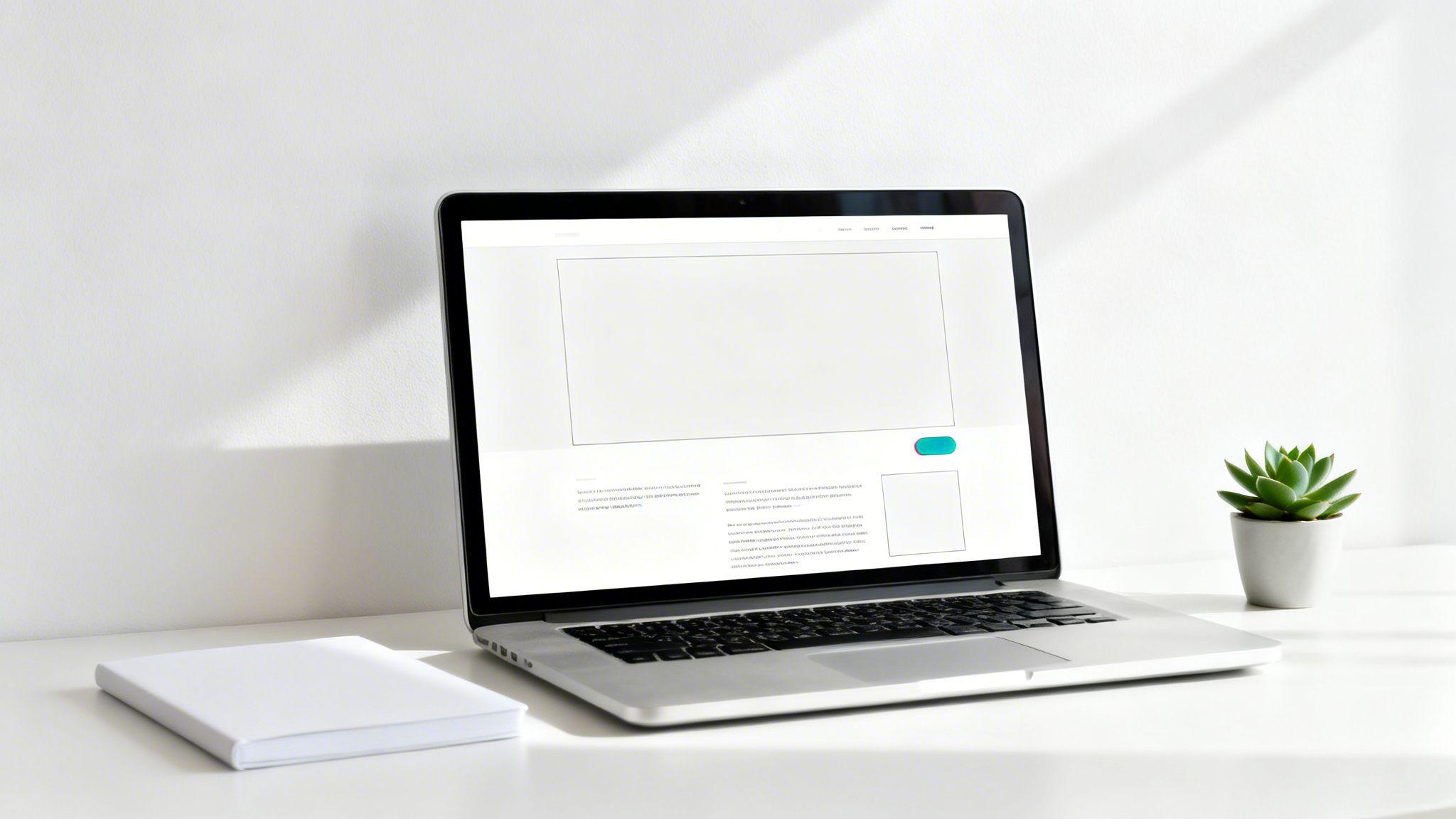
Ever walked into a cluttered room and felt instantly overwhelmed? That same feeling of chaos can happen on a website packed with too many things fighting for your attention. This is where white space becomes your secret weapon.
It’s often called negative space, but don’t let the name fool you. It’s not "wasted" or "empty" space. Think of it as the intentional breathing room you leave around your text, images, and buttons. It’s the silence between the notes that makes a melody beautiful.
Instead of seeing it as empty, think of white space as an active part of your design. It creates a sense of sophistication and calm, signaling to visitors that you're confident in your message and don't need to shout. A clean, uncluttered layout builds trust and makes your brand feel more credible.
The Power of Nothingness: What White Space Really Is
The main job of white space is to help your visitors focus on what matters. By strategically leaving parts of your page unmarked, you create natural pathways for their eyes to follow.
This gently guides their attention to the most important information, like your services, your contact form, or that big "Buy Now" button you want them to click. It’s a foundational principle of good user experience and a key part of the other elements of web design.
White space is to be regarded as an active element, not a passive background.
— Jan Tschichold, Typographer
For a quick rundown, here are the core ideas to keep in mind.
White Space at a Glance: Key Concepts
| Concept | Simple Explanation | Actionable Tip |
|---|---|---|
| Breathing Room | Giving elements space to exist without being crowded. | Add extra space around your logo and main navigation menu to make them stand out. |
| Visual Hierarchy | Using space to show what's most important on a page. | Place your most important call-to-action (like "Sign Up") in its own section with plenty of empty space around it. |
| Readability | The space between lines and letters of text. | Set your line spacing (line-height) to 1.5 times your font size. This makes paragraphs easier to read. |
| Brand Perception | The overall feeling created by the use of space. | A clean, spacious design makes your brand look more modern, trustworthy, and high-end. |
Ultimately, using white space effectively is about making your message clearer and your website more enjoyable for your visitors.
How It Shapes What Your Visitors Think
The amount of white space you use directly impacts how people see your business. It's not just a design trend; it has a real psychological effect.
In fact, studies show that 59% of people prefer browsing beautiful, well-designed websites over simple ones. Ample white space is a huge part of that, as it cuts down on visual clutter and makes the experience more pleasant. More importantly, using negative space the right way can boost user comprehension by up to 20%. This ensures your key messages aren’t just seen—they’re actually understood. You can see the data behind these findings on Attention Insight.
This is such a crucial concept that tools like the Solo AI Website Creator build it right into their professionally designed templates. This way, even if you’re not a designer, you can launch a site that feels open, clear, and trustworthy right from the start, helping you make a great first impression.
Understanding the Types of White Space
Think of white space like the pauses in a conversation. Without them, everything blurs into an overwhelming rush of words. A well-designed page needs those same pauses, and understanding them means seeing white space not as one big empty void, but as a versatile tool with different jobs.
The easiest way to get a handle on it is to break it down into two simple pairs.
Micro vs. Macro
First, let's look at the scale of the space you're using.
Micro white space is the small gaps that make things readable. This includes the space between individual letters, the space between lines of text (often called "leading" by designers), and the margins around a paragraph. Getting these details right is the difference between a blog post that’s a pleasure to read and a dense wall of text that makes visitors leave.
Macro white space, on the other hand, is the big stuff. It’s the larger breathing room between the major elements on your page—the space separating your logo from the navigation bar, the gap between your main article and a sidebar, or the empty area around a call-to-action button. This is what gives your page structure and guides the eye from one section to the next.
Active vs. Passive White Space
The second way to think about white space is by its purpose. Is it just there, or did you put it there for a reason?
Active white space is intentional. It’s space you consciously add to your design to guide the user's eye and create emphasis. Ever seen a "Buy Now" button that seems to float in its own clean, uncluttered area? That’s active white space doing its job, drawing your attention and making that element impossible to miss.
In contrast, passive white space is the natural, unmarked space that just happens as a result of laying things out. This includes the space between words in a sentence or the default margins on a page. It’s not there to highlight anything specific, but it's absolutely essential for creating a balanced, pleasant design.
Good design is as much about the space you leave empty as it is about the elements you include. The two work together to create clarity and guide your audience.
This diagram pulls these concepts together, showing how they improve clarity, capture attention, and even build trust with your visitors.
As you can see, white space isn't just about making things look pretty. It's a functional tool that directly supports your goals. By mastering both micro and macro, and using active and passive spacing with purpose, you create a experience that feels intuitive and professional, encouraging visitors to stick around.
How White Space Drives Better Business Results
It's easy to think of design as purely for looks, but the strategic use of white space is a secret weapon for real business growth. It's not just about aesthetics; it's a powerful tool that directly influences how visitors interact with your website and what they think of your brand.
When your site is clean and uncluttered, your value proposition doesn’t get lost in visual noise. Visitors can quickly understand what you do, why it matters, and why they should choose you.
Boost Readability and Keep Visitors Engaged
At its most basic, white space makes things easier to read. Giving text enough breathing room—between lines, around paragraphs—makes your content feel less like a chore and more like an invitation.
This isn't just about appearances; it’s about engagement. A visitor who can effortlessly scan your content is far more likely to stick around.
Actionable Tip: On your "About Us" page, surround client testimonials with extra space. This makes them stand out and feel more important and credible.
When you remove the unnecessary clutter, what’s left becomes more meaningful. A spacious design invites the viewer to linger a little longer and focus on what truly matters.
Good spacing signals to your visitors that you respect their time. This small detail can have a huge impact, lowering bounce rates and keeping potential customers on your site.
Guide User Attention to Drive Conversions
White space is a master of visual hierarchy. Without a single word, it tells your visitors exactly where to look. When you surround your most important elements with negative space, you’re putting a spotlight on them.
This is critical for your calls-to-action (CTAs). Want someone to book a demo or click that "Buy Now" button? Place it in an uncluttered area. The eye is naturally drawn to it. This simple technique is the foundation of a conversion-focused website design because it smooths out the user's path to action.
Let's look at the numbers. Research shows that ample negative space can make CTAs 20-25% more clickable. And it's not just about clicks; well-spaced sites often see time-on-page increase by as much as 47% because users can process information without feeling overwhelmed.
To see how this plays out in practice, let's compare some key metrics.
Before and After: The Impact of White Space
This table shows the dramatic difference that thoughtful white space can make on a website's performance.
| Metric | Website Without Good White Space | Website With Good White Space |
|---|---|---|
| Average Time on Page | 45 seconds | 1 minute, 30 seconds |
| Bounce Rate | 65% | 40% |
| Conversion Rate | 1.5% | 3.0% |
| User Comprehension | Low; key messages are lost | High; value proposition is clear |
As you can see, the "after" scenario isn't just a prettier design—it's a more effective one that delivers better results.
Build Trust and Professionalism
Your website is often the first impression a potential customer has of your business. A chaotic, cluttered layout can immediately signal that your brand is unprofessional or untrustworthy.
On the flip side, a design that uses white space effectively communicates confidence, clarity, and sophistication.
- For a photographer: Generous space around portfolio images makes each photo feel like it's hanging in a gallery, elevating the perceived quality of their work.
- For a service provider: A clean, spacious layout for pricing tables makes the information feel transparent and easy to understand, building immediate trust.
By giving your content room to breathe, you create a polished and credible online presence. If you're looking for more ways to turn visitors into customers, check out our guide on how to improve website conversion rates.
Practical Ways to Use White Space on Your Website
Knowing what white space is and why it's important is one thing; actually putting it into practice is another. The good news? You don't need a design degree to start using it effectively.
Here are some simple, actionable ways to introduce more breathing room into your website today.
The goal is to make small adjustments that create a big impact on clarity. Think of it as tidying up a room—a little organization goes a long way.
Increase Your Line Spacing
One of the quickest wins for readability is adjusting the space between lines of text. When lines are crammed together, reading becomes a chore.
Actionable Tip: A good rule of thumb is to set your line height to about 1.5 times your font size. For example, if your text is 16px, set the line height to 24px. This simple change instantly makes dense paragraphs feel more approachable.
Adding space around your words makes them more impactful. It's a quiet way to ask the reader to slow down and really take in your message.
This micro-level adjustment is a cornerstone of good design and directly improves the user experience.
Add Generous Margins and Padding
Next, let's zoom out and look at the larger elements on your page. Margins are the space outside an element's border (like the gap between two different sections), while padding is the space inside it (like the cushion between a button's text and its edge).
- Actionable Tip for Margins: Add plenty of space between your header, your main content, and your footer. This creates a clear visual break and helps users understand the structure of your page at a glance.
- Actionable Tip for Padding: For all your buttons, make sure the padding on the top and bottom is smaller than the padding on the sides. A good starting ratio is 1:1.5 (e.g., 10px top/bottom and 15px left/right). This makes buttons look balanced and easier to click.
These tweaks help define the visual hierarchy, guiding a visitor's eye from one piece of information to the next in a logical flow. If you want to dive deeper, you can find more guidance in our article on website design best practices.
Break Up Walls of Text
Nothing makes a visitor hit the "back" button faster than a giant, unbroken wall of text. Long paragraphs are intimidating and difficult to read on a screen.
Actionable Tip: Break up long content with short paragraphs (one to three sentences maximum), bullet points, and headings. This creates natural pauses, giving your readers' eyes a place to rest and making your content scannable.
Simplify with a Website Creator
Applying all these principles from scratch can feel overwhelming. This is where tools like the Solo AI Website Creator make a huge difference.
Instead of stressing over every pixel, you can start with professionally designed templates that already have balanced white space built in. The Solo AI Website Creator lets you easily adjust elements without needing to know any code. You can choose a layout that feels open and clean from the start, then make minor tweaks to spacing with a simple interface. It’s a great way to ensure your website looks polished and effective.
Common White Space Mistakes to Avoid
Mastering white space is a delicate balancing act. While it’s one of the most powerful tools in your design kit, a few common pitfalls can sabotage your efforts. Getting it right means finding that perfect sweet spot between a cluttered mess and a vast, empty void.
Steering clear of these mistakes will help you build a site that not only looks professional but also guides your visitors effectively. Let's break down the most frequent blunders and how to sidestep them.
Mistake 1: Too Little Space
This is the classic design mistake. When you cram elements together without giving them room to breathe, the page becomes a chaotic, overwhelming mess. This visual noise makes it nearly impossible for visitors to find what they're looking for.
One of the most common design errors is simply creating interfaces that are too crowded. Learning how to avoid a site’s web design that’s too busy is fundamental to using white space well. A jam-packed layout can make your business feel amateurish and untrustworthy.
Actionable Fix:
- Increase Margins: Add more generous spacing between the major sections of your page to create clear visual separation.
- Boost Line Height: For body text, set your line spacing to at least 1.5x the font size. This simple tweak works wonders for readability.
- Add Padding: Make sure buttons and images have enough internal space so their content doesn't feel squished against the edges.
Mistake 2: Too Much Space
On the flip side, it’s possible to go too far in the other direction. While minimalism is a popular aesthetic, an excessive amount of white space can make your layout feel disconnected, barren, and even broken.
If related elements—like an image and its caption—are so far apart that their relationship becomes unclear, you’ve fractured the visual flow. This can leave visitors feeling confused. The goal is clarity, not emptiness.
Actionable Fix:
- Group Related Items: Use the design principle of proximity. Keep elements that belong together visually close to one another (e.g., a testimonial and the person's name).
- Maintain Connections: Ensure there isn't so much space between a headline and its corresponding paragraph that a user has to second-guess if they're connected.
White space isn’t just emptiness. It’s intentional, thoughtful, and truly beautiful. Use it to give your most important elements the focus they deserve.
Mistake 3: Inconsistent Spacing
This might be the most subtle mistake, but it's also one of the most damaging. Using 20 pixels of space between some sections and 50 pixels between others for no logical reason creates a jarring, unprofessional experience.
Our brains are hardwired to look for patterns. When spacing is random and inconsistent, it disrupts this process and makes your design feel sloppy. It quietly signals a lack of care and attention to detail.
Actionable Fix:
- Establish a System: Define a set of rules for your spacing. For example, use multiples of a base number (like 8px). Small gaps could be 16px (8x2), medium gaps 32px (8x4), and large breaks 64px (8x8).
- Use Templates: This is where tools can save the day. The Solo AI Website Creator provides professionally designed templates that come with consistent, balanced spacing already built-in, giving you a polished look from the start.
A Few Lingering Questions About White Space
Even after getting a good handle on white space, a few questions tend to pop up. Let's walk through some of the most common ones to make sure you’re ready to use it with confidence.
Getting these details straight is the final step before you can really start using negative space to build websites that look amazing and work even better.
Does Adding More White Space Hurt My SEO?
Not at all—in fact, it usually helps. When you use white space strategically, you make your content much easier to read and your site simpler to navigate. That’s a huge boost for user experience, and search engines like Google love sites that people enjoy using.
When visitors stick around longer, it sends a strong signal to Google that your site is high-quality. That can lead to a nice bump in your search rankings. Plus, a clean, spacious design often loads faster, which is another big win for SEO.
How Do I Know If I'm Using Enough White Space?
Here’s a great little trick called the "squint test." Take a few steps back from your monitor and squint your eyes until the page blurs. Can you still clearly see the different sections, the headlines, and the main call-to-action buttons?
Actionable Tip: If everything just mushes together into one messy blob, you definitely need more macro white space (the big gaps between sections). If your most important message pops off the page, you're on the right track.
This simple check gives you a bird's-eye view of your layout, quickly showing you where things are too crowded and where a little breathing room could better guide your visitor's eye.
Can I Use a Colored Background and Still Have White Space?
Absolutely! This is a really common point of confusion. "White space" is just a designer's term for empty space—it doesn't literally have to be the color white. It can be any color, a subtle texture, or even a branded background image.
The only thing that matters is that the area is free of other elements like text or buttons. So go ahead and use your brand colors for the background. As long as you're leaving empty space to create balance and focus, you're using white space effectively.
Is It Possible to Have Too Much White Space?
Yes, you can overdo it. While white space is a powerful tool, using too much can make your website feel disjointed, empty, or even unfinished. If your content elements are pushed so far apart that visitors can't see how they relate to each other, you've broken the visual connection and made the page confusing.
It's all about finding the right balance. You want your design to feel open and uncluttered, but related items should still feel like they belong together. This is where professionally designed templates, like the ones inside the Solo AI Website Creator, are a lifesaver. They start you off with a layout that already feels balanced, intentional, and complete.
Ready to build a website that uses white space perfectly without all the guesswork? The Solo AI Website Creator generates a professional, clean, and conversion-focused site in minutes. Get started for free and see how a great design can elevate your business.
What is white space in design?
White space, also called negative space, is the intentional breathing room around and between design elements. It is not wasted space; it helps visitors focus on important content, reduces visual clutter, and makes a layout feel calm and organized.
How does white space improve user experience?
White space creates natural pathways for the eye, so visitors can quickly understand what matters most on a page. It improves readability, lowers cognitive strain, and makes content easier to scan, which helps people stay engaged longer and absorb key messages more clearly.
What is the difference between micro and macro white space?
Micro white space is the small spacing between letters, lines of text, and paragraphs that affects readability. Macro white space is the larger spacing between major page elements, such as sections, images, navigation, and call-to-action areas, which gives the page structure and emphasis.
Can white space help increase conversions?
Yes. Surrounding a call-to-action with ample negative space makes it more noticeable and easier to act on. Research cited here shows that strong use of white space can make CTAs 20-25% more clickable, while also increasing time on page and improving comprehension.
What are practical ways to add more white space to a website?
Start by increasing line height to about 1.5 times the font size, adding clearer margins between sections, and using balanced padding inside buttons. Breaking long text into short paragraphs, bullet points, and headings also adds visual breathing room and makes content easier to read.