
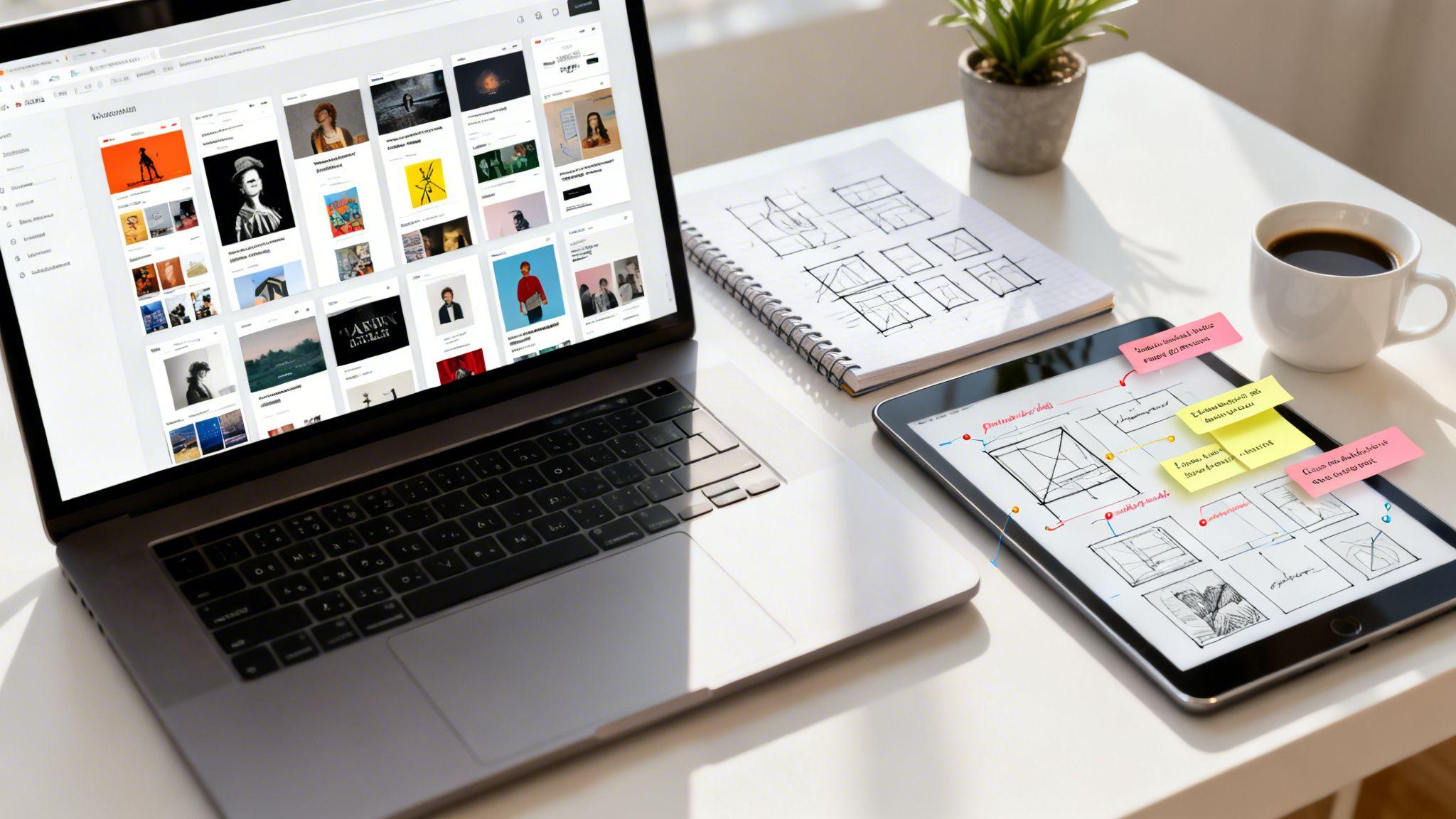
A powerful artist website does more than just display your work; it builds your brand, connects with buyers, and grows your career. But starting from a blank canvas can feel intimidating. Where do you begin, what pages do you need, and how do you turn your creative vision into a functional, professional website without getting tangled in complex code?
This guide breaks down some of the best artist website examples, showing you exactly what works and why. We'll move beyond just pretty pictures and dive into the strategy behind each site's layout, navigation, and sales tools. You will get actionable, fluff-free tips to help you design a site that not only showcases your art beautifully but also achieves your specific goals.
Whether you're looking to sell prints, book commissions, or land your next gallery show, you'll find inspiration here. We'll explore websites built on various platforms, from dedicated portfolio sites like Format to powerful tools like the Solo AI Website Creator, giving you a clear path forward. Each example includes screenshots, direct links, and a strategic breakdown of its most effective features. Let's explore how you can create a stunning online presence, simply and effectively.
1. Mahe – Explore Art, Discover Beauty
Best For: Visual artists seeking a ready-to-use, professional online gallery with built-in sales features.
Isabel Mahe’s website is a standout example of how to perfectly balance artistic presentation with business sense. It serves as a practical blueprint for any artist wanting a digital presence that is both elegant and effective. The site immediately welcomes visitors with a clean, gallery-style layout, putting the focus squarely on the artwork without distracting clutter.

This platform excels by smoothly integrating a shop directly into the portfolio. It addresses common buyer worries head-on by featuring clear product listings, a detailed shipping policy, and certificates of authenticity to build trust. This smart approach transforms a simple gallery into a professional, revenue-generating business.
Why It's a Top Artist Website Example
Mahe's website, built with the Solo AI Website Creator, demonstrates how to achieve a polished, high-end look without needing technical skills. It provides a real-world model of a site that is both visually appealing and designed for business.
- Strategic Trust-Building: By including clear policies and guarantees like certificates of authenticity, the site effectively reduces buyer hesitation and encourages sales.
- Unified Brand Voice: The site's look and written content work together to create a consistent and personal experience, making it feel authentic and professional.
- Integrated Business Tools: Features like contact forms for commissions, social media links, and built-in search engine optimization (SEO) tools show how a website can be the central hub for an artist's entire online brand.
Actionable Takeaways You Can Apply
- Lead with a "Gallery First" Homepage: Start with your strongest visual work. Use a simple design to ensure your art is the main attraction, much like Mahe’s grid layout.
- Build a Dedicated "Shop" Section: Organize your available works into an easy-to-browse store. For each piece, include high-quality images, dimensions, medium, and a compelling description.
- Create Clear Policy Pages: Dedicate pages to your shipping, returns, and privacy policies. This transparency is key for building trust with potential collectors and makes your business look more professional.
| Feature Analysis | Strategic Impact |
|---|---|
| Clean, Grid-Based Gallery | Maximizes visual impact by presenting artwork without clutter. Lets visitors easily browse the artist's portfolio. |
| Direct E-commerce (PayPal) | Provides a straightforward and trusted method for collectors to buy art directly. Simplifies the sales process for the artist. |
| Certificate of Authenticity | A key feature that increases buyer confidence and the perceived value of the artwork, making a purchase feel like a secure investment. |
| Integrated Contact Form | Creates a clear way for people to ask about commissions or gallery shows, turning site visitors into potential clients or partners. |
Website: Mahe – Explore Art, Discover Beauty
2. Squarespace
Squarespace is more than just a website tool; it's a curated gallery for finding high-quality artist website examples. The platform excels at showcasing real customer sites, making it a valuable resource for artists seeking inspiration for polished, image-focused portfolio layouts.

Unlike platforms where you have to add many separate "plugins" (extra software), Squarespace offers an all-in-one solution. It's a great choice for artists who want professional visual templates and prefer having services like e-commerce, scheduling, and analytics handled in one place.
Why It Stands Out for Artists
The key advantage of Squarespace is its focus on design. Its templates are specifically optimized to handle large, high-resolution images without slowing down your site, ensuring that your artwork is always the star.
- Integrated Tools: Built-in features for e-commerce, portfolios, and appointment scheduling are part of the core platform, removing the technical headache of managing third-party add-ons.
- Inspiration Gallery: The showcase provides a direct look into how successful artists structure their sites, offering layout ideas you can use.
- Simplicity: The platform handles technical tasks like hosting and security, allowing artists to focus on their creative work instead of website maintenance.
Actionable Takeaways You Can Apply
- Start with a Template: Browse Squarespace's "Art & Design" templates. Choose one that matches your aesthetic to get a head start.
- Use Portfolio Pages: Create dedicated portfolio pages to organize your work by series or medium. This makes it easier for visitors to browse your collections.
- Enable the E-commerce Store: If you plan to sell, activate the built-in store. Add your products, set up payments, and you're ready to make sales directly from your site.
Website: https://www.squarespace.com/showcase
3. Wix
Wix is a powerful and flexible platform that serves as a massive hub for finding diverse artist website examples. It stands out by offering a huge library of free, artist-specific templates and a dedicated showcase of real portfolios, providing a wealth of inspiration for nearly any creative field.

Unlike more rigid tools, Wix provides a high degree of design freedom with its drag-and-drop editor. This makes it an ideal choice for artists who want total control over their website's layout and have a large selection of ready-made designs to start with. Its free plan is particularly useful for building and testing your site before paying for a subscription.
Why It Stands Out for Artists
Wix's primary advantage is its combination of ease of use and customization. The platform helps beginners with an AI site generator that can create a portfolio in minutes, while also offering advanced tools for users who want to fine-tune every detail.
- Expansive Template Library: Dozens of templates are organized by creative fields, allowing artists to find a layout that closely matches their style and business needs from the start.
- Built-in Tools: The platform includes a set of integrated features like the Wix Pro Gallery, blogging tools, appointment bookings, and e-commerce stores that can be added with just a few clicks.
- Prototyping on a Free Plan: Artists can build and test their entire website on a generous free plan, only needing to upgrade when they are ready to connect a custom domain and remove Wix ads.
Actionable Takeaways You Can Apply
- Test the AI Creator: If you're new to websites, try Wix's ADI (Artificial Design Intelligence). Answer a few questions, and it will generate a custom website for you to edit.
- Explore the Wix App Market: Add functionality like an events calendar for shows or an email newsletter signup form to engage with your audience.
- Optimize Your Gallery: Use the Wix Pro Gallery to protect your images with watermarks and control their quality, ensuring they look great on all devices.
Website: https://www.wix.com/portfolio-website/industry/art
4. Webflow
Webflow is a powerful hub for finding premium artist website examples and templates, combined with a visual design tool that offers unmatched creative control. It’s the ideal platform for artists who want to move beyond standard templates and build a truly unique online portfolio with custom animations and interactions.

Think of Webflow as a middle ground between simple drag-and-drop tools and writing code by hand. It provides a visual canvas that writes clean, professional code for you. This allows for pixel-perfect control over every element, making it ideal for creating unique layouts and animations that make a portfolio stand out.
Why It Stands Out for Artists
Webflow’s main advantage is its blend of design freedom and content management power. Unlike simpler tools, you are not locked into a template’s structure; you can build anything you can imagine. Its flexible Content Management System (CMS) is perfect for managing large art collections or blog posts.
- Pixel-Perfect Control: The visual designer offers precise control over layout and typography without needing to write code, which is essential for artists with a specific vision.
- Advanced Animations: Build sophisticated interactions, page transitions, and scroll-based animations to create a dynamic and engaging user experience.
- Inspiration & Templates: A curated showcase and a large template marketplace provide a strong starting point and endless inspiration.
Actionable Takeaways You Can Apply
- Start with Webflow University: Webflow has excellent free video tutorials. Invest a few hours to learn the basics of the designer before you start building.
- Use the CMS for Your Portfolio: Set up a "Portfolio" collection in the CMS. This lets you easily add, update, and categorize your artwork without redesigning the page each time.
- Add Subtle Animations: Use simple "on scroll" or "on hover" animations to add a professional touch that guides the visitor's eye through your work.
Website: https://webflow.com/list/artist-portfolio
5. Format
Format is a portfolio-first platform built specifically for professional visual artists and photographers. It goes beyond general website building to offer a specialized toolkit for finding excellent artist website examples and managing a creative business, combining gallery showcases with practical client management features.

This platform is ideal for artists who need an efficient way to present work to clients and sell online. It combines art-focused templates with tools like private client proofing galleries and a commission-free online store, streamlining the entire process from portfolio display to final sale.
Why It Stands Out for Artists
Format’s main advantage is its deep focus on the creative professional's workflow. Instead of piecing together different tools for galleries, e-commerce, and client management, Format provides these essentials in one system. Its templates are designed to make high-resolution artwork and photography look their best.
- Artist-Centric Tools: Features like private client galleries, watermarking, and proofing are built-in, which speeds up the process of sharing and getting feedback on commissioned work.
- Integrated Business Management: Basic client and project management tools help you stay organized directly from your website.
- Commission-Free Sales: The platform’s integrated online store does not take a percentage of your sales (standard payment processor fees still apply), so you keep more of your revenue.
Actionable Takeaways You Can Apply
- Create Client-Specific Galleries: If you do commissions, use the "Client Galleries" feature to create private, password-protected pages for clients to review and approve work.
- Use the "Proofing" Feature: Allow clients to "favorite" images or leave comments directly on the proofs to simplify your feedback process.
- Organize Your Portfolio: Use Format's gallery layouts (like slideshows, grids, or vertical scrolls) to best suit different projects or series of work.
Website: https://www.format.com/professions/art
6. Cargo
Cargo is a design-focused website platform popular in the creative community, making it a go-to source for minimalist artist website examples. Known for its clean, grid-based templates and detailed layout control, Cargo appeals to artists who want a stripped-down look where the artwork is the primary focus.

Unlike massive, all-in-one platforms, Cargo offers a focused, almost boutique experience. It’s ideal for artists who want a highly curated visual presence without the bloat of extra business apps, providing just the essential tools needed to build a professional portfolio and online store.
Why It Stands Out for Artists
Cargo’s strength lies in its simplicity and powerful visual customization. The platform gives artists direct control over typography, spacing, and image placement, allowing for more unique and artistic layouts than what is typically possible with mainstream tools.
- Flexible Gallery Modes: Artists can choose from multiple gallery formats—including Grid, Slideshow, and Freeform—to best present their specific body of work.
- Transparent Pricing: Cargo offers a straightforward pricing model with a single base price that includes hosting and unlimited pages. The shop feature is an optional, flat-fee add-on.
- Inspiration from Peers: The public gallery of live Cargo sites provides direct access to how other professional artists are using the platform, offering real-world layout ideas.
Actionable Takeaways You Can Apply
- Experiment with Layouts: Don't stick to the default template. Use Cargo's design editor to adjust padding, margins, and image alignment to create a custom feel.
- Focus on Typography: Cargo offers great control over fonts. Choose a clean, readable font for your text and a more expressive one for headings to add personality.
- Link Your Socials: Since Cargo is minimalist, make sure to add clear links to your Instagram or other social platforms where people can see more of your daily work and process.
Website: https://cargocollective.com/sites
7. Shopify Theme Store (Arts & Crafts / Photography)
The Shopify Theme Store is the best resource when your main goal is to sell artwork online. It offers a marketplace of e-commerce themes specifically for the arts, providing live demos that function as excellent artist website examples with a strong commercial focus. It’s the best choice for artists who need a reliable, sales-ready storefront from day one.

Unlike portfolio-focused platforms, Shopify is built from the ground up for selling. Its system is designed to handle the entire sales process, from showcasing products with high-resolution images to managing secure payments, shipping, and taxes. This makes it ideal for artists selling originals, prints, or merchandise at scale.
Why It Stands Out for Artists
Shopify's main advantage is its best-in-class e-commerce engine. The platform is engineered to turn visitors into buyers, providing a smooth checkout experience that builds trust and boosts sales. Themes in the Arts & Crafts category are designed to balance beautiful visuals with clear "buy now" buttons.
- Powerful Commerce Tools: Access professional inventory management, integrated payment processing, and abandoned cart recovery features that are crucial for running a serious art business.
- Live Storefront Demos: The theme gallery allows you to explore fully functional demo stores, offering a practical preview of how your art could be presented and sold.
- App Ecosystem: Add more features to your site with a vast App Store for services like print-on-demand, email marketing, and advanced analytics.
Actionable Takeaways You Can Apply
- Write Detailed Product Descriptions: For each piece of art, include the story behind it, the materials used, and the dimensions. This helps buyers connect with the work.
- Use High-Quality Product Photos: Show your art in context. Take photos of it hanging on a wall or show a close-up of the texture. This helps buyers visualize it in their own space.
- Set Up a Print-on-Demand App: Integrate a service like Printful or Printify to sell prints and merchandise without having to manage inventory or shipping yourself.
Website: https://themes.shopify.com/templates/arts-and-crafts
Artist Website Platforms — 7-Site Comparison
| Platform | Implementation complexity | Resource requirements | Expected outcomes | Ideal use cases | Key advantages |
|---|---|---|---|---|---|
| Mahe — Explore Art, Discover Beauty (Solo example) | Low — ready-to-use template | Minimal: Solo account, images, PayPal | A live, gallery-focused portfolio with direct sales features | Independent visual artists needing a quick launch | Real-world example; built-in commerce, SEO, forms |
| Squarespace | Low — drag-and-drop, professional templates | Paid subscription, image assets | Polished, image-focused portfolio with built-in tools | Artists wanting an all-in-one polished site | Designer templates; centralized hosting, analytics, payments |
| Wix | Low–Medium — many templates + AI starter | Free or paid plan; time to customize | Fast prototypes; flexible galleries and store options | DIY creators prototyping or building quickly | Large template library; free plan; AI website creator |
| Webflow | Medium–High — visual designer, CMS | Learning time; paid hosting/ecommerce plans | Highly customized, interactive portfolios | Artists needing pixel-perfect control and animations | Total design control without coding; flexible CMS and templates |
| Format | Low — portfolio-first workflows | Paid plan; image/storage limits on lower tiers | Simpler client proofing and commission sales | Photographers and artists needing client proofing tools | Client galleries, password protection, commission-free store |
| Cargo (Cargo Collective) | Low–Medium — design-focused, minimal UI | Base fee; optional commerce add-on for sales | Minimalist, image-centric sites with layout control | Artists preferring clean, minimal presentation | Simple pricing, multiple gallery modes, design-focused templates |
| Shopify Theme Store (Arts & Crafts / Photography) | Medium — theme setup + Shopify configuration | Shopify subscription; theme and app costs | Reliable, sales-ready storefront with inventory and checkout | Artists prioritizing e-commerce at scale (prints, merch) | Best-in-class checkout, large app ecosystem, powerful sales tools |
From Inspiration to Creation: Launching Your Artist Website
We've explored a gallery of stunning artist website examples, from the minimalist elegance on Cargo to the reliable e-commerce powerhouses built with Shopify. Each example proves that there is no single "best" design. The most effective artist websites are those that are strategically aligned with the creator's specific goals.
Your first step isn't choosing a color or font; it's defining your main objective. This single decision will guide every choice you make, from the platform you use to the content you feature.
Key Strategic Takeaways
As you move from inspiration to action, keep these core principles in mind:
- Goal-Driven Design: Are you trying to sell prints, attract galleries, or book commissions? A website designed for e-commerce (like on Shopify) will look very different from a portfolio meant to impress a curator (like on Format or Cargo). Your goal determines the layout.
- Make It Easy for Visitors: Your website must be simple to navigate. People should be able to find your portfolio, learn about you, and contact you without getting confused. Clear menus, high-quality images, and a design that works on mobile phones are essential.
- High-Quality Visuals Are Everything: Your art is the star. Invest time in professionally photographing or scanning your work. Crisp, high-resolution images are crucial for making a strong impression and showing the quality of your craft. For digital artists, this starts with the creation process itself. Honing skills like learning how to draw on iPad effectively ensures your digital work is sharp from the beginning.
- Tell Your Story: The "About" page is often one of the most visited sections. Use it to share your artist's statement, your process, and your unique perspective. This is where you build a connection with your audience, turning viewers into fans.
Choosing the Right Tool for Your Vision
The platforms we've discussed, from Wix and Squarespace to the more specialized Webflow, each offer a unique set of features. Your choice depends on your technical comfort, budget, and long-term goals.
Don't let the fear of technology become a barrier. Modern tools are specifically designed to empower creators without any coding knowledge. The focus should be on your art, not on wrestling with complex software. By combining the strategic insights from these artist website examples with a user-friendly platform, you can create a professional digital home that truly represents your work and drives your career forward.
Ready to turn your artistic vision into a stunning online presence? The Solo AI Website Creator takes the complexity out of web design, allowing you to generate a beautiful, professional artist website in minutes. Stop worrying about code and start showcasing your work with a platform designed for creators like you.
What makes an artist website effective instead of just visually appealing?
An effective artist website presents artwork clearly while also supporting your career goals. That means pairing strong visuals with practical elements like easy navigation, contact options, clear policy pages, and sales or commission tools that help visitors take action.
What pages should an artist portfolio website include?
A strong artist portfolio usually needs a homepage that leads with your work, dedicated portfolio or gallery pages, a contact page, and policy pages if you sell online. If commissions or direct sales matter to your business, a shop section and inquiry form are also important.
How can an artist website build trust with buyers?
Trust grows when buyers can quickly find details that make the purchase feel secure. Clear product listings, shipping and return policies, contact information, and features like certificates of authenticity reduce hesitation and make the site feel professional.
How should artwork be organized on a portfolio website?
Organize artwork into dedicated portfolio pages, collections, or categories such as series or medium so visitors can browse without confusion. Clean grid layouts, strong thumbnails, and simple navigation help keep the focus on the work rather than the website itself.
How do you choose the right platform for an artist website?
Choose the platform based on your priorities. If you want simplicity and built-in tools, an all-in-one option works well; if you want deep customization and animations, a more flexible visual builder is better; and if you work with clients often, portfolio-first tools with proofing and private galleries can be the best fit.